
WhalesBot D3PRO
Uživatelská příručka k sadě kódovacího robota WhalesBot D3 Pro 12 v 1 STEM Wecode Pad
Model: D3PRO
Zavedení
The WhalesBot D3 Pro is an innovative 12-in-1 STEM coding robot kit designed to introduce children aged 6-8 to the fundamentals of programming, robotics, and mechanical engineering. This kit emphasizes screen-free learning through its unique WeCode Pad, providing a hands-on and engaging educational experience. With 388 pieces, it allows for the construction of various robot models, fostering creativity, problem-solving skills, and logical thinking.

Obrázek: Overview of the WhalesBot D3 Pro kit, showcasing the WeCode Pad, electronic components, and various robot models that can be built.
Co je v krabici
Your WhalesBot D3 Pro kit comes with all the necessary components to begin your building and coding journey. Please verify that all items listed below are present in your package:
- D3 STEM Coding Robot Kit x 1
- Storybook x 3 & User Guide x 1
- Electronic Components x 5 (Controller x1, Motors x2, Ultrasonic Sensor x1)
- Structural Components x 366
- Blue Storage Box x1

Image: A comprehensive visual representation of all 388 structural and electronic components, along with the WeCode Pad, user manual, and storybooks, neatly arranged in the storage box.
Nastavení
Setting up your WhalesBot D3 Pro involves assembling the robot models and establishing connection with the WeCode Pad. Follow the guidance provided in the included story guide books and online tutorials for detailed building instructions.
Shromáždění
The kit includes 3 story guide books that provide step-by-step instructions for building the 12 distinct robot models. These books integrate building steps with engaging narratives, making the assembly process enjoyable. For additional support, online tutorials are available to guide you through the construction of each model.
Initial Connection (WeCode Pad)
- Ensure the WeCode Pad and the robot controller are powered on.
- The WeCode Pad connects to the robot controller via Bluetooth. Follow the on-screen prompts on the WeCode Pad to pair the devices.
- Once connected, the WeCode Pad will display a confirmation, indicating it is ready for programming or remote control.
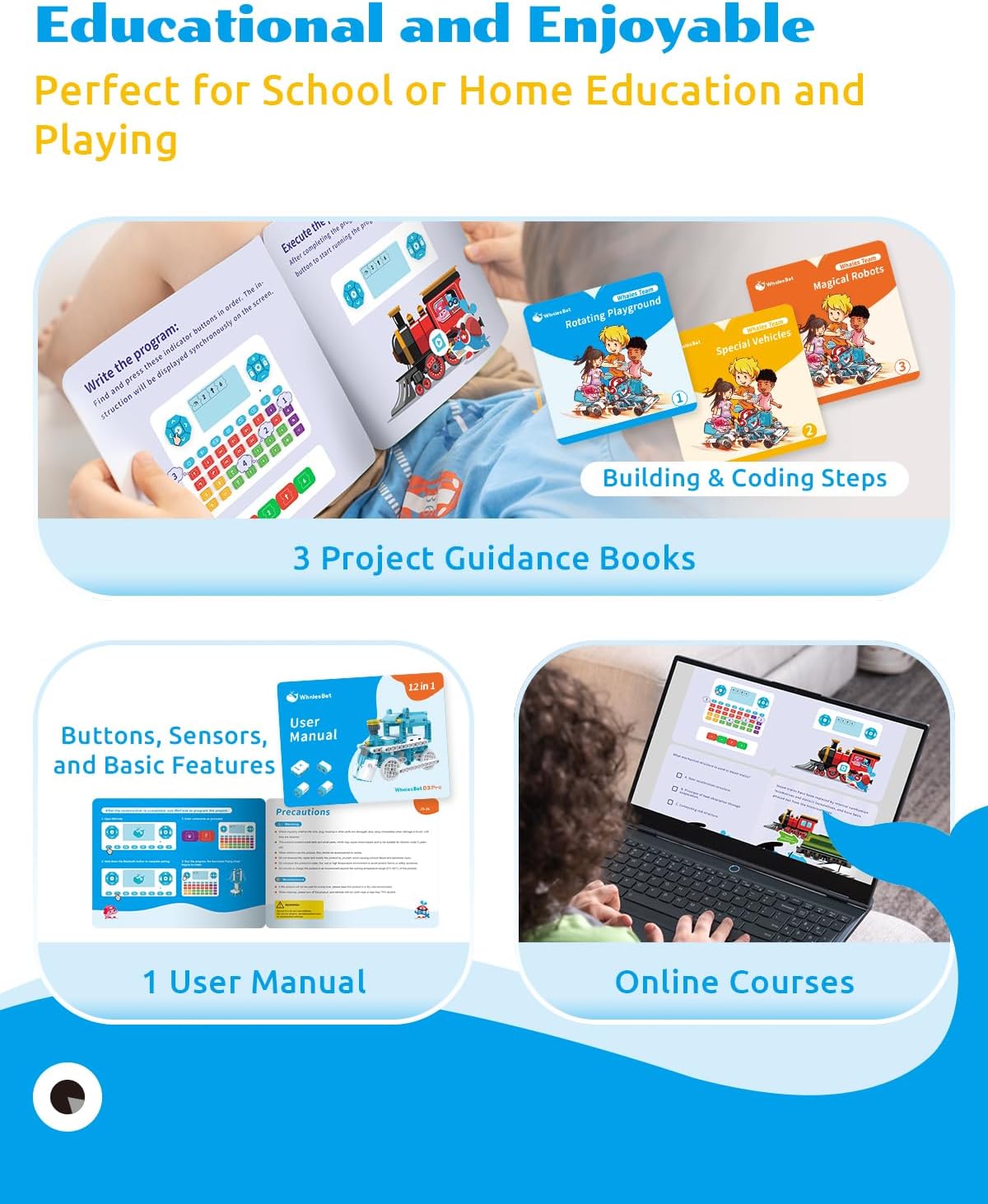
Image: The educational resources provided with the kit, including the three story guide books, the user manual, and access to online courses, all designed to facilitate learning and assembly.
Provozní
The WhalesBot D3 Pro offers two primary modes of operation: programming via the WeCode Pad and direct remote control. Both modes utilize the intuitive interface of the WeCode Pad.
WeCode Pad Programming
The WeCode Pad allows for screen-free programming using a block-based coding system. Different colored buttons represent various command types:
- Kontrola pohybu: Red buttons control motor movements, allowing the robot to move in desired directions.
- Logic Control: Yellow buttons produce logic commands such as loops, judgments, and duration settings for specific operations.
- čísla: Green buttons represent numerical values, used for setting time durations, loop counts, or speed levels.
- Sound & Light Control: Purple buttons control sound and light effects, which can be combined with numeric inputs for varied displays.
To program, simply enter the sequence of commands using the corresponding buttons on the WeCode Pad. The display on the pad will show the entered code blocks. Once the program is complete, initiate it to observe your robot's actions.

Image: Demonstrates the four-step process of using the WeCode Pad for programming: powering on, Bluetooth pairing, entering commands, and running the program.
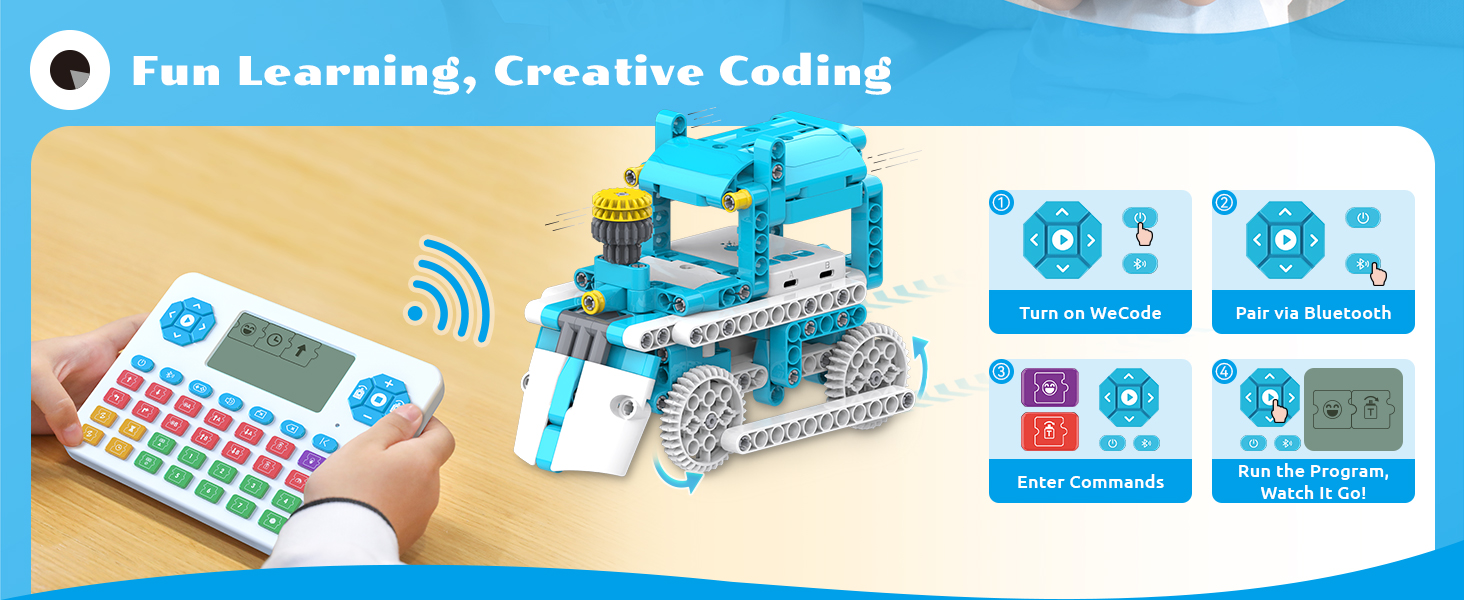
Image: Detailed explanation of the WeCode Pad's button functions, categorizing them into motion, logic, number, and sound/light controls, and illustrating the associated electronic components.
Režim dálkového ovládání
The WeCode Pad can easily switch between programming and remote control modes with a single click. In remote control mode, you can directly maneuver your assembled robot models using the directional buttons on the pad, providing immediate interactive play.
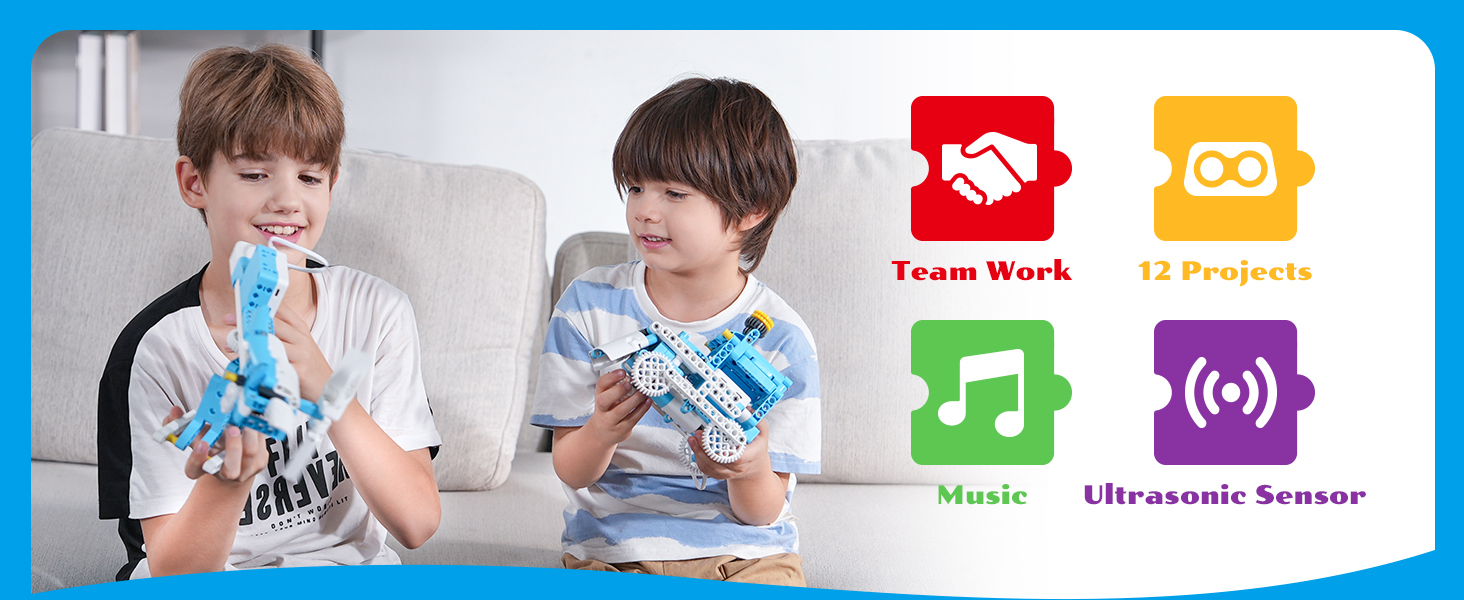
Image: Illustrates the dual functionality of the WeCode Pad, allowing users to seamlessly switch between programming and direct remote control of their robot creations.
12 Fun Projects
The WhalesBot D3 Pro kit enables the construction of 12 distinct robot models, each designed to teach different mechanical structures and programming concepts. Exampzahrnují:
- Hurricane Flying Chair
- Ruské kolo
- Mechanical Rabbit
- Rotační letadla
- Stěrač předního skla
- F1 Race Car
- Parní vlak
- Obrněné vozidlo
- Exploding Drummer
- Mlýnský robot
- Dynamic Bicycle
- Weightlifter

Obrázek: Přamples of three of the 12 fun projects, highlighting different mechanical structures like connecting rods, gear transmissions, and crank and rocker mechanisms, demonstrating the educational depth of the kit.

Image: A visual catalog of all 12 unique robot models that can be constructed using the WhalesBot D3 Pro kit, illustrating the variety and complexity of projects available.
Údržba
Proper care and maintenance will ensure the longevity and optimal performance of your WhalesBot D3 Pro kit.
- Čištění: Use a soft, dry cloth to wipe down the components. Avoid using harsh chemicals or abrasive materials, as they may damage the plastic or electronic parts.
- Skladování: Store all components in the provided blue storage box when not in use. Keep the kit in a cool, dry place away from direct sunlight and extreme temperatures.
- Péče o baterie: While specific battery details for the WeCode Pad are not provided, it is generally recommended to remove batteries if the device will not be used for an extended period to prevent leakage.
- Zacházení: Handle electronic components and delicate parts with care to prevent damage.
Odstraňování problémů
If you encounter any issues while using your WhalesBot D3 Pro kit, refer to the following common solutions:
- Robot nereaguje:
- Ensure the WeCode Pad and robot controller are both powered on and fully charged.
- Verify that the Bluetooth connection between the WeCode Pad and the robot controller is active and stable. Try re-pairing if necessary.
- Check that the electronic components (motors, sensors) are correctly connected to the robot controller as per the building instructions.
- Incorrect Robot Movement/Behavior:
- Review your programming sequence on the WeCode Pad. Ensure the logic and numerical inputs are correct for the desired action.
- If using remote control, ensure you are in the correct mode and the directional inputs are being registered.
- Check for any recent app updates for the WeCode Pad's firmware, as updates often resolve known issues or improve functionality.
- Difficulty with Assembly Instructions:
- The building instructions can be detailed. Take your time and carefully follow each step.
- Utilize the 3D guides available in the online tutorials for a more interactive visual aid.
- For younger children (especially those at the lower end of the 6-8 age range), adult supervision or assistance may be beneficial for complex builds.
- Parts Not Fitting/Missing:
- Double-check the parts list against the components in your box.
- Ensure you are using the correct pieces for each step as indicated in the instructions. Some pieces may look similar but have subtle differences.
- If you believe a part is genuinely missing or defective, contact WhalesBot customer support.
Specifikace
| Funkce | Detail |
|---|---|
| Číslo modelu | D3PRO |
| Rozměry produktu | 16.1 x 11.8 x 5.1 palce |
| Hmotnost položky | 5.84 libry |
| Výrobcem doporučený věk | 6 - 8 let |
| Počet kusů | 388 |
| Modely robotů | 12 v 1 |
| Metoda programování | Screen-Free WeCode Pad (Block-based) |
| Konektivita | Bluetooth |
Záruka a podpora
For information regarding product warranty, returns, or technical support, please refer to the official user manual included in your kit or visit the WhalesBot official website. Typically, products purchased through Amazon.com are subject to a 30-day return/replacement policy. For specific warranty terms and conditions, please consult the documentation provided by the manufacturer, WhalesBot.
Další zdroje a kontaktní informace naleznete také na WhalesBot Store on Amazon.
Ask a question about this manual
Ask about setup, troubleshooting, compatibility, parts, safety, or missing instructions. Manuals+ will review the question and use this page’s manual context to help answer it.