
1. Úvod
Děkuji za nákupasing the Elprico Elpricokgv70zngcy Night Light Bluetooth Speaker. This versatile device combines a Bluetooth speaker, a dimmable night light, and a 15W wireless charger into one compact unit. This manual provides detailed instructions for setup, operation, and maintenance to ensure optimal performance and longevity of your product.
2. Bezpečnostní informace
- Nevystavujte zařízení vodě ani nadměrné vlhkosti.
- Vyhněte se extrémním teplotám.
- Nerozebírejte ani se nepokoušejte o opravu zařízení sami. Kontaktujte kvalifikovaný servisní personál.
- Uchovávejte mimo dosah dětí.
- Use only the provided or certified compatible power adapter and cable.
- Při používání funkce bezdrátového nabíjení zajistěte dostatečné větrání.
3. Obsah balení
- Elprico Night Light Bluetooth Speaker (Model: Elpricokgv70zngcy)
- USB kabel (typ C)
- Návod k použití

Image: The Elprico Night Light Bluetooth Speaker shown alongside its included USB Type-C charging cable.

Obrázek: Detailní záběr view of the white USB Type-A to Type-C cable included with the speaker.
4. Konec produktuview
Familiarize yourself with the components of your Elprico Night Light Bluetooth Speaker.

Obrázek: Přední strana view of the Elprico Night Light Bluetooth Speaker, showcasing its crescent-shaped light, central speaker grille, and control buttons.

Obrázek: Shora dolů view of the speaker, highlighting the wireless charging pad with a lightning bolt icon and charging rings.

Image: Close-up of the five control buttons: Power/Light Mode, Mode, Previous Track/Volume Down, Play/Pause/Call, Next Track/Volume Up.
Ovládací tlačítka:
- Power / Light Mode Button: Press and hold to power on/off. Short press to cycle through light modes.
- Tlačítko režimu (M): Short press to switch between Bluetooth, FM, USB, Memory Card, and AUX modes.
- Tlačítko Předchozí skladba / Snížení hlasitosti: Krátkým stisknutím přejdete na předchozí skladbu. Dlouhým stisknutím snížíte hlasitost.
- Play / Pause / Call Button: Krátkým stisknutím přehrajete/pozastavíte hudbu. Krátkým stisknutím přijmete/ukončíte hovory. Stisknutím a podržením odmítnete hovory.
- Tlačítko pro další skladbu / zvýšení hlasitosti: Krátkým stisknutím přejdete na další skladbu. Dlouhým stisknutím zvýšíte hlasitost.
Další komponenty:
- Bezdrátová nabíjecí podložka: Nachází se na horní ploše.
- Mřížka reproduktoru: Přední audio výstup.
- LED světelný pás: Integrated into the crescent design.
- Nabíjecí port USB-C: Located at the rear (not visible in all images, but standard location).
- USB port: Pro přehrávání z USB disku.
- Slot pro paměťovou kartu: For memory card playback.
- Vstup AUX: Pro kabelové audio připojení.
5. Nastavení
5.1 Počáteční nabíjení
Before first use, fully charge the device. Connect the provided USB Type-C cable to the charging port on the speaker and the other end to a compatible USB power adapter (not included) or a computer USB port. The charging indicator (if present) will show charging status.
5.2 Zapnutí/vypnutí
Stiskněte a podržte Power / Light Mode Button for approximately 3 seconds to power the device on or off.
6. Návod k obsluze
6.1 Párování Bluetooth
- Power on the speaker. It will automatically enter Bluetooth pairing mode (a voice prompt or indicator light may confirm this).
- Na svém mobilním zařízení povolte Bluetooth a vyhledejte dostupná zařízení.
- Select "Elprico Speaker" (or similar name) from the list.
- Once paired, the speaker will confirm with an audio prompt.
- Nyní můžete přehrávat zvuk ze zařízení přes reproduktor.
Poznámka: If two speakers are paired together, they will produce a stereo effect. Refer to the specific instructions for TWS (True Wireless Stereo) pairing if available in the included paper manual.
6.2 Wireless Charging (15W)
Place your Qi-compatible smartphone or other device on the wireless charging pad located on top of the speaker. Ensure the device is centered on the charging pad for optimal charging. The lightning bolt icon indicates the charging area.
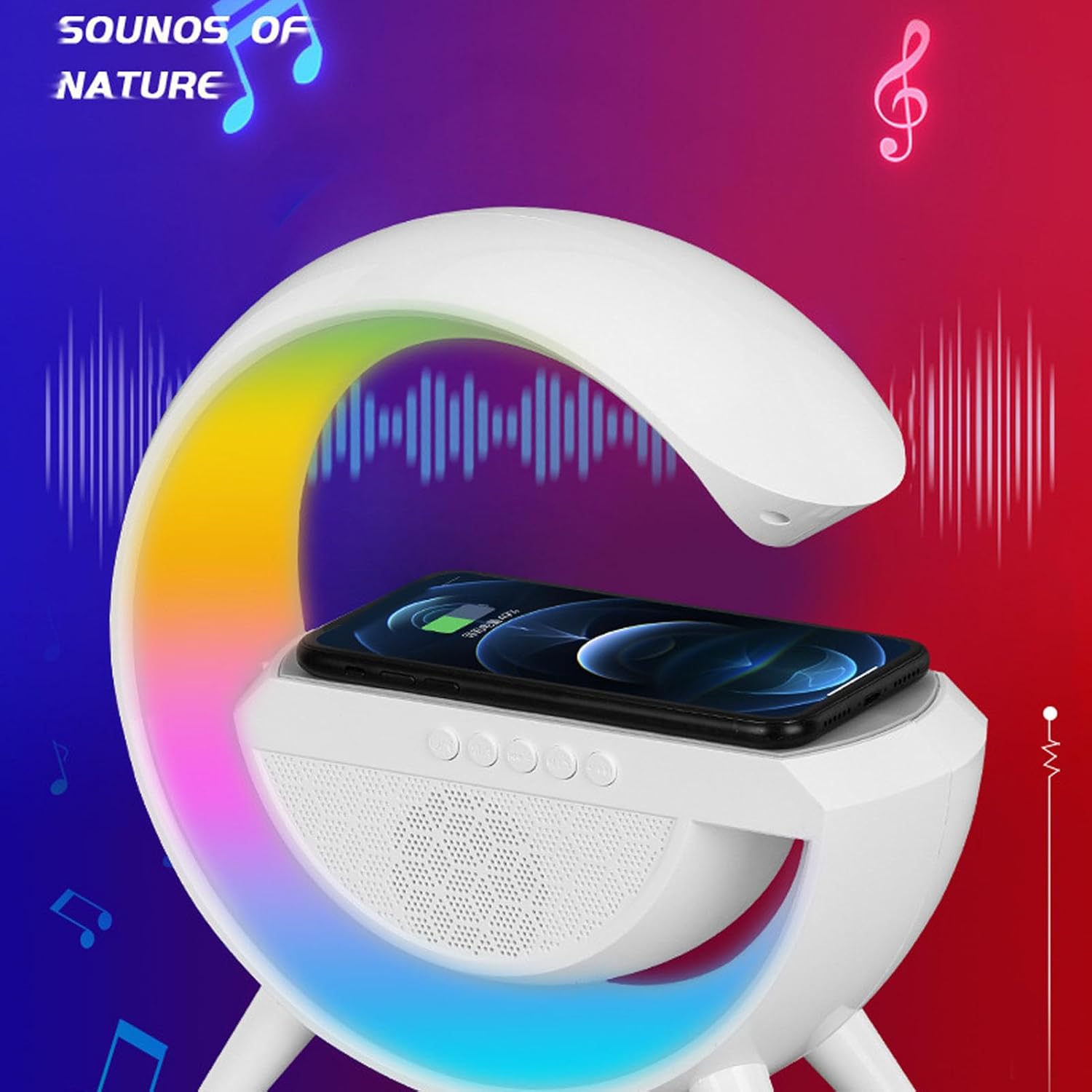
Image: The speaker with a smartphone placed on its top surface, indicating active wireless charging, while the crescent light displays multiple colors.

Image: The speaker with a smartphone wirelessly charging, displaying vibrant colors from its light, positioned next to a laptop, illustrating its multi-functional use.
6.3 Night Light Functions
Krátce stiskněte Power / Light Mode Button to cycle through the 6 available light color modes. The brightness can be continuously adjusted (details on adjustment method typically found in the physical manual, often by holding the button or a dedicated light button if available).

Image: The speaker positioned on a bedside table in a dimly lit bedroom, with a person sleeping peacefully in the background, demonstrating its use as a night light.

Image: The speaker on a bedside table in a bedroom, with a person sleeping, illustrating its function as a bedside companion.
6.4 Multiple Audio Playback Modes
Stiskněte tlačítko Tlačítko režimu (M) to switch between the following audio sources:
- Režim Bluetooth: Pro bezdrátové streamování zvuku ze spárovaných zařízení.
- Režim rádia FM: The speaker will automatically scan and save available FM stations. Use the Previous/Next Track buttons to navigate stations.
- Režim USB: Insert a USB flash drive into the USB port. The speaker will automatically play audio files.
- Memory Card Mode: Insert a memory card (e.g., microSD with adapter) into the memory card slot. The speaker will automatically play audio files.
- Režim AUX: Connect an external audio device using a 3.5mm AUX cable (not included) to the AUX input port.
6.5 Volání handsfree
Při připojení k chytrému telefonu přes Bluetooth:
- Přijmout/ukončit hovor: Krátce stiskněte Tlačítko Play / Pause / Call.
- Odmítnout hovor: Stiskněte a podržte Tlačítko Play / Pause / Call.
7. Údržba
- Zařízení čistěte měkkým, suchým hadříkem. Nepoužívejte abrazivní čisticí prostředky ani rozpouštědla.
- Keep the charging ports and speaker grille free from dust and debris.
- Skladujte na chladném a suchém místě, pokud se delší dobu nepoužívá.
8. Řešení problémů
| Problém | Řešení |
|---|---|
| Zařízení se nezapne. | Ujistěte se, že je baterie nabitá. Připojte ke zdroji napájení pomocí kabelu USB-C. |
| Nelze spárovat přes Bluetooth. | Ensure the speaker is in Bluetooth mode. Check that Bluetooth is enabled on your device and it's within range. Try restarting both devices. |
| Bezdrátové nabíjení nefunguje. | Ensure your device is Qi-compatible and properly centered on the charging pad. Remove any thick phone cases. Check if the speaker is powered on. |
| Z reproduktoru není slyšet žádný zvuk. | Check volume levels on both the speaker and your connected device. Ensure the correct audio mode (Bluetooth, AUX, etc.) is selected. |
| Light not changing modes. | Ensure the speaker is powered on. Short press the Power / Light Mode Button to cycle through modes. |
9. Specifikace
| Funkce | Detail |
|---|---|
| Model | Elpricokgv70zngcy |
| Verze Bluetooth | V5.2 |
| Frekvence Bluetooth | 2.4 GHz - 2.48 GHz |
| Přenosová vzdálenost | Cca. 10m |
| Typ světla | RGB Light (6 color modes) |
| Poměr signálu k šumu | > 75 db |
| Vstup napájení | Typ C |
| Bezdrátový výstupní výkon | 15W |
| Podporované režimy | FM / USB / Memory card / AUX |
| Typ baterie | 1200mAh Lithium-ion (Built-in) |
| Materiál | Akrylonitrilbutadienstyren (ABS) |
| Rozměry | Přibližně 25 x 24 x 9 cm (rozměry balení) |
10. Záruka a podpora
For warranty information and customer support, please refer to the warranty card included with your product or contact Elprico customer service through their official website or the retailer where the product was purchased. Please have your model number (Elpricokgv70zngcy) and purchase date ready when contacting support.