
1. Úvod a konecview
The TEYES CC3 2K is an advanced car multimedia system designed to enhance your driving experience with cutting-edge technology. This head unit integrates navigation, audio, video playback, and smart connectivity features, all powered by Android 10. It is specifically engineered for seamless integration into Volkswagen Jetta 7 models from 2018 to 2022, providing a modern and intuitive interface for your vehicle's dashboard.
Key features include a high-resolution 2K in-cell display, robust 8-core processor, ample memory (6GB RAM, 128GB ROM), and comprehensive audio processing capabilities with dual DSPs. This manual provides essential information for installation, operation, maintenance, and troubleshooting to ensure optimal performance of your TEYES CC3 2K system.

Image 1.1: The TEYES CC3 2K head unit, showcasinjeho velký displej a uživatelské rozhraní.
2. Obsah balení
Please verify that all components listed below are included in your package before proceeding with installation. If any items are missing or damaged, please contact TEYES customer support.
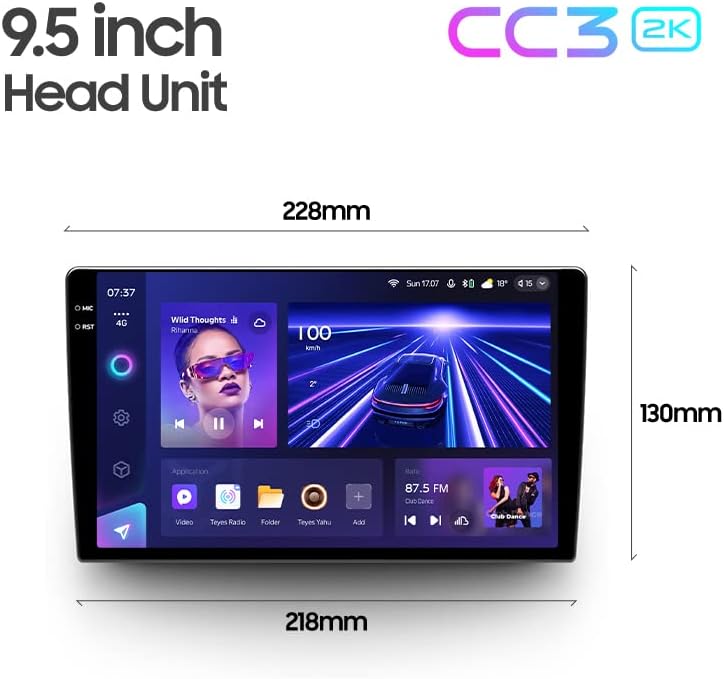
Image 2.1: Visual representation of the TEYES CC3 2K package contents.
- 1 x TEYES CC3 2K Head Unit
- 1 x OEM Panel (Frame for Volkswagen Jetta 7)
- 1 x napájecí kabel
- 1 x USB Cable (Multiple ports)
- 1x GPS anténa
- Kabel 1 x AUX
- 1 x 4G WiFi Antenna
- 1 x AHD 1080p Rear Camera
- 1 x Audio & Video Harness + RCA
- 1 x Screws & Screwdriver Set
- 1 x Čisticí hadřík
- 1 x Schéma zapojení
- 1 x E-book (Digital Instruction Manual)
3. Nastavení a instalace
Installation of the TEYES CC3 2K system requires careful attention to detail and proper electrical connections. It is highly recommended that installation be performed by a qualified professional to ensure correct wiring and avoid damage to your vehicle or the head unit.
3.1 Kontrola před instalací
- Před zahájením jakýchkoli elektrických prací se ujistěte, že je vypnuté zapalování vozidla a odpojena baterie.
- Zkontrolujte, zda je veškerý obsah balení přítomen a nepoškozen.
- Review the included wiring diagram thoroughly.
3.2 Kroky instalace (obecný návod)
- Carefully remove the original car radio and dashboard trim. Refer to your vehicle's specific service manual for detailed instructions on trim removal.
- Install the provided OEM panel (frame) into the dashboard opening. This ensures a perfect fit for the TEYES CC3 2K head unit.
- Connect the power cable, USB cables, GPS antenna, 4G WiFi antenna, AUX cable, and AHD rear camera cable to their respective ports on the TEYES CC3 2K head unit. Ensure all connections are secure.
- Connect the vehicle's wiring harness to the provided power cable and other harnesses. Match colors and pin configurations according to the wiring diagram.
- Carefully slide the TEYES CC3 2K head unit into the installed OEM panel until it clicks into place.
- Reconnect the vehicle's battery and test the system before fully reassembling the dashboard trim.
- Znovu nainstalujte všechny ozdobné díly palubní desky.
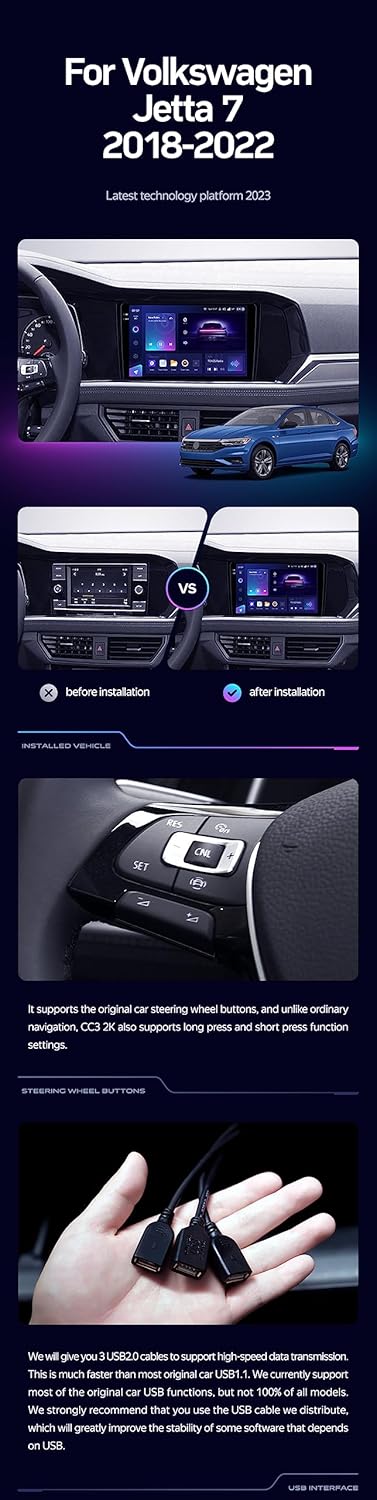
Image 3.1: Visual comparison demonstrating the integrated appearance of the TEYES CC3 2K after installation.
3.3 Antenna and USB Connections
- GPS anténa: Umístěte anténu GPS na místo s volným view of the sky, typically on the dashboard or under the windshield, away from metal obstructions.
- 4G WiFi Antenna: Ensure the 4G WiFi antenna is securely connected for optimal network performance.
- USB kabely: The system includes multiple USB outputs for data transfer and connecting external devices. Route these cables to an accessible location, such as the glove compartment or center console.

Image 3.2: The included USB cables provide multiple ports for connecting external devices and data transfer.
4. Návod k obsluze
The TEYES CC3 2K operates on an Android platform, offering a familiar and intuitive user experience similar to a tablet or smartphone.
4.1 Zapnutí/vypnutí a základní navigace
- Zapnutí: The unit will typically power on automatically with the vehicle's ignition.
- Vypnout: The unit will power off automatically when the vehicle's ignition is turned off. A long press on the power button (if available) may initiate a manual shutdown or restart.
- Rozhraní dotykové obrazovky: Navigate through menus and applications by tapping, swiping, and pinching on the 2K touchscreen display.
4.2 Přehrávání multimédií
- Zvuk: Přístup k hudbě files from internal storage, USB drives, or streaming services. The system supports various audio formats.
- Video: Přehrát video files from internal storage or USB drives. The 2K display provides a high-quality viewzkušenosti.
- Rádio: Utilize the built-in radio tuner for FM/AM stations. The system supports RDS (Radio Data System) for enhanced information display.


Image 4.1: The system offers a premium local radio experience and customizable color styles for the interface.
4.3 Navigace a GPS
The TEYES CC3 2K comes with integrated GPS and supports various navigation applications. It is pre-configured for North America map types.
- Funkce GPS: Pro přesné určení polohy se ujistěte, že je anténa GPS správně nainstalována.
- Mapové aplikace: Use pre-installed or download preferred navigation apps from the Google Play Store (internet connection required).
4.4 Konektivita
- Bluetooth: Pair your smartphone via Bluetooth (QCC3031QFN Qualcomm module) for hands-free calling and audio streaming. Access Bluetooth settings to search for devices and connect.
- Wi-Fi/Hotspot: Connect to available Wi-Fi networks or use your smartphone's hotspot to access online features, download apps, and stream content. The system supports 4G internet connectivity.
4.5 Pokročilé zvukové funkce
The TEYES CC3 2K features dual DSPs (ADAU1701 + ROHM32107) for superior audio processing.
- 27-Segment EQ: Fine-tune your audio output with the comprehensive 27-segment equalizer to match your preferences and vehicle acoustics.
- Optický a koaxiální digitální audio výstup: For audiophiles, these outputs provide high-fidelity digital audio signals to external ampzáchranáře nebo zvukové procesory.
- Sound Filtering: Utilize built-in sound filtering options to optimize audio quality and clarity.

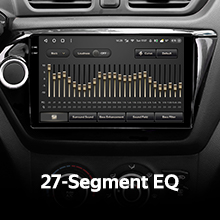
Image 4.2: The system provides advanced DSP and a 27-segment equalizer for precise audio control.

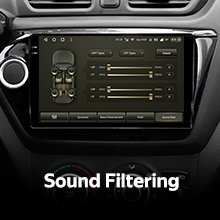
Image 4.3: Options for digital audio output and sound filtering are available for enhanced sound customization.
4.6 Zadní View Camera and Recording
The system supports real-time viewing from the included AHD 1080p rear camera and video recording capabilities.
- Automatické zobrazení: Zadní část view camera feed will automatically display on the screen when the vehicle is shifted into reverse.
- Nahrávání videa: The system can record video from the rear camera, providing a useful feature for parking assistance and incident recording.

Image 4.4: The system supports real-time rear view display and video recording.
4.7 Ovládání na volantu
The TEYES CC3 2K supports integration with your vehicle's existing steering wheel controls, allowing you to manage audio, calls, and other functions without taking your hands off the wheel.
- Konfigurace: Access the system settings to configure and map your steering wheel buttons to desired functions.
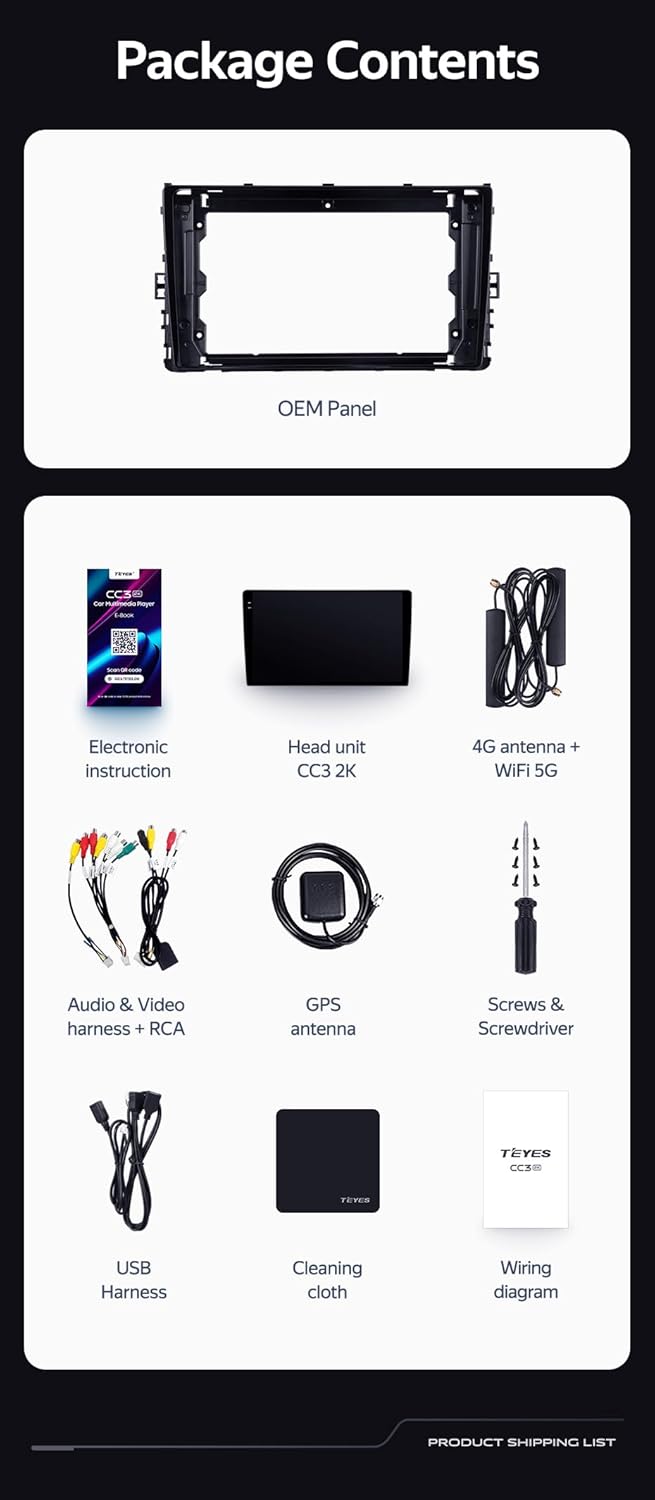
Image 4.5: The TEYES CC3 2K is compatible with your vehicle's steering wheel controls for convenient operation.
4.8 Režim rozdělené obrazovky
Utilize the split screen feature to run two applications simultaneously, such as navigation on one side and music playback on the other.

Image 4.6: The split screen mode allows for simultaneous use of two applications.
5. Údržba
Proper maintenance ensures the longevity and optimal performance of your TEYES CC3 2K system.
- Čištění obrazovky: Use the provided cleaning cloth or a soft, lint-free cloth to gently wipe the touchscreen. Avoid abrasive cleaners or solvents that could damage the display.
- Aktualizace softwaru: Periodically check for system software updates via the unit's settings menu. Updates can provide new features, performance improvements, and bug fixes. An internet connection is required for updates.
- Podmínky prostředí: Nevystavujte jednotku extrémním teplotám, delšímu přímému slunečnímu záření nebo nadměrné vlhkosti.
6. Řešení problémů
If you encounter issues with your TEYES CC3 2K system, refer to the following common troubleshooting steps. If the problem persists, contact TEYES customer support.
| Problém | Možná příčina | Řešení |
|---|---|---|
| Jednotka se nezapne | Loose power connection; Blown fuse; Vehicle battery issue | Check power cable connections; Inspect vehicle fuses; Verify vehicle battery charge. |
| Žádný zvukový výstup | Volume too low; Mute activated; Loose speaker wires; Incorrect audio settings | Increase volume; Check mute status; Verify speaker connections; Adjust audio output settings. |
| Ztráta signálu GPS nebo jeho nepřesnost | GPS antenna obstruction or disconnection; Poor satellite reception | Ujistěte se, že je anténa GPS správně připojena a má jasný signál. view oblohy; Přesuňte vozidlo na otevřené prostranství. |
| Problémy s připojením Bluetooth | Device not in pairing mode; Interference; Out of range | Ensure device is in pairing mode; Restart Bluetooth on both devices; Move device closer to the head unit. |
| Dotykový displej nereaguje | System freeze; Software glitch | Perform a soft reset (refer to e-book for specific instructions); If persistent, consider a factory reset (data will be lost). |
7. Specifikace
Detailed technical specifications for the TEYES CC3 2K Car Radio Multimedia System.
| Funkce | Specifikace |
|---|---|
| Číslo modelu | CC3 2K |
| Velikost displeje | 9.5 palce |
| Technologie displeje | 2K In-cell Display, 157% Gamut Coverage |
| Operační systém | Android 10 |
| Procesor | 8 Cores, 2.0GHz |
| BERAN | 6 GB |
| ROM (interní úložiště) | 128 GB |
| Modul Bluetooth | QCC3031QFN Qualcomm |
| Technologie připojení | Bluetooth, USB, WIFI, Hotspot, 4G Internet |
| Režim zvukového výstupu | Stereo |
| Digitální zvukový procesor (DSP) | 2*DSP ADAU1701 + ROHM32107 |
| Zvukový výstup | Optický a koaxiální digitální audio výstup |
| Typ mapy | Severní Amerika |
| Podpora zadní kamery | AHD 1080p (included) |
| Typ montáže | Montáž na panel |
| Výrobce | Shenzhen TEYES High tech Co., Ltd. |
| Datum první dostupnosti | 8. června 2023 |
Image 7.1: Approximate dimensions of the TEYES CC3 2K head unit.
8. Záruka a podpora
TEYES stands behind the quality of its products.
- Záruka: The TEYES CC3 2K system comes with a 1-year manufacturer's warranty from the date of purchase. This warranty covers defects in materials and workmanship under normal use. It does not cover damage caused by improper installation, accidents, misuse, unauthorized repairs, or modifications.
- Zákaznická podpora: For technical assistance, troubleshooting beyond this manual, or warranty claims, please contact TEYES customer support directly. Refer to the contact information provided in your product packaging or on the official TEYES webmísto.