
Zavedení
Děkuji za nákupasing the Kisonli SC-21 Wireless Solar Bluetooth Speaker. This portable speaker offers versatile audio playback options including Bluetooth, USB, TF card, and FM radio, along with the convenience of solar charging. Please read this manual carefully before use to ensure proper operation and to maximize your listening experience.

Image: The Kisonli SC-21 Wireless Solar Bluetooth Speaker, showcasing its design with solar panels and the Kisonli brand logo.
Bezpečnostní pokyny
- Do not expose the speaker to extreme temperatures or direct sunlight for prolonged periods, especially when not charging.
- Vyvarujte se pádu reproduktoru nebo jej nevystavujte silným nárazům.
- Keep the speaker away from water and liquids. Although it is water-resistant, it is not fully waterproof.
- Nepokoušejte se reproduktor rozebírat ani opravovat sami. Požádejte o pomoc kvalifikovaný servisní personál.
- Používejte pouze určené nabíjecí kabely a adaptéry.
- Uchovávejte mimo dosah dětí.
Obsah balení
Zkontrolujte prosím balení, zda neobsahuje následující položky:
- Kisonli SC-21 Wireless Solar Bluetooth Speaker
- USB nabíjecí kabel
- Přenosný ramenní popruh
- Uživatelská příručka (tento dokument)
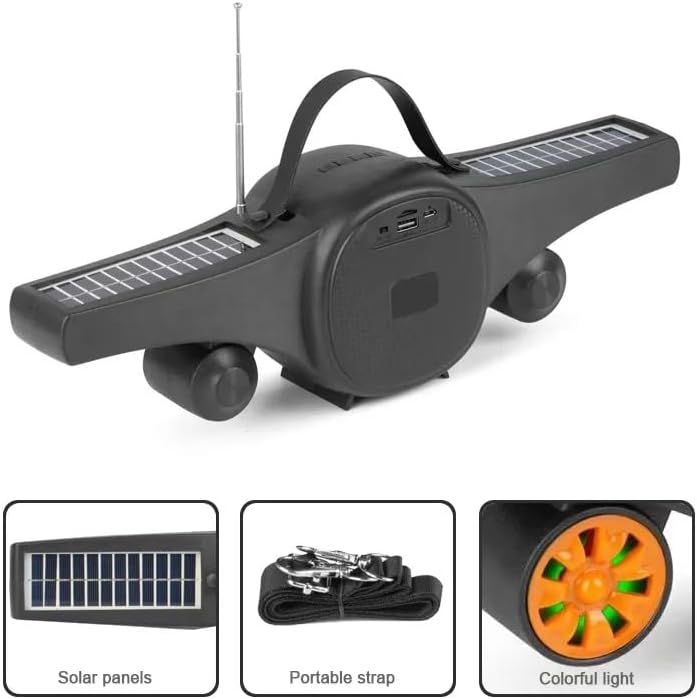
Image: The Kisonli SC-21 speaker showing its solar panels, antenna, USB port, and the included portable strap.
Konec produktuview
Familiarize yourself with the various parts and controls of your Kisonli SC-21 speaker.
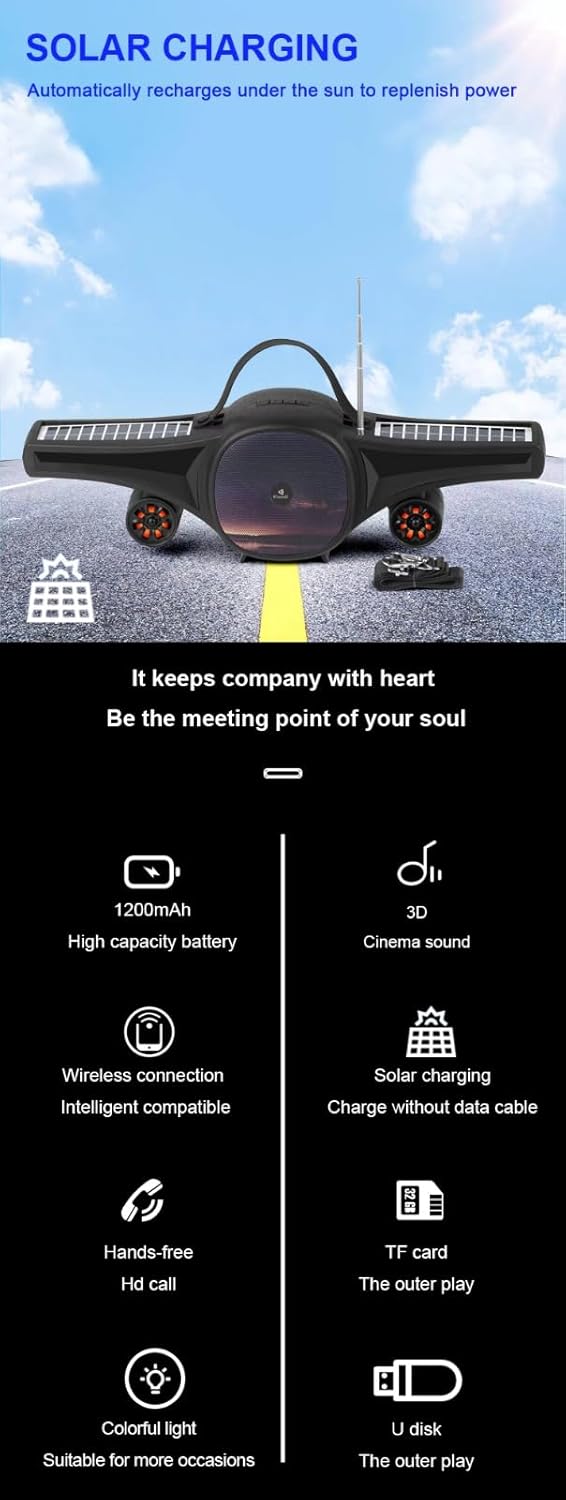
Image: A detailed display of the speaker's features, including the carrying handle, portable strap, control buttons, multiple playback ports (USB, TF card), colorful LED lights, and solar panels.
Ovládací prvky a porty:
- Vypínač: tlačítko ON/OFF.
- Tlačítko režimu (M): Přepíná mezi režimy Bluetooth, FM rádio, USB a TF karta.
- Tlačítko Přehrát/Pozastavit (►/−): Plays or pauses audio. In FM mode, long press to auto-scan stations.
- Previous Track/Volume Down (-): Short press for previous track/station, long press to decrease volume.
- Next Track/Volume Up (+): Short press for next track/station, long press to increase volume.
- LED Light Button (☀): Toggles the colorful LED lights.
- USB port: Pro přehrávání z USB flash disku.
- Slot na kartu TF: Pro přehrávání z karet TF (MicroSD).
- DC 5V nabíjecí port: Pro nabíjení reproduktoru pomocí dodaného USB kabelu.
- Solární panely: Located on the wings for solar charging.
- Anténa: Výsuvná anténa pro lepší příjem FM rádia.
Nastavení
1. Nabíjení reproduktoru
Before first use, fully charge the speaker. The speaker can be charged via USB or solar power.
- USB nabíjení: Connect the provided USB charging cable to the DC 5V port on the speaker and to a USB power adapter (not included) or a computer's USB port. The charging indicator light will illuminate. Charging time is approximately 2-3 hours.
- Solární nabíjení: Place the speaker in direct sunlight. Ensure the solar panels are facing upwards and are not obstructed. The speaker will automatically recharge. Solar charging is slower than USB charging and is ideal for maintaining charge or for use in outdoor environments.

Image: The Kisonli SC-21 speaker positioned to demonstrate its solar charging capability under sunlight.
2. Zapnutí/vypnutí
To power on the speaker, slide the Power Switch to the "ON" position. To power off, slide it to the "OFF" position.
Návod k obsluze
1. Režim Bluetooth
- Zapněte reproduktor. Automaticky se přepne do režimu párování Bluetooth, což bude signalizováno blikající LED kontrolkou.
- Na svém zařízení (chytrý telefon, tablet, notebook) povolte Bluetooth a vyhledejte dostupná zařízení.
- Select "SC-21" from the list of devices.
- Once paired, the speaker will emit a confirmation sound, and the LED light will stop flashing. You can now play audio from your device through the speaker.
2. Přehrávání z USB/TF karty
- Insert a USB flash drive or a TF (MicroSD) card containing MP3/MAV audio filedo příslušného portu.
- The speaker will automatically switch to USB or TF card mode and begin playing audio. If it doesn't, press the "M" (Mode) button to cycle through modes until you reach the correct playback mode.
- Pro navigaci v hudbě použijte tlačítka Předchozí/Další skladba.
3. Režim FM rádia
- Pro lepší příjem vytáhněte anténu.
- Press the "M" (Mode) button until you hear the FM radio.
- Long press the Play/Pause button (►/−) to initiate an automatic scan for available radio stations. The speaker will save the stations it finds.
- Short press the Previous/Next Track buttons to switch between saved radio stations.
4. Ovládání hlasitosti
Long press the "+" button to increase the volume. Long press the "-" button to decrease the volume.
5. LED ovládání světla
Press the LED Light button (☀) to turn the colorful LED lights on or off.
Údržba
- Čištění: K čištění povrchu reproduktoru používejte měkký, suchý hadřík. Nepoužívejte abrazivní čisticí prostředky ani rozpouštědla.
- Skladování: Pokud reproduktor delší dobu nepoužíváte, skladujte jej na chladném a suchém místě mimo dosah přímého slunečního záření a extrémních teplot.
- Péče o baterie: Chcete-li prodloužit životnost baterie, vyvarujte se častého úplného vybíjení. Reproduktor pravidelně nabíjejte, i když jej nepoužíváte.
Odstraňování problémů
| Problém | Možná příčina | Řešení |
|---|---|---|
| Reproduktor se nezapne. | Baterie je slabá nebo vybitá. | Charge the speaker using the USB cable or place it in direct sunlight. |
| Z reproduktoru nevychází žádný zvuk. | Hlasitost je příliš nízká; zařízení není spárované; vybrán nesprávný režim. | Increase volume; ensure Bluetooth device is paired; press "M" button to select correct mode (Bluetooth, USB, TF, FM). |
| Párování Bluetooth selhalo. | Reproduktor není v režimu párování; zařízení je příliš daleko; rušení. | Ensure speaker is in Bluetooth mode (flashing LED); move device closer; turn off other Bluetooth devices. |
| Špatný příjem FM rádia. | Anténa není vysunutá; slabý signál. | Extend the antenna fully; try moving the speaker to a different location. |
| USB/TF karta nepřehrává. | Nesprávný file formát; karta/mechanika není správně vložena; reproduktor není ve správném režimu. | Zajistit files are MP3/MAV format; reinsert card/drive; press "M" button to select USB/TF mode. |
Specifikace
Detailed technical specifications for the Kisonli SC-21 speaker.

Image: A table displaying the product parameters for the Kisonli SC-21 speaker.
| Funkce | Detail |
|---|---|
| Model | SC-21 |
| Verze Bluetooth | BT 5.0 |
| Výstupní výkon | 5W x 1 |
| Doba nabíjení | 2-3 hodin |
| Doba přehrávání | 3-5 hodin |
| Kapacita baterie | 1200 XNUMX mAh |
| Rozměry produktu (D x Š x V) | 400 x 92 x 116 mm |
| Hmotnost produktu | 100 grams (device only) / 800 grams (package weight) |
| Režimy přehrávání | Bluetooth, TF Card, USB Disk, FM Radio |
| Podporované hudební formáty | MP3, MAV |
| Zdroj napájení | Solar Powered, DC 5V USB |
| Speciální funkce | LED Light, Portable, Water Resistant |
| Kompatibilní zařízení | Chytré telefony, tablety, notebooky |
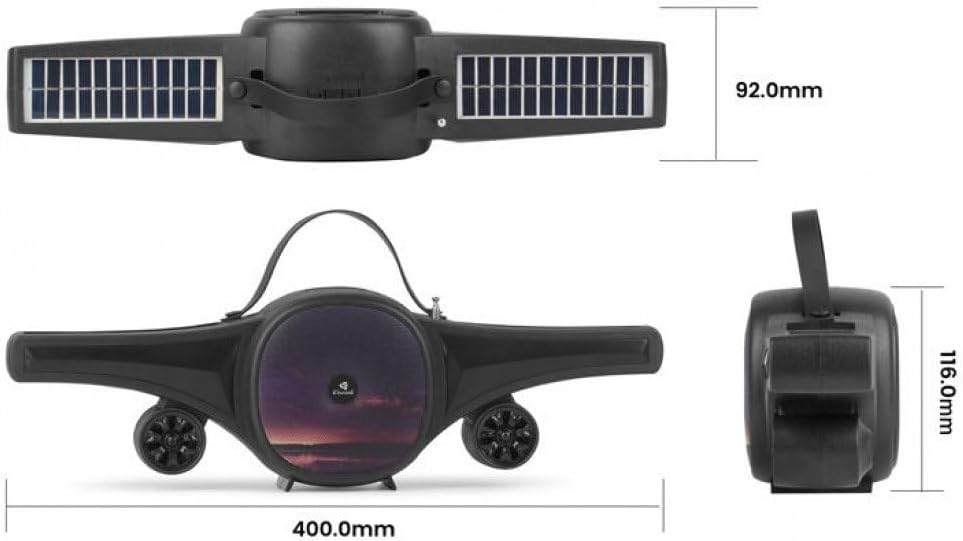
Image: Technical drawing of the Kisonli SC-21 speaker showing its dimensions (400mm length, 92mm width, 116mm height).
Záruka a podpora
Kisonli products are designed for reliability and performance. For warranty information or technical support, please refer to the retailer where you purchased the product or visit the official Kisonli webstránky. Uschovejte si prosím doklad o koupi pro případ reklamace.


