
1. Důležité bezpečnostní informace
Please read all instructions carefully before using the shredder. Keep this manual for future reference.
- Udržujte děti a domácí zvířata mimo dosah drtiče.
- Keep loose clothing, jewelry, hair, and fingers away from the paper and media entry slots.
- Do not spray or keep aerosol products in or near the shredder.
- Do not shred metal credit cards or any other metal objects.
- Do not shred adhesive labels or materials that are not paper, CDs, DVDs, or plastic credit cards.
- Ensure the shredder is placed on a stable, flat surface.
- Odpojte drtič ze zásuvky, když jej nepoužíváte nebo před čištěním.
- Do not attempt to repair the shredder yourself. Contact qualified service personnel.
2. Konec produktuview
The Amazon Basics 8-Sheet Strip-Cut Shredder is designed for secure destruction of documents, CDs, DVDs, and plastic credit cards. It features a strip-cut mechanism for P-2 security level shredding.
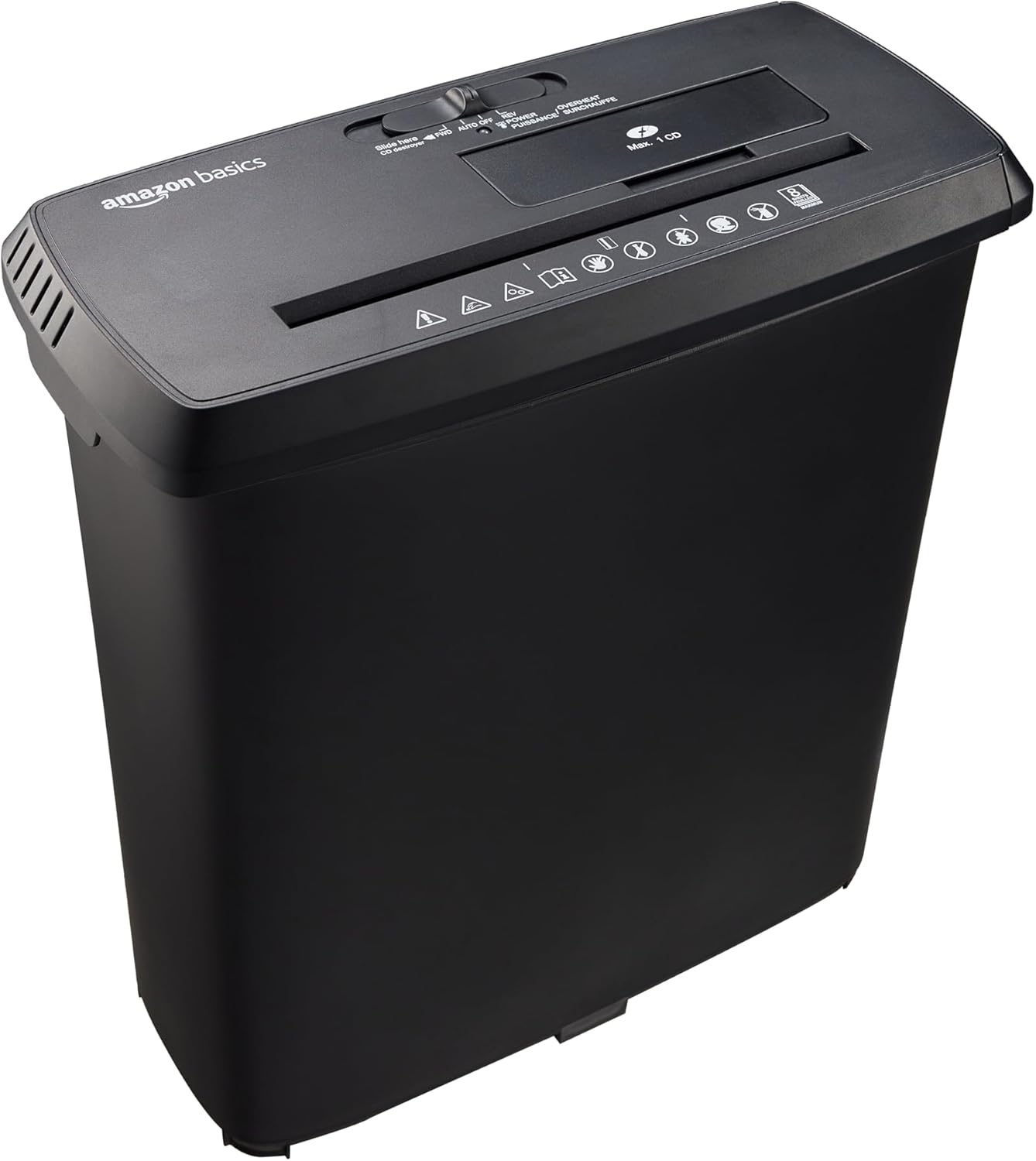
Figure 1: Amazon Basics 8-Sheet Strip-Cut Shredder. This image shows the complete shredder unit, consisting of the black shredder head placed on top of its matching black wastebasket.
Klíčové vlastnosti:
- Strip-Cut Shredding: Cuts material into approximately 0.6 cm wide strips, meeting P-2 security standards.
- Kapacita: Shreds up to 8 sheets of 75 gsm paper simultaneously. Staples and small paper clips do not need to be removed.
- Media Shredding: Dedicated slots for shredding CDs, DVDs, and plastic credit cards (one at a time).
- Pracovní cyklus: 2.5 minutes of continuous operation, followed by a 15-minute cool-down period.
- Ochrana proti přehřátí: Automatic shutdown to protect the motor from overheating if the duty cycle is exceeded.
- Ovládací spínač: 4-mode switch for Auto/On, Off, Reverse, and Forward operations.
- LED indikátory: Power (blue) and Overheat (red) status indicators.
- odpadkový koš: Easy-to-empty 12.8 L (3.4 Gallons) capacity wastebasket.
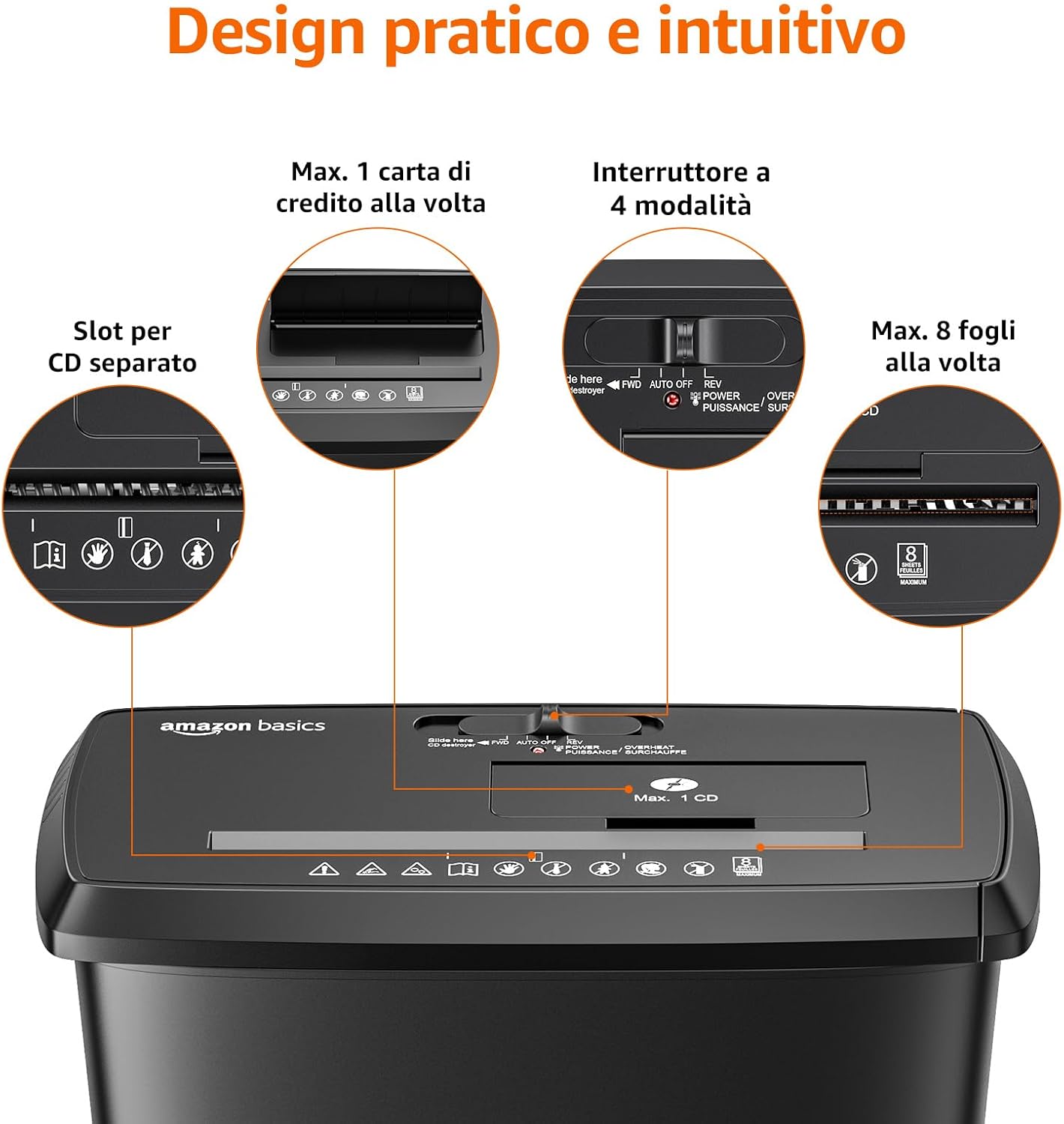
Obrázek 2: Detailní view of the shredder's intuitive design, highlighting the separate slots for CDs/credit cards, the 4-mode control switch, and the 8-sheet paper capacity.

Figure 3: Close-up of the control panel, displaying the 4-mode switch (FWD/AUTO/OFF/REV) and LED indicators for power (blue) and overheat (red).
3. Nastavení
- Vybalte skartovačku: Opatrně vyjměte všechny součásti z obalu. Obal uschovejte pro budoucí přepravu nebo skladování.
- Position the Wastebasket: Place the wastebasket on a stable, flat surface. Ensure there is enough space around the shredder for proper ventilation and operation.
- Mount the Shredder Head: Carefully align the shredder head with the top of the wastebasket and lower it into place. Ensure it sits securely.
- Připojte napájení: Zapojte napájecí kabel do standardní elektrické zásuvky.
4. Návod k obsluze
Control Switch Functions:
- AUTO/ON: The shredder is ready for operation. It will automatically start when paper or media is inserted and stop when shredding is complete.
- OFF: Skartovačka je vypnutá.
- REV (zpátečka): Moves the shredder blades backward to help clear paper jams.
- FWD (vpřed): Moves the shredder blades forward continuously, useful for clearing minor jams or for manual operation.
Skartování papíru:
- Set the control switch to AUTO/ON. The blue Power LED will illuminate.
- Insert up to 8 sheets of paper (75 gsm) into the paper entry slot. The shredder will automatically start and stop once the paper is shredded.
- Do not exceed the maximum sheet capacity to prevent jams and motor strain.

Figure 4: Illustration of the shredder's P-2 security level, showing paper being cut into approximately 0.6 cm strips.

Figure 5: A person feeding paper into the Amazon Basics 8-Sheet Strip-Cut Shredder, demonstrating its use in an office setting.
Shredding CDs, DVDs, and Credit Cards:
- Set the control switch to AUTO/ON.
- Insert one CD, DVD, or plastic credit card into the dedicated media entry slot. The shredder will automatically start and stop.
- Do not insert more than one item at a time. Do not shred metal credit cards.

Figure 6: The shredder's capability to destroy CDs, DVDs, and credit cards through dedicated slots.
Duty Cycle and Overheat Protection:
The shredder is designed for intermittent use. It can operate continuously for 2.5 minutes. After this period, it requires a 15-minute cool-down period. If the shredder is used beyond its maximum duty cycle, the Overheat LED (red) will illuminate, and the unit will automatically shut down to prevent motor damage. Allow the shredder to cool down completely before resuming operation.
5. Údržba
Vyprázdnění odpadkového koše:
When the wastebasket is full, the shredder will stop operating. To empty, ensure the shredder is turned VYPNUTO and unplugged. Carefully lift the shredder head off the wastebasket and dispose of the shredded material. Replace the shredder head securely before plugging the unit back in.
Mazání:
Regular lubrication of the shredder blades is recommended to maintain optimal performance and extend the life of the shredder. While shredder oil is not included, it can be purchased separately. Apply shredder oil as per the oil manufacturer's instructions, typically by applying a small amount across the paper entry slot and then running the shredder in forward mode for a few seconds.
Čištění:
Always unplug the shredder before cleaning. Wipe the exterior of the shredder with a soft, dry cloth. Do not use abrasive cleaners or solvents.
6. Řešení problémů
| Problém | Možná příčina | Řešení |
|---|---|---|
| Skartovačka se nezapne. | Not plugged in; power switch off; shredder head not seated correctly; wastebasket full. | Ensure power cord is securely plugged in. Set control switch to AUTO/ON. Re-seat the shredder head. Empty the wastebasket. |
| Zaseknutý papír. | Too many sheets inserted; paper inserted incorrectly. | Set control switch to REV to clear the jam. If unsuccessful, unplug, carefully remove paper, then plug in and try FWD. Reduce sheet count for future shredding. |
| Shredder stops during operation, Overheat LED is red. | Exceeded duty cycle; motor overheated. | Turn off and unplug the shredder. Allow it to cool down for at least 15 minutes before resuming operation. |
| Drtič je hlučný nebo se snižuje jeho výkon. | Blades require lubrication; wastebasket is too full. | Lubricate the shredder blades as per maintenance instructions. Empty the wastebasket. |
7. Specifikace
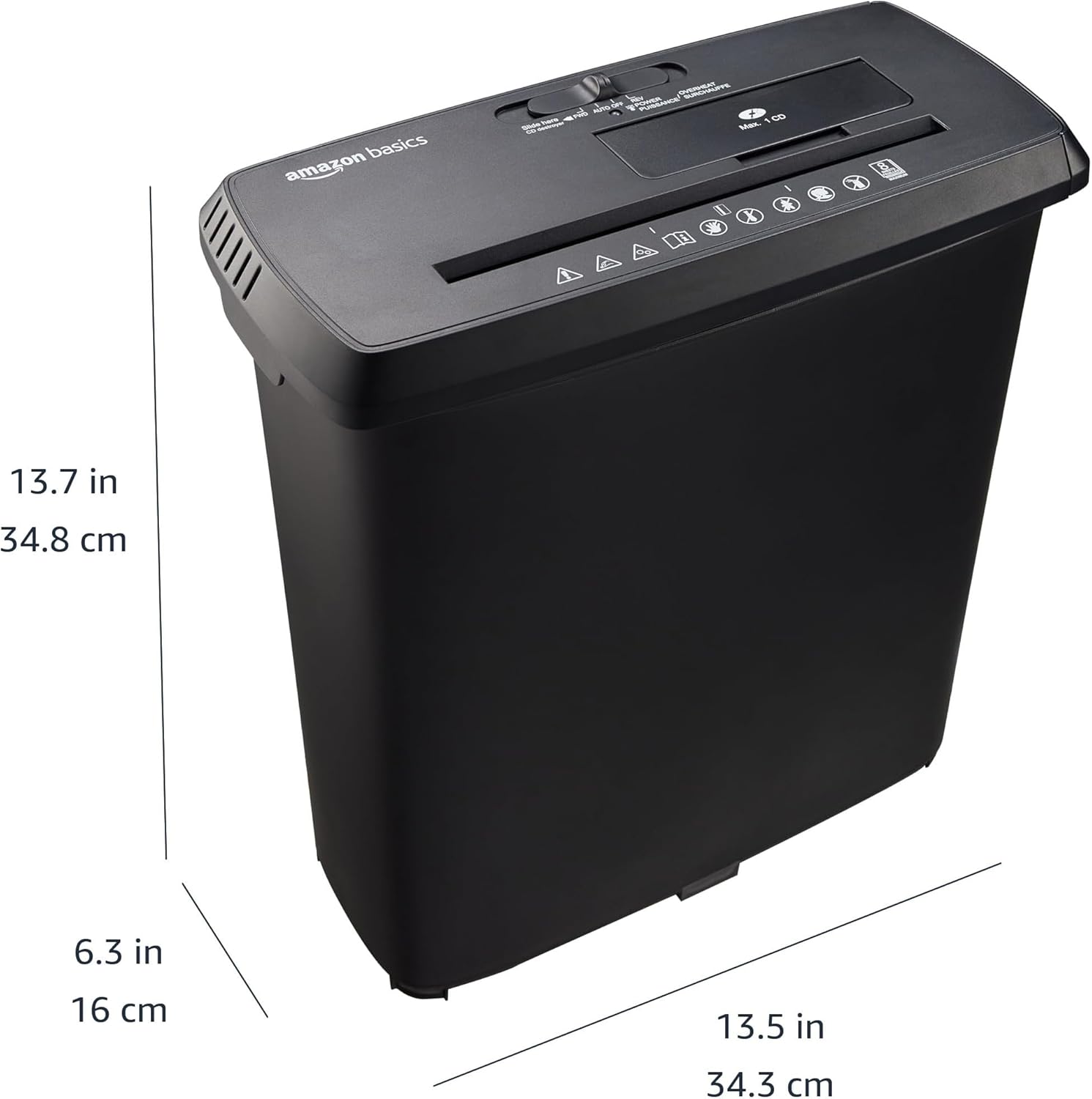
Figure 7: Diagram illustrating the physical dimensions of the Amazon Basics 8-Sheet Strip-Cut Shredder: 34.3 cm (13.5 in) width, 16 cm (6.3 in) depth, and 34.8 cm (13.7 in) height.
| Funkce | Detail |
|---|---|
| Číslo modelu | S120-D |
| Skartovat typ | Strip-Cut |
| Velikost Shred | Approx. 0.6 cm strips |
| Úroveň zabezpečení | P-2 |
| Kapacita papíru | 8 listů (75 g/mXNUMX) |
| Skartace médií | CDs, DVDs, Plastic Credit Cards (1 at a time) |
| Kapacita odpadkového koše | 12.8 l (3.4 galonu) |
| Pracovní cyklus | 2.5 minuty ZAPNUTO / 15 minut VYPNUTO |
| Rozměry (š x d x v) | 34.3 x 34.3 x 34.8 cm (13.5 x 13.5 x 13.7 palce) |
| Materiál | Kov, Plast |
| Barva | Černý |
8. Záruka a podpora
Warranty information for this product is typically provided with the product packaging or can be found on the Amazon Basics website. For customer support, troubleshooting assistance, or to inquire about warranty details, please refer to the Amazon Basics customer service channels available in your region.