
eKids BU-B52
Uživatelská příručka k Bluetooth sluchátkům eKids Bluey BU-B52
Model: BU-B52 | Brand: eKids
Zavedení
This manual provides instructions for the safe and efficient use of your eKids Bluey Bluetooth Headphones, model BU-B52. Please read this manual thoroughly before operating the device and retain it for future reference.

Obrázek: Přední strana view of the eKids Bluey Bluetooth Headphones, featuring Bluey-themed earcups and plush ears on the headband.
Bezpečnostní informace
- Úroveň hlasitosti: The headphones are designed with a volume limit of 85 dB to protect hearing. Prolonged exposure to high volume levels can still cause hearing damage.
- Nebezpečí udušení: Keep small parts and cables away from young children to prevent choking hazards.
- Voděodolnost: This product is not water resistant. Avoid exposure to liquids.
- Čištění: K čištění používejte měkký, suchý hadřík. Nepoužívejte tekuté čisticí prostředky ani aerosoly.
- Bezpečnost baterie: Do not attempt to replace the internal lithium-ion battery. Dispose of the product according to local regulations.
Obsah balení
Ověřte, zda jsou v balení přítomny všechny položky:
- eKids Bluey Bluetooth Headphones (Model BU-B52)
- 3.5mm audio kabel
- USB Charging Cable (Micro USB to USB-A, typically)
- Uživatelská příručka (tento dokument)

Obrázek: Overview of the headphones highlighting features like adjustable headband, foldable design, comfortable ear cushions, and showing the included charging and line-in cables.
Konec produktuview
Seznamte se s různými částmi a ovládacími prvky vašich sluchátek:
- Nastavitelná čelenka: Allows for a custom fit.
- Měkké náušníky: Provide comfort during use.
- Ovládání na uchu: Buttons for power, volume, and playback (specific functions detailed in Operating Instructions).
- Vestavěný mikrofon: Pro komunikaci bez použití rukou.
- 3.5mm audio jack: Pro kabelové připojení.
- USB nabíjecí port: Pro dobíjení interní baterie.
- LED indikátor: Zobrazuje napájení a stav párování.
Nastavení
1. Nabíjení sluchátek
- Vyhledejte nabíjecí port USB na sluchátkách.
- Connect the smaller end of the USB charging cable to the headphone's charging port.
- Připojte větší konec nabíjecího kabelu USB k napájenému portu USB (např. k počítači, k USB adaptéru do zásuvky).
- LED indikátor se během nabíjení rozsvítí a po úplném nabití zhasne nebo změní barvu.
- Plné nabití poskytuje až 37 hodin nepřetržitého přehrávání přes Bluetooth.
2. Zapnutí/vypnutí
- Zapnutí: Stiskněte a podržte tlačítko napájení, dokud se nerozsvítí LED indikátor.
- Vypnutí: Stiskněte a podržte tlačítko napájení, dokud LED indikátor nezhasne.
3. Párování Bluetooth (bezdrátový režim)
- Ujistěte se, že jsou sluchátka nabitá a vypnutá.
- Press and hold the Power button for approximately 5-7 seconds until the LED indicator flashes rapidly (usually blue and red), indicating pairing mode.
- Na svém zařízení (chytrý telefon, tablet, počítač) povolte Bluetooth a vyhledejte dostupná zařízení.
- Select "eKids Bluey Headphones" or "BU-B52" from the list of found devices.
- Once paired, the LED indicator will typically flash slowly or turn solid blue.
- Sluchátka se po zapnutí automaticky pokusí znovu připojit k poslednímu spárovanému zařízení.
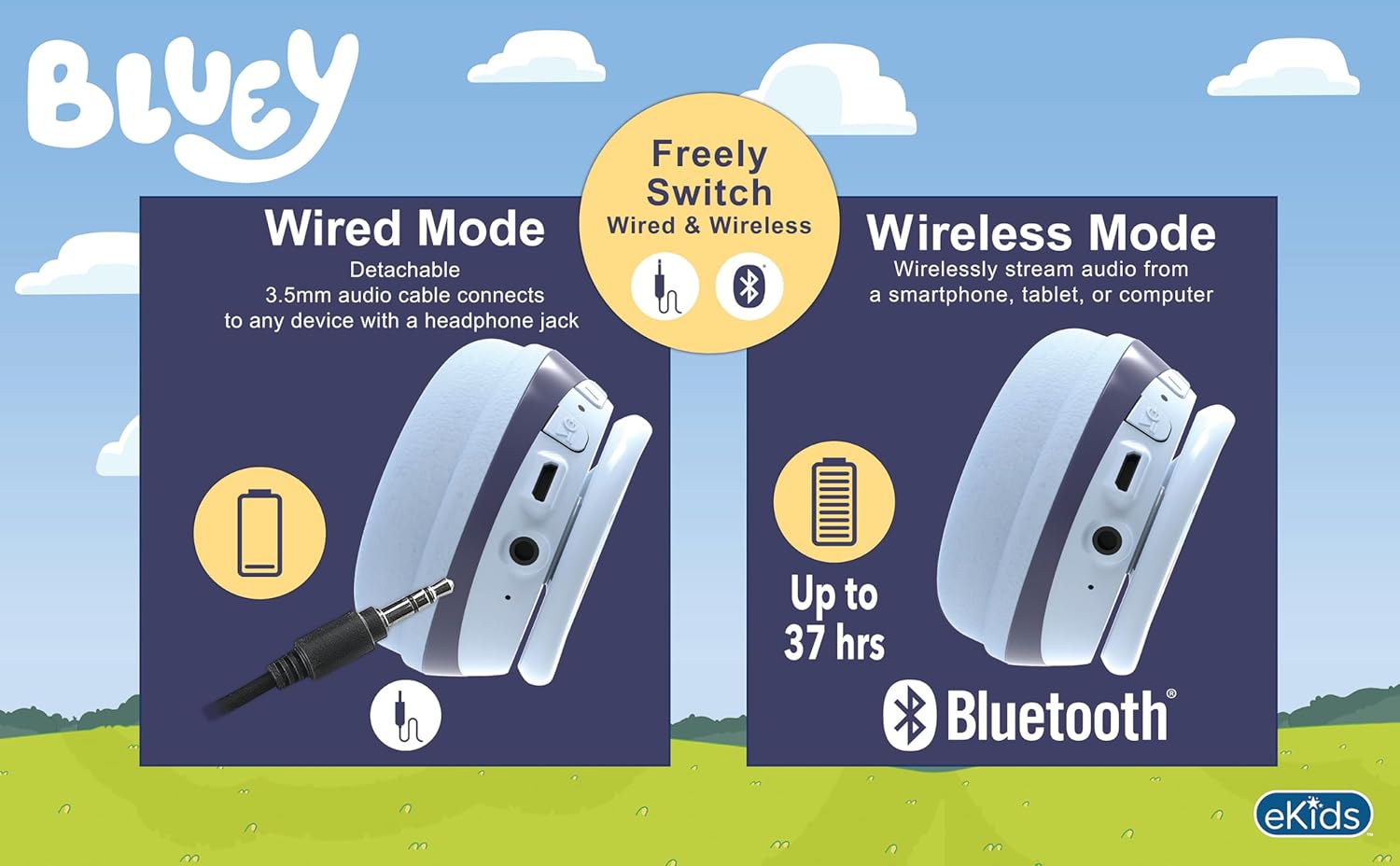
Image: A visual comparison of wired mode (using a 3.5mm audio cable) and wireless mode (Bluetooth connection with up to 37 hours of battery life).
4. Kabelové připojení (režim Aux)
- Ujistěte se, že jsou sluchátka vypnutá.
- Connect one end of the included 3.5mm audio cable to the headphone's 3.5mm audio jack.
- Připojte druhý konec 3.5mm audio kabelu k audio výstupnímu konektoru na vašem zařízení.
- The headphones will function in wired mode, bypassing Bluetooth. No battery power is required for wired listening.
Návod k obsluze
The headphones feature integrated controls for ease of use.
1. Ovládání hlasitosti
- Use the volume buttons located on the headphones to adjust the listening level.
- The headphones have a built-in volume limiter set at 85 dB for hearing protection.
2. Přehrávání hudby (režim Bluetooth)
- Přehrát/pozastavit: Stiskněte jednou tlačítko Přehrát/Pozastavit.
- Další skladba: Press and hold the Volume Up button (or specific 'next' button if present).
- Předchozí skladba: Press and hold the Volume Down button (or specific 'previous' button if present).
3. Call Functions (Bluetooth Mode)
- Přijmout/ukončit hovor: Press the Play/Pause button once during an incoming call or active call.
- Odmítnout hovor: Během příchozího hovoru stiskněte a podržte tlačítko Přehrát/Pozastavit.
- Použití mikrofonu: The built-in microphone activates automatically during calls.
Údržba
- Čištění: Sluchátka otřete měkkým, suchým hadříkem, který nepouští vlákna. Nepoužívejte abrazivní čisticí prostředky, alkohol ani chemická rozpouštědla.
- Skladování: Pokud sluchátka nepoužíváte, skladujte je na chladném a suchém místě mimo dosah přímého slunečního záření a extrémních teplot. Skládací konstrukce umožňuje kompaktní skladování.
- Péče o baterie: Chcete-li prodloužit životnost baterie, vyvarujte se častého úplného vybíjení sluchátek. Pravidelně je nabíjejte, i když je delší dobu nepoužíváte.
Odstraňování problémů
| Problém | Možné řešení |
|---|---|
| Sluchátka se nezapínají. | Ensure the headphones are fully charged. Connect to a power source using the USB charging cable. |
| Nelze spárovat přes Bluetooth. |
|
| V bezdrátovém režimu není slyšet žádný zvuk. |
|
| V kabelovém režimu není žádný zvuk. |
|
| Mikrofon nefunguje. |
|
Specifikace
| Číslo modelu | BU-B52 |
| Konektivita | Bluetooth (Wireless), 3.5mm Audio Jack (Wired) |
| Dosah Bluetooth | Až 10 metrů (33 stop) |
| Typ baterie | Lithium Ion (součástí balení) |
| Životnost baterie | Up to 37 hours (Bluetooth playtime) |
| Citlivost | 85 dB (omezená hlasitost) |
| Frekvenční rozsah | 20 Hz - 20,000 XNUMX Hz |
| Hmotnost | 9.3 unce (0.27 kilogramů) |
| Materiál | Plast |
| Výrobce | KIDdesigns |
Záruka a podpora
Informace o záruce nebo technickou podporu naleznete v dokumentaci dodané s vaším nákupem nebo navštivte oficiální webové stránky eKids. webKontaktní údaje zákaznického servisu jsou obvykle k dispozici na webových stránkách výrobce. webmísto.
You can visit the eKids store at eKids Amazon Store pro více informací.
Ask a question about this manual
Ask about setup, troubleshooting, compatibility, parts, safety, or missing instructions. Manuals+ will review the question and use this page’s manual context to help answer it.