
1. Úvod
This manual provides detailed instructions for the proper use and maintenance of your Micool DY20PLUS Bluetooth Earpiece. Please read this manual thoroughly before using the product to ensure safe and efficient operation. The Micool DY20PLUS is a single-ear Bluetooth headset designed for clear communication, featuring noise cancellation and extended talk time.
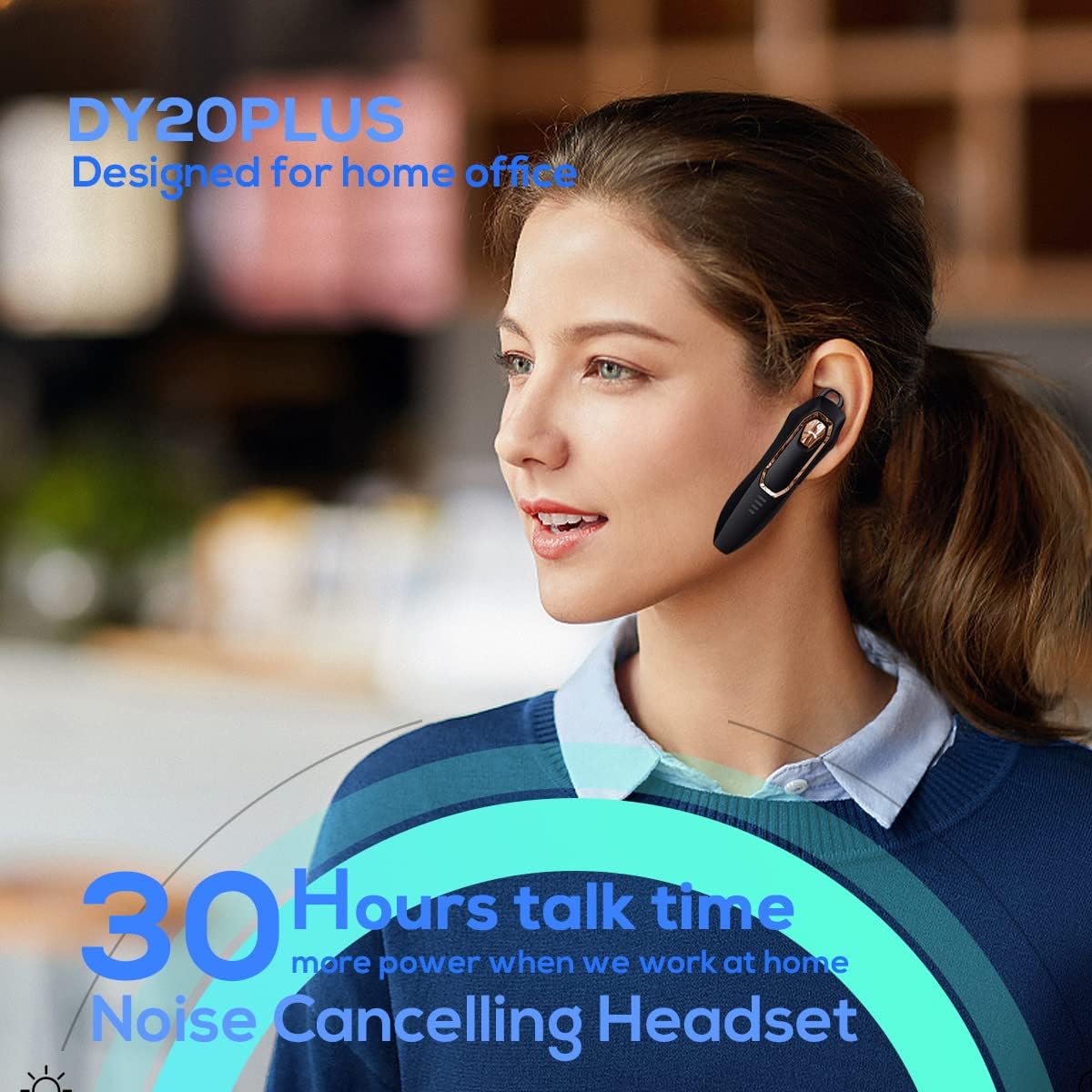
Figure 1: Micool DY20PLUS Bluetooth Earpiece
Video 1: Konecview of Micool Bluetooth Headset features, including noise cancellation and long battery life.
2. Obsah balení
Zkontrolujte prosím balení, zda neobsahuje následující položky:
- Micool DY20PLUS Bluetooth Earpiece
- USB nabíjecí kabel
- Ear Hooks (various sizes)
- Uživatelská příručka
3. Konec produktuview
Familiarize yourself with the buttons and indicators on your Micool DY20PLUS earpiece:

Figure 2: Earpiece controls and functions.
- MFB (multifunkční tlačítko): Zapnutí/vypnutí, přehrávání/pozastavení, příjem/ukončení hovorů.
- Zvýšení hlasitosti (+): Zvýšení hlasitosti, další skladba (dlouhé stisknutí).
- Snížit hlasitost (-): Snížení hlasitosti, předchozí skladba (dlouhé stisknutí).
- Tlačítko ztlumení: Mute/unmute microphone during a call.
- LED indikátor: Zobrazuje stav napájení, párování a nabíjení.
- Nabíjecí port: USB port pro nabíjení.
4. Nastavení
4.1 Charging the Earpiece
Before first use, fully charge the earpiece. Connect the provided USB charging cable to the earpiece's charging port and a USB power source. The LED indicator will show charging status and turn off when fully charged. A full charge provides up to 30 hours of talk time.
4.2 Párování Bluetooth
To connect your Micool DY20PLUS earpiece to your mobile phone or other Bluetooth-enabled device:
- Ensure the earpiece is turned off.
- Press and hold the MFB until the LED indicator flashes red and blue alternately, indicating pairing mode.
- Na svém zařízení povolte Bluetooth a vyhledejte dostupná zařízení.
- Select "DY20PLUS" from the list of devices.
- Po připojení bude LED indikátor pomalu blikat modře.
The earpiece supports connecting to two devices simultaneously. After pairing with the first device, disable Bluetooth on it, then pair with the second device. Re-enable Bluetooth on the first device, and both should connect.
Video 2: Demonstrates Bluetooth pairing and setting up the "Speak Caller's Name" function using the RealTTS app.
5. Návod k obsluze
5.1 Zapnutí/vypnutí
- Zapnutí: Stiskněte a podržte multifunkční tlačítko (MFB) přibližně 3 sekundy, dokud LED indikátor nezačne modře blikat.
- Vypnout: Stiskněte a podržte multifunkční tlačítko (MFB) přibližně 3 sekund, dokud LED indikátor nezačne blikat červeně a poté nezhasne.
5.2 Správa hovorů
- Přijmout hovor: Short press the MFB once.
- Ukončit hovor: Short press the MFB once during a call.
- Odmítnout hovor: Dlouze stiskněte MFB na 2 sekundy.
- Ztlumit/Zapnout: Short press the dedicated Mute button during a call.
- Switch Call Audio: During a call, you can switch the audio output between the earpiece and your phone. Refer to your phone's call interface for this option.
5.3 Přehrávání hudby
- Přehrát/pozastavit: Short press the MFB once.
- Další skladba: Dlouze stiskněte tlačítko pro zvýšení hlasitosti (+).
- Předchozí skladba: Dlouze stiskněte tlačítko pro snížení hlasitosti (-).
5.4 Ovládání hlasitosti
- Zvýšení hlasitosti: Krátce stiskněte tlačítko pro zvýšení hlasitosti (+).
- Snížit hlasitost: Krátce stiskněte tlačítko pro snížení hlasitosti (-).
5.5 Hlasový asistent
Double-tap the MFB to activate your device's voice assistant (Siri, Cortana, Bixby, Google Assistant, etc.). This allows for hands-free control of your connected device.
6. Údržba
- Keep the earpiece dry. Do not expose it to extreme temperatures.
- Clean the earpiece with a soft, dry cloth. Avoid using harsh chemicals.
- Store the earpiece in a cool, dry place when not in use.
- Avoid dropping or subjecting the earpiece to strong impacts.
7. Řešení problémů
| Problém | Možná příčina | Řešení |
|---|---|---|
| Nelze zapnout | Slabá baterie | Charge the earpiece fully. |
| Nelze spárovat se zařízením | Earpiece not in pairing mode; Bluetooth off on device; too far apart. | Ensure earpiece is in pairing mode (flashing red/blue). Turn on Bluetooth on your device. Keep devices within 1 meter during pairing. |
| Žádný zvuk nebo špatná kvalita zvuku | Volume too low; earpiece not selected as audio output; interference. | Adjust volume on both earpiece and device. Check device's audio output settings. Move away from sources of interference. |
| Caller's name not announced | RealTTS app not installed or permissions not granted. | Download and install the "RealTTS" app. Ensure Bluetooth and contact access permissions are granted to the app. |
8. Specifikace
| Funkce | Detail |
|---|---|
| Název modelu | DY20PLUS |
| Značka | Micool |
| Verze Bluetooth | 5.0 |
| Bezdrátové Dosah | Až 50 metrů (150 stop) |
| Doba hovoru | Až 30 hodin |
| Kontrola hluku | Active Noise Cancellation (2 Microphones) |
| Hmotnost | 12 g (ultralehký) |
| Kompatibilita | Bluetooth-enabled devices (phones, laptops, tablets) |
| Materiál | Plast |
| UPC | 768399519588 |
9. Záruka a podpora
Micool products come with a standard manufacturer's warranty. For specific warranty details, please refer to the warranty card included in your product packaging or visit the official Micool website. If you encounter any issues or require technical assistance, please contact Micool customer support through their official channels.