
Zavedení
This manual provides essential information for the safe and efficient operation of your Jupiter 1000 Watt Continuous/2000 Watt Peak Modified Sine Wave Power Inverter. Please read all instructions carefully before use to ensure proper functionality and to prevent damage to the unit or connected devices.
Důležité bezpečnostní informace
- Always connect the inverter to a 12V DC power source.
- Zajistěte dostatečné větrání kolem střídače, aby nedošlo k jeho přehřátí.
- Nevystavujte měnič vodě, dešti ani nadměrné vlhkosti.
- Uchovávejte mimo dosah dětí.
- Do not disassemble the inverter; refer servicing to qualified personnel.
- Avoid connecting devices that exceed the inverter's continuous or peak wattage hodnocení.
Vlastnosti produktu
- High surge capacity for products that require power up to 2000 watts to start.
- Continuous power output up to 1000 watts.
- Protection from low/high voltage, high temperatures, and high currents.
- Modified sine wave output for up to 88% efficiency.
- Two 120V AC outlets for standard appliances.
- Jedna 2.1 amp USB port, compatible with all smartphones and tablets.
- Short circuit and overload protection for enhanced safety.
Obsah balení
- Jupiter 1000W/2000W Peak Modified Sine Wave Power Inverter Unit
- Battery Connection Cables (Red for Positive, Black for Negative)
- Uživatelská příručka
Nastavení a instalace
Follow these steps for safe and correct installation of your power inverter:
- Vyberte umístění: Select a dry, well-ventilated area for the inverter. Ensure it is away from direct sunlight, heat sources, and flammable materials. The inverter should be placed on a stable, flat surface.
- Prepare the Power Source: Ensure the vehicle's engine is off and the ignition is in the OFF position. If connecting to a vehicle battery, ensure the battery terminals are clean and free of corrosion.
- Připojení kabelů baterie:
- Připojte červený positive (+) cable to the červený positive (+) terminal on the inverter.
- Připojte černý negative (-) cable to the černý negative (-) terminal on the inverter.
- Připojte druhý konec červený positive (+) cable to the kladný (+) pól of your 12V battery.
- Připojte druhý konec černý negative (-) cable to the záporný (-) terminál of your 12V battery.
Důležité: Ensure all connections are tight and secure to prevent arcing or poor performance. Connect the inverter to the battery before connecting any devices to the inverter.
- Uzemnění (volitelné, ale doporučené): For added safety, connect a grounding wire from the inverter's grounding terminal (if present) to a good chassis ground point on your vehicle or a suitable earth ground.
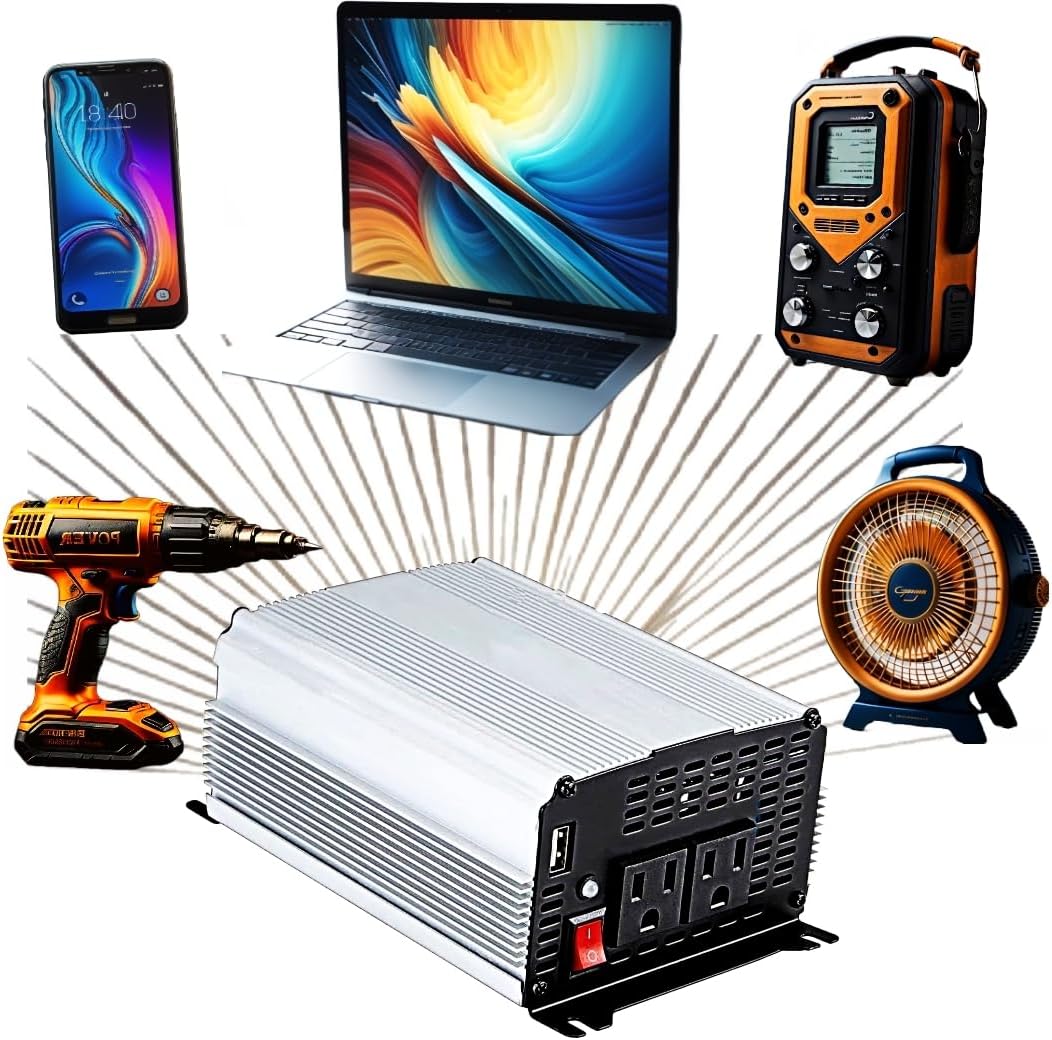
Figure 1: The Jupiter Power Inverter shown with various compatible electronic devices it can power, including a smartphone, laptop, portable radio, power drill, and a fan.
Návod k obsluze
- Zapnutí: After all connections are secure, press the power switch on the front of the inverter to the 'ON' position. The power indicator light should illuminate.
- Připojit zařízení: Plug your 120V AC devices into the AC outlets and/or your USB devices into the USB port. Ensure the total wattage of all connected devices does not exceed the inverter's continuous power rating (1000 watts).
- Zatížení monitoru: If the inverter's overload protection activates (indicated by an alarm or warning light), immediately disconnect some devices to reduce the load.
- Vypnout: When finished, first turn off and unplug all connected devices. Then, switch the inverter's power switch to the 'OFF' position.

Obrázek 2: Podrobný view of the Jupiter Power Inverter's front panel, highlighting the two 120V AC outlets, the 2.1A USB port, and the main power switch.
Údržba
- Čištění: Pravidelně čistěte vnější povrch střídače suchým, měkkým hadříkem. Nepoužívejte tekuté čisticí prostředky ani rozpouštědla. Ujistěte se, že jsou větrací otvory bez prachu a nečistot.
- Spojení: Regularly check battery cable connections to ensure they remain tight and free of corrosion.
- Skladování: Pokud měnič nepoužíváte, skladujte jej na chladném a suchém místě, mimo dosah přímého slunečního záření a extrémních teplot.
Odstraňování problémů
| Problém | Možná příčina | Řešení |
|---|---|---|
| Žádný výstupní výkon | Spínač měniče je VYPNUTÝ Uvolněné připojení baterie Nízký objem baterietage Aktivována ochrana proti přetížení | Zapněte vypínač Zkontrolujte a utáhněte spoje Dobijte nebo vyměňte baterii Reduce load, restart inverter |
| Nízký výstupní výkon | Excessive cable length/gauge Slabá baterie | Use shorter, thicker cables Nabijte nebo vyměňte baterii |
| Inverter shuts down | Přetížení Přehřívání Nízký/Vysoký vstupní objtage | Snižte zátěž Zajistěte řádné větrání Zkontrolujte objem baterietage |
Specifikace
| Funkce | Specifikace |
|---|---|
| Název modelu | Fits JUPITER 1000 Watt Continuous/2000 Watt Peak Modified Sine Wave Power Inverter |
| Kontinuální Wattage | 1000 wattů |
| Vrchol Wattage | 2000 wattů |
| Zdroj napájení | Battery Powered, Corded Electric (12V DC input) |
| Výstupní objemtage | 120V AC |
| USB výstup | 2.1A |
| Hmotnost položky | 2.7 libry |
| Značka | Obecný |
| Výrobce | HFT |
| Země původu | Čína |
| Doporučená použití | Recreational Vehicle, Camping, Road trips, Travel, Small electronics |
Záruka a podpora
This product comes with a standard manufacturer's warranty. For specific warranty details, claims, or technical support, please refer to the documentation included with your purchase or contact the manufacturer directly. Keep your purchase receipt as proof of purchase.