
TRIGKEY KEY N95
TRIGKEY Mini PC K-N95 User Manual
Brand: TRIGKEY | Model: KEY N95
Introduction to Your TRIGKEY Mini PC K-N95
The TRIGKEY Mini PC K-N95 is a compact and efficient desktop computer designed for a variety of uses, from home entertainment to office work. Powered by the Intel Alder Lake N95 processor, it offers reliable performance in a small form factor. This manual provides comprehensive instructions for setting up, operating, maintaining, and troubleshooting your device.

Figure 1: TRIGKEY Mini PC K-N95 - Front view showing compact design and ports.
Na generálkuview of the TRIGKEY Mini PC Key-N95, please watch the video below:
Video 1: TRIGKEY Mini PC Key-N95 Overview. This video provides a brief visual introduction to the Mini PC's design and features.
Konec produktuview
Klíčové vlastnosti
- Procesor Intel N95: Powered by Intel Alder Lake N95 (4 Cores, 4 Threads, up to 3.4GHz), offering enhanced performance for daily tasks.
- Kompaktní a lehký design: Equipped with 8GB DDR4 RAM and 256GB M.2 2280 PCIe SSD, with upgrade options up to 16GB DDR4 and 4TB storage.
- 4K Dual Screen Display: Features Intel UHD Graphics supporting dual 4K video playback at 60Hz for immersive visual experiences.
- Stabilní konektivita: Includes WiFi 5 (802.11ax) and Bluetooth 5.0 for reliable wireless connections to various devices.
- Rich Connections: Multiple interfaces including 3x USB 3.2 (10Gbps), 3x USB 2.0 (480Mbps), 1x 1000Mbps LAN, 1x 3.5mm Audio Jack, and 2x HDMI (Max 4K 60Hz).
- Tichý provoz: Built-in low-speed fan ensures efficient cooling with ultra-quiet operation.
Obsah balení
Your TRIGKEY Mini PC K-N95 package includes the following items:
- TRIGKEY Mini PC K-N95 Unit
- AC Cable (Optional: US/EU/UK/JP/AU plug types)
- Kabel HDMI (1 m)
- Uživatelská příručka
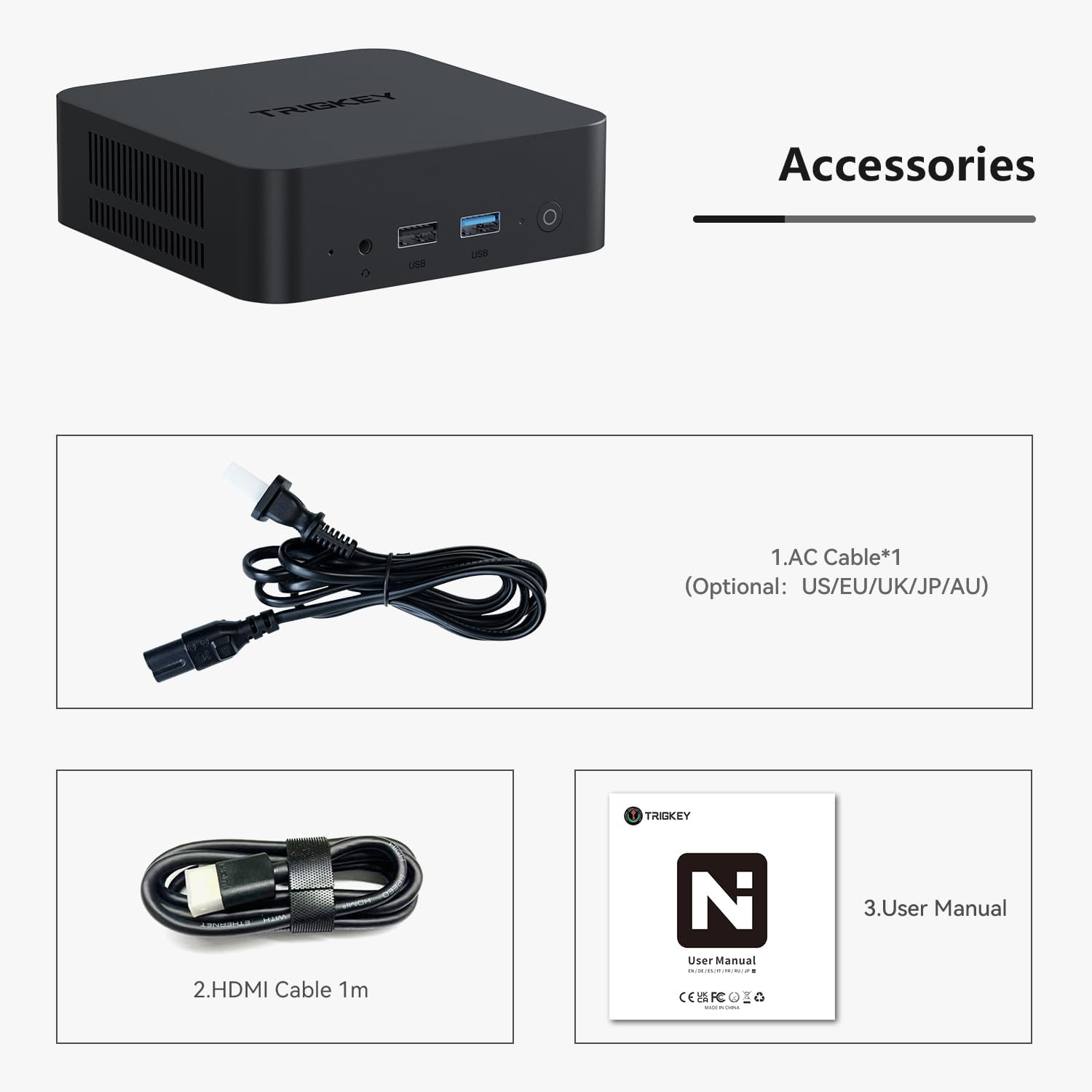
Figure 2: Included accessories: AC power cable, HDMI cable, and user manual.
Fyzické přesview a porty
Seznamte se s různými porty a komponenty vašeho Mini PC:

Obrázek 3: Detail view of the Mini PC's ports, including AC power, USB, LAN, and HDMI.
- Přední panel: Power button, USB 3.2 ports, 3.5mm Audio Jack.
- Zadní panel: AC Power input, USB 3.2 ports, LAN (Ethernet) ports, HDMI ports.
- Boční panely: Ventilation grilles for cooling.

Figure 4: Diagram illustrating internal components like the Intel Alder Lake N95 Processor, dual PCIe SSD slots, DDR4 RAM, and connectivity features like Bluetooth 5.0, WiFi 5, and Gigabit Ethernet.
Průvodce nastavením
Počáteční nastavení
- Připojení k napájení: Plug the AC cable into the Mini PC's AC input and then into a power outlet.
- Připojení k displeji: Use the provided HDMI cable to connect the Mini PC to your monitor or TV. The Mini PC supports dual HDMI displays.
- Připojení periferií: Připojte klávesnici, myš a další zařízení USB k dostupným portům USB.
- Zapnutí: Stisknutím tlačítka napájení na předním panelu zapněte Mini PC.
- Počáteční nastavení Windows: Postupujte podle pokynů na obrazovce a dokončete instalaci systému Windows 11 Pro.
Storage Expansion (HDD Installation)
The TRIGKEY Mini PC K-N95 supports additional storage expansion. You can install an expandable 2.5mm HDD/SSD.
Video 2: HDD Installation Tutorial. This video demonstrates the step-by-step process of installing an additional hard drive in your Mini PC.
Návod k obsluze
Zapnutí/vypnutí
- Zapnutí: Stiskněte tlačítko napájení na přední straně Mini PC. Rozsvítí se kontrolka napájení.
- Vypnout: To safely shut down the system, click the Windows Start button, then select "Power" and "Shut down". Do not unplug the power cable directly without shutting down the system first, as this may cause data loss or system damage.
Connecting Displays (4K Dual Screen)
The Mini PC supports up to two 4K displays simultaneously via its HDMI ports, enhancing productivity and entertainment.

Figure 5: Illustration of the Mini PC connected to dual monitors, demonstrating its multi-display capability for work and entertainment.
Connect your monitors using the HDMI cables. Windows will automatically detect the displays. You can configure display settings (extend, duplicate, etc.) via Windows Display Settings.
Network Connectivity (WiFi and Bluetooth)
Your Mini PC comes with built-in WiFi 5 and Bluetooth 5.0 for seamless wireless connectivity.

Figure 6: Visual representation of the Mini PC's built-in WiFi 5 and Bluetooth 5.0 modules, ensuring reliable networking without cable constraints.
- WiFi: Access network settings in Windows to connect to your wireless network.
- Bluetooth: Pair Bluetooth devices like keyboards, mice, or headphones through Windows Bluetooth settings.
- Kabelová LAN: For a stable wired connection, plug an Ethernet cable into the LAN port on the rear panel.
Konfigurace systému BIOS
The BIOS (Basic Input/Output System) allows for advanced configuration of your Mini PC's hardware. Accessing the BIOS is typically done by pressing a specific key during startup (e.g., Del or F2).
Video 3: BIOS Brush Tutorial. This video guides you through the process of accessing and navigating the BIOS settings of your Mini PC.
Pozor: Modifying BIOS settings incorrectly can lead to system instability or malfunction. Only adjust settings if you understand their function.
Údržba
Čištění
- Pravidelně čistěte vnější povrch Mini PC měkkým, suchým hadříkem.
- Use compressed air to gently clear dust from the ventilation grilles to ensure optimal airflow and cooling.
- Před čištěním se ujistěte, že je zařízení vypnuté a odpojené ze zásuvky.
Software Updates (Windows 11)
Keeping your Windows operating system updated is crucial for security and performance.
Video 4: Mini PC W11 Update. This video provides instructions on how to update your Windows 11 operating system on the Mini PC.
Regularly check for and install Windows updates via "Settings > Windows Update".
Odstraňování problémů
If you encounter issues with your TRIGKEY Mini PC, consider the following common solutions:
- Bez napájení: Ensure the power cable is securely connected to both the Mini PC and the power outlet. Try a different outlet.
- Bez displeje: Check HDMI cable connections. Ensure the monitor is powered on and set to the correct input source.
- Pomalý výkon: Zavřete nepotřebné aplikace. Zkontrolujte aktualizace na pozadí. Zajistěte dostatečné větrání.
- Problémy se sítí: Restart your router/modem. Check WiFi settings or Ethernet cable connection.
For general troubleshooting tips and what to do if something goes wrong, refer to the video below:
Video 5: What if something goes wrong? This video offers guidance on common issues and steps to resolve them.
Technické specifikace
| Funkce | Specifikace |
|---|---|
| Procesor | Intel Alder Lake N95 (4 Cores, 4 Threads, up to 3.4GHz) |
| BERAN | 8 GB DDR4 (Expandable up to 16GB DDR4 3200MHz) |
| Skladování | 256GB M.2 2280 PCIe SSD (Supports dual M.2 2280 PCIe SSD, Max 4TB) |
| Grafika | Intel UHD Graphics (Max 750MHz), supports dual 4K 60Hz display |
| Bezdrátové připojení | Wi-Fi 5 (802.11ax), Bluetooth 5.0 |
| Porty | 3x USB 3.2 (10Gbps), 3x USB 2.0 (480Mbps), 1x 1000Mbps LAN, 1x 3.5mm Audio Jack, 2x HDMI, 1x AC Jack |
| Operační systém | Windows 11 Pro (Pre-installed) |
| Rozměry | 4.53 x 4.02 x 1.61 palce |
| Hmotnost | 1.45 libry |
Záruka a podpora
TRIGKEY is committed to providing excellent customer service and product support.
- Záruka: TRIGKEY offers a one-year return policy under reasonable circumstances, along with exchange and warranty service.
- Profesionální podpora: A dedicated after-sales team is available to assist with any questions or issues regarding your Mini PC.
For further assistance, please refer to the contact information provided with your product packaging or visit the official TRIGKEY support webmísto.
Ask a question about this manual
Ask about setup, troubleshooting, compatibility, parts, safety, or missing instructions. Manuals+ will review the question and use this page’s manual context to help answer it.