
Rraycom BW4N
Rraycom BW4N Wireless Security Camera User Manual
Model: BW4N-B-4pack
1. Úvod
Thank you for choosing the Rraycom BW4N Wireless Home/Outdoor Security Camera system. This manual provides comprehensive instructions for setting up, operating, and maintaining your security cameras to ensure optimal performance and peace of mind. The Rraycom BW4N offers 5MP resolution, AI motion detection, color night vision, two-way talk, and flexible storage options, designed for both indoor and outdoor surveillance.

Image 1.1: Four Rraycom BW4N wireless security cameras included in the pack.
2. Konec produktuview
2.1 Klíčové vlastnosti
- Rozlišení 5MP 2.7K: Poskytuje jasné a podrobné video footage.
- Detekce pohybu s umělou inteligencí: Utilizes infrared sensor technology and cloud image analysis for real-time motion detection and alerts, with customizable detection zones.
- Barevné noční vidění: Offers full-color night vision and infrared night vision modes with a visible range of up to 33ft.
- Obousměrný rozhovor: Umožňuje komunikaci v reálném čase prostřednictvím kamery.
- Bezdrátové a napájené z baterie: Equipped with a 5200mAh rechargeable battery, offering 1 to 6 months of operation on a full charge depending on usage.
- IP66 voděodolný: Designed for outdoor use, resistant to harsh weather conditions.
- Flexibilní úložiště: Supports free 3-day rolling cloud storage and local storage via Micro SD card (up to 256GB, not included).
- Spolupracuje s Alexou: Compatible with Amazon Alexa for voice control and live view.

Obrázek 2.1: Konecview of Rraycom BW4N camera features.
2.2 Obsah balení
The Rraycom BW4N-B-4pack includes:
- 4 x Rraycom BW4N Wireless Security Cameras
- 4 x montážní držáky
- Montážní šrouby a hmoždinky
- USB nabíjecí kabel
- Uživatelská příručka
3. Nastavení
3.1 Nabíjení fotoaparátu
Before initial use, fully charge the camera's 5200mAh battery. Connect the camera to a 5V/2A USB power adapter (not included) using the provided USB charging cable. The charging indicator light will show the charging status. A full charge can take several hours.
Note: Battery life varies based on device settings, actual usage, and environmental factors.
3.2 Instalace aplikace a nastavení účtu
- Stáhněte si [O-KAM] APP z App Storu (iOS) nebo z Obchodu Google Play (Android).
- Open the O-KAM app and follow the on-screen instructions to create a new account or log in if you already have one.

Image 3.1: Download the O-KAM app from your device's app store.
3.3 Přidání fotoaparátu do aplikace
- In the O-KAM app, tap the "+" icon to add a new device.
- Select your camera model (BW4N) from the list.
- Postupujte podle pokynů v aplikaci a připojte kameru k vašemu 2.4GHz Wi-Fi síť. (5GHz WiFi is not supported).
- Naskenujte QR kód zobrazený na obrazovce telefonu objektivem fotoaparátu.
- Po připojení pojmenujte kameru a dokončete proces nastavení.
3.4 Umístění a instalace kamery
The Rraycom BW4N camera can be installed almost anywhere, including shops, offices, homes, garages, yards, and both outdoor and indoor locations. It is designed for easy setup, typically taking about 5 minutes.
- Vyberte si místo, které poskytuje požadované viewúhlu a je v dosahu vaší 2.4GHz WiFi sítě.
- Use the included mounting bracket and screws to securely attach the camera to a wall or other suitable surface.
- Ensure the camera is positioned to capture the area of interest, considering the 120-degree viewúhel.

Obrázek 3.2: Příkladample of camera placement on a home exterior.
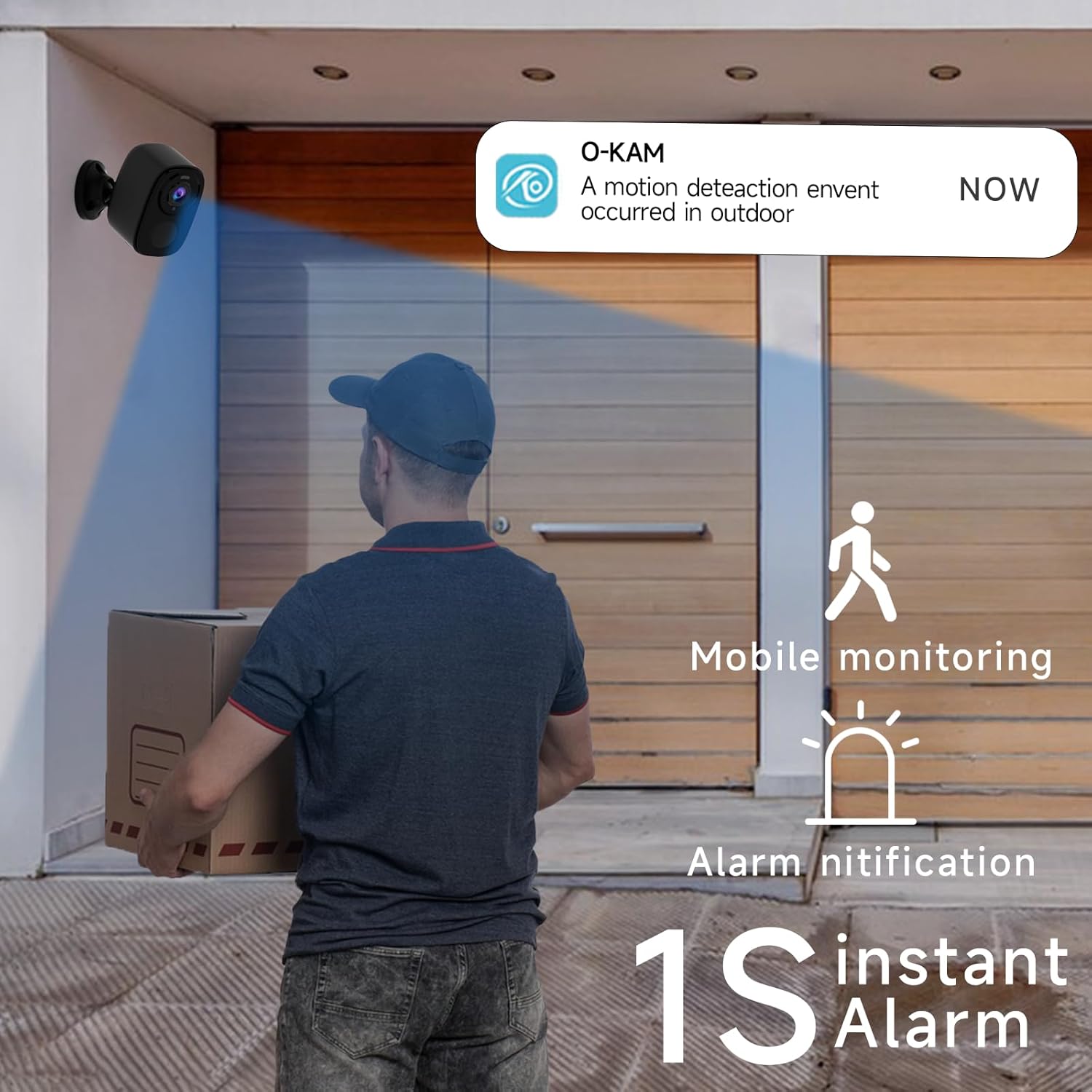
Image 3.3: The camera provides mobile monitoring and instant alarm notifications upon motion detection.
4. Ovládání fotoaparátu
4.1 Živě View a Nahrávání
Access live video streams from your camera anytime through the O-KAM app. You can view real-time monitoring from every corner of your property.

Image 4.1: House security overview in the O-KAM app, allowing real-time monitoring from various locations.
4.2 Motion Detection and AI Recognition
The camera uses advanced PIR motion detection and AI recognition to differentiate between people and objects, reducing false alarms. You will receive instant alerts to your smartphone when motion is detected.
- Přizpůsobitelné detekční zóny: Nastavte konkrétní oblasti v záběru fotoaparátu view where you want motion to be detected, ensuring you only receive notifications for relevant events.
- Human Filtering: The AI system helps filter out non-human movements, focusing on important activity.

Image 4.2: AI Motion Detection identifies human activity.

Image 4.3: Customize monitoring areas to reduce false alerts.
4.3 Obousměrný zvuk
The built-in microphone and speaker allow for two-way communication. You can speak to visitors or deter intruders directly through the camera using the O-KAM app.
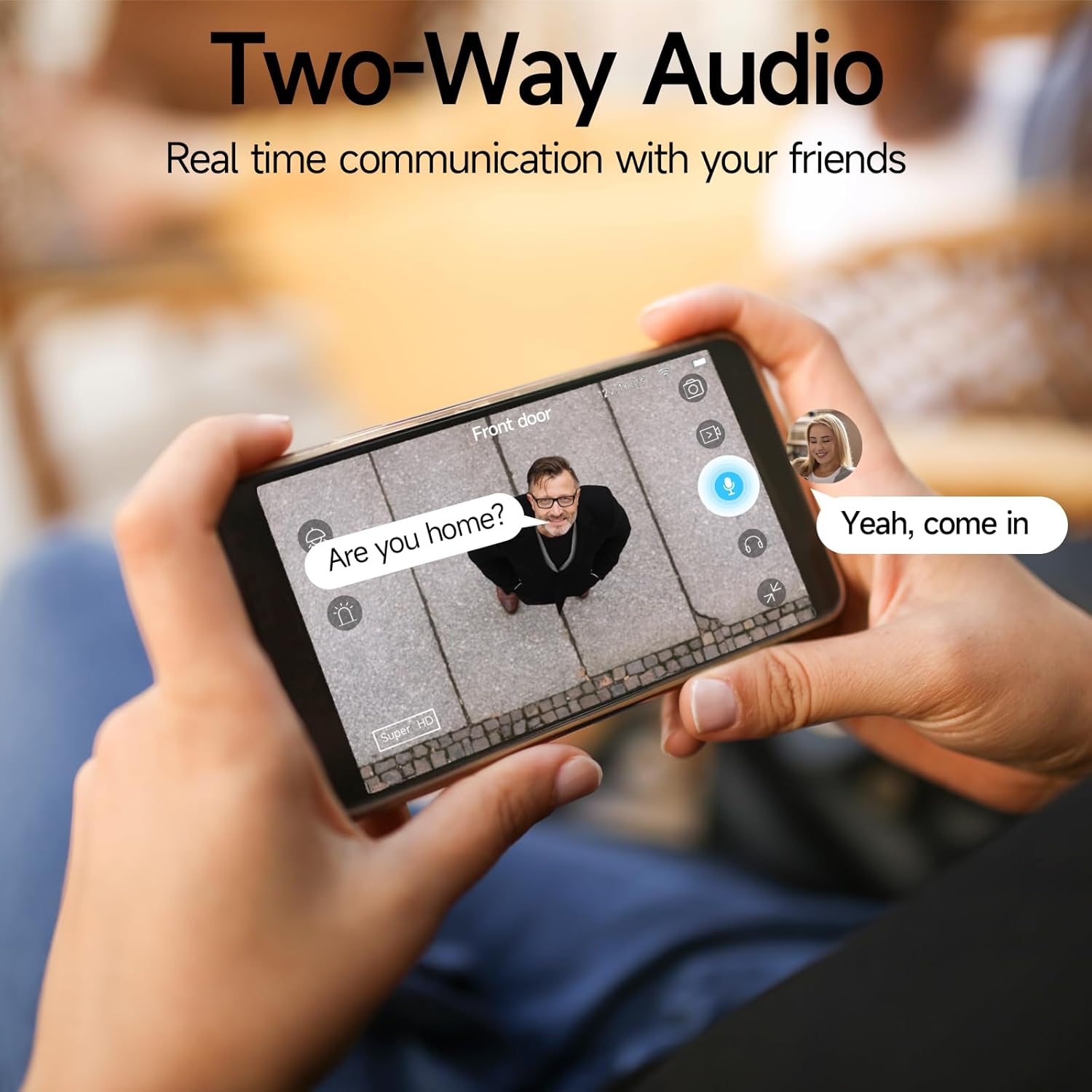
Image 4.4: Engage in real-time communication with two-way audio.

Image 4.5: Multiple users can share and watch the camera feed simultaneously, enabling interactive communication.
4.4 Režimy nočního vidění
The camera offers two night vision modes to ensure clear visibility in low light conditions:
- Plně barevné noční vidění: Provides vivid, color images even in the dark, utilizing the camera's spotlight.
- Infračervené noční vidění: Offers clear black-and-white footage v naprosté tmě.

Image 4.6: Compare 5MP Color Night Vision and Infrared Night Vision for optimal nighttime surveillance.

Image 4.7: The camera supports motion detection, color night vision, and infrared night vision.
4.5 Siren Alarm and Spotlight Warning
The camera features a built-in siren and spotlight that can be activated manually or automatically upon motion detection to deter unwanted visitors.

Image 4.8: Deter intruders with siren and spotlight warnings.
4.6 Možnosti úložiště
Your Rraycom camera offers versatile storage solutions:
- Bezplatné cloudové úložiště: Enjoy free 3-day rolling cloud storage for life, with no subscription needed.
- Paměťová karta Micro SD: Insert a Micro SD card (up to 256GB, not included) for local video storage.

Image 4.9: Save important moments to cloud or SD card.

Image 4.10: Cloud and local storage options for your recordings.
4.7 Integrace s Alexou
The Rraycom BW4N camera is compatible with Amazon Alexa, allowing you to view live feeds using voice commands on compatible Alexa-enabled devices.
- Link your O-KAM account with your Alexa account through the Alexa app.
- Use commands like "Alexa, show me the front door camera" or "Alexa, show me the backyard camera" to view živá krmiva.

Image 4.11: Seamless integration with Amazon Alexa for convenient monitoring.
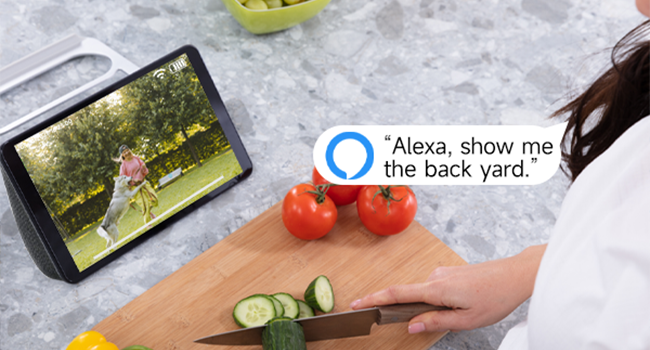
Obrázek 4.12: View your camera feed on Alexa-enabled devices.
4.8 Videoukázka
Video 4.1: A demonstration of the Rraycom BW4N wire-free camera's features, including its 5MP resolution, waterproof design, ease of mounting, night vision capabilities, activity zone setup, two-way audio, multi-user sharing, human filtering, Alexa compatibility, and cloud/local storage options.
5. Údržba
5.1 Správa baterie
- Monitor battery levels regularly through the O-KAM app.
- Recharge the camera promptly when the battery is low to ensure continuous operation.
- For optimal battery life, avoid extreme temperatures during charging and operation.
5.2 Čištění fotoaparátu
- Gently wipe the camera lens and body with a soft, dry cloth to remove dust and smudges.
- Nepoužívejte tekuté čisticí prostředky ani abrazivní materiály, protože by mohly poškodit fotoaparát.
5.3 aktualizací firmwaru
Periodically check the O-KAM app for available firmware updates. Keeping your camera's firmware up-to-date ensures you have the latest features and security enhancements.
6. Řešení problémů
| Problém | Možná příčina | Řešení |
|---|---|---|
| Kamera se nepřipojuje k Wi-Fi | Nesprávné heslo k Wi-Fi; Kamera je příliš daleko od routeru; K dispozici je pouze Wi-Fi 5 GHz. | Ensure correct password. Move camera closer to router. Confirm your Wi-Fi is 2.4GHz. |
| Časté falešné poplachy | Detection zone too wide; Environmental factors (e.g., moving branches, shadows). | Adjust detection zones in the app. Enable human filtering if available. |
| Špatná kvalita nočního vidění | Obstructions in front of lens; Insufficient ambient light for color night vision. | Clear any obstructions. Ensure adequate lighting for color night vision or switch to infrared mode. |
| Problémy s obousměrným zvukem | Mikrofon/reproduktor je zablokovaný; Hlasitost aplikace je příliš nízká; Latence sítě. | Check for obstructions. Adjust volume settings in app. Ensure stable network connection. |
| Baterie se rychle vybíjí | Častá detekce pohybu; Živý obraz view usage; Extreme temperatures. | Reduce motion detection sensitivity/frequency. Limit live view. Operate within recommended temperature range. |
7. Specifikace
| Funkce | Detail |
|---|---|
| Název modelu | BW4N |
| Rozlišení záznamu videa | 5 MP (2560*1920P) |
| Technologie připojení | Bezdrátové (pouze 2.4 GHz Wi-Fi) |
| Zdroj napájení | Napájení z baterie (dobíjecí baterie 5200 mAh) |
| Vnitřní/venkovní použití | Venkovní, Vnitřní |
| Hodnocení voděodolnosti | IP66 |
| Viewúhel | 120 stupňů |
| Rozsah nočního vidění | Až 33 stop |
| Možnosti úložiště | Micro SD Card (up to 256GB, not included), Free 3-day Cloud Storage |
| Kompatibilní zařízení | Android & iOS (O-KAM App), Amazon Alexa |
| Materiál | Akrylonitrilbutadienstyren (ABS) |
| Hmotnost položky | 2.68 liber (pro balení po 4 kusech) |
| Rozměry balení | 10.47 x 9.17 x 2.95 palce |
8. Záruka a podpora
8.1 Informace o záruce
Rraycom products come with a standard manufacturer's warranty. Please refer to the warranty card included in your package or visit the official Rraycom webpodrobné záruční podmínky naleznete na webu.
8.2 Zákaznický servis
If you have any questions, encounter issues, or require technical assistance with your Rraycom BW4N security camera, please contact our customer service team:
- E-mail: aftersale@rraycom.com
- You can also find contact information and FAQs on the Rraycom brand store on Amazon or the official webmísto.

Image 8.1: Contact Rraycom customer service for assistance.
Ask a question about this manual
Ask about setup, troubleshooting, compatibility, parts, safety, or missing instructions. Manuals+ will review the question and use this page’s manual context to help answer it.