
1. Úvod
Thank you for choosing the XIAOVV Solar Security Camera. This manual provides essential information for the proper installation, operation, and maintenance of your device. This wireless outdoor camera features a 10000mAh integrated battery, powered continuously by a solar panel, ensuring year-round operation. It includes PIR smart detection, a spotlight, and a voice siren for enhanced security. Designed to be weather-resistant with an IP65 rating, it is suitable for various outdoor environments. The camera offers motion tracking with 355° horizontal pan and 100° vertical tilt, along with HD night vision for clear monitoring day and night.
2. Obsah balení
Before installation, please verify that all components are present and in good condition.
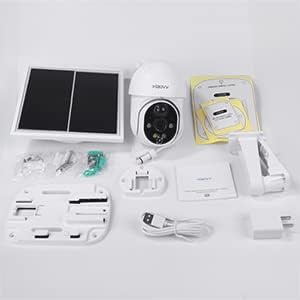
Obrázek: Overview of the XIAOVV Solar Security Camera and its included accessories, such as the camera unit, solar panel, mounting bracket, USB charging cable, and user manual.
- XIAOVV Solar Security Camera Unit
- Solární panel
- Wall Mounting Bracket and Screws
- USB nabíjecí kabel
- Uživatelská příručka
3. Nastavení a instalace
3.1 Počáteční nabíjení
The integrated 10000mAh battery must be fully charged before the first use. Connect the camera to a power source using the provided USB cable until the charging indicator shows a full charge.
3.2 Umístění solárních panelů
For continuous operation, position the solar panel in an area that receives direct sunlight for several hours daily. Ensure no obstructions block sunlight from reaching the panel.
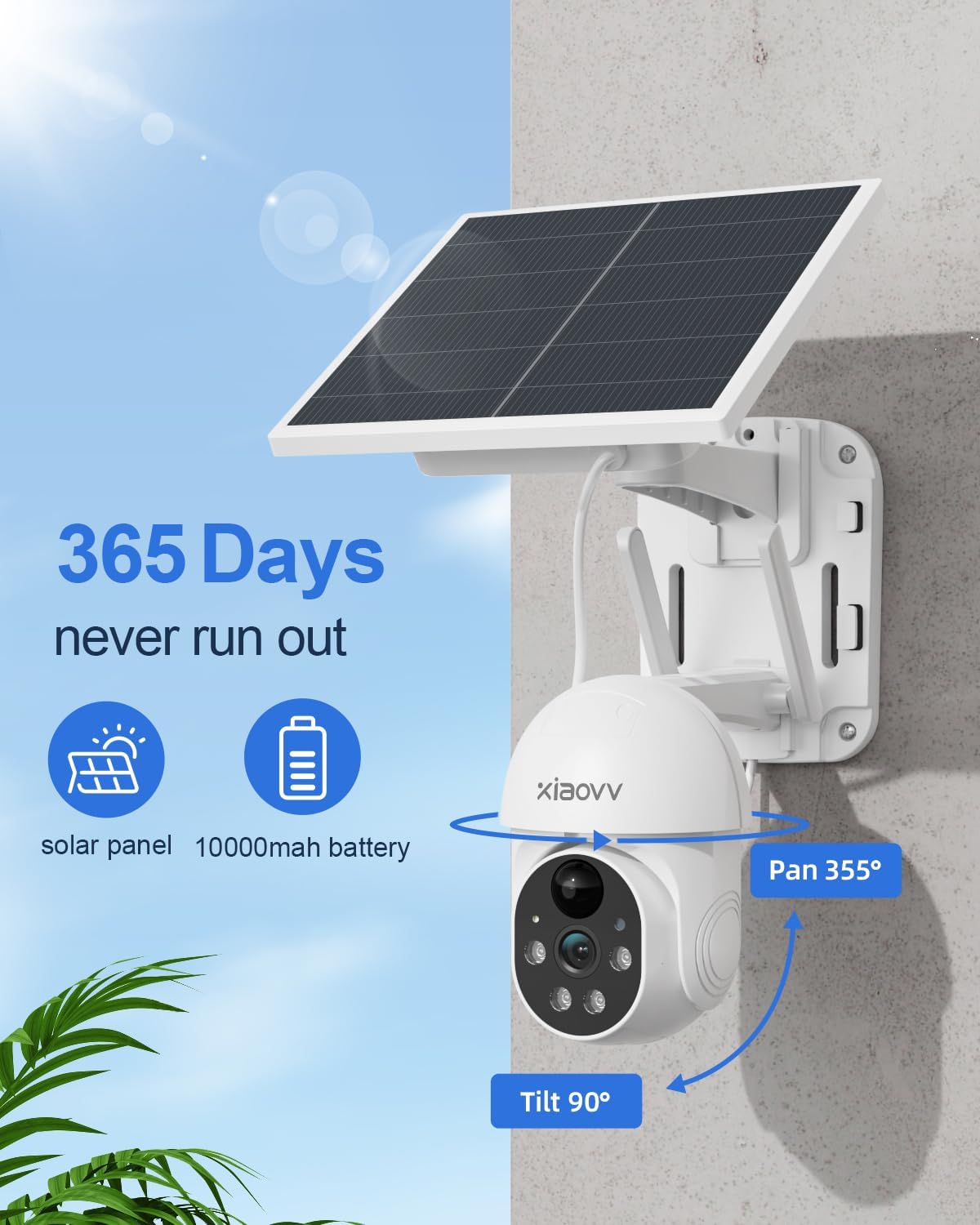
Image: The XIAOVV Solar Security Camera and its solar panel mounted on an exterior wall, illustrating optimal placement for solar charging and continuous power.
3.3 Fyzická instalace
Kamera umožňuje montáž na zeď. Vyberte vhodné místo, které poskytuje požadovaný viewing angle and allows for optimal solar panel exposure. Use the provided mounting bracket and screws to securely attach the camera and solar panel to the wall.
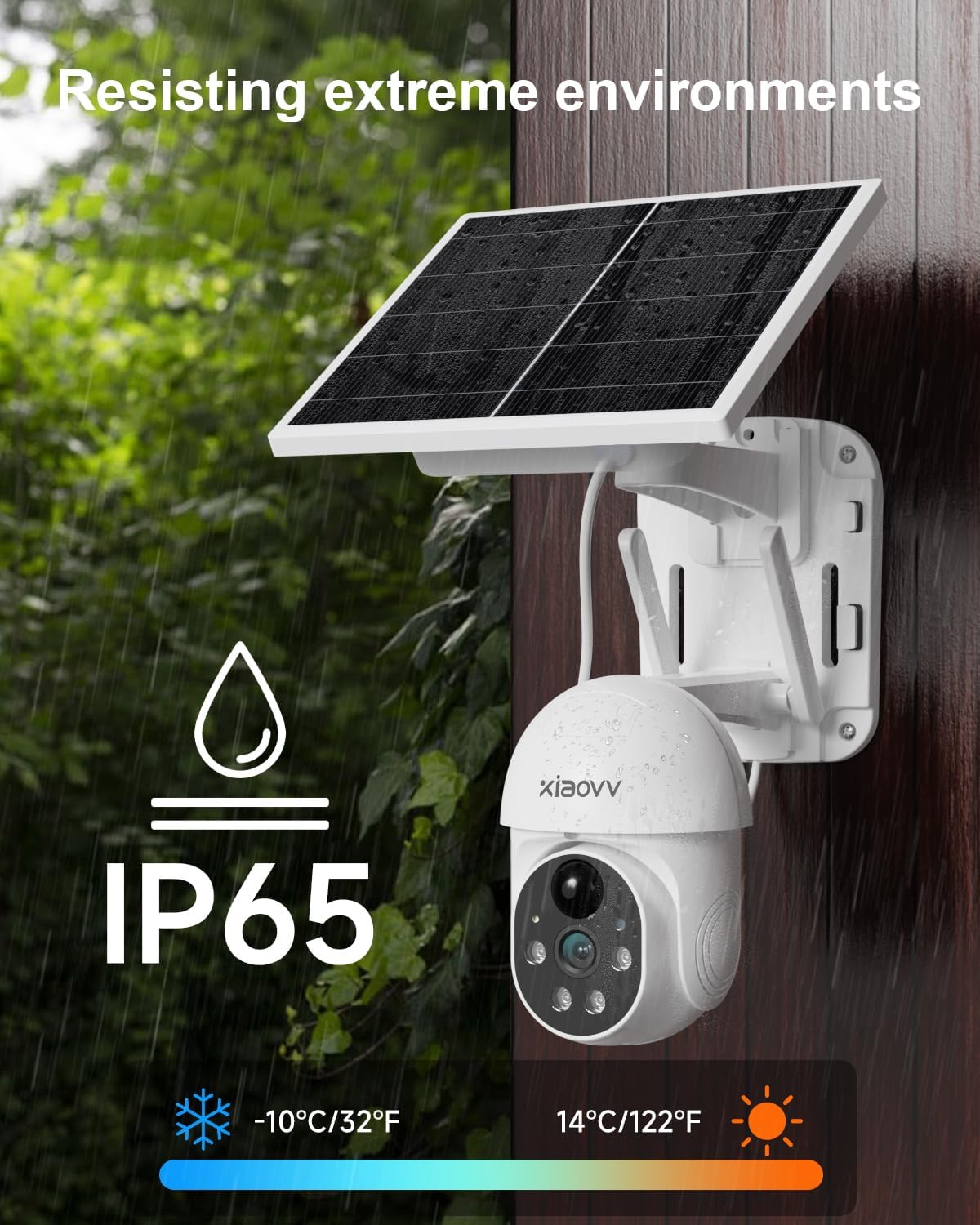
Image: The XIAOVV Solar Security Camera installed outdoors, demonstrating its IP65 weather resistance against rain and its ability to operate in a wide temperature range.
3.4 Instalace aplikace a připojení k Wi-Fi
- Download the official XIAOVV application from your smartphone's app store.
- Zaregistrujte si účet a přihlaste se.
- Follow the in-app instructions to add your camera. Ensure your smartphone is connected to a 2.4 GHz Wi-Fi network during the setup process.
- Insert a Micro SD card (not included) into the designated slot for local video storage, if desired.
4. Návod k obsluze
4.1 Vzdálené monitorování
Získejte přístup k živému videu a nahranému videutage anytime, anywhere via the XIAOVV smartphone application.
4.2 Detekce pohybu PIR a upozornění
The camera features intelligent PIR (Passive Infrared) detection, which triggers recording based on human body temperature. When motion is detected, the camera automatically starts recording (requires an SD card or cloud storage subscription), activates its spotlight, and emits voice alarms to deter intruders.

Image: The XIAOVV Solar Security Camera actively using its spotlight and siren to warn and deter potential intruders, highlighting its security features.
4.3 Motion Tracking and Pan/Tilt Control
The camera can rotate 355° horizontally and 100° vertically. When an object's movement is detected, the camera automatically tracks it, guiding the object out of the monitoring range. You can also manually control the camera's pan and tilt via the app.
4.4 HD Night Vision
Equipped with HD night vision, the camera provides clear images even in low-light conditions. It supports color night vision, allowing you to see details at night as clearly as during the day.
4.5 Hlasové ovládání
The camera supports voice control for certain functions, enhancing ease of use. Refer to the app for specific voice commands.
5. Údržba
- Vyčistěte solární panel: Solární panel pravidelně otírejte měkkým hadříkemamp hadříkem odstraňte prach, nečistoty nebo úlomky, které by mohly snížit účinnost nabíjení.
- Zkontrolujte stav baterie: Monitor the battery level through the app to ensure it remains adequately charged, especially during prolonged periods of low sunlight.
- Ensure Wi-Fi Connectivity: Periodically check the camera's Wi-Fi connection in the app to ensure stable remote access.
- Aktualizace firmwaru: Keep the camera's firmware updated through the app to benefit from the latest features and security enhancements.
6. Řešení problémů
- Kamera se nezapíná: Ensure the battery is fully charged. Check the solar panel for obstructions and ensure it receives sufficient sunlight.
- Žádné připojení k Wi-Fi: Verify your router is functioning correctly and the camera is within range of a 2.4 GHz Wi-Fi network. Try restarting the camera and your router.
- Detekce pohybu nefunguje: Check the motion detection settings in the app. Adjust sensitivity levels if necessary. Ensure there are no physical obstructions blocking the camera's view.
- Špatná kvalita obrazu: Clean the camera lens. Ensure there is adequate lighting. For night vision issues, check if the infrared lights are active.
- Problémy s připojením aplikace: Ensure your smartphone has a stable internet connection. Try restarting the app or reinstalling it.
7. Specifikace
| Funkce | Specifikace |
|---|---|
| Značka | XIAOVV |
| Číslo modelu | XIAOVV-P6 V-IT |
| Doporučená použití | Dohled |
| Technologie připojení | Bezdrátové (Wi-Fi) |
| Speciální funkce | Vzdálená montáž |
| Kompatibilní zařízení | Smartphone |
| Zdroj napájení | Solární napájení |
| Typ montáže | Držák na zeď |
| Rozlišení záznamu videa | 1080p |
| Technologie bezdrátové komunikace | Wi-Fi (2.4 GHz) |
| Vlastnosti produktu | Vzdálená montáž |
| Form Factor | Krabice |
| Vnitřní materiál | Kov |
| Typ pokoje | Garáž |
| Hodnocení mezinárodní ochrany | IP65 |
| Kontrolní metoda | Hlas |
| Viewúhel | 355 stupňů (otáčení) |
| Rozměry položky | 15 x 15 x 20 centimetrů |
| Spotřeba energie | 3 wattů |
| Jsou vyžadovány baterie | No (Integrated 10000mAh battery) |
| Noční vidění | Barevné noční vidění |
8. Záruka a podpora
For warranty information and technical support, please refer to the documentation included with your product or visit the official XIAOVV webUschovejte si účtenku jako doklad o koupi pro případ reklamace.


