
1. Nastavení a připojení
The ATTACK SHARK K6 Wireless Mechanical Keyboard offers versatile connectivity options and is compatible with multiple operating systems.
1.1 Obsah balení
- ATTACK SHARK K6 Wireless Mechanical Keyboard
- Cloud Keyboard Wrist Rest
- 2-in-1 USB Cable (Type-C to USB-A)
- 2 v 1 stahovák krytek a spínačů
- 2.4GHz přijímač

Image: All components included with the ATTACK SHARK K6 Wireless Mechanical Keyboard.
1.2 Režimy připojení
The keyboard supports three connection modes: Bluetooth 5.0, 2.4GHz wireless, and USB-C wired.
- Režim Bluetooth: Stiskněte FN + 1, FN + 2nebo FN + 3 to switch between three different Bluetooth devices.
- Bezdrátový režim 2.4 GHz: Stiskněte FN + 4. Insert the 2.4GHz receiver into your device's USB port.
- Drátový režim USB-C: Stiskněte FN + 5. Connect the keyboard to your device using the provided USB-C to USB-A cable.
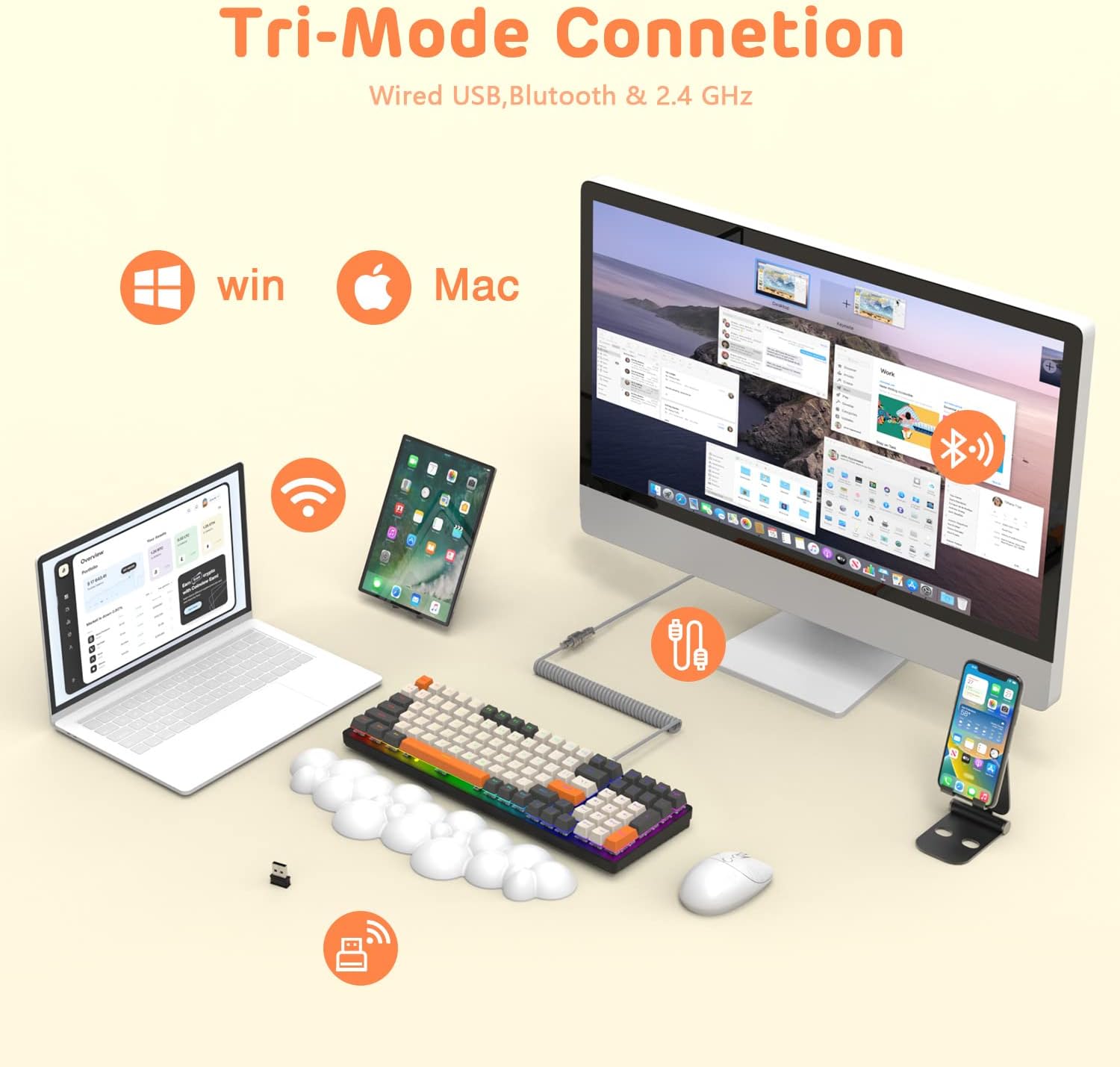
Image: The keyboard demonstrating its tri-mode connection capabilities with various devices.
1.3 Nabíjení klávesnice
The keyboard features a 4000mAh battery. Connect the USB-C cable to the keyboard and a power source to charge. Indicator lights (blue, purple, cyan, green) will display the charging status and low voltage varování.

Image: Visual representation of the keyboard's 4000mAh lithium battery capacity.

Image: The custom coiled USB-C to USB-A cable for charging and wired use.
2. Návod k obsluze
This section details the various functions and features of your ATTACK SHARK K6 keyboard.
2.1 Keyboard Layout and Ergonomics
The keyboard features a 96% compact layout with 100 keys, including a numpad, optimizing workspace while retaining full functionality. It also includes a cloud-shaped memory foam wrist rest for enhanced comfort.

Image: The 100-key compact layout of the K6 keyboard.

Image: Ergonomic design with adjustable two-stage tripod feet.

Image: The K6 keyboard with its ergonomic wrist rest and key features.

Image: Benefits of the ergonomic wrist rest for wrist pain relief.
2.2 Přizpůsobení RGB osvětlení
The keyboard features customizable RGB backlighting. You can adjust the color, brightness, and flow rate of each key to create personalized lighting effects.
- Přepnout režim podsvícení: Stiskněte FN + INS pro cyklické přepínání mezi 9 různými režimy RGB podsvícení.
- Upravit jas/rychlost: Použití FN + klávesy se šipkami (Up/Down for brightness, Left/Right for speed) to fine-tune the lighting effects.

Obrázek: Overview of the 9 RGB rainbow backlight modes and control keys.
2.3 Přepínače vyměnitelné za provozu
The K6 keyboard features a hot-swappable PCB, allowing you to easily replace 3-pin mechanical switches without soldering. This extends the lifespan of the switches and offers customization possibilities.

Image: Detail of the hot-swappable PCB and mechanical switches.
Video: A short demonstration of the K6 keyboard's retro design, PBT keycaps, and easy-to-type switches, including a close-up of a red switch.
Video: Demonstration of the K6 keyboard's RGB backlighting and typing sound, showcasing its triple-mode connectivity and mechanical switches.
3. Údržba
Správná údržba zajistí dlouhou životnost a optimální výkon vaší klávesnice.
3.1 Čištění klávesnice
- Klávesnice: K vyjmutí kláves použijte dodaný stahovák kláves. Očistěte je měkkým hadříkem.amp hadříkem a v případě potřeby jemným mýdlem. Před opětovným nasazením se ujistěte, že jsou zcela suché.
- Tělo klávesnice: Wipe the keyboard surface with a soft, lint-free cloth. For stubborn dirt, slightly dampen the cloth with water or a gentle electronics cleaner.
- Under Keycaps: K odstranění prachu a nečistot z prostoru mezi spínači použijte stlačený vzduch.
3.2 Výměna spínače
Thanks to the hot-swappable design, individual switches can be replaced if they become faulty or if you wish to customize your typing experience.
- Use the switch puller to carefully grip and pull out the desired switch.
- Zarovnejte piny nového 3pinového spínače s otvory na desce plošných spojů.
- Jemně zatlačte nový spínač na místo, dokud bezpečně nezacvakne. Ujistěte se, že kolíky nejsou ohnuté.
3.3 Wrist Rest Care
The wrist rest is made of durable and washable PU material. Clean it with a damp cloth and mild soap as needed to maintain hygiene and appearance.
4. Řešení problémů
If you encounter issues with your keyboard, refer to the following common solutions.
4.1 Problémy s připojením
- Žádné připojení (bezdrátové): Ensure the keyboard is in the correct wireless mode (Bluetooth or 2.4GHz). Check if the 2.4GHz receiver is properly inserted or if Bluetooth is enabled on your device and the keyboard is paired.
- Přerušované připojení: Move the keyboard closer to your device to reduce interference. Ensure the keyboard is sufficiently charged.
- Drátové připojení nefunguje: Verify the USB-C cable is securely connected to both the keyboard and your device. Try a different USB port or cable.
4.2 Problémy s RGB osvětlením
- Světla nesvítí: Ensure the keyboard is powered on and charged. Adjust brightness using FN + šipka nahoru.
- Incorrect Mode/Color: Přepínejte mezi režimy pomocí FN + INS.
4.3 Klíčové funkční problémy
- Klávesy nereagují: Check for debris under the keycap or switch. If a specific switch is faulty, consider replacing it using the hot-swappable feature.
- Keys Double-Typing or Sticking: This can sometimes be resolved by cleaning the switch or replacing the affected switch. Ensure the switch is fully seated.
5. Specifikace
| Funkce | Detail |
|---|---|
| Model | Bezdrátová mechanická klávesnice K6 |
| Technologie připojení | Bluetooth 5.0, 2.4GHz RF, USB-C Wired |
| Popis klávesnice | Mechanické |
| Typ přepínače | Clicky Blue Switches (Hot-Swappable 3-pin) |
| Rozložení | 96 % (100 kláves) |
| Kapacita baterie | 4000 XNUMX mAh |
| Podsvícení | RGB (9 režimů) |
| Kompatibilní zařízení | Laptop, PC, Tablet (Mac/Win dual systems) |
| Speciální funkce | Ergonomic, Hot-Swap, Custom Coiled Aviator Keyboard Cable, Backlit, Wrist Rest, Rechargeable, Keycap and Switch Puller, N-Key Rollover |
| Materiál | Polyurethane (PU) for wrist rest |
| Hmotnost položky | 2.97 libry |
| Rozměry balení | 17.09 x 6.46 x 2.68 palce |
6. Informace o záruce
Prosím, obraťte se na oficiální informace výrobce website or product packaging for detailed warranty information regarding your ATTACK SHARK K6 Wireless Mechanical Keyboard.
7. Zákaznická podpora
For further assistance, technical support, or inquiries about your ATTACK SHARK K6 Wireless Mechanical Keyboard, please contact ATTACK SHARK customer support or visit their official webmísto.