
DOOGEE T30PRO
DOOGEE T30 PRO 11 Inch Tablet
Uživatelská příručka
1. Konec produktuview
The DOOGEE T30 PRO is an 11-inch Android tablet designed for high performance and an immersive visual experience. It features a 2.5K display, a powerful MediaTek Helio G99 octa-core processor, and ample memory for multitasking and storage. This manual provides essential information to help you get the most out of your device.

Obrázek 1.1: Přední a zadní část view of the DOOGEE T30 PRO tablet, showcasinjeho klíčové specifikace.
2. Průvodce nastavením
2.1 Počáteční nabíjení
Before first use, fully charge the tablet using the provided 33W fast charger. The tablet is equipped with an 8580mAh battery for extended usage.
2.2 Zapnutí/vypnutí
- Zapnutí: Stiskněte a podržte tlačítko napájení, dokud se nezobrazí logo DOOGEE.
- Vypnutí: Stiskněte a podržte tlačítko napájení a poté z možností vyberte možnost „Vypnout“.
2.3 Instalace SIM a TF karty
The DOOGEE T30 PRO supports dual 4G LTE and TF card expansion up to 2TB. Locate the SIM/TF card tray on the side of the tablet. Use the provided ejector tool to open the tray. Insert your Nano-SIM cards and/or TF card into the designated slots, ensuring correct orientation. Close the tray securely.
2.4 První nastavení
Upon first power-on, follow the on-screen prompts to complete the initial setup. This includes selecting your language, connecting to a Wi-Fi network, and signing in with your Google account. The tablet is GMS certified, ensuring full access to the Google Play Store and Google services.
Video 2.1: An unboxing video of the DOOGEE T30 PRO tablet, demonstrating the initial setup and contents.
3. Ovládání tabletu
3.1 Zobrazení a vizuální prvky
Experience stunning visuals on the 11-inch 2.5K (2560x1600) display. The tablet features TÜV SÜD Eye Safety Certification for low blue light, reducing eye strain during prolonged use.

Figure 3.1: The tablet's display capabilities, emphasizing its high resolution and immersive viewzkušenosti.
3.2 Výkon a úložiště
Powered by the MediaTek Helio G99 octa-core processor, the T30 PRO delivers smooth performance for gaming, multitasking, and demanding applications. It comes with 15GB RAM (8GB physical + 7GB virtual) and 256GB of internal storage, expandable up to 2TB via TF card.
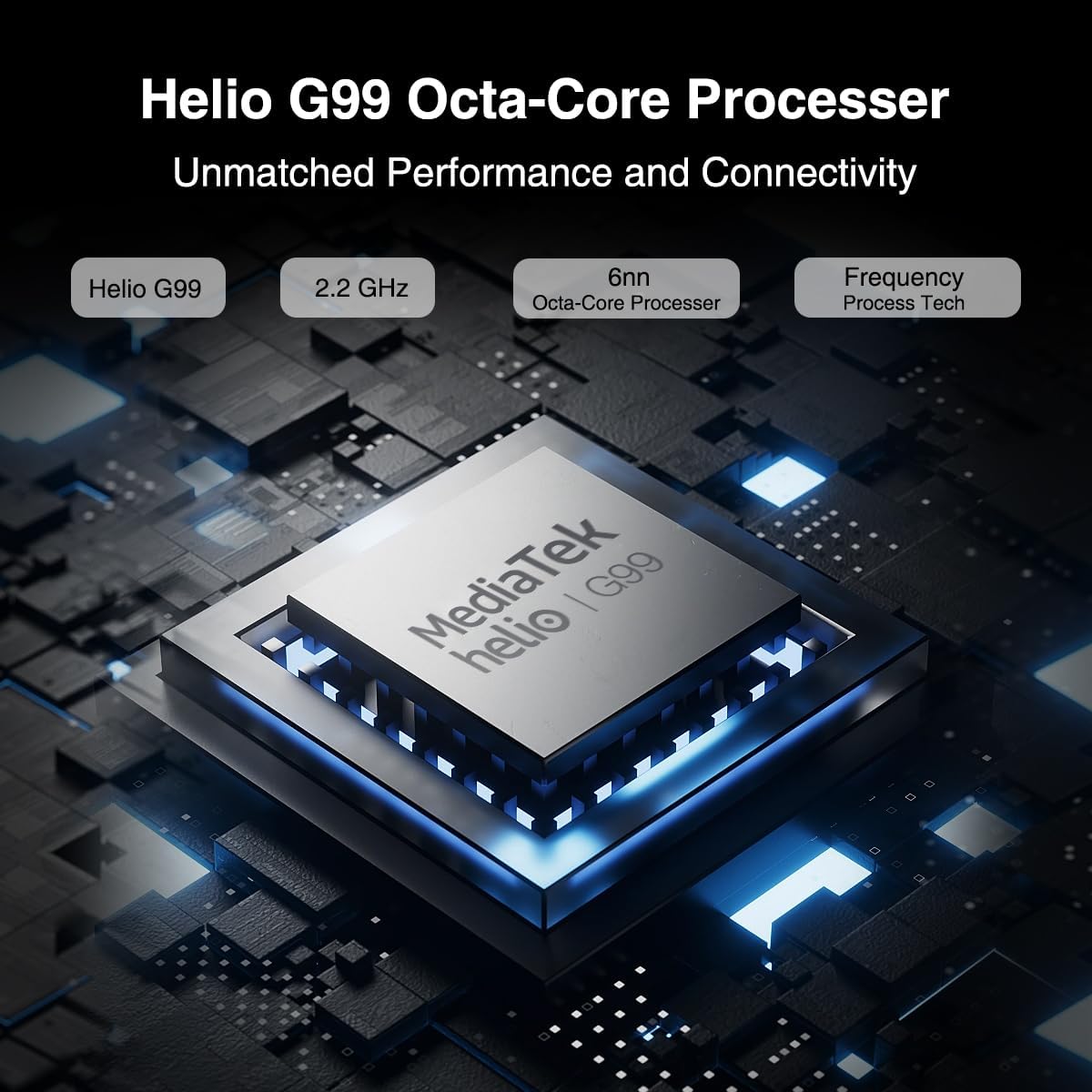
Figure 3.2: Illustration of the MediaTek Helio G99 processor, highlighting its core specifications.
3.3 Funkce fotoaparátu
The tablet features a 20MP main camera, an 8MP front camera, and a 2MP macro camera. These cameras are suitable for capturing photos, video conferencing, and e-learning.

Figure 3.3: The tablet's camera capabilities, ideal for video calls and capturing moments.
3.4 Audio systém
Enjoy rich audio with the tablet's four Hi-res Stereo Speakers, providing an enhanced sound experience for media consumption.
3.5 Konektivita
Stay connected with dual 4G LTE support, dual-band Wi-Fi (2.4G/5G), and Bluetooth 5.0. The tablet also supports Widevine L1 for high-quality streaming from services like Prime Video, Disney+, and Hulu.

Figure 3.4: The tablet's robust connectivity options for seamless work and entertainment.
3.6 Multitasking a produktivita
The Android 13 operating system allows for efficient multitasking, including split-screen functionality, enabling you to run multiple applications simultaneously.

Figure 3.5: The tablet's split-screen feature for enhanced productivity.
4. Údržba a péče
4.1 Péče o baterii
- Vyhněte se extrémním teplotám, protože mohou snížit životnost baterie.
- Pro optimální životnost baterie se vyvarujte častého úplného vybíjení.
- Používejte pouze originální nabíječku nebo certifikovanou kompatibilní nabíječku.
4.2 Čištění tabletu
- K čištění obrazovky a těla používejte měkký hadřík, který nepouští vlákna.
- Na odolné šmouhy lehce otřeteamphadřík vodou nebo čističem obrazovek.
- Nepoužívejte agresivní chemikálie, abrazivní materiály ani aerosolové spreje přímo na tablet.
5. Řešení problémů
This section addresses common issues you might encounter with your DOOGEE T30 PRO tablet.
| Problém | Možná příčina | Řešení |
|---|---|---|
| Tablet se nezapne | Vybitá baterie; Havárie systému | Charge the tablet for at least 30 minutes. If still unresponsive, press and hold the Power button for 10-15 seconds to force restart. |
| Pomalý výkon | Too many apps running in background; Low storage space | Close unnecessary applications. Clear cache and data for frequently used apps. Free up storage by deleting unused files nebo aplikacemi. |
| Problémy s připojením Wi-Fi | Nesprávné heslo; Problémy s routerem; Mimo dosah | Ensure correct Wi-Fi password. Restart your Wi-Fi router. Move closer to the Wi-Fi router. |
| Baterie se rychle vybíjí | High screen brightness; Background apps; Frequent network usage | Reduce screen brightness. Disable Wi-Fi/Bluetooth when not in use. Close background apps. Check battery usage in settings to identify power-hungry apps. |
6. Specifikace
| Funkce | Detail |
|---|---|
| Název modelu | T30PRO |
| Operační systém | Android 13 |
| Procesor | Osmijádrový procesor MediaTek Helio G99 (2.2 GHz) |
| BERAN | 15 GB (8 GB + 7 GB virtuální) |
| Interní úložiště | 256 GB |
| Rozšiřitelné úložiště | Až 2 TB (TF karta) |
| Velikost obrazovky | 11 palce |
| Rozlišení obrazovky | 2.5K (2560x1600) |
| Zadní kamera | 20 MP |
| Přední kamera | 8 MP |
| Kapacita baterie | 8580 XNUMX mAh |
| Nabíjení | Rychlé nabíjení 33W |
| Bezdrátové připojení | 802.11a/b/g/n/ac (2.4G/5G Wi-Fi), Bluetooth 5.0 |
| Mobilní připojení | Dual 4G LTE (TD-LTE, FDD-LTE) |
| Rozměry (DxŠxV) | 10.11 x 0.3 x 6.64 palce |
| Hmotnost položky | 11.1 unce |
7. Záruka a podpora
The DOOGEE T30 PRO comes with a 2-year warranty. DOOGEE provides lifetime technical support and full 24/7 customer service to assist you with any inquiries or issues you may encounter. For support, please refer to the contact information provided on the official DOOGEE webwebu nebo v dokumentaci k nákupu.
Ask a question about this manual
Ask about setup, troubleshooting, compatibility, parts, safety, or missing instructions. Manuals+ will review the question and use this page’s manual context to help answer it.