
1. Úvod
Welcome to the ECHO RAINBOW Smartwatch user manual. This guide provides essential information for setting up, operating, and maintaining your new smartwatch. The ECHO RAINBOW Smartwatch is designed to enhance your active lifestyle with integrated sports functions, health sensors, and seamless smartphone connectivity.
Co je v krabici
- ECHO RAINBOW Smartwatch
- Nabíjecí kabel
- Uživatelská příručka

Image: The ECHO RAINBOW Smartwatch worn on a wrist, showing the time, date, and activity tracking data on its display.
2. Průvodce nastavením
2.1 Počáteční nabíjení
Before first use, fully charge your ECHO RAINBOW Smartwatch.
- Připojte nabíjecí kabel k nabíjecímu portu na zadní straně chytrých hodinek.
- Zapojte USB konec kabelu do standardního USB napájecího adaptéru (není součástí balení) nebo do USB portu počítače.
- Displej hodinek bude ukazovat stav nabíjení. Plné nabití trvá přibližně 2 hodiny.
2.2 Párování s vaším smartphonem
To unlock all features, pair your smartwatch with the DaFit application on your smartphone.
- Stáhněte si DaFit application from the Google Play Store (for Android 4.4 and above) or Apple App Store (for iOS 8.0 and above).
- Ujistěte se, že je na vašem smartphonu povoleno Bluetooth.
- Open the DaFit app and follow the on-screen instructions to add your device.
- Select "ECHO RAINBOW" from the list of available devices to complete the pairing process.

Image: The ECHO RAINBOW Smartwatch positioned beside a smartphone, illustrating the connection with the DaFit mobile application.
3. Ovládání chytrých hodinek
3.1 Navigace v rozhraní
The ECHO RAINBOW Smartwatch features a 1.69-inch rectangular TFT touchscreen.
- Přejetí nahoru/dolů: Procházení nabídek a oznámení.
- Přejetí doleva/doprava: Přístup k rychlým widgetům nebo různým ciferníkům.
- Klepněte na: Vyberte položku nebo potvrďte akci.
- Stiskněte boční tlačítko: Návrat na domovskou obrazovku nebo zapnutí/vypnutí.
3.2 Monitorování zdraví
Utilize the advanced health sensors for comprehensive tracking.
- Srdeční frekvence: Tap the heart rate icon to measure your current heart rate. Continuous monitoring can be enabled in the DaFit app.
- Krevní tlak: Access the blood pressure function to take a reading.
- Sledování spánku: Wear the watch during sleep for automatic sleep analysis, including deep sleep and light sleep duration. View detailed reports in the DaFit app.
- Sledování kalorií: The watch automatically tracks calories burned based on your activity.
3.3 Sports Functions
Engage in various sports modes to track your physical activity.
- krokoměr: Automaticky počítá vaše kroky po celý den.
- Sledování vzdálenosti: Records the distance covered during your activities.
- Více režimů cvičení: Select from various sports modes like outdoor running, cycling, rope skipping, badminton, tennis, mountaineering, walking, basketball, and volleyball to get specific workout data.
3.4 Inteligentní konektivita
Stay connected with your smartphone for real-time notifications and controls.
- Oznámení: Receive messages, call alerts, and app notifications directly on your watch. Configure notification settings in the DaFit app.
- Počasí: View aktuální povětrnostní podmínky a předpovědi.
- Ovládání hudby: Ovládejte přehrávání hudby na svém smartphonu (přehrávání, pozastavení, přeskakování skladeb).
- Ovládání kamery: Používejte hodinky jako dálkové ovládání fotoaparátu smartphonu.
- Přizpůsobitelné ciferníky: Personalize the watch face and display settings via the DaFit app.
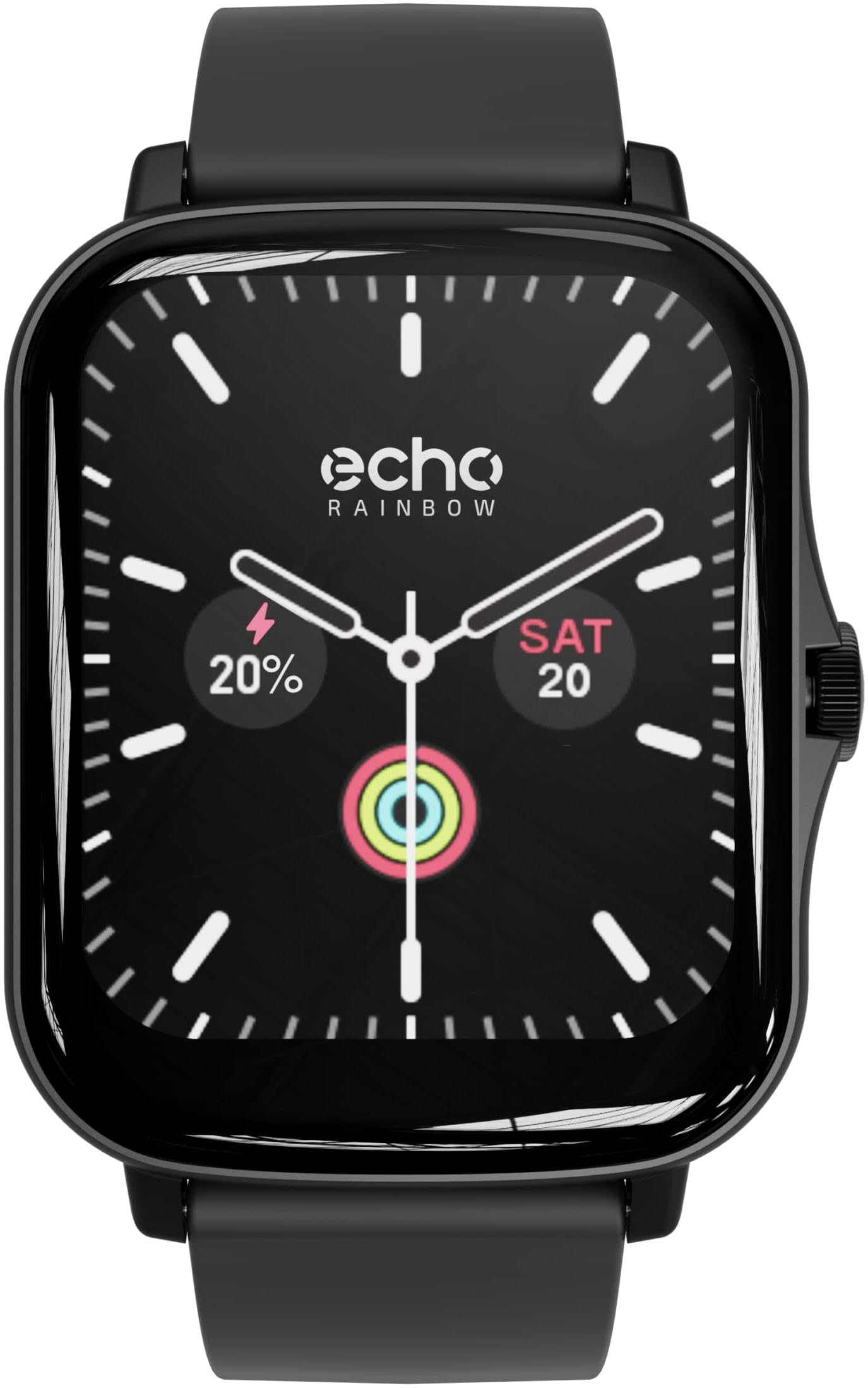
Image: The ECHO RAINBOW Smartwatch worn on a wrist, showing the time, date, and activity tracking data on its display.
4. Klíčové vlastnosti
- Advanced Health Sensors: Accurately measure calories, blood pressure, and heart rate. Benefit from in-depth sleep tracking and analysis for optimized well-being.
- Integrated Sports Functions: Use the pedometer to count steps, track distance, and engage in various exercises to achieve your fitness goals.
- Inteligentní připojení: Receive messages, check weather, control music and smartphone camera, and customize your watch face and display settings.
- Bluetooth připojení: Easily connect your watch to your smartphone via Bluetooth for a smooth user experience.
- 1.69-inch Rectangular TFT Touchscreen: Enjoy a high-quality touchscreen with a 240*280 pixel resolution, offering a clear and responsive visual experience.

Image: A display of three ECHO RAINBOW Smartwatches, each featuring a different color strap and watch face, highlighting the product's design versatility.
5. Specifikace
| Značka | ECHO |
| Číslo modelu | 3662515021580 |
| Barva | Shark Black |
| Operační systém | Proprietary (DaFit App compatible with Android 4.4+ & iOS 8.0+) |
| Obrazovka | 1.69-inch TFT Touchscreen, 240*280 pixels |
| Konektivita | Bluetooth (2.4 GHz radio frequency) |
| Speciální funkce | DaFit App, Metallic casing, Fashion & design, Health and sport tracking |
| Kompatibilní zařízení | Smartphone |
| Typ baterie | Lithium-polymer |
| Nabíjecí baterie | Ano |
| Kapacita baterie | 180 mAh (approximate) |
| GPS | Přes smartphone |
| Tvar | Obdélníkový |
6. Údržba
6.1 Čištění chytrých hodinek
To ensure accurate readings and prolong the life of your device, keep your smartwatch clean.
- Otřete obrazovku a tělo měkkým hadříkem, který nepouští vlákna.
- U odolných skvrn mírně damphadřík vodou. Nepoužívejte agresivní chemikálie ani abrazivní materiály.
- Clean the sensor area on the back of the watch regularly to maintain optimal performance.
6.2 Péče o baterii
- Vyhněte se častému úplnému vybíjení baterie.
- Nabijte hodinky pomocí dodaného nabíjecího kabelu.
- Nevystavujte hodinky extrémním teplotám, mohlo by to ovlivnit životnost baterie.
7. Řešení problémů
7.1 Hodinky se nezapínají
- Ujistěte se, že jsou hodinky plně nabité. Připojte je k nabíječce alespoň na 30 minut.
- Stiskněte a podržte boční tlačítko po dobu 10–15 sekund pro provedení nuceného restartu.
7.2 Problémy s párováním
- Ujistěte se, že máte na smartphonu povoleno Bluetooth a hodinky jsou v dosahu.
- Restartujte chytrý telefon i chytré hodinky.
- Ujistěte se, že je aplikace DaFit aktualizována na nejnovější verzi.
- If previously paired, try unpairing the device from your phone's Bluetooth settings and then re-pairing through the DaFit app.
7.3 Nepřesné údaje o zdravotním stavu
- Ujistěte se, že hodinky máte na zápěstí pevně připevněné, ne příliš těsné ani příliš volné.
- Vyčistěte senzor na zadní straně hodinek.
- Během měření se vyvarujte nadměrného pohybu.
- Upozorňujeme, že chytré hodinky nejsou zdravotnické prostředky a naměřené hodnoty slouží pouze pro informaci.
8. Záruka a podpora
8.1 Záruka výrobce
The ECHO RAINBOW Smartwatch comes with a 2letá záruka výrobceUschovejte si prosím doklad o koupi pro případ reklamace.
8.2 Zákaznická podpora
For further assistance, technical support, or warranty inquiries, please contact ECHO customer service through the official webstránky nebo vašeho prodejce.