
Zavedení
The Philex Robotic Security Light is an advanced outdoor security solution featuring a motorized light with a motion sensor and a high-resolution camera. It automatically rotates across 210° to track detected movement, allowing you to monitor your property visually via a free smartphone or tablet application. This system provides enhanced security through active tracking and remote control capabilities.
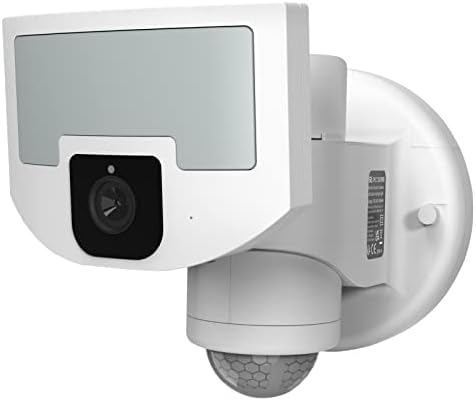
Figure 1: Philex Security Light Motion Outdoor
Nastavení
The Philex Security Light is designed for easy plug-and-play installation. Ensure you have a suitable outdoor power outlet within 1.5 meters of your desired mounting location. The unit is IP65 rated, making it suitable for outdoor conditions.
Kroky instalace:
- Vyberte umístění: Select an outdoor location that provides optimal coverage for the 210° field of vision and has access to a power source.
- Montáž zařízení: Use the included mounting kit to securely attach the security light to a wall or ceiling. Ensure it is firmly fixed to prevent movement.
- Připojte napájení: Plug the 1.5m power adaptor into a standard UK 3-pin plug connection. For wired installations, the plug can be removed by a qualified electrician.
- Stáhněte si aplikaci: Download the free Philex security app from your device's app store (compatible with iOS and Android).
- Spárovat s aplikací: Follow the in-app instructions to pair your security light with your smartphone or tablet. This typically involves scanning a QR code on the device or entering a serial number.
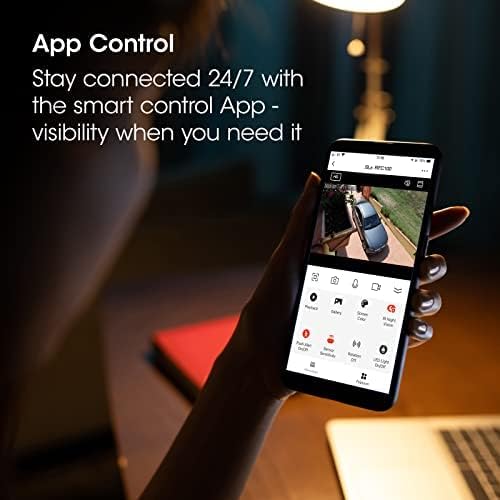
Figure 2: Easy Plug and Play Installation
Video 1: SLx Robotic LED Security Flood Light Camera Overview. This video demonstrates the features and ease of installation of the security light.
Návod k obsluze
The Philex Security Light offers advanced features for comprehensive property monitoring and security.
Klíčové vlastnosti:
- Patented Robotic Technology: The motorized lighthead automatically rotates across 210° to follow any detected movement, providing active tracking.
- 1700 Lumen Security Light: An infrared PIR sensor detects heat signatures up to 12m away, illuminating your outdoor space with a bright 1700 lumen LED floodlight.
- Ovládání aplikace: Receive motion detection alerts directly to your mobile device. Watch a live feed at any time, record footage onto the included 32GB memory card, and control light and camera settings remotely via the app.
- Obousměrná komunikace: Utilize the built-in speaker and microphone for two-way communication, useful for interacting with visitors or deterring intruders.
- Barevné noční vidění: The high-resolution camera provides clear color vision day and night, ensuring detailed monitoring even in low-light conditions.
- IP65 Odolnost proti povětrnostním vlivům: Designed to withstand harsh outdoor conditions, ensuring reliable operation year-round.

Figure 3: App Control for Remote Monitoring and Settings
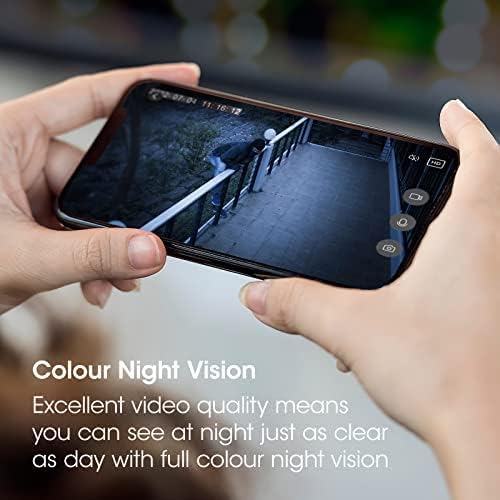
Figure 4: Clear Color Night Vision for Enhanced Monitoring
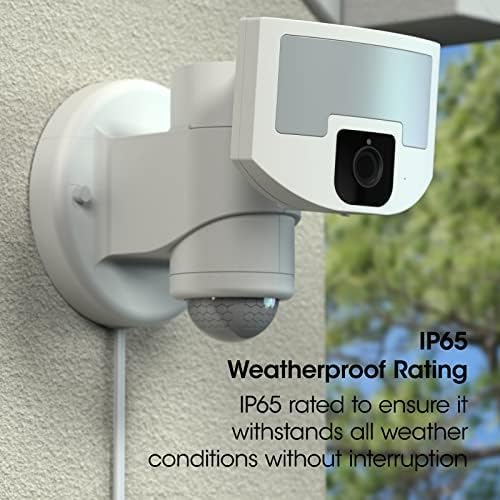
Figure 5: IP65 Weatherproof Rating for Outdoor Durability
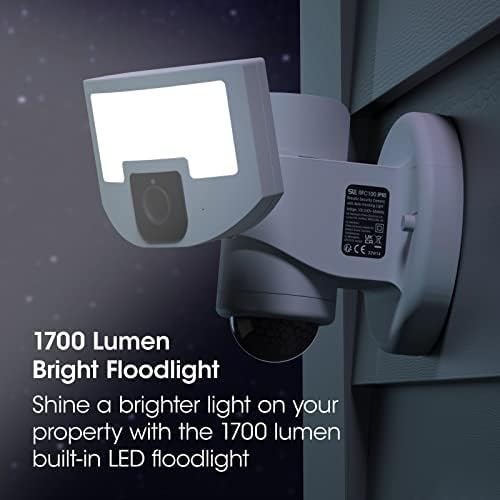
Figure 6: Powerful 1700 Lumen Floodlight
Údržba
To ensure optimal performance and longevity of your Philex Security Light, regular maintenance is recommended.
- Čištění: Periodically wipe the camera lens and light surface with a soft, damp hadříkem odstraňte prach, nečistoty nebo úlomky. Nepoužívejte agresivní chemikálie ani abrazivní materiály.
- Zkontrolujte připojení: Ensure all power connections are secure and free from damage.
- Aktualizace softwaru: Check the app regularly for any available firmware or software updates for your device to ensure you have the latest features and security enhancements.
- Environmentální faktory: While IP65 weatherproof, extreme weather conditions (e.g., heavy snow, ice buildup) may temporarily affect performance. Clear any obstructions from the sensor and camera as needed.
Odstraňování problémů
If you encounter issues with your Philex Security Light, refer to the following common troubleshooting steps:
- No Power/Light Not Turning On:
- Verify the power cable is securely plugged into a working outlet.
- Check your home's circuit breaker to ensure power is supplied to the outlet.
- Detekce pohybu nefunguje:
- Ujistěte se, že je snímač pohybu čistý a bez překážek.
- Adjust the sensor sensitivity settings within the mobile app.
- Confirm the detection zones are correctly configured in the app.
- Poor Video Quality/No Live Feed:
- Check your Wi-Fi connection strength at the device's location. A weak signal can affect streaming quality.
- Ujistěte se, že je čočka fotoaparátu čistá.
- Restart the device by unplugging it for a few seconds and plugging it back in.
- Problémy s připojením aplikace:
- Ujistěte se, že váš chytrý telefon/tablet má stabilní připojení k internetu.
- Restart the app or reinstall it if problems persist.
- Check if your Wi-Fi router is functioning correctly.
Specifikace
| Funkce | Detail |
|---|---|
| Značka | PHILEX |
| Zdroj napájení | Elektrický kabel |
| Maximum Range (Motion Sensor) | 12 metrů |
| Typ montáže | Stropní držák |
| Kompatibilní zařízení | Chytrý telefon (iOS a Android) |
| Doporučená použití | Venkovní zabezpečení |
| Hmotnost položky | 2.75 libry |
| Rozměry balení | 9.13 x 7.44 x 7.13 palce |
| Styl | +WiFi Camera & App (White) |
| Speciální funkce | Motion Sensor, Night Vision, Two-Way Communication, Robotic Tracking |
| Hodnocení odolnosti vůči povětrnostním vlivům | IP65 |
| Floodlight Lumen Output | 1700 lumenů |
| Field of Vision | 210° |
Záruka a podpora
Philex Electronic Ltd, a UK manufacturer with over 40 years of experience, stands behind the quality of its products. The SLx Robotic Security Light is developed in Britain, and dedicated full-time local support staff are available to assist with any inquiries or issues you may have.
For specific warranty details and to access support, please refer to the documentation included with your product or visit the official Philex website. Additional protection plans may be available for purchase to extend coverage beyond the standard warranty.