
1. Úvod
Thank you for choosing PSIER Wireless Earbuds. These earbuds are designed to provide a superior audio experience with Active Noise Cancellation (ANC), Transparency Mode, and clear call quality. This manual will guide you through the setup, operation, and maintenance of your new earbuds.
2. Důležité bezpečnostní informace
- Nerozebírejte ani neupravujte sluchátka ani nabíjecí pouzdro.
- Keep the device away from extreme temperatures, humidity, and liquids.
- Vyhněte se dlouhodobému vystavení vysoké hlasitosti, abyste předešli poškození sluchu.
- Používejte pouze dodaný nabíjecí kabel nebo jeho certifikovaný ekvivalent.
- Zařízení zlikvidujte v souladu s místními předpisy.
3. Obsah balení
Zkontrolujte prosím, zda jsou v balení přítomny všechny položky:
- PSIER Wireless Earbuds (L/R)
- Nabíjecí pouzdro
- Nabíjecí kabel USB-C
- Ušní nástavce (různé velikosti)
- Uživatelská příručka
4. Konec produktuview
Familiarize yourself with the components of your PSIER Wireless Earbuds.

Obraz: PSIER Wireless Earbuds and Charging Case. This image displays both earbuds and the open charging case, showing their design and placement.
Součásti sluchátek:
- Oblast dotykového ovládání: Pro správu přehrávání, hovorů a režimů.
- Mikrofony: Multiple microphones for clear calls and ANC.
- LED indikátor: Zobrazuje stav připojení a baterie.
- Ušní koncovka: Zajišťuje bezpečné a pohodlné nošení.
Součásti nabíjecího pouzdra:
- Nabíjecí port: Port USB-C pro nabíjení pouzdra.
- LED indikátory: Show charging status of the case and earbuds.
- Nabíjecí sloty pro sluchátka: Bezpečně držte a nabíjejte sluchátka.
5. Nastavení
5.1 Nabíjení sluchátek a pouzdra
Před prvním použitím sluchátka a nabíjecí pouzdro plně nabijte.
- Vložte sluchátka do nabíjecího pouzdra. Ujistěte se, že jsou správně usazena.
- Připojte nabíjecí kabel USB-C k nabíjecímu portu na pouzdře a ke zdroji napájení.
- LED indikátory na pouzdře budou zobrazovat stav nabíjení. Po plném nabití se indikátory změní nebo zhasnou.
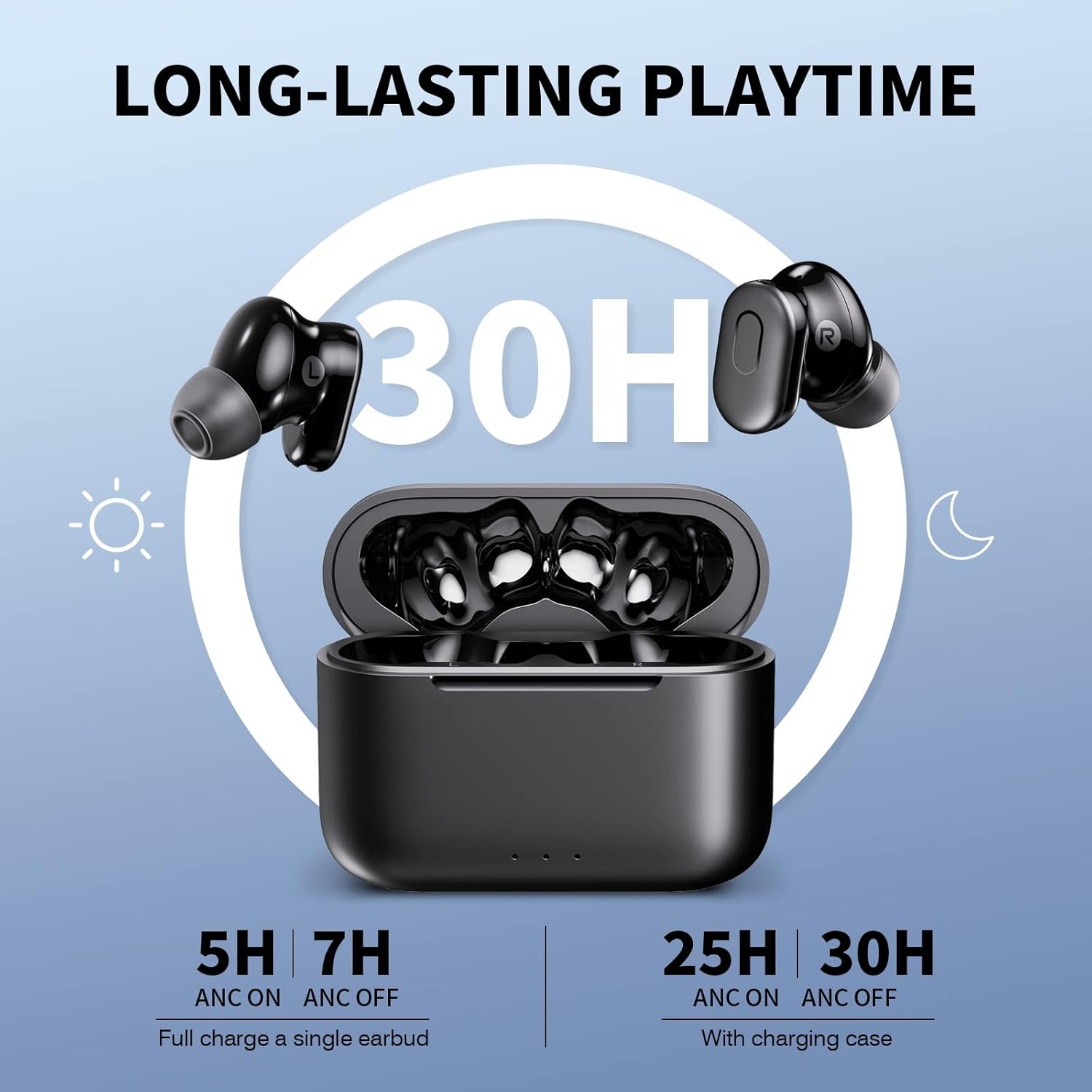
Obraz: Earbuds and Charging Case with Playtime Information. This image illustrates the earbuds in the charging case, highlighting the long-lasting playtime capabilities, showing 5 hours with ANC on and 7 hours with ANC off for a single earbud, and 25 hours with ANC on and 30 hours with ANC off with the charging case.
A full charge provides over 7 hours of playtime (at 50% volume, ANC off) and the charging case offers an additional 23 hours. With ANC on, playtime is up to 5 hours per charge.
5.2 Párování s vaším zařízením (Bluetooth 5.3)
The earbuds utilize advanced Bluetooth 5.3 technology for fast and stable connections.
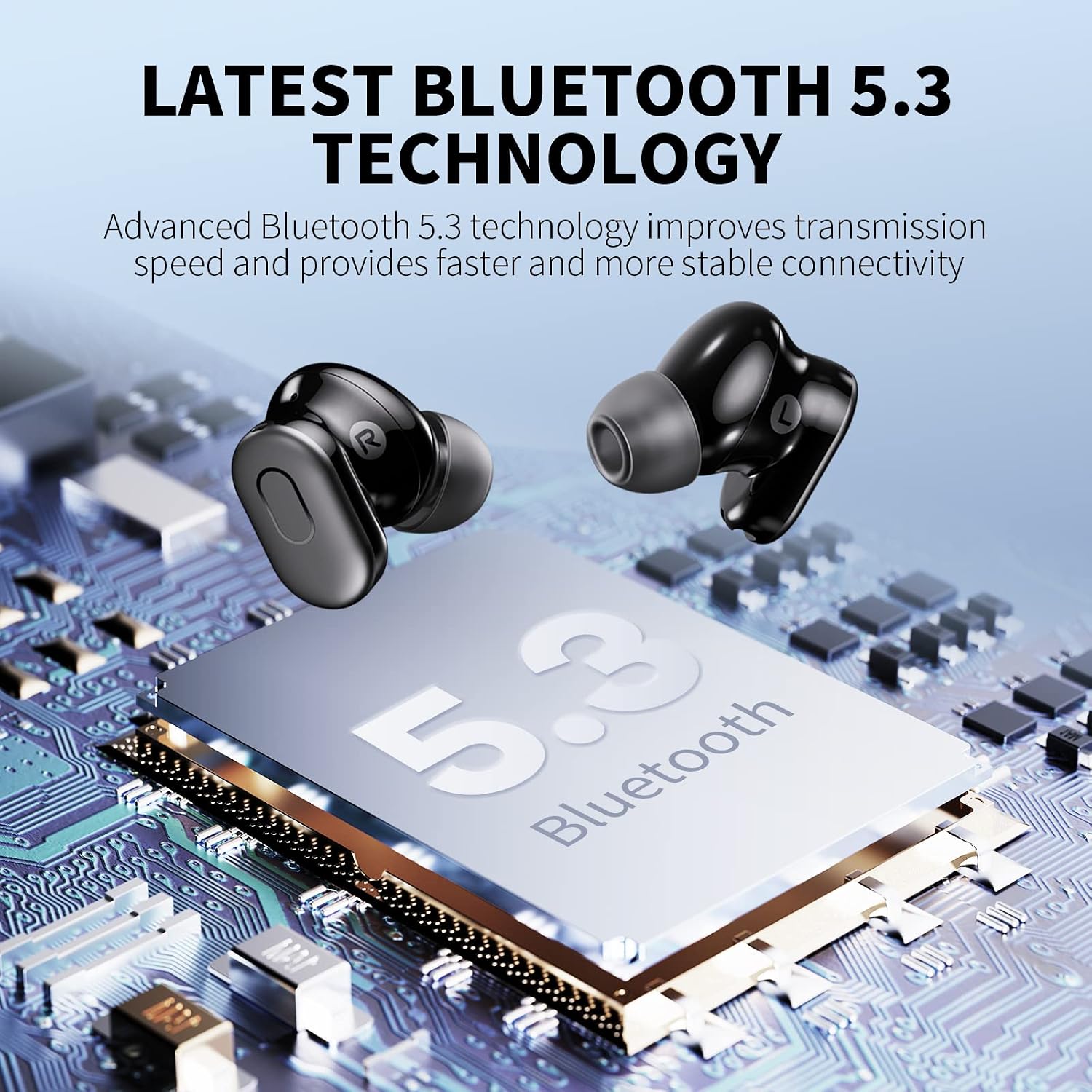
Obraz: Bluetooth 5.3 Technology Chip. This image visually represents the advanced Bluetooth 5.3 technology, emphasizing improved transmission speed and stable connectivity.
- Otevřete nabíjecí pouzdro. Sluchátka se automaticky přepnou do režimu párování.
- Na svém zařízení (chytrém telefonu, tabletu atd.) povolte Bluetooth.
- Hledat "PSIER Earbuds" in the list of available Bluetooth devices and select it to connect.
- Once connected, you will hear a confirmation tone, and the earbud LED indicators will turn off.
Note: After the initial connection, the earbuds will automatically pair with your device when you open the charging case.
5.3 Nošení sluchátek do uší
Pro optimální kvalitu zvuku a pohodlí zajistěte správné uchycení.
- Choose the eartips that best fit your ears. Experiment with different sizes for the best seal.
- Insert the earbuds into your ear canals and gently twist them until they feel secure and comfortable.
6. Návod k obsluze
6.1 Dotykové ovládání
The earbuds feature touch-sensitive controls on their outer surface.
| Funkce | Akce |
|---|---|
| Přehrát/Pozastavit | Jediným klepnutím na kterékoli sluchátko |
| Další stopa | Dvojité poklepání na pravé sluchátko |
| Předchozí stopa | Dvojité poklepání na levé sluchátko |
| Zvýšení hlasitosti | Třikrát klepněte na pravé sluchátko |
| Snížit hlasitost | Třikrát klepněte na levé sluchátko |
| Přijmout/ukončit hovor | Jediným klepnutím na kterékoli sluchátko |
| Odmítnout hovor | Stiskněte a podržte jedno ze sluchátek po dobu 2 sekund |
| Přepnout ANC/Průhlednost/Normální režim | Stiskněte a podržte libovolné sluchátko po dobu 2 sekund (pokud nevoláte) |
| Aktivujte hlasového asistenta | Quadruple tap on either earbud |
6.2 Aktivní potlačení hluku (ANC)
ANC technology reduces external noise, allowing you to focus on your audio.

Obraz: Active Noise Cancellation Illustration. This image visually demonstrates how ANC technology reduces external noise by up to 30dB, showing the difference between "Noise" and "After noise cancellation".
- To activate ANC, press and hold either earbud for 2 seconds until you hear the "ANC On" prompt.
- ANC can reduce up to 30 dB of background noise, blocking approximately 90% of external sounds.
6.3 Režim průhlednosti
Transparency Mode allows you to hear your surroundings without removing the earbuds.

Obraz: Transparency Mode in use. This image shows two individuals conversing while one is wearing the earbuds, illustrating the functionality of Transparency Mode which allows hearing surroundings clearly.
- To activate Transparency Mode, press and hold either earbud for 2 seconds until you hear the "Transparency Mode" prompt. (Cycle through ANC -> Transparency -> Normal).
- This mode enhances voice frequencies, making it easier to communicate or be aware of your environment.
6.4 Clear Calls with 4 Microphones
Each earbud is equipped with two built-in microphones for enhanced call clarity.

Obraz: Clear Calls with 4 Mics. This image highlights the earbud's capability for clear calls, showing how built-in microphones pick up voice and attenuate ambient noise.
- The microphones work with algorithms to isolate your voice and reduce external noise during calls.
- For optimal call clarity, it is recommended to wear both earbuds during a call.
6.5 Premium Sound with Deep Bass
Experience high-quality audio with 10mm dynamic drivers.

Obraz: Premium Sound Driver. This image provides a close-up view of the 10mm diameter ultra-high dynamic resolution speaker, illustrating its design for crystal clear treble, vibrant mid-range, and powerful bass.
- The 10mm diameter ultra-high dynamic resolution speakers deliver crystal clear treble, vibrant mid-range, and powerful bass.
7. Údržba
7.1 Čištění
- Pravidelně čistěte sluchátka a nabíjecí pouzdro měkkým, suchým hadříkem, který nepouští vlákna.
- Sejměte ušní ocásky a v případě potřeby je očistěte jemným mýdlem a vodou. Před opětovným nasazením se ujistěte, že jsou zcela suché.
- Nepoužívejte agresivní chemikálie nebo abrazivní materiály.
7.2 Skladování
- Pokud sluchátka nepoužíváte, uložte je do nabíjecího pouzdra, aby byla chráněna a zůstávala nabitá.
- Přístroj skladujte na chladném a suchém místě, mimo dosah přímého slunečního záření a extrémních teplot.
7.3 Péče o baterii
- Chcete-li prodloužit životnost baterie, vyhněte se častému úplnému vybíjení sluchátek a nabíjecího pouzdra.
- Zařízení pravidelně nabíjejte, i když jej delší dobu nepoužíváte.
8. Řešení problémů
Pokud narazíte na problémy, vyzkoušejte následující řešení:
| Problém | Řešení |
|---|---|
| Sluchátka se nespárují |
|
| Funkční pouze jedno sluchátko |
|
| Špatná kvalita zvuku |
|
| ANC není efektivní |
|
9. Specifikace
| Funkce | Detail |
|---|---|
| Model | PSIER Wireless Earbuds (B0C3CZ1RJ1) |
| Verze Bluetooth | 5.3 |
| Aktivní potlačení hluku | Až 30 dB |
| Mikrofony | 4 (2 per earbud) for clear calls |
| Doba hraní (sluchátka) | 7+ hours (ANC off, 50% volume), 5 hours (ANC on) |
| Celková doba přehrávání (s pouzdrem) | Až 30 hodin (ANC vypnuto), 25 hodin (ANC zapnuto) |
| Velikost ovladače reproduktoru | 10 mm |
| Umístění uší | V uchu |
| Impedance | 32 ohmů |
| Barva | Černý |
10. Záruka a podpora
PSIER products are designed and manufactured to the highest quality standards. For detailed warranty information and customer support, please refer to the warranty card included in your package or visit the official PSIER website. If you experience any issues, please contact our customer service team for assistance.
Kontaktní údaje: Please refer to the product packaging or the official PSIER webweb s nejaktuálnějšími kontaktními údaji.