
Zavedení
The SENCKIT S1 Bluetooth Tracker is designed to help you locate your valuable items quickly and efficiently. Utilizing Apple's Find My network, this smart tracker allows you to pinpoint the location of your keys, bags, wallets, pets, and other belongings directly from your iOS device. This manual provides detailed instructions for setting up, operating, and maintaining your SENCKIT S1 tracker.

Image: SENCKIT S1 Bluetooth Tracker, a white square device with a keychain, next to an iPhone displaying its location on a map.
Bezpečnostní informace
Upozornění: Nevhodné pro děti do 36 měsíců.
Please keep the device and its small parts, especially the battery, out of reach of young children to prevent choking hazards.
Obsah balení
Ověřte, zda jsou v balení přítomny všechny položky:
- 1 x SENCKIT S1 Bluetooth Tracker
- 1 x Návod k obsluze (tento dokument)
Nastavení
1. Instalace baterie
The SENCKIT S1 tracker uses a replaceable CR2032 button cell battery. The battery is pre-installed, but you may need to remove a protective strip before first use.
- Locate the small groove on the side of the tracker.
- Carefully pry open the tracker casing using a thin, non-metallic tool or your fingernail.
- If present, remove the plastic protective strip from the battery compartment.
- Ensure the CR2032 battery is correctly seated with the positive (+) side facing up.
- Zavřete sledovací panel casing firmly until it clicks into place.

Image: The SENCKIT S1 tracker with its back cover removed, revealing the internal circuit board and a CR2032 battery. This illustrates the battery installation process.
2. Párování s aplikací Apple Find My App
The SENCKIT S1 tracker is designed to work exclusively with Apple's Find My network. Ensure your iOS device is running the latest version of iOS.
- Otevřete předinstalovaný Najít můj aplikace na vašem iPhonu nebo iPadu.
- Klepněte na Položky záložku ve spodní části obrazovky.
- Klepněte + Přidat položkua poté vyberte Další podporovaná položka.
- Place your SENCKIT S1 tracker near your iOS device. The app will detect the tracker.
- Klepněte Připojit na výzvu.
- Follow the on-screen instructions to name your item and link it to your Apple ID.
- Klepněte souhlas to the privacy statement and then Dokončit. Your tracker is now paired.

Image: A sequence of three iPhone screens demonstrating the initial steps to pair the SENCKIT S1 tracker with the Apple Find My app, from opening the app to selecting "Other Supported Item."

Image: A sequence of three iPhone screens illustrating the completion of the pairing process, including tapping "Connect," linking to an Apple ID, and finalizing the setup.
Návod k obsluze
1. Locating Nearby Items
When your SENCKIT S1 tracker is within Bluetooth range of your iOS device, you can make it play a sound to help you find it.
- Otevřete Najít můj aplikace
- Přejít na Položky tab and select your SENCKIT S1 tracker.
- Klepněte Přehrát zvuk. The tracker will emit a loud ring (up to 90dB) to guide you to its location.
- Klepněte Zastavit zvuk once you have found your item.

Image: An iPhone screen displaying the "Play Sound" function within the Find My app, indicating the tracker's proximity and the ability to trigger an audible alert. A SENCKIT tracker with keys is shown next to the phone.
2. Locating Far Away Items
If your item is out of Bluetooth range, the Apple Find My network can help you locate it. Hundreds of millions of Apple devices anonymously and securely relay the location of your tracker to you.
- Otevřete Najít můj aplikace
- Přejít na Položky tab and select your SENCKIT S1 tracker.
- The app will display the tracker's last known location on a map.
- Klepněte Pokyny to get navigation to the tracker's location.

Image: An iPhone screen displaying the Find My app with a map showing the current location of the SENCKIT S1 tracker, indicating its use for remote tracking.
3. Left-Behind Alerts
Receive notifications if you leave your item behind and it goes out of range of your iOS device.
- V Najít můj app, select your SENCKIT S1 tracker.
- Přejděte dolů a povolte Upozornit, když zůstane pozadu přepnout.
- You can also set specific locations where you do not want to be notified (e.g., your home).
4. Ztracený režim
If your SENCKIT S1 tracker is truly lost, you can enable Lost Mode to help others return it to you.
- V Najít můj app, select your SENCKIT S1 tracker.
- Přejděte dolů a klepněte Umožnit pod Ztracený režim.
- Postupujte podle pokynů a zadejte kontaktní telefonní číslo nebo e-mailovou adresu.
- If someone finds your tracker and scans it with an NFC-enabled smartphone, they will see your contact information.

Image: An iPhone screen displaying the "Lost Mode" feature within the Find My app, showing how a contact number can be displayed to someone who finds the tracker.
Údržba
1. Výměna baterie
The SENCKIT S1 tracker has a battery life of up to 1 year. The Find My app will notify you when the battery is low. Replace the CR2032 battery following these steps:
- Locate the small groove on the side of the tracker.
- Carefully pry open the tracker casing.
- Vyjměte starou baterii CR2032.
- Vložte novou baterii CR2032 kladnou (+) stranou nahoru.
- Zavřete sledovací panel casing firmly until it clicks into place.

Image: A graphic illustrating the SENCKIT S1 tracker's replaceable battery feature, highlighting its long-term use with a 365-day battery life.
2. Čištění
To clean your SENCKIT S1 tracker, wipe it with a soft, dry, or slightly damp hadříkem. Nepoužívejte agresivní chemikálie nebo abrazivní materiály, protože by mohly zařízení poškodit.
Odstraňování problémů
- Tracker not pairing:
- Ujistěte se, že je baterie správně nainstalována a je dostatečně nabitá.
- Make sure your iOS device's Bluetooth is enabled.
- Bring the tracker very close to your iOS device during pairing.
- Restartujte zařízení iOS a zkuste spárování znovu.
- Tracker not playing sound:
- Check the battery level in the Find My app. Replace the battery if low.
- Ujistěte se, že je tracker v dosahu Bluetooth vašeho zařízení iOS.
- Nepřesná poloha:
- Location accuracy depends on the density of Apple devices in the Find My network. In remote areas, updates may be less frequent.
- Pro aktualizace map se ujistěte, že vaše zařízení iOS má stabilní připojení k internetu.
Specifikace
| Model | S1 |
| Rozměry | 1.5"L x 1.5"W x 0.28"Th (38mm x 38mm x 7mm) |
| Hmotnost | 0.88 unce (8.7 g) |
| Typ baterie | CR2032 (vyměnitelné) |
| Životnost baterie | Do 1 roku |
| Konektivita | Bluetooth |
| Bezdrátové Dosah | 10-20M (Indoor), 20-30M (Outdoor) |
| Hlasitost bzučáku | Až 90 dB |
| Voděodolnost | IP65 |
| Kompatibilita | Apple Find My (iOS Compatible) |
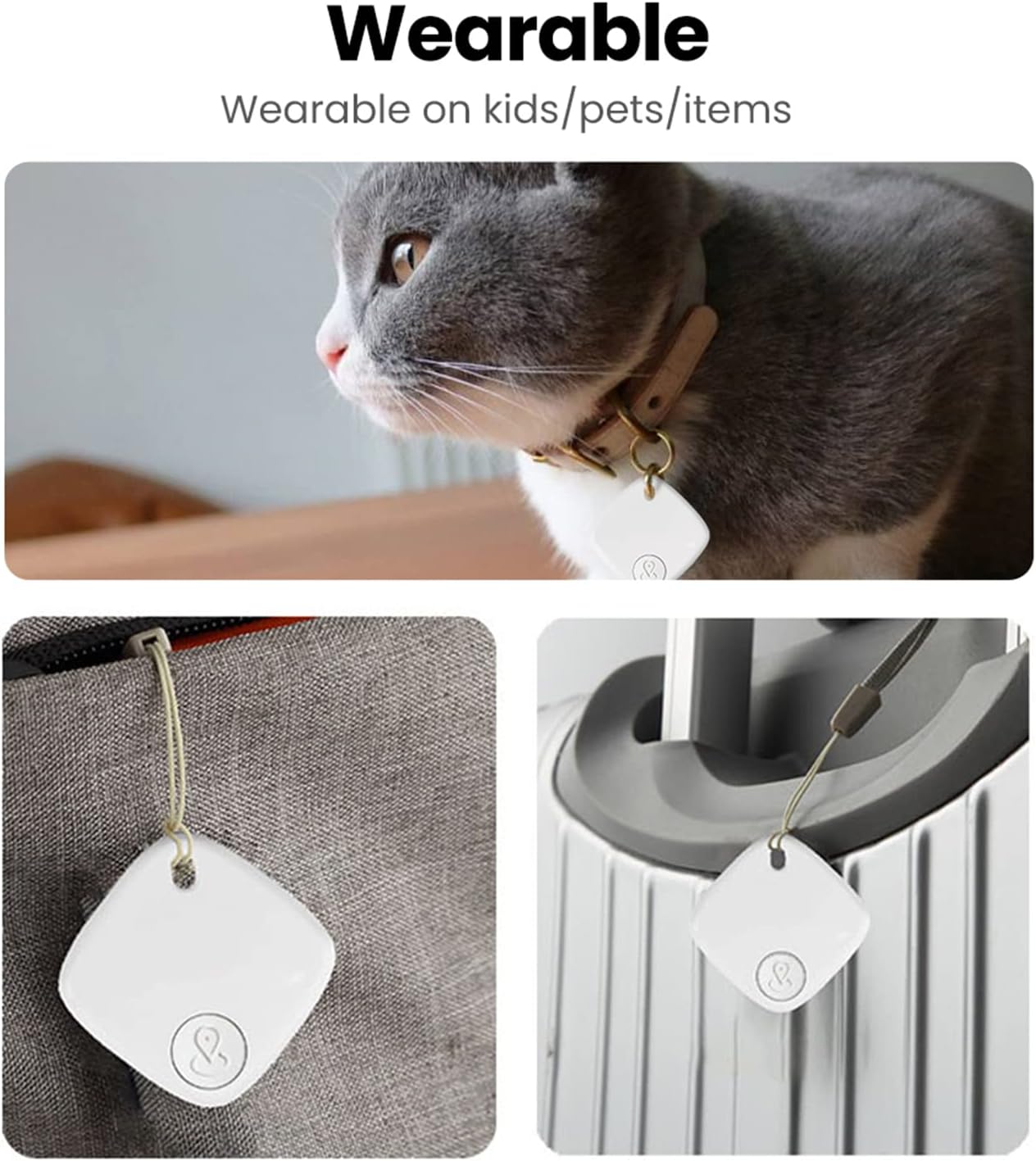
Image: A detailed diagram illustrating the physical dimensions and key specifications of the SENCKIT S1 Bluetooth Tracker.
Scénáře použití
The SENCKIT S1 Bluetooth Tracker is versatile and can be attached to various items:
- Klíče: Připevněte si na klíčenku pro snadné nalezení ztracených klíčů.
- Bags & Backpacks: Secure to your luggage, handbag, or backpack for travel or daily use.
- Peněženky: Vložte si ho do peněženky, abyste ho neztratili.
- Domácí mazlíčci: Attach to your pet's collar to help locate them if they wander off.

Image: A collage demonstrating various applications of the SENCKIT S1 tracker, including attachment to a pet's collar, a bag, and luggage.