
Zavedení
This manual provides essential information for the safe and efficient use of your ADEQWAT Magnetic Wall Charger with USB-C Cable. Please read these instructions carefully before using the product and retain them for future reference.
Bezpečnostní informace
- Nevystavujte nabíječku vodě, vlhkosti ani extrémním teplotám.
- Do not attempt to disassemble, repair, or modify the charger. This may void the warranty and pose safety risks.
- Uchovávejte mimo dosah dětí.
- Ensure the charger is plugged into a compatible power outlet.
- Odpojte nabíječku ze zásuvky, pokud ji nepoužíváte, nebo během bouřek.
- Zabraňte pádu na zem nebo vystavení nabíječky silným nárazům.
Obsah balení
Ověřte, zda jsou v balení přítomny všechny položky:
- ADEQWAT Magnetic Wall Charger
- Integrovaný USB-C kabel
- Additional Metallic Plate (for magnetic attachment)
Nastavení
- Rozložte zástrčku: Gently pull out the retractable plug from the back of the charger until it locks into place.

Obrázek: Zpět view of the charger with the retractable plug extended.
- Připojte k elektrické zásuvce: Insert the charger's plug into a standard wall power outlet.

Image: The charger plugged into a wall outlet, demonstrating its use with a smartphone and tablet.
- Optional: Attach Metallic Plate: If you wish to use the magnetic feature with a device that is not inherently magnetic, attach the provided metallic plate to the back of your smartphone or its case. Ensure the plate is securely positioned.
Provozní
- Charging with USB-C Cable: Connect the integrated USB-C cable to your compatible device's USB-C port. Charging will begin automatically.
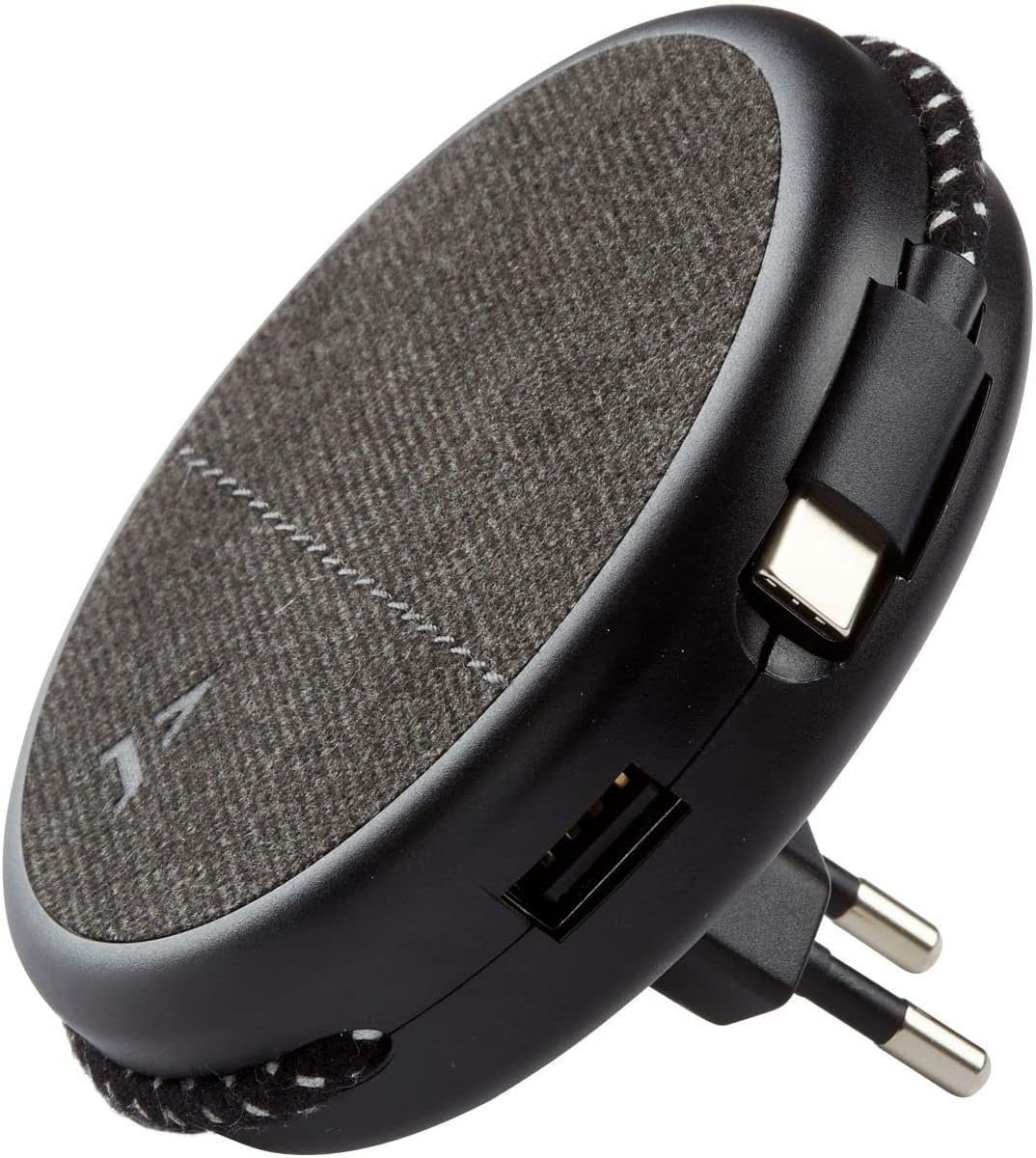
Image: Close-up of the charger, highlighting the integrated USB-C cable and an additional USB-A port.
- Charging with USB-A Port: For devices requiring a USB-A connection, use your own USB-A cable and plug it into the USB-A port on the charger.
- Použití magnetické funkce: Once the charger is plugged into a wall outlet, you can magnetically attach your smartphone (with or without the metallic plate) to the charger's surface for convenient holding while charging.
Údržba
- Čištění: Před čištěním odpojte nabíječku ze zásuvky. K otření povrchu použijte měkký, suchý hadřík. Nepoužívejte tekuté čisticí prostředky ani abrazivní materiály.
- Skladování: When not in use, store the charger in a cool, dry place, away from direct sunlight and extreme temperatures. The retractable plug can be folded back into the charger for compact storage.
Odstraňování problémů
| Problém | Možná příčina | Řešení |
|---|---|---|
| Zařízení se nenabíjí. | Nabíječka není správně zapojena. Device cable faulty. Device incompatible. | Ujistěte se, že je nabíječka zcela zasunuta do zásuvky. Zkuste jiný kabel. Ověřte kompatibilitu zařízení se standardy nabíjení přes USB. |
| Magnetické uchycení je slabé. | Device not magnetic. Metallic plate not properly attached. | Ensure your device has a magnetic back or use the provided metallic plate. Re-position or re-attach the metallic plate securely. |
| Nabíječka je teplá. | Normální provoz. Přetížení. | A slight warmth during charging is normal. If it becomes excessively hot, disconnect immediately and contact support. Avoid charging multiple high-power devices simultaneously if it causes overheating. |
Specifikace
| Značka | ADEQWAT |
| Číslo modelu | 8005668 |
| Barva | Černý |
| Spojení | USB (Integrated USB-C Cable, 1x USB-A Port) |
| Speciální funkce | Magnetický |
| Celkový počet portů USB | 1 (USB-A) + 1 (Integrated USB-C) |
| Kompatibilní zařízení | Cellular Phones, Tablets |
| Výkon | 17 wattů |
| Počet položek | 2 (Charger + Metallic Plate) |
| Zdroj napájení | Elektrický kabel |
| Přenosný | Ano |
Záruka a podpora
For warranty information or technical support, please refer to the documentation provided with your purchase or visit the official ADEQWAT webUschovejte si doklad o koupi pro případ reklamace.