
Zavedení
Thank you for choosing JVC Marshmallow True Wireless Bluetooth 5.3 Earbuds. These earbuds are designed for comfort and convenience, featuring soft memory foam earpieces, Bluetooth 5.3 connectivity, and IPX4 water resistance. This manual provides essential information for setting up, operating, and maintaining your earbuds.
Co je v krabici
- JVC Marshmallow True Wireless Earbuds
- Bezdrátové nabíjecí pouzdro
- USB nabíjecí kabel
- Memory Foam Earpieces (multiple sizes)
- Silicone Earpieces (multiple sizes)
Nastavení
1. Nabíjení sluchátek a pouzdra
Before first use, fully charge the earbuds and charging case. Connect the provided USB charging cable to the charging port on the back of the case and to a power source. The indicator lights on the case will show the charging status. Once fully charged, the lights will remain solid or turn off.

Image: JVC Marshmallow Earbuds in their charging case, illustrating the charging process.
2. Výběr a nasazení sluchátek
The earbuds come with both memory foam and silicone earpieces in various sizes. Choose the size that provides a snug, comfortable fit and optimal sound isolation. Gently insert the earbud into your ear canal and twist slightly to secure it.

Obrázek: Detail view of JVC Marshmallow earbuds highlighting the soft and elastic ear tips for a comfortable fit.

Image: A selection of memory foam and silicone earpieces in different sizes, included with the earbuds for personalized comfort.
3. Párování Bluetooth
- Otevřete nabíjecí pouzdro. Sluchátka se automaticky přepnou do režimu párování.
- Na svém zařízení (chytrém telefonu, tabletu atd.) povolte Bluetooth a vyhledejte dostupná zařízení.
- Select "JVC HAA18TB" from the list to connect.
- Po spárování se sluchátka po vyjmutí z pouzdra automaticky připojí k vašemu zařízení.
Návod k obsluze
1. Dotykové ovládání
The earbuds feature intuitive touch sensor controls for various functions:
- Přehrát/pozastavit: Jediným klepnutím na jedno sluchátko.
- Další skladba: Dvakrát klepněte na pravé sluchátko.
- Předchozí skladba: Dvakrát klepněte na levé sluchátko.
- Zvýšit hlasitost: Trojité poklepání na pravé sluchátko.
- Snížit hlasitost: Trojité poklepání na levé sluchátko.
- Přijmout/ukončit hovor: Jediným klepnutím na jedno sluchátko.
- Odmítnout hovor: Stiskněte a podržte kterékoli sluchátko.
- Aktivovat Voice Assistant: Stiskněte a podržte kterékoli ze sluchátek (pokud nevoláte).

Image: An earbud with a glowing circle on its surface, demonstrating the convenient touch sensor controls.
2. Zvukové režimy
The earbuds offer three distinct sound modes to customize your listening experience:
- Normální: Balanced audio for everyday listening.
- Jasný: Enhanced vocals and treble for podcasts and spoken content.
- Bas: Amplified low frequencies for a richer, deeper sound.
To switch between sound modes, press and hold the touch sensor on the left earbud for approximately 1 second.

Image: Visual representation of the three sound modes (Normal, Clear, Bass) available on the JVC Marshmallow earbuds.
3. Režim s nízkou latencí
Activate Low Latency Mode for a delay-free audio experience, ideal for gaming and video playback. This mode minimizes audio lag, ensuring synchronization between visuals and sound.

Image: JVC Marshmallow earbuds demonstrating Low Latency Mode, suitable for gaming and video content.
Údržba
1. Čištění
Regularly clean your earbuds and charging case to ensure optimal performance and hygiene. Use a soft, dry cloth to wipe the surfaces. For earpieces, remove them and gently clean with a damp hadříkem a před opětovným připevněním se ujistěte, že jsou zcela suché.
2. Voděodolnost (IPX4)
The earbuds are IPX4 water-resistant, meaning they are protected against splashing water from any direction. This makes them suitable for workouts and light rain. However, they are not designed for submersion in water. Ensure the earbuds are dry before placing them back in the charging case.
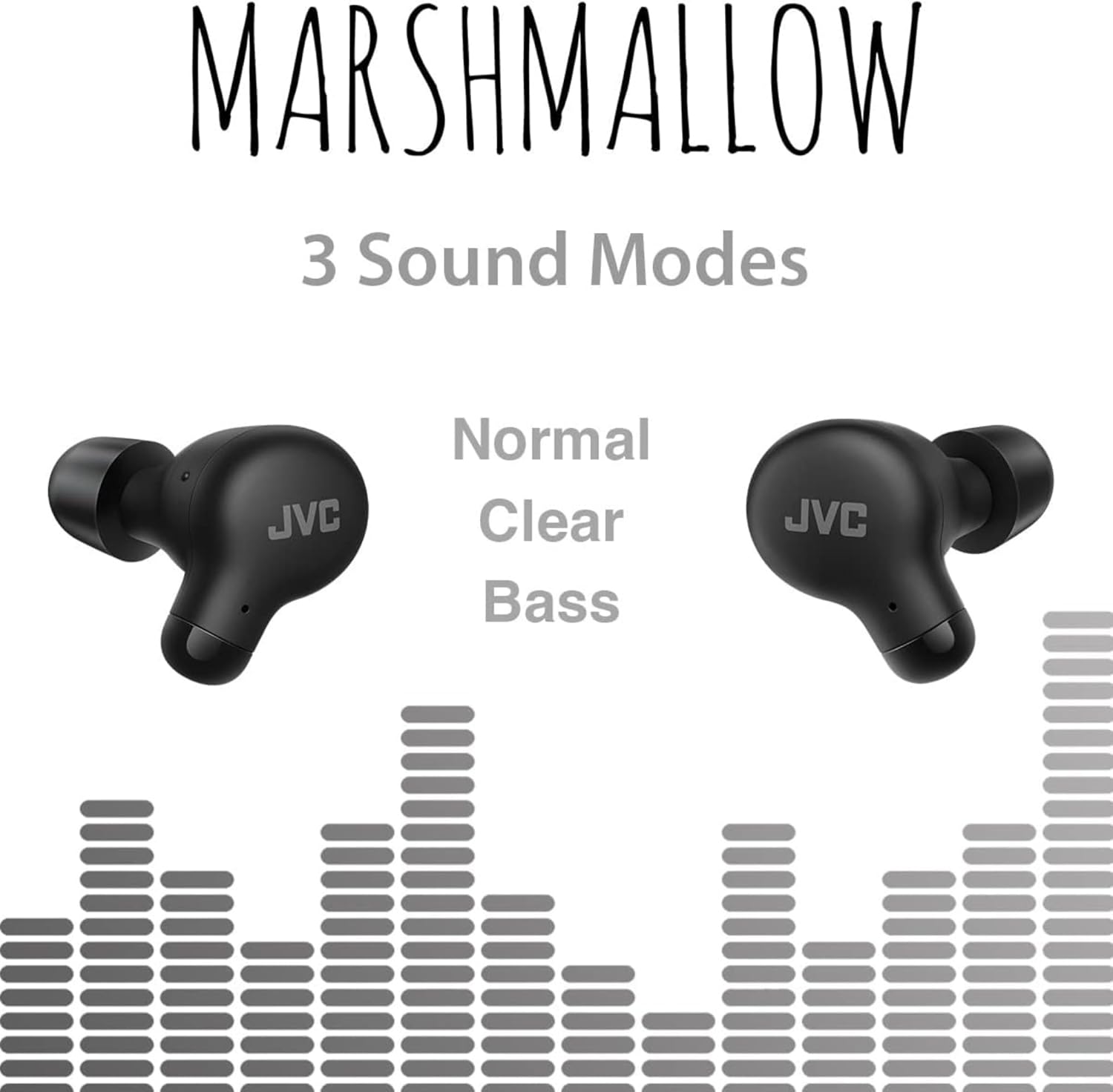
Image: A person wearing JVC Marshmallow earbuds during a workout, highlighting their IPX4 water-resistant design.
Odstraňování problémů
- Sluchátka se nespárují: Ujistěte se, že jsou obě sluchátka v nabíjecím pouzdře, a poté otevřete víko, abyste zahájili režim párování. Zkontrolujte nastavení Bluetooth v zařízení a zkuste se znovu připojit.
- Z jednoho sluchátka žádný zvuk: Place both earbuds back in the case, close the lid, and then reopen. This often resets the connection.
- Nízká hlasitost nebo špatná kvalita zvuku: Ensure earpieces are clean and properly fitted. Adjust sound modes (Normal, Clear, Bass) to your preference.
- Problémy s nabíjením: Verify the charging cable is securely connected to both the case and power source. Clean the charging contacts on the earbuds and inside the case.
Specifikace
| Značka | JVC |
| Číslo modelu | HAA 18TB |
| Technologie připojení | Bluetooth 5.3 |
| Umístění uší | V uchu |
| Úroveň odolnosti proti vodě | IPX4 (voděodolný) |
| Průměrná životnost baterie | 28 hodin (s nabíjecím pouzdrem) |
| Doba nabíjení baterie | 2 hodiny |
| Kontrolní metoda | Dotyk, Hlas |
| Hmotnost položky | 1.44 uncí |
| UPC | 046838501890 |
Záruka a podpora
Your JVC Marshmallow True Wireless Earbuds come with a 1-year warranty covering parts and labor. For technical support, warranty claims, or further assistance, please visit the official JVC webnebo kontaktujte zákaznický servis společnosti JVC.
Video: Official JVC Marshmallow True Wireless Earbuds (HAA18T) product overview, demonstrating key features and usage.