
BORUIT V10
BORUIT V10 Multi-function Keychain Flashlight Instruction Manual
Model: V10 | Brand: BORUIT
Konec produktuview
The BORUIT V10 is a compact, powerful, and versatile keychain flashlight designed for everyday carry and various utility tasks. It features multiple lighting modes, UV light, a magnetic base, and a USB-C rechargeable battery.
Klíčové vlastnosti:
- Afraid of the dark? Use the Boruit V10 compact powerful flashlight, the main light has 5 modes, and the irradiation distance is 100 meters; and the flashlight is small in size and light in weight (less than 50 grams).
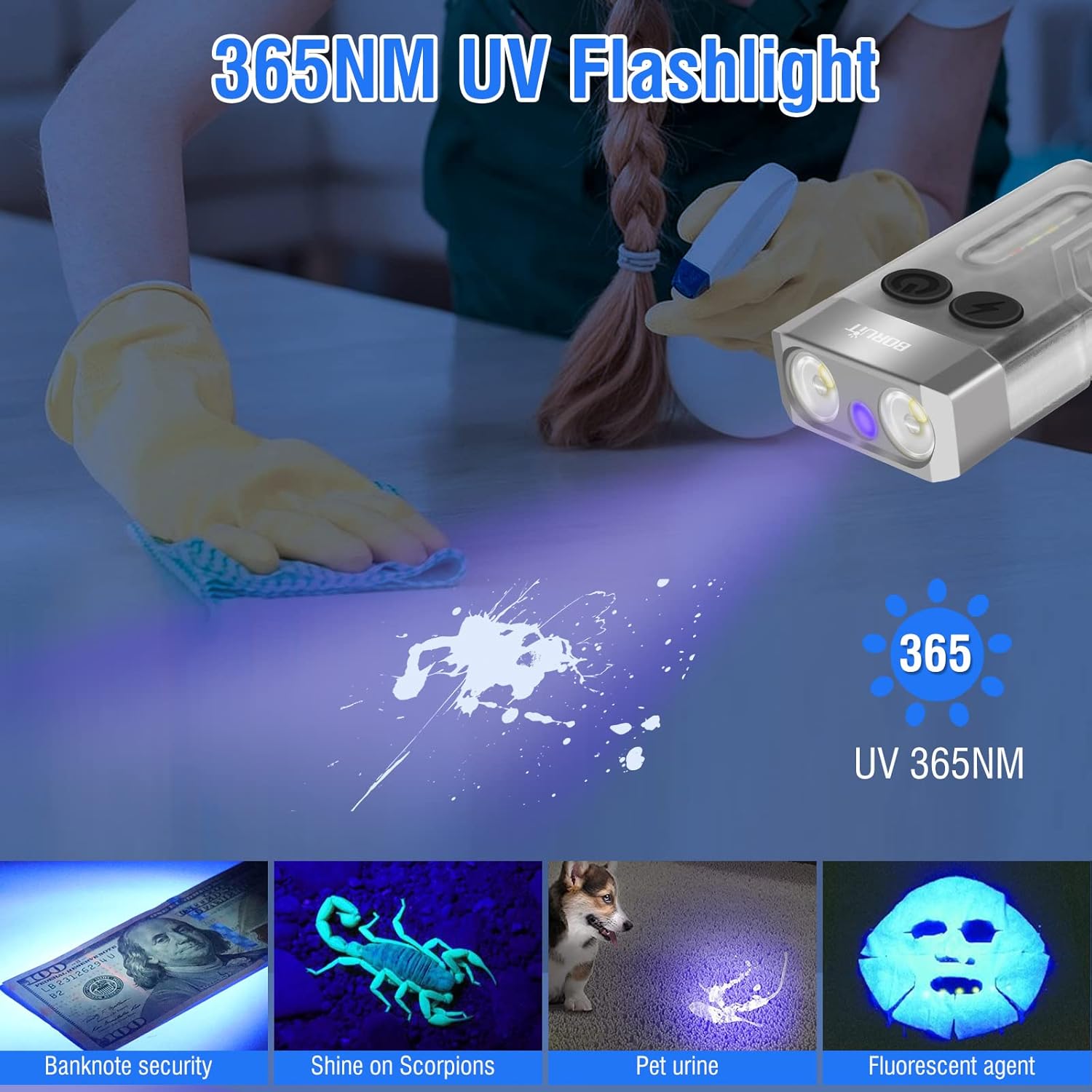
- This is a tiny detector. Boruit V10 is equipped with a 365nm UV bblack light, which can detect dirt, fluorescent agents, scorpions, money, etc. Supports detection of multi-national currencies, and the counterfeit money is far away from you.
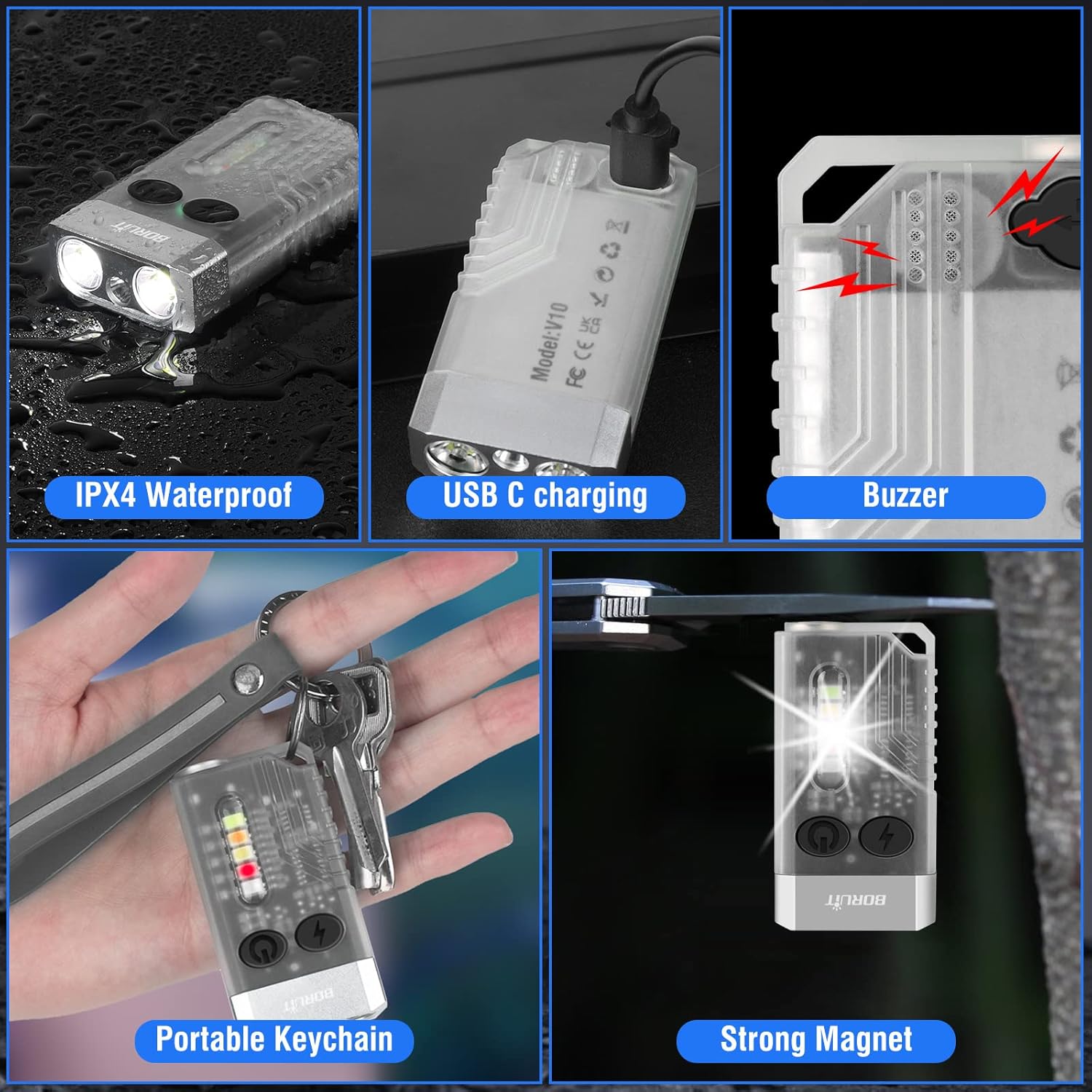
- Look for a multi-purpose pocket flash light, this flashlights has magnets on the bottom for easy attachment and also supports keychains. There are also a variety of side lights available (white, red, green, blue, yellow), and provide red light flashing, red and blue light flashing modes.
- Mainstream USB C charging interface, fast charging time, compatible with various charging power sources, such as chargers, power banks, and notebooks. The flashlight battery has a capacity of 1000mAh, and it takes 2.5 hours to fully charge with a 5V1A charger, and it will be faster with other chargers
- There is no need to worry about waterproofing, the flashlight has added waterproofing technology on each interface, and the waterproofing level reaches IPX4, which fully meets the waterproofing of daily life. The charging port has a waterproof plug. Waterproof cotton is added inside the buzzer, so you don't have to worry about water vapor entering.

Začínáme
Nabíjení baterie
The BORUIT V10 flashlight is equipped with a 1000mAh rechargeable lithium battery and a USB-C charging port.
- Locate the USB-C charging port on the flashlight, usually covered by a rubber seal for waterproofing.
- Gently open the rubber seal and insert the provided USB-C charging cable.
- Connect the other end of the cable to a compatible 5V1A charger, power bank, or notebook.
- The indicator light will show red while charging and turn green when fully charged. A full charge typically takes about 2.5 hours.

Operating Your Flashlight
Provoz hlavního světla
The main light features 5 modes: extremely bright (Turbo), Economic, Low, Medium, and High.
- Chcete-li aktivovat Turbo režim: Long press the main light switch (power button). The light will stay on as long as the button is held. Release to turn off.
- Chcete-li vstoupit Constant Light mode: Double-click the main light switch.
- Na Přepnout jas: Once in Constant Light mode, click the main light switch to cycle through Economic, Low, Medium, and High brightness levels.

Ovládání obrysových světel
The side light offers a variety of colors and special modes, including White, Warm, Green, Red, Blue, Red light flash, and Red & Blue flash. It also includes a 365nm UV light and a buzzer.
- Chcete-li vstoupit Constant Light mode (Side Light): Double-click the side light switch (lightning bolt button).
- Na Switch Side Light Color/Mode: Once in Constant Light mode, click the side light switch to cycle through White, Warm, Green, Red, Blue, Red light flash, and Red & Blue flash.
- Chcete-li aktivovat UV světlo: Triple-click the side light switch.
- Chcete-li aktivovat Buzzer and Red & Blue Flash: Long press the side light switch. The buzzer sound will activate while the warning lights flash.
Unique Capabilities
365nm UV Black Light
The integrated 365nm UV black light allows for detection of dirt, fluorescent agents, scorpions, and verification of multi-national currencies, helping to identify counterfeit money.
Fluorescent Housing
The flashlight's housing is designed to absorb light and glow in the dark, making it easy to locate in low-light conditions. Turning on the side lights for a while enhances its glow.

Magnetic Base & Portable Keychain
The flashlight features a strong magnetic base for easy attachment to metal surfaces, providing hands-free illumination. It also includes a keychain attachment for convenient portability.
80DB Beeping Alarm Flash
For emergency situations, the flashlight includes an 80dB beeping alarm combined with red and blue flashing lights to attract attention.

Péče a údržba
Hydroizolace
The flashlight boasts an IPX4 waterproof rating, suitable for daily life waterproofing. Ensure the USB-C charging port's waterproof plug is securely closed. The internal buzzer also has waterproof cotton to prevent water vapor intrusion.
Čištění
Otřete svítilnu měkkým, damp cloth. Avoid using harsh chemicals or abrasive materials that could damage the housing or lens.
Skladování
Uchovávejte svítilnu na chladném a suchém místě mimo přímé sluneční světlo a extrémní teploty.
Běžné problémy
Světlo se nezapíná
- Check battery level: Ensure the flashlight is charged. Connect to a USB-C charger and observe the indicator light.
- Button sequence: Confirm you are using the correct button presses (single click, double-click, long press, triple-click) for the desired mode.
Tlumený světelný výstup
- Battery level: A low battery can result in dim output. Recharge the flashlight fully.
- Mode selection: Ensure you are in a higher brightness mode (Medium, High, or Turbo) if more light is needed.
Problémy s nabíjením
- Cable connection: Verify the USB-C cable is securely connected to both the flashlight and the power source.
- Power source: Try a different USB-C charger or port to rule out a faulty power source.
- Charging port: Ensure the charging port is clean and free of debris.
Specifikace produktu
| Funkce | Detail |
|---|---|
| Značka | BORUIT |
| Model | V3 |
| Barva | Bílý |
| Materiál | Hliník |
| Zdroj napájení | Napájení z baterie |
| Typ světelného zdroje | LED |
| Bílý jas | 1000 XNUMX lumenů |
| svtage | 5 voltů |
| Vzdálenost dráhy světla | 100 metrů |
| Kapacita baterie | 1000 XNUMX mAh |
| Doba běhu (nejjasnější) | 2 hodiny a 30 minut |
| Hmotnost položky | 50 gramů (1.76 unce) |
| Rozměry produktu | 0.6"H x 1.38"Š x 2.64"V |
| Úroveň odolnosti proti vodě | IPX4 Vodotěsný |
| Speciální funkce | Lightweight, Adjustable Light Modes, Keychain, Rechargeable, Magnetic Base |
Záruka a podpora
Informace o záruce
No explicit warranty information is provided in this manual. For further details or support, please refer to the official Instructions for Use (IFU) document:
Stáhnout návod k použití (PDF)
Další zdroje
For more information about BORUIT products, visit the official BORUIT Store:
Ask a question about this manual
Ask about setup, troubleshooting, compatibility, parts, safety, or missing instructions. Manuals+ will review the question and use this page’s manual context to help answer it.