
Zavedení
Děkuji za nákupasing the Walfront Wooden LED Digital Alarm Clock. This manual provides comprehensive instructions to help you set up, operate, and maintain your new alarm clock. Please read this guide thoroughly before use to ensure proper functionality and longevity of the product.
Konec produktuview a klíčové vlastnosti
The Walfront Wooden LED Digital Alarm Clock combines functionality with a sleek, natural design. Its wooden and ABS material construction ensures durability and a pleasant aesthetic. The clock features a clear LED display and several convenient functions.

Image: The Walfront Wooden LED Digital Alarm Clock, showcasing its digital display for time, date, and day of the week.
Vlastnosti:
- Odolný materiál: Constructed from wood and ABS material, providing a textured, durable, and long-lasting design.
- LED digitální displej: Features a clear LED light digital display that illuminates through the smoothed wooden surface, visible even in low light.
- Funkce hlasového ovládání: Activates the display to show time, date, and day of the week simultaneously upon detecting sound.
- Možnosti formátu času: Supports both 12-hour and 24-hour time systems.
- Nastavitelný jas: Offers three levels of brightness adjustment for comfortable viewza různých světelných podmínek.
- Více alarmů: Includes three independent alarm functions.
- Weekday Alarm Setting: Option to set alarms to activate only on weekdays.
Průvodce nastavením
Napájení zařízení:
The Walfront Digital Alarm Clock can be powered in two ways:
- USB datový kabel: Connect the provided USB data cable to the DC 5V port on the back of the clock and plug the other end into a compatible USB power adapter (not included) or a USB port.
- AAA baterie: For portable use or as a backup, insert four (4) AAA batteries (not included) into the battery compartment located on the back of the clock. Ensure correct polarity.
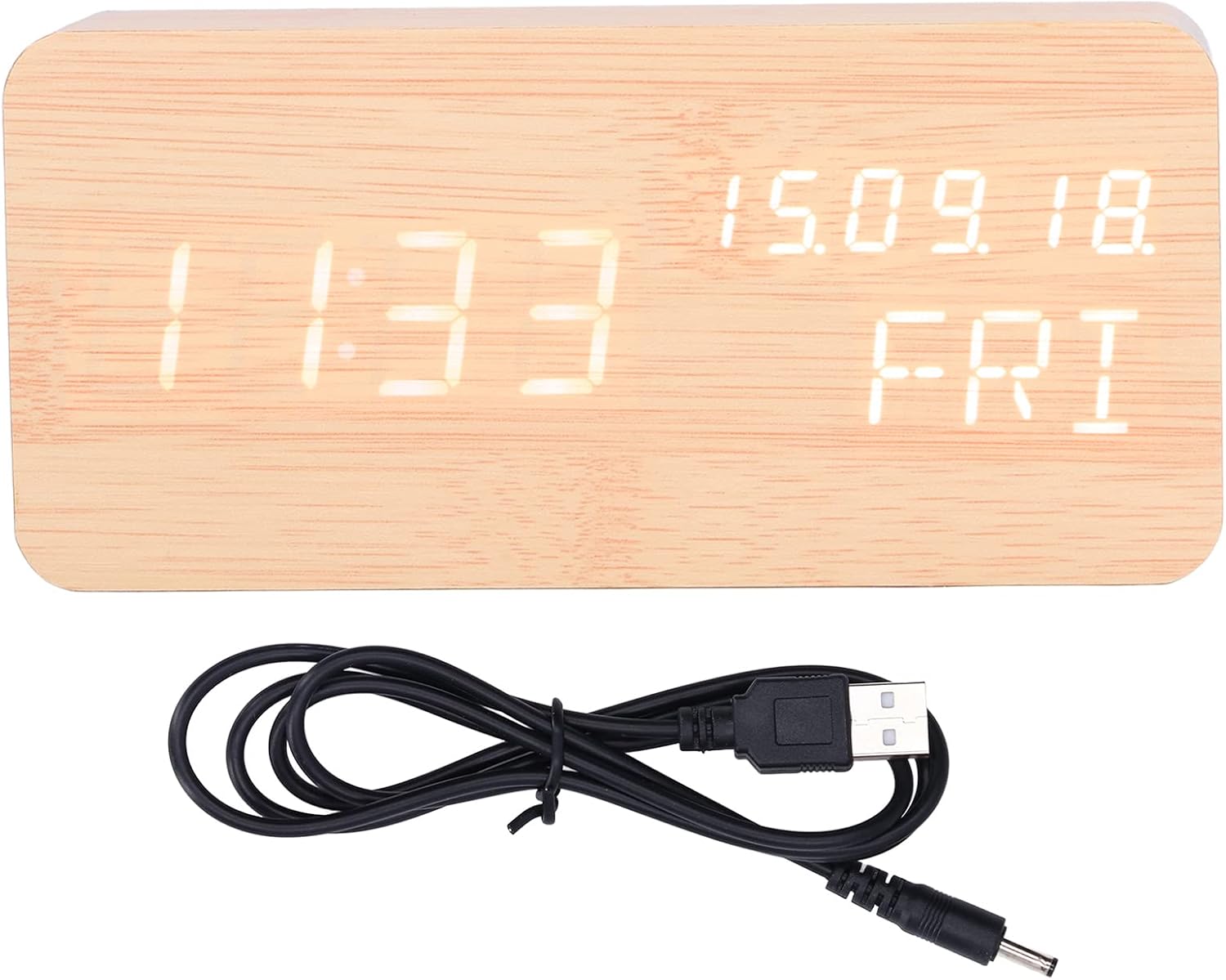
Image: The USB power cable used to power the alarm clock.

Obrázek: Zadní view of the alarm clock, highlighting the battery compartment and control buttons (SET, UP, DOWN).
Návod k obsluze
Hodiny mají na zadní straně tři ovládací tlačítka: SOUBOR, UPa DOLŮ.
Nastavení času a data:
- Stiskněte a podržte SOUBOR button to enter time setting mode. The display will flash.
- Použijte UP a DOLŮ tlačítka pro nastavení hodiny. Stiskněte SOUBOR pro potvrzení a přechod na minuty.
- Upravte minuty pomocí UP/DOLŮa poté stiskněte SOUBOR potvrdit.
- Pokračujte v tomto postupu pro nastavení roku, měsíce a dne.
- After setting the date, you can select 12-hour or 24-hour format using UP/DOLŮa poté stiskněte SOUBOR.

Image: Two Walfront alarm clocks, demonstrating the display of time, date, and day of the week.
Nastavení budíků:
The clock supports three independent alarms (AL1, AL2, AL3).
- V normálním režimu zobrazení času stiskněte SOUBOR button repeatedly to cycle through AL1, AL2, AL3 settings.
- When an alarm (e.g., AL1) is displayed, press and hold SOUBOR to enter its setting mode.
- Použití UP/DOLŮ chcete-li nastavit hodinu budíku, stiskněte SOUBOR.
- Upravte minuty budíku pomocí UP/DOLŮa poté stiskněte SOUBOR.
- You can then choose to enable/disable the alarm or set it for weekdays only (indicated by 'ON E' for weekday alarm). Use UP/DOLŮ pro výběr a poté stiskněte SOUBOR potvrdit.
- Repeat for AL2 and AL3 as needed.
Nastavení jasu:
The clock offers three levels of brightness. In normal time display mode, press the UP button to cycle through the brightness levels (L1, L2, L3, where L3 is brightest).
Funkce hlasového ovládání:
To activate the voice control function, ensure the clock is in power-saving mode (display off). A sound (e.g., clap, tap) will temporarily illuminate the display to show the time, date, and day of the week.

Image: The alarm clock displaying the current temperature in Celsius, alongside the date and day.
Údržba
- Čištění: Use a soft, dry cloth to wipe the surface of the clock. Avoid using abrasive cleaners or solvents, which may damage the wooden finish or display.
- Umístění: Place the clock on a stable, flat surface. Avoid direct sunlight, high temperatures, or high humidity, which can affect the wood and electronic components.
- Výměna baterie: If using batteries, replace all four AAA batteries simultaneously when the display dims or functions become erratic. Do not mix old and new batteries.
- Zdroj napájení: When not in use for extended periods, disconnect the USB power cable and remove batteries to prevent leakage.
Odstraňování problémů
| Problém | Možná příčina | Řešení |
|---|---|---|
| Displej je tmavý nebo není vidět. | Low battery power or brightness setting is too low. | Replace batteries or connect via USB. Press UP to adjust brightness level. |
| Clock not responding to voice control. | Voice control feature might be off or ambient noise is too low. | Ensure the clock is in power-saving mode (display off). Make a louder sound to activate. |
| Alarm se nespustí. | Alarm is not set or is set for weekdays only and it's a weekend. | Check alarm settings (AL1, AL2, AL3) and ensure they are enabled for the desired days. |
| Zobrazuje se nesprávný čas nebo datum. | Čas/datum nebyly správně nastaveny nebo došlo k výpadku napájení. | Re-enter time and date settings as per "Setting Time and Date" instructions. |
Specifikace produktu
| Funkce | Detail |
|---|---|
| Typ položky | Budík |
| Materiál | Dřevo, ABS |
| Velikost produktu | Approx. 150 x 40 x 70 mm / 5.9 x 1.6 x 2.8 inches |
| Hmotnost položky | 9.2 unce |
| Napájení | USB data cable (DC 5V), 4 x AAA batteries (not included) |
| Funkce displeje | Time, Date, Week, Temperature (Celsius/Fahrenheit) |
| Časový systém | 12/24 hour system |
| Úrovně jasu | Nastavitelných 3 úrovní |
| Funkce alarmu | 3 sets of alarms, Weekday alarm option |
| Speciální funkce | Funkce hlasového ovládání |
| Číslo modelu | WALFRONT73dgi05csv |
Záruka a podpora
For warranty information or technical support, please refer to the retailer's return policy or contact Walfront customer service directly. Keep your purchase receipt as proof of purchase.