
Zavedení
This manual provides detailed instructions for the assembly, configuration, and maintenance of your LIAN LI V3000 Plus White Full Tower EATX Gaming Computer Case. Please read this manual thoroughly before beginning installation to ensure proper setup and optimal performance.
The V3000 Plus is a versatile full tower chassis designed for high-performance computing, offering extensive compatibility for components and cooling solutions. It supports multiple configurations, including standard, rotated, and dual-system setups.

Image: The LIAN LI V3000 Plus White GGF Edition case, showcasing its spacious interior and design.
Klíčové vlastnosti
- Full tower chassis with three configurable modes: Standard, Rotated, and Dual-System.
- Supports Standard EEB/E-ATX/ATX/Micro-ATX/Mini-ITX motherboards for System 1, and Mini-ITX for System 2 in dual-system mode.
- Extensive cooling support: up to 4x 480mm + 1x 360mm radiators and a maximum of 17 fans.
- Two dedicated reservoir plates for large D5/DDC pumps.
- Accommodates up to 16 storage drives (SSDs or HDDs) via drive cages and trays.
- Constructed from aluminum and steel with tempered glass panels.

Obrázek: Overview of the LIAN LI V3000 Plus case, detailing its full aluminum exterior, mesh panels, hinged glass panels, and toolless SSD mounting.
Nastavení a instalace komponent
1. Vybalení a první kontrola
Carefully remove the chassis from its packaging. Inspect for any signs of damage during transit. Retain all packaging materials for future transport or warranty claims.
2. Přístup do interiéru
The V3000 Plus features hinged tempered glass side panels. Gently open these panels to access the interior for component installation. The panels can be removed by lifting them off their hinges when fully open.
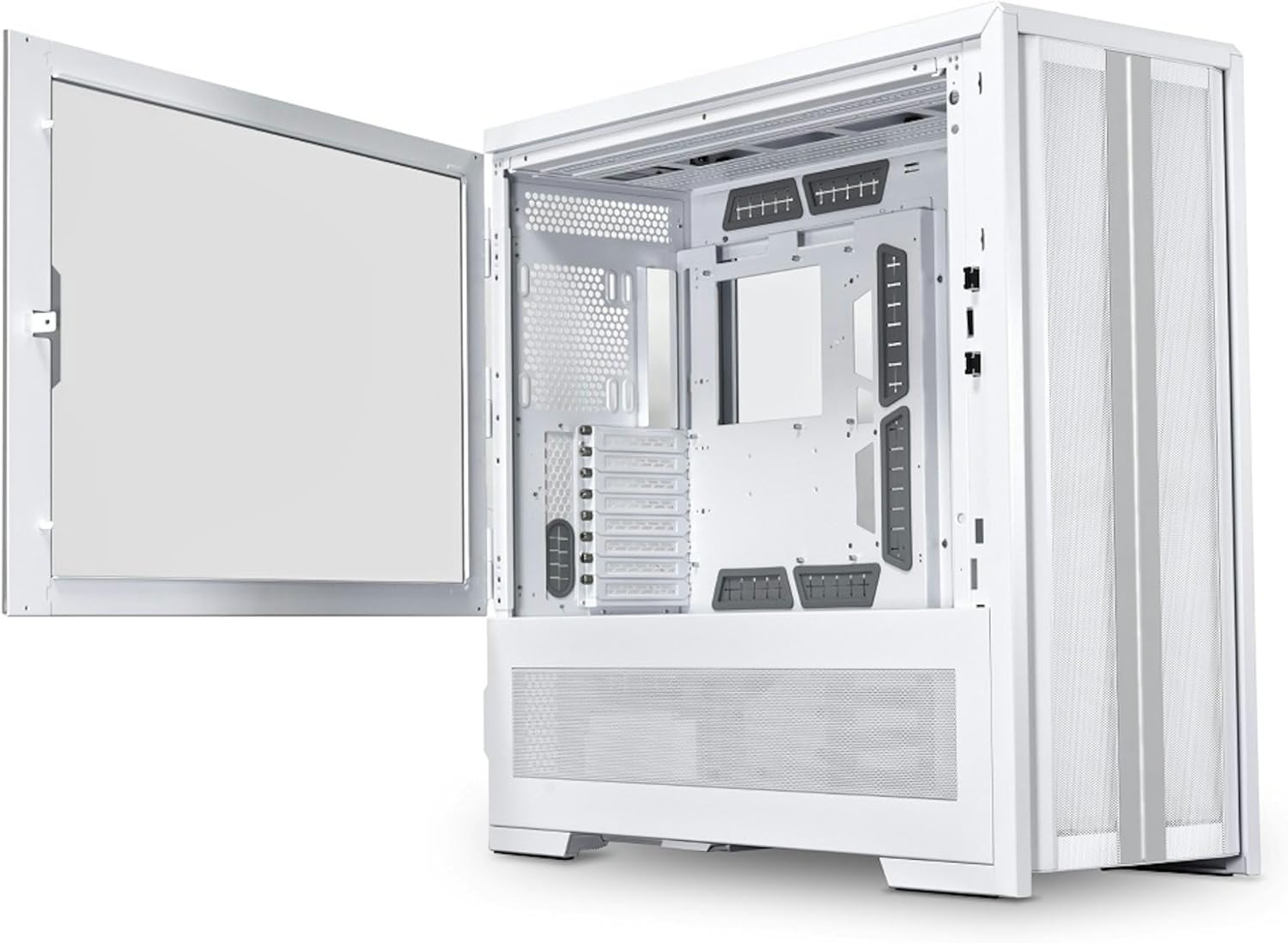
Image: The LIAN LI V3000 Plus White case with its left tempered glass panel swung open, revealing the main interior compartment.
3. Instalace základní desky
The V3000 Plus supports Standard EEB/E-ATX/ATX/Micro-ATX/Mini-ITX motherboards. The motherboard tray is removable for easier installation. Secure the motherboard using the provided standoffs and screws.

Obrázek: Interní view of the LIAN LI V3000 Plus White case, highlighting the spacious motherboard tray and various fan mounting points.
4. Instalace napájecího zdroje
The case supports ATX power supplies for System 1 and SFX-L/SFX power supplies for System 2 (in dual-system mode). Install the power supply(s) in their designated compartments and secure them with screws.
5. Instalace úložného disku
The V3000 Plus offers extensive storage options:
- Drive Cage: Supports 8 x 2.5” SSDs or 8 x 3.5” HDDs.
- Side Mounts: 4 x 2.5” SSDs.
- Behind MB Tray: 4 x 2.5” SSDs.
Utilize the toolless SSD drive trays and modular drive bays for easy installation.

Obrázek: Explodoval view diagram showing the various locations for installing SSDs and HDDs within the V3000 Plus chassis, including drive cages and toolless trays.
6. Instalace chladicího systému (ventilátory a chladiče)
The case supports a wide range of fan and radiator configurations. Refer to the specifications section for detailed compatibility based on your chosen operating mode.

Image: A diagram illustrating the extensive fan and radiator mounting options within the LIAN LI V3000 Plus case, including support for multiple 480mm and 420mm radiators.
7. Připojení předního I/O panelu
Connect the front I/O cables (USB 3.0, USB Type-C, Audio, Power, Reset, Light Color, Light Mode) to the corresponding headers on your motherboard. Ensure correct polarity for power and reset switches.

Obrázek: Podrobný view of the top-mounted I/O panel on the LIAN LI V3000 Plus White case, showing USB 3.0, USB Type-C, audio jacks, and control buttons.
Provozní režimy
The V3000 Plus offers three distinct operating modes, configurable via its removable motherboard tray and adaptable PSU shroud compartment:
- Standardní režim: A spacious configuration for housing large components and extensive water cooling setups.
- Rotated Mode: Benefits GPU cooling with direct airflow, offering a unique internal layout.
- Duální systémový režim: Accommodates two full systems simultaneously, with System 1 supporting EEB/E-ATX/ATX/Micro-ATX/Mini-ITX and System 2 supporting Mini-ITX.

Image: Visual representation of the three configurable modes: Standard, Rotated, and Dual System, illustrating how the internal layout changes to support different build types.
Specifikace
| Funkce | Detail |
|---|---|
| Model | V3000PW |
| Rozměry (D x Š x V) | 678.5 mm x 279 mm x 674 mm (26.71 cm H x 10.98 cm Š x 26.54 cm V) |
| Barva | Bílý |
| Materiály | Aluminum, Steel, 4.0mm Dark Tinted Tempered Glass (right side), 4.0mm Tinted Tempered Glass (left side) |
| Podpora základní desky | Standard EEB/E-ATX/ATX/Micro-ATX/Mini-ITX; Rotated EEB/E-ATX/ATX/Micro-ATX/Mini-ITX; Dual System (System 1: EEB/E-ATX/ATX/Micro-ATX/Mini-ITX, System 2: Mini-ITX) |
| Podpora ventilátoru (max.) | Up to 17 fans (various sizes depending on configuration) |
| Radiator Support (Max) | Up to 4x 480mm or 420mm, 1x 360mm or 280mm (depending on configuration) |
| Podpora PSU | System 1: ATX (Max 220mm); System 2: SFX-L/SFX |
| Vůle délky GPU | Standard: Max 589mm; Rotated: Max 358mm; Dual System 1: Max 589mm; Dual System 2: Max 320mm (Width max 125mm) |
| Výška chladiče CPU | System 1: Max 198mm; System 2: Max 80mm |
| Podpora disku | Drive Cage: 8 x 2.5” SSD or 8 x 3.5” HDD; Side: 4 x 2.5” SSD; Behind MB tray: 4 x 2.5” SSD (Total up to 16 drives) |
| Rozšiřující sloty | System 1: 8; System 2: 3 (at PSU shroud, with optional riser cable) |
| I/O Ports (System 1) | 1x Power Button, 1x Reset Button, 1x Light Color Button (C), 1x Light Mode Button (M), 2x USB 3.0, 1x USB Type C, 1x Audio |
| I/O Ports (System 2) | 1x Power Button, 1x Reset Button, 2x USB 3.0, 1x USB Type C, 1x Audio |
| Prachový filtr | 1x Spodní část |
| Hmotnost položky | 33 kg |
Údržba
1. Cleaning the Chassis
Use a soft, dry cloth to wipe down the exterior surfaces of the case. For tempered glass panels, a glass cleaner can be used with a microfiber cloth. Avoid abrasive cleaners or solvents that may damage the finish.
2. Dust Filter Maintenance
The V3000 Plus includes a removable dust filter at the bottom. Regularly remove and clean this filter to maintain optimal airflow and prevent dust buildup inside the system. Wash with water and allow to dry completely before reinstallation.
3. Vnitřní čištění
Periodically open the side panels and use compressed air to remove dust from internal components, fans, and radiator fins. Ensure the system is powered off and unplugged before performing internal cleaning.
Odstraňování problémů
1. System Not Powering On
- Verify all power cables are securely connected to the power supply, motherboard, and components.
- Ujistěte se, že je vypínač na zdroji napájení v poloze „ON“.
- Zkontrolujte připojení vypínače na předním panelu k základní desce.
2. Problémy s přehřátím
- Confirm all case fans are spinning and correctly oriented for optimal airflow.
- Vyčistěte prachové filtry a vnitřní součásti podle pokynů v části Údržba.
- Ensure CPU cooler and GPU fans are functioning properly.
3. Front I/O Ports Not Functioning
- Check that the front I/O cables are correctly connected to the motherboard headers.
- Ensure motherboard drivers for USB and audio are installed and up to date.
Oficiální video produktu
Video: Úředník u konceview of the LIAN LI V3000 Plus full tower case, demonstrating its features and various configurations.
Záruka a podpora
Informace o záruce
The LIAN LI V3000 Plus White Full Tower EATX Gaming Computer Case comes with a 1-letá záruka od data nákupu. Tato záruka se vztahuje na výrobní vady a vady materiálu při běžném používání. Uschovejte si prosím doklad o koupi pro případné reklamace.
Zákaznická podpora
For technical assistance, troubleshooting, or warranty inquiries, please visit the official Lian Li website or contact their customer support directly. You can find contact information on the Lian Li webwebu nebo prostřednictvím svého prodejce.
Další zdroje a informace o produktech naleznete na Lian Li Store on Amazon.