
Zavedení
This manual provides essential information for the safe and effective use of your Paladone Green Xbox Icons Light. Please read these instructions carefully before use and retain them for future reference.

The Paladone Green Xbox Icons Light, featuring the iconic Xbox logo and sphere, illuminated in a vibrant green hue.
Bezpečnostní informace
- Uchovávejte mimo dosah dětí: Tento výrobek není hračka.
- Pouze pro vnitřní použití: Nevystavujte dešti ani vlhkosti.
- Zdroj energie: Use only the provided USB cable or 3x AAA batteries. Do not mix old and new batteries, or different types of batteries.
- Vyhněte se extrémním teplotám: Do not operate in excessively hot or cold environments.
- Čištění: Disconnect from power before cleaning. Use a soft, dry cloth. Do not use liquid cleaners.
- Likvidace: Baterie a výrobek zlikvidujte zodpovědně v souladu s místními předpisy.
Obsah balení
Opatrně vybalte krabici a ujistěte se, že jsou v ní všechny položky:
- 1 x Paladone Green Xbox Icons Light Unit
- 1 x Napájecí kabel USB

The product packaging, indicating the Xbox Icons Light and its features.
Nastavení
Your Xbox Icons Light can be powered by either the included USB cable or 3x AAA batteries (not included).
Powering via USB:
- Insert the small end of the USB cable into the USB port on the back of the light unit.
- Insert the large end of the USB cable into a powered USB port (e.g., computer, USB wall adapter, game console).
Powering via Batteries:
- Locate the battery compartment on the underside of the light unit.
- Otevřete kryt bateriového prostoru.
- Vložte 3 baterií AAA a dbejte na správnou polaritu (+/-).
- Bezpečně zavřete kryt bateriového prostoru.

The Xbox Icons Light can be powered using the included USB cable or 3x AAA batteries (not included).
Návod k obsluze
The Xbox Icons Light features a power button, typically located on the base or side of the unit. Press this button to cycle through the available lighting modes.
Zapnutí/vypnutí:
- Jedním stisknutím tlačítka napájení rozsvítíte světlo.
- Continue pressing the power button to cycle through the lighting modes.
- Press the power button after the last lighting mode to turn the light off.

The Xbox Icons Light offers dynamic phasing and pulsing light modes for varied visual effects.
Režimy osvětlení
The Paladone Green Xbox Icons Light offers three distinct lighting modes:
- Standardní režim: The light remains steadily illuminated.
- Shifting Mode: The light transitions between different brightness levels or sections.
- Pulsing Mode: The light gently pulses, creating a dynamic effect.
Press the power button repeatedly to switch between these modes.
Údržba
Čištění:
- Ensure the light is turned off and disconnected from any power source before cleaning.
- Povrch otřete měkkým, suchým hadříkem, který nepouští vlákna.
- Nepoužívejte abrazivní čisticí prostředky, rozpouštědla ani agresivní chemikálie, protože by mohly poškodit povrchovou úpravu.
Výměna baterie:
- If using batteries, replace all three AAA batteries when the light dims or stops functioning.
- Follow the instructions in the 'Powering via Batteries' section under 'Setup' for safe battery replacement.
- Always dispose of used batteries according to local environmental guidelines.
Odstraňování problémů
| Problém | Možná příčina | Řešení |
|---|---|---|
| Světlo se nerozsvítí. | No power supply or depleted batteries. | Check USB cable connection or replace AAA batteries. |
| Světlo je tlumené nebo bliká. | Nízká kapacita baterie. | Replace AAA batteries or use USB power. |
| Nelze změnit režimy osvětlení. | Power issue or button malfunction. | Zajistěte stabilní napájení. Pokud problém přetrvává, kontaktujte podporu. |
Specifikace
| Funkce | Detail |
|---|---|
| Číslo modelu | PP8961XB |
| Rozměry (D x Š x V) | 12.45 x 4.92 x 2.91 palců (31.8 cm x 12.5 cm x 7.4 cm) |
| Hmotnost položky | 16 unce (cca 453 gramů) |
| Materiál | Plast |
| Zdroj napájení | USB Cable (included) or 3x AAA Batteries (not included) |
| Typ žárovky | LED |
| Počet světel | 1 |
| svtage | Operates on low voltage DC (5V via USB, 4.5V via AAA batteries). Listed specification: 230 Volts (AC) for power adapter compatibility (adapter not included). |
| Speciální funkce | Dynamic Phasing and Pulsing Light Modes |
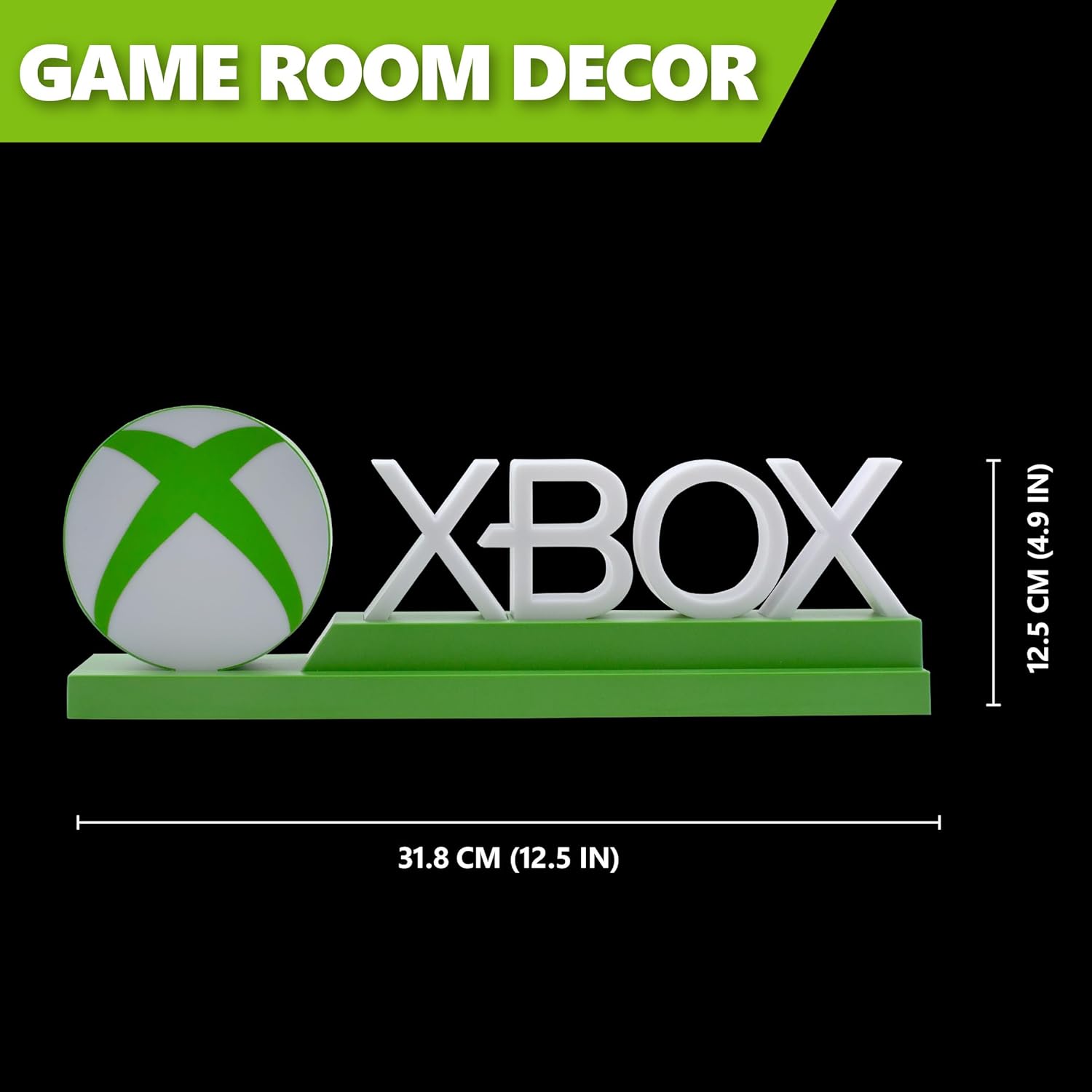
Detailed dimensions of the Xbox Icons Light, measuring 31.8 cm (12.5 inches) in width and 12.5 cm (4.9 inches) in height.
Záruka a podpora
For warranty information, product support, or to inquire about replacement parts, please refer to the retailer where the product was purchased or visit the official Paladone webUschovejte si doklad o koupi pro případ reklamace.
Paladone Official Webmísto: www.paladone.com