
Lexip JVASWI00101
Lexip PIXMINDS Steelplay Adventure Twinpads User Manual
Comprehensive guide for your gaming experience.
Zavedení
The Lexip PIXMINDS Steelplay Adventure Twinpads are designed to enhance your gaming experience on compatible systems. These controllers offer precise input and comfortable handling for extended play sessions. This manual provides essential information for setup, operation, maintenance, and troubleshooting.
Obsah balení
Po otevření balení se ujistěte, že jsou přítomny všechny součásti:
- Lexip PIXMINDS Steelplay Adventure Twinpads (Left and Right controllers)
- Uživatelská příručka (tento dokument)
- Required Lithium Ion batteries (pre-installed or included)

Image: The retail packaging for the Lexip PIXMINDS Steelplay Adventure Twinpads, showing the controllers and compatibility information.
Nastavení
The Twinpads are compatible with Nintendo Switch™ and Nintendo Switch™ OLED models. They connect wirelessly via Bluetooth.
1. Charging the Twinpads
The Twinpads come with Lithium Ion batteries. Before first use, ensure they are fully charged. The LED indicators on the controllers will show charging status.
2. Párování s vaším zařízením
- Ujistěte se, že je vaše konzole Nintendo Switch zapnutá a aktualizovaná na nejnovější systémový software.
- V nabídce HOME vyberte „Ovladače“ > „Změnit úchop/pořadí“.
- On each Twinpad, press and hold the small pairing button located on the side or back until the player LEDs begin to flash.
- Once the LEDs stop flashing and remain solid, the Twinpad is successfully paired.
- Repeat for the other Twinpad.
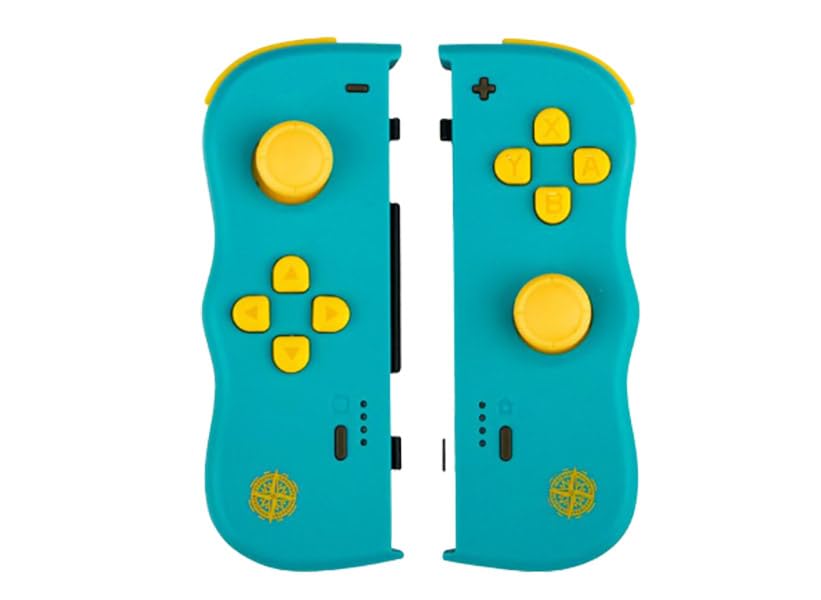
Obrázek: Přední strana view of the Lexip PIXMINDS Steelplay Adventure Twinpads, showing the joysticks, D-pad, and action buttons.
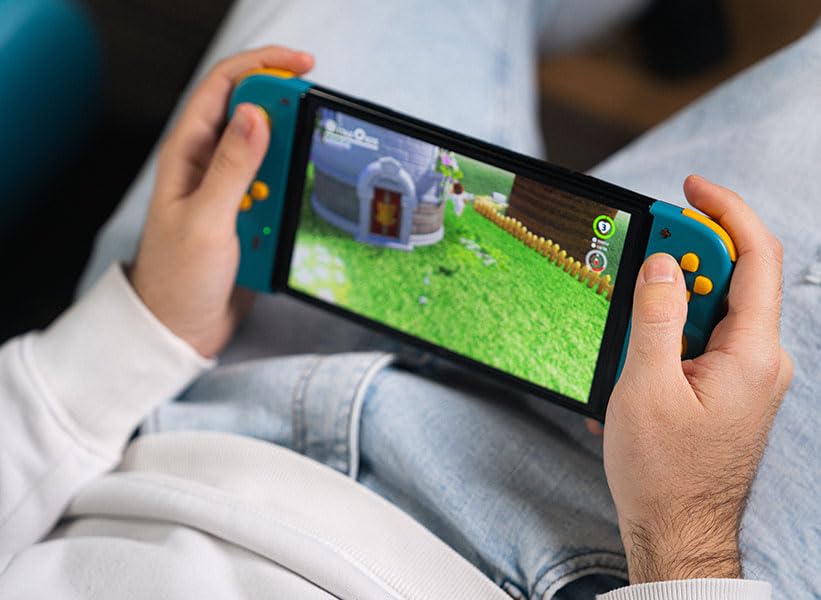
Obrázek: Boční view of the Lexip PIXMINDS Steelplay Adventure Twinpads, highlighting the rail for attachment and potential pairing button location.
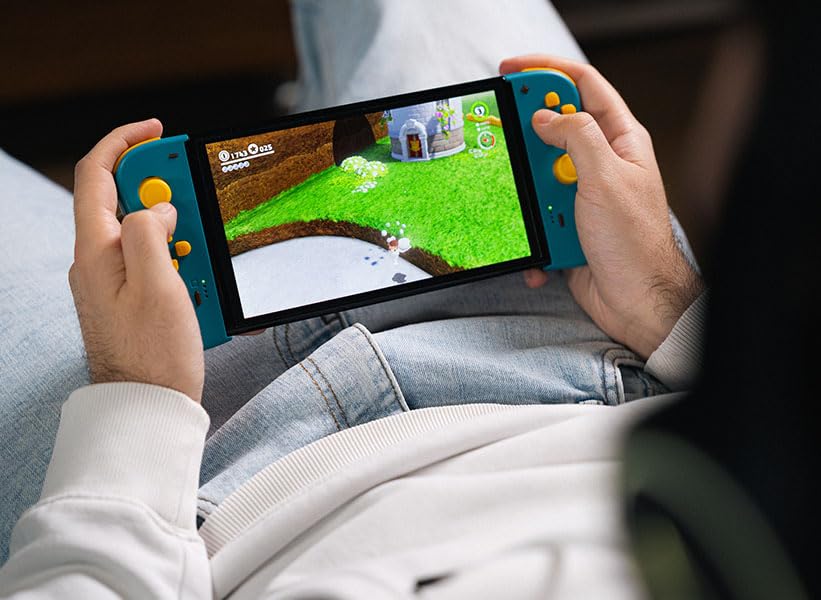
Obrázek: Zpět view of the Lexip PIXMINDS Steelplay Adventure Twinpads, showing the ergonomic design and additional buttons.
Návod k obsluze
Once paired, the Twinpads function as independent left and right controllers, similar to the original Joy-Con controllers. They can be used for various games that support detached controller play.
Rozložení a funkce tlačítek
- Left Twinpad: Analog Stick, D-pad, Minus (-) Button, Screenshot Button, SL/SR Buttons (on side rail).
- Right Twinpad: Analog Stick, A/B/X/Y Buttons, Plus (+) Button, Home Button, SL/SR Buttons (on side rail).
- Note: Specific button functions may vary depending on the game.
Opětovné připojení
If the Twinpads disconnect or you wish to reconnect them after turning off the console, simply press any button on each Twinpad. They should automatically reconnect to the last paired console.
Údržba
Proper care will extend the lifespan of your Twinpads.
- Čištění: Use a soft, dry cloth to wipe the surface of the controllers. For stubborn dirt, slightly damphadřík vodou. Nepoužívejte agresivní chemikálie ani abrazivní čisticí prostředky.
- Skladování: Store the Twinpads in a cool, dry place away from direct sunlight and extreme temperatures.
- Péče o baterie: If storing for an extended period, ensure the batteries are partially charged (around 50%) to maintain battery health. Avoid fully discharging the batteries for long periods.
Odstraňování problémů
If you encounter issues with your Twinpads, try the following solutions:
- Controllers not pairing:
- Ensure the Twinpads are charged.
- Verify Bluetooth is enabled on your console.
- Try re-pairing the controllers by following the "Pairing with Your Device" steps.
- Move closer to the console to ensure a strong Bluetooth signal.
- Restartujte konzoli Nintendo Switch.
- Vstupní zpoždění nebo odpojení:
- Ensure there are no obstructions between the controllers and the console.
- Minimalizujte rušení od jiných bezdrátových zařízení.
- Zkontrolujte stav baterie a v případě potřeby ji dobijte.
- Tlačítka nereagují:
- Vyčistěte okolí tlačítek, abyste odstranili veškeré nečistoty.
- Ensure the controllers are properly paired and connected.
- Test the controllers in a different game or the console's controller test menu.
Specifikace
| Funkce | Detail |
|---|---|
| Model | JVASWI00101 |
| Značka | Lexip, PIXMINDS, Steelplay |
| Konektivita | Bluetooth |
| Kompatibilita | Nintendo Switch™, Nintendo Switch™ OLED |
| Typ baterie | 1 lithium-iontová baterie (součástí balení) |
| Hmotnost položky | 5.6 unce (cca 158.76 gramů) |
| Rozměry balení | 6.18 x 4.72 x 1.26 palců (přibližně 15.7 x 12 x 3.2 cm) |
| Výrobce | PIXMINDS |
| Datum vydání | 1. ledna 2023 |
Záruka a podpora
The Lexip PIXMINDS Steelplay Adventure Twinpads come with a 5-letá záruka, as indicated on the product packaging. To register your product and activate your warranty, please visit the official warranty registration page:
Register Your Product for Warranty
For technical support or further inquiries, please refer to the official Lexip support channels or contact your retailer.
Ask a question about this manual
Ask about setup, troubleshooting, compatibility, parts, safety, or missing instructions. Manuals+ will review the question and use this page’s manual context to help answer it.