
1. Úvod
Thank you for choosing the Delton Ergonomic Vertical Rechargeable Wireless Mouse S12. This manual provides detailed instructions for setting up, operating, and maintaining your new mouse. Designed for comfort and efficiency, this vertical mouse promotes a more natural hand and wrist posture, reducing strain during extended computer use.
Please read this manual thoroughly before use to ensure optimal performance and longevity of your device.
2. Obsah balení
Ověřte, zda jsou v balení přítomny všechny položky:
- Delton Ergonomic Vertical Wireless Mouse
- USB Dongle (2.4GHz receiver)
- USB nabíjecí kabel
- Uživatelská příručka (tento dokument)
3. Konec produktuview
The Delton S12 mouse features an ergonomic vertical design, six programmable buttons, and adjustable DPI settings for precise control. It connects wirelessly via a 2.4GHz USB dongle and is powered by a rechargeable battery.

Image: The Delton S12 Ergonomic Vertical Wireless Mouse, shown with its accompanying USB dongle.
3.1 Ergonomický design
The vertical orientation of the mouse is designed to align your hand and wrist in a natural handshake position, which can help reduce muscle strain and discomfort often associated with traditional mice.

Image: A hand comfortably gripping the Delton vertical mouse, demonstrating the natural, ergonomic wrist position it promotes.
3.2 Bezdrátové připojení
The mouse connects wirelessly to your device via a 2.4GHz USB dongle, offering a stable connection up to 30 feet (10 meters). This provides flexibility and reduces cable clutter.

Image: The Delton vertical mouse wirelessly connected to a laptop, with the USB dongle inserted into the laptop's port.
Dobíjecí baterie 3.3
Equipped with a built-in rechargeable Lithium-Ion battery, the mouse offers up to 30 days of daily use and 12 months of standby time on a single charge. It can also be used while charging.

Image: The Delton vertical mouse being charged via a USB cable, illustrating its rechargeable feature.
3.4 Six Buttons Functionality
The mouse features six responsive buttons for enhanced productivity:
- Klikněte levým tlačítkem
- Klikněte pravým tlačítkem
- Scroll Wheel (with click function)
- Tlačítko přepínače DPI
- Tlačítko vpřed
- Tlačítko Zpět

Image: A detailed diagram highlighting the location and function of the six buttons on the Delton vertical mouse.
3.5 Customizable DPI Levels
Adjust the mouse sensitivity with three DPI settings: 800, 1200, and 2400. An indicator light changes color to show the current DPI level.
- Modrý: 800 DPI
- Červený: 1200 DPI
- Zelený: 2400 DPI
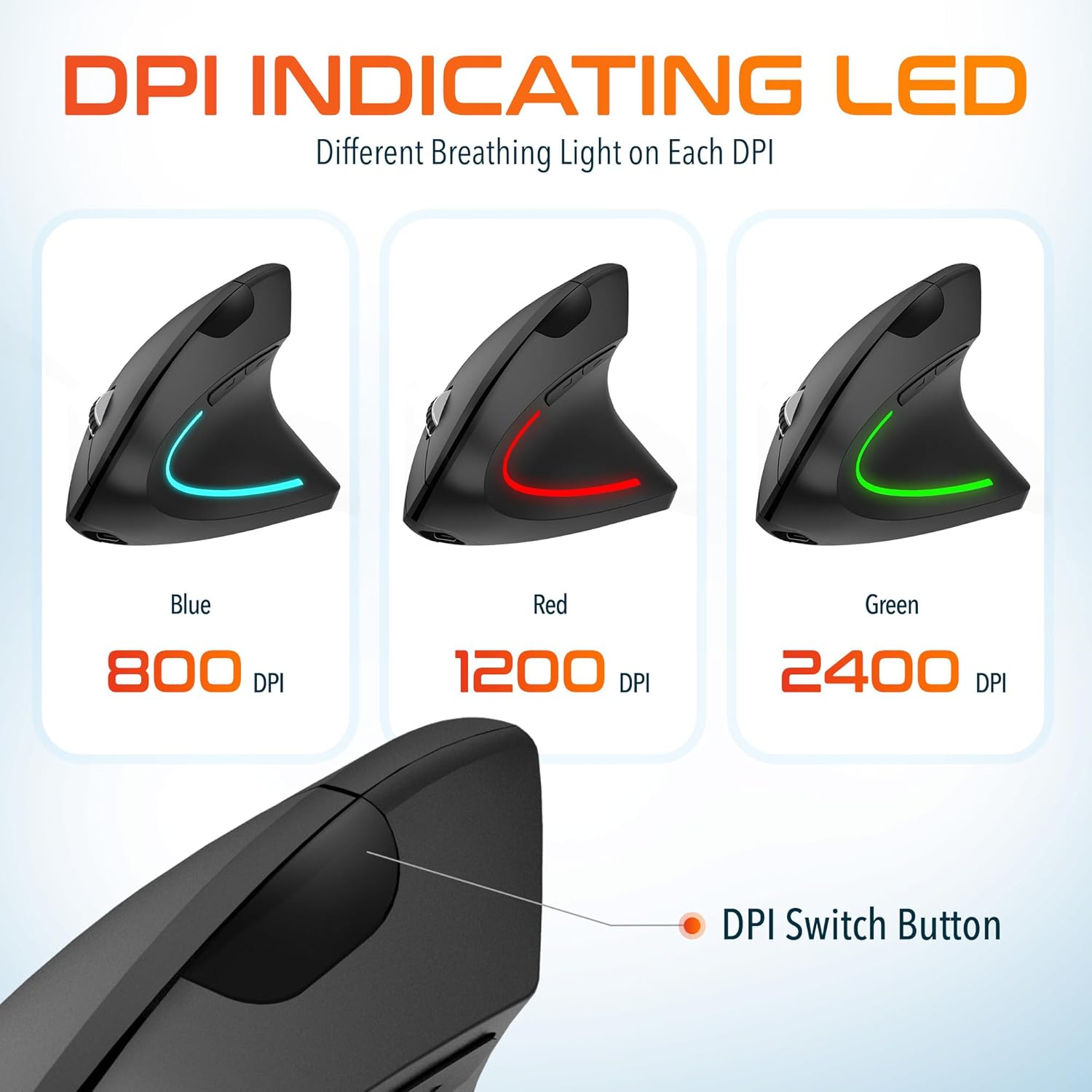
Image: The Delton vertical mouse displaying its LED indicator in blue (800 DPI), red (1200 DPI), and green (2400 DPI) to show current sensitivity settings.
4. Pokyny k nastavení
4.1 Nabíjení myši
- Připojte dodaný nabíjecí kabel USB k nabíjecímu portu na přední straně myši.
- Plug the other end of the USB cable into a USB power source (e.g., computer USB port, wall adapter, power bank).
- The LED indicator will illuminate during charging and turn off when fully charged. A full charge typically takes approximately 1 hour.
4.2 Connecting the USB Dongle
- Locate the USB dongle, usually stored in a compartment on the underside of the mouse.
- Insert the USB dongle into an available USB port on your computer (PC, Laptop, Mac, Chromebook).
- Systém automaticky detekuje a nainstaluje potřebné ovladače. Tento proces může chvíli trvat.
4.3 Zapnutí/vypnutí
Vyhledejte vypínač na spodní straně myši. Posunutím vypínače do polohy „ON“ myš zapnete. Pokud myš nepoužíváte, přepněte jej do polohy „OFF“, abyste šetřili baterii.
5. Návod k obsluze
5.1 Nastavení DPI
To change the mouse sensitivity (DPI), press the DPI switch button located on the top of the mouse, behind the scroll wheel. Each press cycles through the available DPI settings (800, 1200, 2400), indicated by the changing color of the LED light.
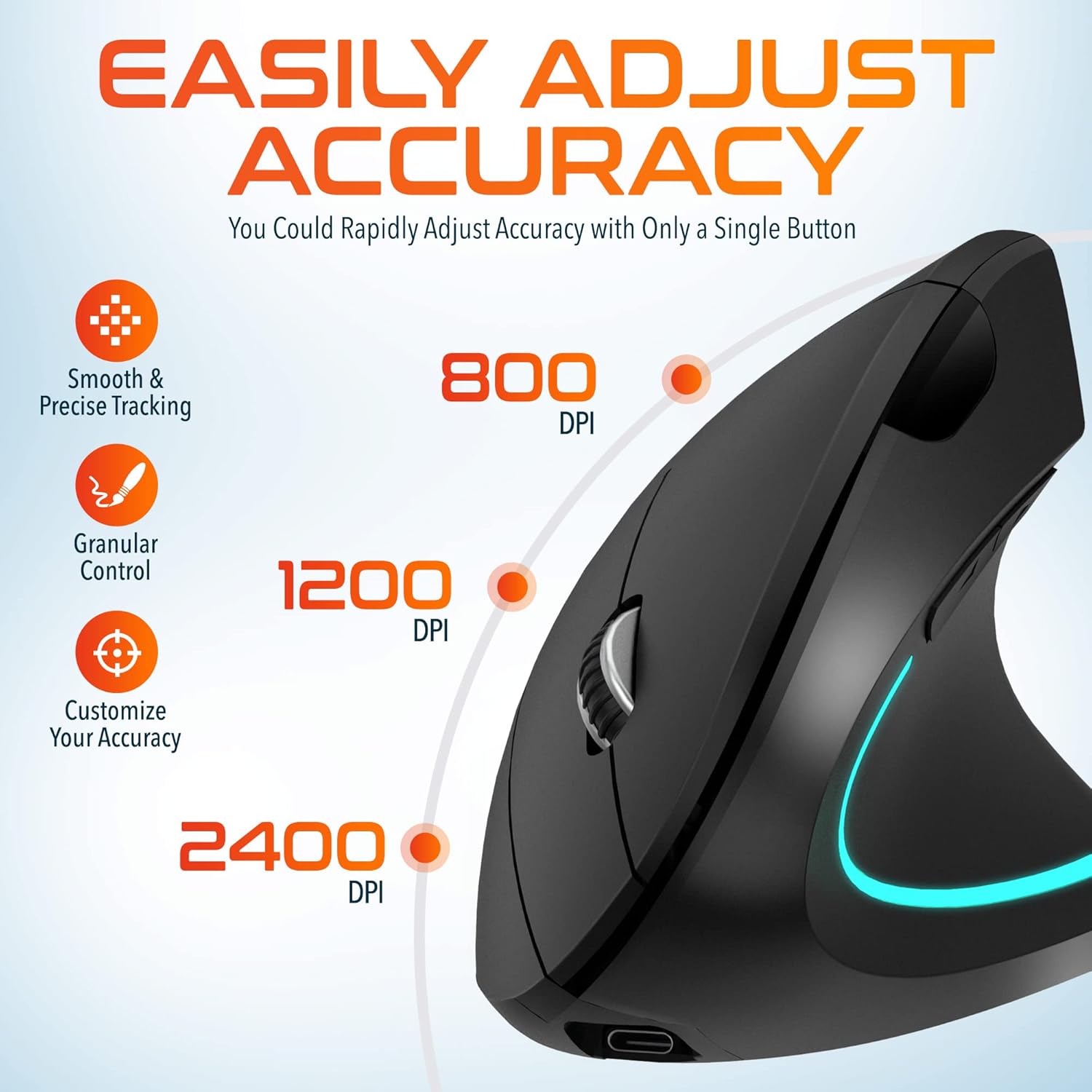
Image: A visual representation of the three adjustable DPI settings (800, 1200, 2400) and their corresponding cursor precision levels.
5.2 Funkce tlačítek
- Levé kliknutí: Standardní funkce primárního kliknutí.
- Klikněte pravým tlačítkem myši: Standardní funkce sekundárního kliknutí.
- Rolovací kolečko: Procházejte dokumenty nahoru nebo dolů a web pages. Pressing the scroll wheel acts as a middle click.
- Tlačítko vpřed: Naviguje vpřed web prohlížeče popř file průzkumníci.
- Tlačítko zpět: Naviguje zpět web prohlížeče popř file průzkumníci.

Obrázek: Detailní záběr view of the mouse's scroll wheel and the conveniently placed forward and backward shortcut keys.
6. Údržba
- Čištění: K čištění myši použijte měkký, suchý hadřík. V případě odolných nečistot lehceamphadřík vodou. Nepoužívejte agresivní chemikálie ani abrazivní materiály.
- Skladování: Pokud myš delší dobu nepoužíváte, skladujte ji na chladném a suchém místě. Ujistěte se, že je vypínač v poloze „VYPNUTO“, abyste šetřili životnost baterie.
- Péče o baterie: Nevystavujte baterii častému úplnému vybíjení. Myš pravidelně nabíjejte, aby baterie vydržela.
7. Řešení problémů
| Problém | Možná příčina | Řešení |
|---|---|---|
| Myš neodpovídá | Low battery; USB dongle not connected; Mouse not powered on; Driver issue | Charge the mouse; Ensure dongle is securely plugged in; Turn on the mouse; Try a different USB port; Restart computer |
| Přerušované připojení | Interference; Dongle too far from mouse; Low battery | Move mouse closer to dongle; Remove obstacles; Charge the mouse; Avoid using near other 2.4GHz devices |
| DPI se nemění | DPI button not pressed correctly; Mouse unresponsive | Press the DPI button firmly; Check battery and connection |
| Kurzor myši se chová nepravidelně | Dirty optical sensor; Uneven surface | Clean the optical sensor with a soft cloth; Use on a clean, flat mouse pad or surface |
8. Specifikace
| Funkce | Detail |
|---|---|
| Číslo modelu | S12 |
| Konektivita | 2.4GHz bezdrátové připojení (USB adaptér) |
| Úrovně DPI | 800 / 1200 / 2400 |
| Tlačítka | 6 (doleva, doprava, rolovací kolečko, DPI, vpřed, vzad) |
| Typ baterie | Dobíjecí lithium-iontová baterie (součástí balení) |
| Bezdrátové Dosah | Až 30 stop (10 metrů) |
| Rozměry produktu | 5 x 2.6 x 3.25 palce |
| Hmotnost položky | 4.9 unce |
| Kompatibilita | PC, Laptop, Mac, Chromebook (Windows, macOS, iOS) |
9. Záruka a podpora
Delton products are designed for reliability and performance. For warranty information or technical support, please refer to the contact details provided with your purchase or visit the official Delton webUschovejte si účtenku jako doklad o koupi pro případ reklamace.