
Konec produktuview
The Delton S12 Ergonomic Vertical Wireless Mouse is designed for comfort and efficiency, promoting a natural hand and wrist posture. It features a 2.4GHz wireless connection, six buttons, and three adjustable DPI levels for precise control. This manual provides instructions for setup, operation, maintenance, and troubleshooting.

Image: The Delton S12 Ergonomic Vertical Wireless Mouse, showcasing its vertical design.
Nastavení
1. Vybalování
Carefully remove the mouse and its accessories from the packaging. Ensure all components are present: the Delton S12 Vertical Wireless Mouse and the USB dongle.
2. Instalace baterie
The Delton S12 mouse requires two (2) AAA batteries (not included). Follow these steps to install them:
- Najděte přihrádku na baterie na spodní straně myši.
- Jemně posuňte kryt přihrádky na baterie.
- Vložte dvě baterie AAA a dbejte na správnou polaritu (+/-).
- Zavřete kryt přihrádky na baterie, dokud bezpečně nezacvakne na místo.
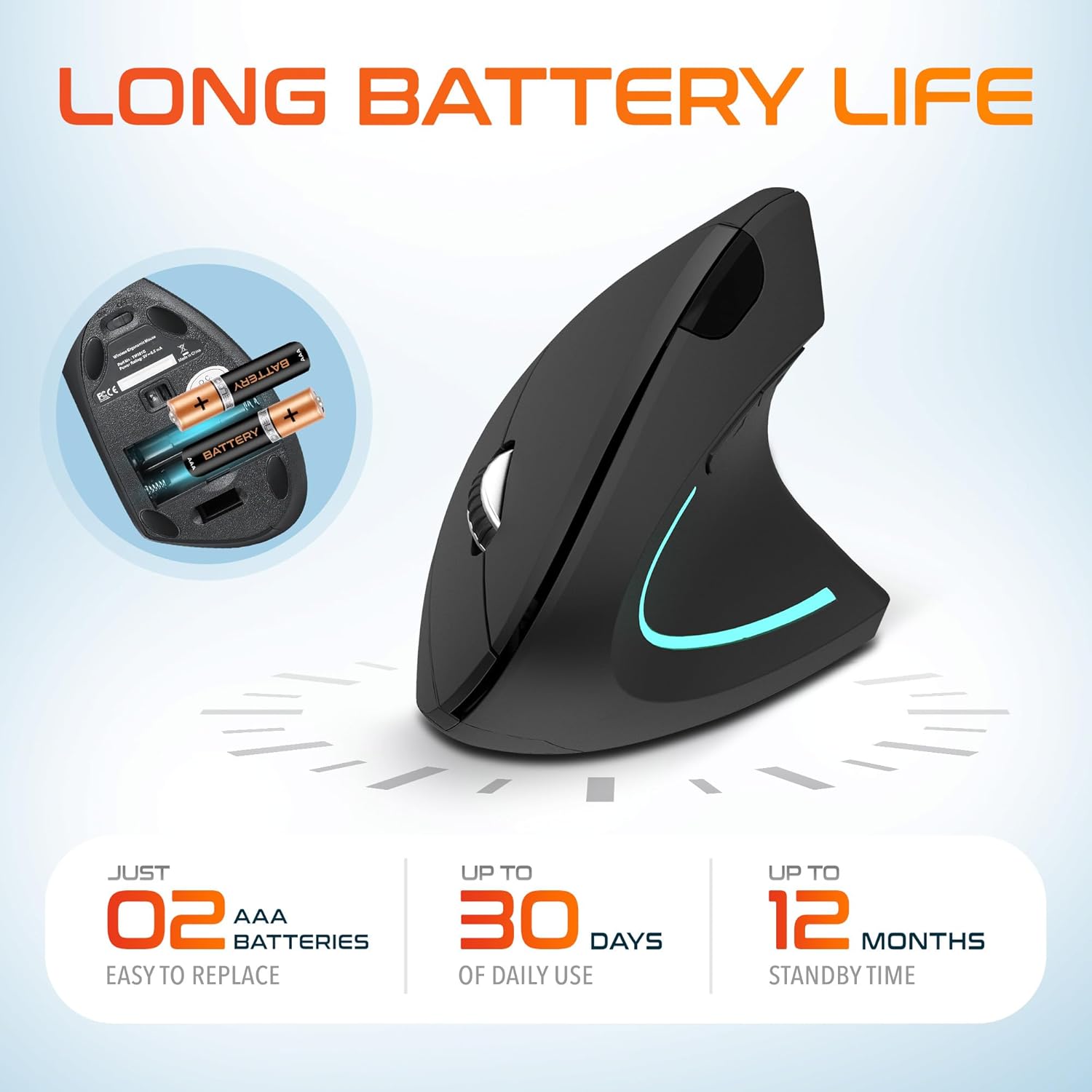
Image: The underside of the Delton S12 mouse with the battery compartment open, showing the correct placement for two AAA batteries.
3. Connecting the USB Dongle
The mouse connects wirelessly via a 2.4GHz USB dongle. No drivers are typically required for most operating systems.
- Remove the USB dongle from its storage slot, usually located near the battery compartment.
- Plug the USB dongle into an available USB port on your computer (PC, Laptop, Mac, Chromebook, etc.).
- The computer should automatically detect and install the necessary drivers. The mouse is ready for use once detected.

Image: The Delton S12 mouse positioned next to its USB dongle, ready for connection to a computer.
Ovládání myši
The Delton S12 mouse features six buttons and a scroll wheel for enhanced functionality.
1. Funkce tlačítek
- Levé kliknutí: Primary selection and activation button.
- Klikněte pravým tlačítkem myši: Zpřístupňuje kontextové nabídky.
- Rolovací kolečko: Vertikálně posouvá dokumenty a web stránky. Lze na ně také kliknout prostředním tlačítkem myši.
- Tlačítko přepínání DPI: Upravuje citlivost kurzoru (DPI).
- Tlačítko vpřed: Naviguje vpřed web prohlížeče popř file průzkumníci.
- Tlačítko zpět: Naviguje zpět web prohlížeče popř file průzkumníci.

Image: Diagram illustrating the location and function of the six buttons on the Delton S12 Ergonomic Vertical Wireless Mouse.
2. Nastavení DPI
The mouse offers three adjustable DPI levels (800, 1200, 2400) to suit different tasks and preferences. Press the DPI Switch Button (located behind the scroll wheel) to cycle through the settings. An indicator LED will change color to show the current DPI level:
- Modrá LED: 800 DPI (Lower sensitivity, suitable for precise work)
- Červená LED: 1200 DPI (Medium sensitivity, standard use)
- Zelená LED: 2400 DPI (Higher sensitivity, suitable for faster cursor movement)

Image: Close-up of the Delton S12 mouse showing the DPI indicator LED changing colors (blue, red, green) for different sensitivity settings.
Údržba
1. Čištění
Pro udržení optimálního výkonu myš pravidelně čistěte. K otření povrchu používejte měkký, suchý hadřík. V případě odolných nečistot použijte lehceamp Lze použít hadřík, ale dbejte na to, aby se do vnitřních součástí nedostala vlhkost. Nepoužívejte agresivní chemikálie ani abrazivní čisticí prostředky.
2. Výměna baterie
When the mouse performance degrades or it stops responding, it's time to replace the batteries. Follow the battery installation steps outlined in the Setup section. Dispose of used batteries responsibly according to local regulations.
Odstraňování problémů
Myš nereaguje:
- Ujistěte se, že je myš zapnutá.
- Zkontrolujte, zda jsou baterie správně vloženy a zda jsou dostatečně nabité. V případě potřeby je vyměňte.
- Verify the USB dongle is securely plugged into a working USB port on your computer. Try a different USB port.
- Move the mouse closer to the USB dongle to ensure it's within the 30-foot operating range.
- Restartujte počítač.
Nepravidelný pohyb kurzoru:
- Optický senzor na spodní straně myši očistěte měkkým, suchým hadříkem.
- Ujistěte se, že myš používáte na vhodném povrchu. Vyhněte se vysoce reflexním nebo průhledným povrchům. Doporučuje se podložka pod myš.
- Zkontrolujte, zda nedochází k rušení jinými bezdrátovými zařízeními.
DPI Indicator Light Not Changing:
- Press the DPI switch button firmly. If the issue persists, ensure batteries are fresh.
Specifikace
| Značka | Delton |
| Číslo modelu | S12 |
| Technologie připojení | 2.4GHz bezdrátové připojení (USB adaptér) |
| Technologie detekce pohybu | Optický |
| Úrovně DPI | 800, 1200, 2400 |
| Počet tlačítek | 6 |
| Orientace rukou | Právo |
| Zdroj napájení | Battery Powered (2 x AAA batteries required) |
| Průměrná životnost baterie | Up to 30 days (daily use) |
| Bezdrátové Dosah | Až 30 stop |
| Kompatibilní zařízení | PC, Laptop, Mac, Chromebook, iOS devices |
| Operační systém | Windows 11/10/9/8/7/XP, Mac OS 9/8/7, Linux, Chrome OS |
| Materiál | Plast |
Záruka a podpora
Informace o záruce:
This Delton S12 Ergonomic Vertical Wireless Mouse comes with a 1-Year Manufacturer Warranty. This warranty covers defects in materials and workmanship under normal use. For warranty claims, please retain your proof of purchase.
Zákaznická podpora:
For technical assistance, troubleshooting, or any questions regarding your Delton S12 mouse, please contact Delton customer support. Refer to the product packaging or the official Delton webstránky s nejaktuálnějšími kontaktními informacemi.