
1. Konec produktuview
The Ciays Automatic Pet Feeder (Model CIPS07W-5) is designed to provide scheduled and portion-controlled meals for your pets. This feeder helps establish consistent feeding routines, supports weight management, and offers convenience for pet owners. It features a 5.6-liter capacity, allowing for multiple days of feeding, and includes a voice recording function to call your pet to meals.
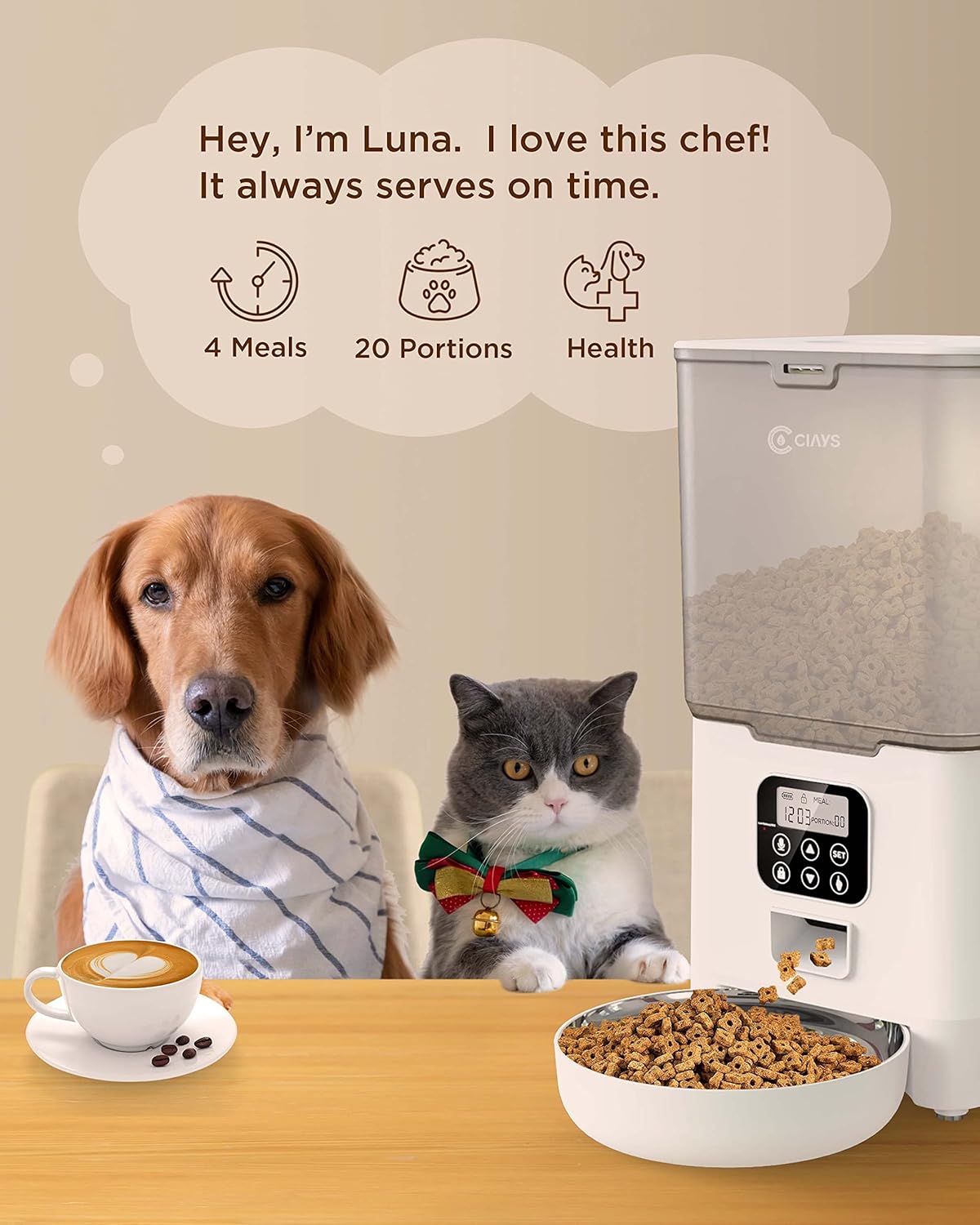
Image 1.1: Ciays Automatic Pet Feeder in use, highlighting its core functionalities.
Klíčové vlastnosti:
- Personalized Feeding Schedules: Program up to 4 meals per day with adjustable portions (1-20 portions, approximately 5g per portion).
- Kompatibilita granulí: Suitable for dry pet food sizes between 2mm and 10mm.
- Duální napájení: Operates via AC adapter or 3 D-cell batteries (not included) for up to 45 days of backup power.
- Hlasový záznamník: Record a 10-second personalized message to alert your pet at meal times.
- Bezpečný design: Features a lid-locking mechanism to prevent pets from accessing food.
- Snadné čištění: Includes a dishwasher-safe stainless steel food bowl.
- Transparent Food Container: Umožňuje snadné sledování hladiny potravin.
2. Komponenty produktu
Before setting up your feeder, ensure all components are present and undamaged. The package should contain the following items:
- Jednotka automatického krmení domácích mazlíčků
- Miska na jídlo z nerezové oceli
- Napájecí adaptér
- Napájecí kabel USB
- Desiccant Packet
- Uživatelská příručka (tento dokument)
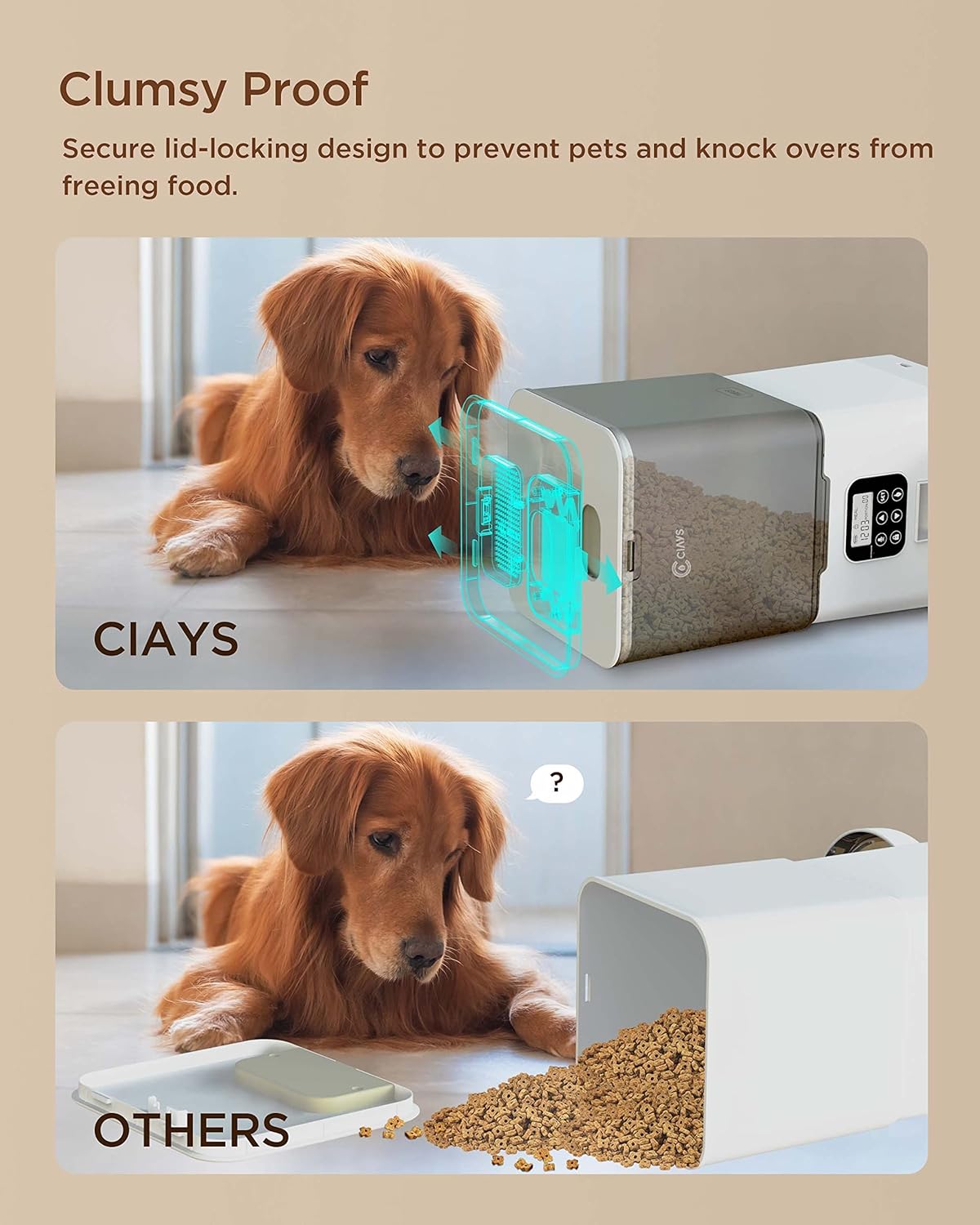
Image 2.1: Contents of the Ciays Automatic Pet Feeder package.
3. Pokyny k nastavení
3.1 Vybalení a montáž
- Opatrně vyjměte všechny součásti z obalu.
- Umístěte hlavní podavač na rovný a stabilní povrch.
- Attach the stainless steel food bowl to the designated slot at the base of the feeder. Ensure it is securely seated.
3.2 Powering the Feeder
The feeder can be powered by an AC adapter or D-cell batteries for backup.
- Napájení střídavým proudem: Connect the USB power cable to the feeder's power port and plug the AC adapter into a standard wall outlet.
- Záložní baterie (volitelné): Pro záložní napájení běhemtages, open the battery compartment at the bottom of the feeder and insert 3 D-cell batteries (not included), ensuring correct polarity. The feeder will automatically switch to battery power if AC power is interrupted.

Image 3.1: Illustration of the feeder's backup power mode.
3.3 Plnění zásobníku na potraviny
- Open the lid of the food hopper. The lid features a secure locking design.
- Pour dry pet food into the hopper. Ensure the kibble size is between 2mm and 10mm to prevent dispensing issues.
- Víko bezpečně zavřete, dokud nezacvakne na místo.
- Insert the desiccant packet into its designated slot under the lid to help keep food fresh.
4. Návod k obsluze
4.1 Ovládací panel Overview
The control panel is located on the front of the feeder. It consists of a display screen and several buttons for programming and manual control.

Obrázek 4.1: Ovládací panel.
- Tlačítko SET: Vstupuje do programovacího režimu a potvrzuje nastavení.
- Tlačítka NAHORU/DOLŮ: Adjust values (time, portions, meal numbers).
- Record Button (Microphone Icon): Records and plays voice messages.
- Manual Feed Button (Paw Icon): Dispenses one portion manually.
- Lock Button (Padlock Icon): Zamkne/odemkne ovládací panel.
4.2 Nastavení aktuálního času
- Stiskněte a podržte SOUBOR tlačítko po dobu 3 sekund, dokud nezačne blikat číslice hodin.
- Použijte NAHORU/DOLŮ tlačítka pro nastavení hodiny.
- Stiskněte SOUBOR to confirm the hour and move to the minute setting.
- Použijte NAHORU/DOLŮ tlačítka pro nastavení minut.
- Stiskněte SOUBOR pro uložení aktuálního času.
4.3 Programming Meal Schedules
Krmítko podporuje až 4 jídel denně.
- Stiskněte tlačítko SOUBOR button once to enter meal programming mode. The display will show "Meal 1".
- Použijte NAHORU/DOLŮ buttons to select the meal number (1-4) you wish to program.
- Stiskněte SOUBOR. The hour digit for the selected meal will flash. Adjust the hour using NAHORU/DOLŮ tlačítka.
- Stiskněte SOUBOR. The minute digit will flash. Adjust the minute using NAHORU/DOLŮ tlačítka.
- Stiskněte SOUBOR. The portion number will flash. Adjust the number of portions (1-20) using NAHORU/DOLŮ tlačítka.
- Stiskněte SOUBOR pro uložení nastavení pro toto jídlo.
- Repeat steps 2-6 for additional meals. To disable a meal, set its portion to 0.
4.4 Nahrávání hlasové zprávy
You can record a 10-second voice message that will play at each scheduled meal time.
- Stiskněte a podržte Record Button (Microphone Icon) po dobu 3 sekund, dokud neuslyšíte pípnutí.
- Speak your message clearly into the microphone. The recording will automatically stop after 10 seconds or when you release the button.
- To play back the recorded message, press the Tlačítko nahrávání jednou.

Image 4.2: Using the voice recording feature.
4.5 Ruční krmení
To dispense a single portion of food immediately:
- Ensure the control panel is unlocked (see section 4.6).
- Stiskněte tlačítko Manual Feed Button (Paw Icon) once. One portion of food will be dispensed.
4.6 Locking/Unlocking Control Panel
To prevent accidental changes to settings or manual dispensing, the control panel can be locked.
- To lock the panel, press and hold the Lock Button (Padlock Icon) for 3 seconds. A lock icon will appear on the display.
- To unlock the panel, press and hold the Tlačítko zámku for 3 seconds again. The lock icon will disappear.
5. Údržba
5.1 Čištění podavače
Pravidelné čištění zajišťuje hygienu a správnou funkci krmítka.
- Nerezová mísa: The stainless steel food bowl is dishwasher safe for easy cleaning. Alternatively, wash it by hand with mild soap and water, then rinse thoroughly and dry.
- Hlavní podavač: Otřete vnější povrch podavače měkkým,amp cloth. Do not submerge the main unit in water or wash it in a dishwasher, as this can damage electronic components.
- Zásobník na potraviny: Periodically empty the food hopper and wipe the interior with a dry cloth to remove any food residue.

Image 5.1: Dishwasher-safe stainless steel bowl.
5.2 Doplňování potravin
Monitor the transparent food container regularly. When the food level is low, refill the hopper following the steps in Section 3.3.
5.3 Výměna vysoušedla
The desiccant packet helps keep the dry food fresh. Replace it every 1-2 months, or as needed, especially in humid environments.

Image 5.2: Desiccant packet in the lid compartment.
6. Řešení problémů
If you encounter issues with your Ciays Automatic Pet Feeder, refer to the following common problems and solutions:
| Problém | Možná příčina | Řešení |
|---|---|---|
| Krmítko nevydává krmivo. | Zásobník na potraviny je prázdný. Velikost granulí je příliš velká nebo příliš malá. Food chute is blocked. Ovládací panel je uzamčen. | Doplňte zásobník na potraviny. Ensure kibble size is between 2mm and 10mm. Check and clear any blockages in the chute. Odemkněte ovládací panel (kapitola 4.6). |
| Víko se obtížně otevírá nebo zavírá. | Lid mechanism is stiff or misaligned. | Ensure you are pressing the release tab firmly while lifting. Apply gentle, even pressure. Avoid forcing the lid. |
| Desiccant packet falls into food. | Desiccant compartment latch is not secure. | Ensure the desiccant compartment cover is firmly closed. If the latch is faulty, consider placing the desiccant in a small, breathable pouch directly in the hopper, ensuring it cannot be ingested by pets. |
| Control panel is unresponsive or display is off. | Žádný proud nebo slabá baterie. Ovládací panel je uzamčen. | Check AC power connection. If using batteries, replace them. Unlock the control panel (Section 4.6). |
| Voice recording is unclear or not playing. | Zablokování mikrofonu. Recording error. | Ensure the microphone is clear of debris. Re-record the message, speaking clearly and close to the microphone. |
7. Specifikace
| Funkce | Detail |
|---|---|
| Číslo modelu | CIPS07W-5 |
| Kapacita | 5.6 litrů |
| Rozměry produktu (D x Š x V) | 16 x 31.8 x 27.9 cm |
| Hmotnost položky | 1.38 kg |
| Materiál | BPA-free Plastic, Stainless Steel (bowl) |
| Provozní režim | Automatický |
| Napájení | AC Adapter (USB), 3 x D-cell Batteries (backup, not included) |
| Počet jídel | Až 4 denně |
| Kontrola porcí | 1-20 portions (approx. 5g per portion) |
| Kibble Size Recommendation | 2 mm - 10 mm |
| Hlasový záznam | 10 sekund |
| Pokyny pro péči | Hand Wash Only (main unit), Dishwasher Safe (stainless steel bowl) |
| Cílový druh | Cat, Small to Medium Dogs |