
1. Úvod
Děkuji za nákupasing the ELAC Varro Dual Reference DS1200 Powered Subwoofer. This manual provides essential information for the proper setup, operation, and maintenance of your new subwoofer. Please read these instructions thoroughly before use to ensure optimal performance and safety.
2. Bezpečnostní pokyny
- Zdroj napájení: Subwoofer připojujte pouze do zásuvky střídavého proudu s předepsaným hlasitostí.tage (100–240 V AC, 50/60 Hz).
- Větrání: Ensure adequate ventilation around the subwoofer. Do not block any ventilation openings. Maintain a minimum distance of 4 inches (10 cm) from walls or other objects.
- Umístění: Place the subwoofer on a stable, level surface. Avoid placing it near heat sources, direct sunlight, or in areas with high humidity or dust.
- Voda a vlhkost: Do not expose the subwoofer to water or moisture. Do not place objects filled with liquids, such as vases, on or near the unit.
- Kabely: Protect power cords from being walked on or pinched. Do not pull the power cord to disconnect from the outlet.
- Servis: Nepokoušejte se tento výrobek opravit sami. Veškerý servis svěřte kvalifikovanému servisnímu personálu.
- Čištění: Před čištěním odpojte napájecí kabel. Použijte měkký, suchý hadřík. Nepoužívejte tekuté čisticí prostředky ani aerosolové spreje.
3. Obsah balení
Ověřte, zda jsou v balení přítomny všechny položky:
- ELAC Varro Dual Reference DS1200 Powered Subwoofer
- Napájecí kabel
- Uživatelská příručka (tento dokument)
4. Konec produktuview
Přední View

Obrázek 4.1: Přední strana view of the ELAC Varro DS1200 subwoofer, showcasing the 12-inch HEX surround woofer and gloss black finish.

Obrázek 4.2: Přední strana view of the ELAC Varro DS1200 subwoofer with the protective grille attached, maintaining its sleek appearance.
Zadní panel a připojení

Figure 4.3: Rear panel of the ELAC Varro DS1200 subwoofer, detailing the input/output options and controls.
The rear panel provides all necessary connections for integrating the subwoofer into your audio system. Key connections include:
- RCA vstupy: Standard unbalanced inputs for connecting to most AV receivers or pre-ampzáchranáři.
- Balanced XLR Inputs: Professional-grade balanced inputs for longer cable runs and reduced noise interference.
- Vstupy na úrovni reproduktorů: Umožňuje připojení přímo z vašeho amplifier's speaker outputs, useful for systems without dedicated subwoofer outputs.
- 12V spoušť: For automatic power on/off synchronization with other components.
- Ethernetový port: For third-party control systems and network connectivity.
- USB port: Pro aktualizace firmwaru.
- Napájecí vstup: Pro připojení přiloženého napájecího kabelu.
Strana View
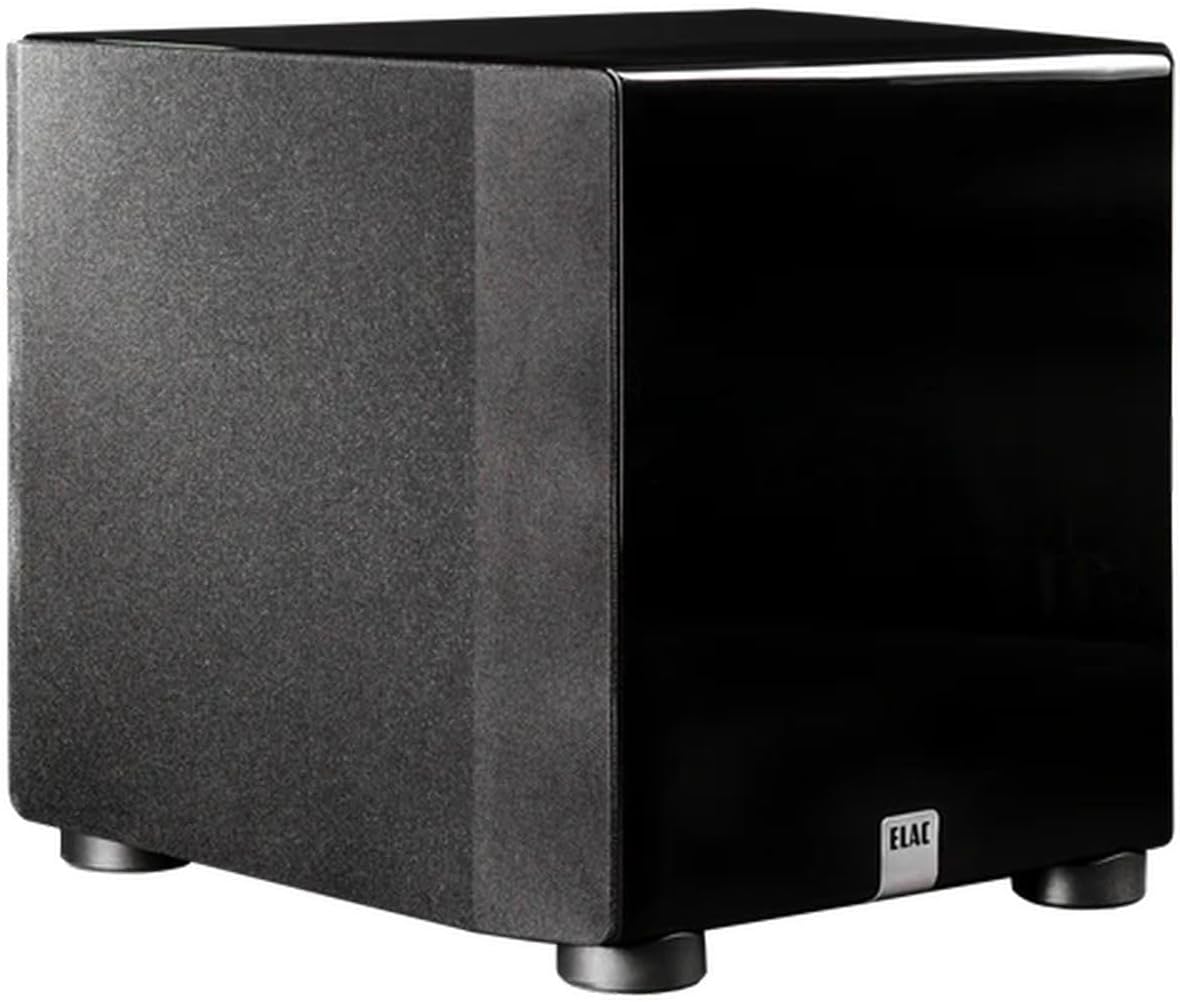
Obrázek 4.4: Strana view of the ELAC Varro DS1200 subwoofer, highlighting its compact design with the grille in place.
5. Nastavení
5.1 Umístění
Subwoofer placement significantly impacts bass performance. Experiment with different locations in your room to find the best balance of output and smoothness. Common placement options include:
- Rohové umístění: Often provides the most output but can sometimes lead to boomy bass.
- Umístění na přední stěnu: Near the main speakers, can improve integration with the front soundstage.
- Mid-Room Placement: Can offer smoother bass response but may require more power.
Consider using the 'subwoofer crawl' method: place the subwoofer in your primary listening position, play bass-heavy music, and crawl around the room to find where the bass sounds best. That location is often ideal for the subwoofer.
5.2 Připojení k systému
Před zahájením připojení se ujistěte, že je veškeré audio zařízení vypnuto.
RCA/XLR Connection (Recommended for AV Receivers)
- Connect an RCA or XLR cable from your AV receiver's 'Subwoofer Out' or 'LFE Out' to the corresponding RCA or XLR input on the DS1200 subwoofer.
- If using a stereo pre-amplifier with a dedicated subwoofer output, connect it similarly.
Speaker-Level Connection (For Ampsubwoofery bez výstupu pro subwoofer)
- Připojte kabely reproduktorů z vašeho amplifier's left and right speaker outputs to the 'Speaker Level Input' terminals on the DS1200.
- Then, connect your main speakers to the 'Speaker Level Output' terminals on the DS1200. Ensure correct polarity (+ to + and - to -).
5.3 Připojení napájení
- Connect the included power cord to the power inlet on the rear of the subwoofer.
- Zapojte druhý konec napájecího kabelu do vhodné zásuvky.
6. Provoz
6.1 Počáteční zapnutí
After making all connections, switch on the power to the subwoofer. The power indicator light will illuminate. If your receiver has an auto-setup feature (e.g., Audyssey, MCACC, YPAO), run it now to calibrate the subwoofer with your system.
6.2 Základní nastavení
For initial listening, set the subwoofer's volume to a moderate level. Adjust the crossover frequency and phase settings as needed. For precise control and optimization, utilize the ELAC Varro App.
7. App Control and Auto EQ
The ELAC Varro DS1200 features advanced control and room correction capabilities via a dedicated smartphone application.
7.1 Stažení aplikace
Download the 'ELAC Varro' app from the Apple App Store (for iOS devices) or Google Play Store (for Android devices).
7.2 Connecting to the Subwoofer
- Ujistěte se, že je ve vašem smartphonu zapnutá funkce Bluetooth.
- Open the ELAC Varro app. The app will search for available ELAC subwoofers.
- Select your DS1200 from the list to establish a connection.
7.3 Funkce aplikace
Aplikace poskytuje komplexní kontrolu nad nastavením subwooferu, včetně:
- Ovládání hlasitosti: Precise adjustment of output level.
- Dělicí frekvence: Set the upper frequency limit for the subwoofer.
- Fázové řízení: Adjust the phase to ensure seamless integration with your main speakers.
- Parametrický EQ: Fine-tune specific frequency bands to address room acoustics.
- Automatický ekvalizér: Utilizes your smartphone's microphone to measure and automatically correct the subwoofer's response for your room, optimizing bass performance.
8. Údržba
8.1 Čištění
To clean the subwoofer, first disconnect it from the power outlet. Use a soft, dry, lint-free cloth to wipe the surfaces. Avoid using abrasive cleaners, solvents, or chemical sprays, as these can damage the finish.
8.2 Obecná péče
Periodically check all cable connections to ensure they are secure. Avoid placing heavy objects on the subwoofer or exposing it to extreme temperatures.
9. Řešení problémů
If you experience issues with your ELAC Varro DS1200 subwoofer, refer to the following common problems and solutions:
| Problém | Možná příčina | Řešení |
|---|---|---|
| Žádný zvuk ze subwooferu |
|
|
| Zkreslené nebo dunivé basy |
|
|
| App cannot connect to subwoofer |
|
|
If the problem persists after trying these solutions, please contact ELAC customer support.
10. Specifikace
The following are the technical specifications for the ELAC Varro Dual Reference DS1200 Powered Subwoofer:
- Model: Varro Dual Reference DS1200
- Typ reproduktoru: Napájený subwoofer
- Průměr basového reproduktoru: Duální 12 palce
- Ampvyšší výkon: 1200 Watts RMS (2400 Watts Peak)
- Frekvenční odezva: 17Hz-150Hz (Anechoic) / 14Hz-150Hz (In-Room)
- Technologie připojení: Wired (RCA, XLR, Speaker Level, Ethernet, USB)
- Způsob ovládání: Ovládání aplikací
- Další vlastnosti: App Control, Auto EQ, 12V Trigger
- Barva: Lesk Black
- Rozměry položky (D x Š x V): Přibližně 63.5 cm x 56.5 cm x 63.5 cm (25" x 22.25" x 25")
- Hmotnost položky: 98 liber (44.45 kg)
- Zdroj napájení: Elektrický kabel
- Vstupní objemtage: 12 Volts (for trigger)
- UPC: 853720006698

Figure 10.1: Approximate dimensions of the ELAC Varro DS1200 subwoofer.
11. Záruka a podpora
11.1 Omezená záruka
The ELAC Varro Dual Reference DS1200 Powered Subwoofer comes with a 1 rok omezená záruka. This warranty covers defects in materials and workmanship under normal use. Please retain your proof of purchase for warranty claims. The warranty does not cover damage caused by misuse, accident, unauthorized modification, or improper installation.
11.2 Zákaznická podpora
For technical assistance, warranty inquiries, or service requests, please visit the official ELAC website or contact your authorized ELAC dealer. Please have your model number (DS1200) and serial number ready when contacting support.