
1. Úvod
Děkuji za nákupasing the SODLK T300 120W Portable Bluetooth Speaker. This manual provides essential information for setting up, operating, and maintaining your speaker. Please read it thoroughly before use to ensure optimal performance and longevity of your device. Keep this manual for future reference.
2. Bezpečnostní informace
- Nevystavujte reproduktor extrémním teplotám, přímému slunečnímu záření ani vysoké vlhkosti.
- Vyvarujte se pádu reproduktoru nebo jej nevystavujte silným nárazům.
- Reproduktor nerozebírejte, neopravujte ani neupravujte sami. V případě jakýchkoli oprav se obraťte na kvalifikovaný servisní personál.
- Chraňte reproduktor před vodou a jinými kapalinami. Tento výrobek není vodotěsný.
- K nabíjení používejte pouze dodaný USB kabel.
- Nepoužívejte reproduktor na příliš vysokou hlasitost po delší dobu, abyste předešli poškození sluchu.
3. Obsah balení
Zkontrolujte prosím balení, zda neobsahuje následující položky:
- Bluetooth reproduktor SODLK T300
- USB nabíjecí kabel
- Uživatelská příručka
4. Konec produktuview
The SODLK T300 is a powerful portable Bluetooth speaker designed for robust audio performance. It features a durable exterior, integrated handle, and dynamic LED lighting on the sides. The speaker incorporates advanced audio technology for a rich sound experience.

Obrázek: Přední strana view of the SODLK T300 Portable Bluetooth Speaker, showcasing its black finish, front grille, and side LED lights.
Internally, the T300 is equipped with a sophisticated driver system to deliver its 120W output. This includes multiple dynamic driver units and vibrating diaphragms for enhanced bass and clear audio reproduction.

Obrázek: Explodoval view illustrating the internal components of the SODLK T300 speaker, highlighting the 4 dynamic driver units and DSP sound processing.
5. Nastavení
5.1 Nabíjení reproduktoru
Before first use, fully charge the speaker. Connect the provided USB charging cable to the speaker's charging port and a compatible USB power adapter (not included). The LED indicator will show charging status and turn off or change color when fully charged.
5.2 Zapnutí/vypnutí
- Zapnutí: Press and hold the Power button for a few seconds until the LED lights illuminate and you hear an audible prompt.
- Vypnutí: Press and hold the Power button again for a few seconds until the LED lights turn off and you hear an audible prompt.
6. Návod k obsluze
6.1 Párování Bluetooth
The SODLK T300 features Bluetooth 5.1 for a stable and efficient wireless connection.

Image: Graphic illustrating the benefits of Bluetooth 5.1 connectivity for the SODLK T300, including faster and stronger connection, lower power consumption, better sound, more stable transfer, and higher noise reduction.
- Ensure the speaker is powered on and in Bluetooth pairing mode (the LED indicator will typically flash blue).
- Na svém zařízení (chytrý telefon, tablet, počítač) povolte Bluetooth a vyhledejte dostupná zařízení.
- Select "SODLK T300" from the list of devices.
- Once paired, the speaker will indicate a successful connection, and the LED light will change.
6.2 Připojení TWS (True Wireless Stereo)
To connect two SODLK T300 speakers for a stereo sound experience:
- Ujistěte se, že jsou oba reproduktory zapnuté a nejsou připojeny k žádnému zařízení Bluetooth.
- On one speaker, press the TWS button. It will enter TWS pairing mode.
- Dva reproduktory se automaticky propojí. Po propojení bude jeden reproduktor fungovat jako hlavní (levý kanál) a druhý jako podřízený (pravý kanál).
- Připojte zařízení k hlavnímu reproduktoru přes Bluetooth, jak je popsáno v části 6.1.
6.3 Playing Music from Various Sources
The SODLK T300 supports multiple playback modes:
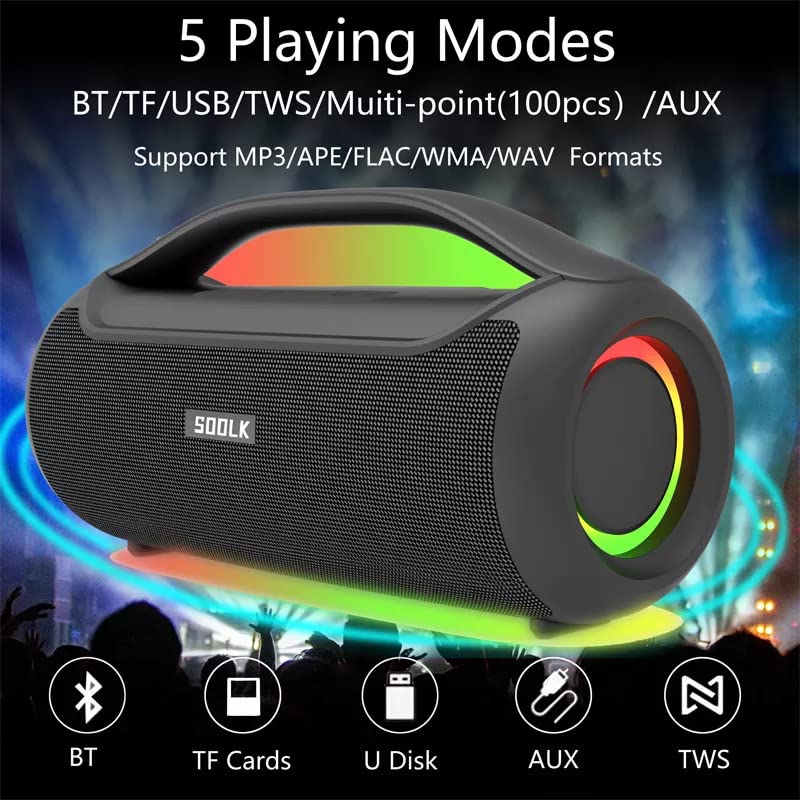
Image: Visual representation of the 5 playing modes supported by the SODLK T300: Bluetooth (BT), TF Cards, U Disk (USB), AUX, and TWS. It also indicates support for MP3/APE/FLAC/WMA/WAV formats.
- Bluetooth: Připojte zařízení bezdrátově, jak je popsáno v části 6.1.
- TF karta: Vložte kartu TF (MicroSD) se zvukem filedo slotu pro TF kartu. Reproduktor se automaticky přepne do režimu TF karty a spustí přehrávání.
- USB disk: Vložte USB flash disk se zvukem filedo portu USB. Reproduktor se automaticky přepne do režimu USB a spustí přehrávání.
- Vstup AUX: Připojte externí audio zařízení pomocí 3.5mm AUX kabelu (není součástí balení) k AUX portu. Reproduktor se přepne do režimu AUX.
Use the speaker's control buttons to play/pause, skip tracks, and adjust volume.
6.4 EQ Playing Modes
The speaker offers three equalizer (EQ) modes to optimize your listening experience for different music genres.

Image: Graphic displaying the three EQ playing modes of the SODLK T300: HIFI 6D Surround, Vocal, and Deep Bass, with illustrative icons for each.
Press the EQ button to cycle through the following modes:
- HIFI 6D Surround: Poskytuje pohlcující a široký zvuktage.
- Hlasitý: Enhances clarity for vocals, ideal for podcasts or acoustic music.
- Hluboké basy: Boosts low frequencies for a more impactful bass response.
6.5 Ovládání LED světel
The SODLK T300 features dynamic LED lights. Press the Light button to cycle through different lighting modes or to turn the lights off.
6.6 NFC Connection (Near Field Communication)
For compatible devices, NFC allows for quick and easy Bluetooth pairing.
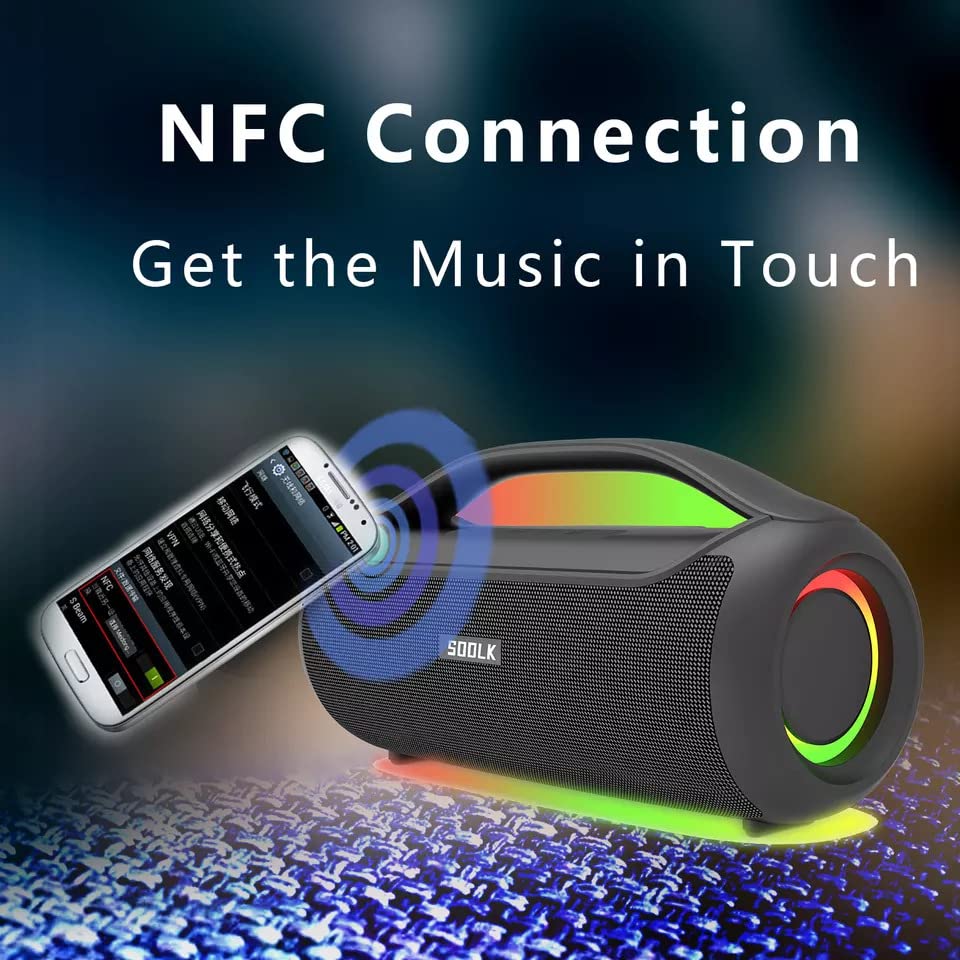
Image: A smartphone being tapped against the SODLK T300 speaker, illustrating the NFC connection process for instant music pairing.
- Ujistěte se, že je na vašem smartphonu nebo zařízení povoleno NFC.
- Tap your NFC-enabled device gently against the NFC area on the speaker.
- Your device will prompt you to connect via Bluetooth. Confirm the connection.
7. Údržba
7.1 Čištění
Reproduktor otřete měkkým, suchým hadříkem. Nepoužívejte abrazivní čisticí prostředky, líh ani jiná chemická rozpouštědla, protože by mohla poškodit povrch.
7.2 Skladování
Pokud reproduktor delší dobu nepoužíváte, skladujte jej na chladném a suchém místě mimo dosah přímého slunečního záření a extrémních teplot. Pro zachování dobrého stavu baterie se doporučuje reproduktor nabíjet alespoň jednou za tři měsíce.
8. Řešení problémů
| Problém | Možná příčina | Řešení |
|---|---|---|
| Reproduktor se nezapne. | Slabá baterie. | Plně nabijte reproduktor. |
| Žádný zvuk. | Příliš nízká hlasitost; nesprávný režim vstupu; zařízení není spárované. | Increase volume; switch to correct input mode (BT, AUX, TF, USB); re-pair Bluetooth device. |
| Párování Bluetooth selhalo. | Reproduktor není v režimu párování; Bluetooth zařízení je vypnuté; zařízení je příliš daleko od reproduktoru. | Ensure speaker is in pairing mode; enable Bluetooth on device; move device closer to speaker. |
| Připojení TWS selhalo. | Reproduktory jsou již připojeny k jinému zařízení; jsou od sebe příliš daleko. | Disconnect speakers from other devices; ensure speakers are close to each other. |
9. Specifikace
Detailed technical specifications for the SODLK T300 speaker:
| Funkce | Specifikace |
|---|---|
| Název modelu | T300 |
| Typ reproduktoru | přenosný reproduktor |
| Speciální funkce | Subwoofer, LED Light, TWS Connection |
| Technologie připojení | Bluetooth 5.1, Auxiliary, TF Card, USB |
| Bezdrátová komunikace | Bluetooth |
| Maximální výstupní výkon reproduktoru | 120 wattů |
| Režim zvukového výstupu | Stereo |
| Konfigurace kanálů prostorového zvuku | 6D |
| Zdroj napájení | Napájení z baterie |
| Kontrolní metoda | Dotyková tlačítka |
| Rozměry produktu | 11.2H x 29.2Š x 10.1V centimetrů |
| Je voděodolný | Žádný |
| Zahrnuté komponenty | USB Cable, Speaker, User Manual |
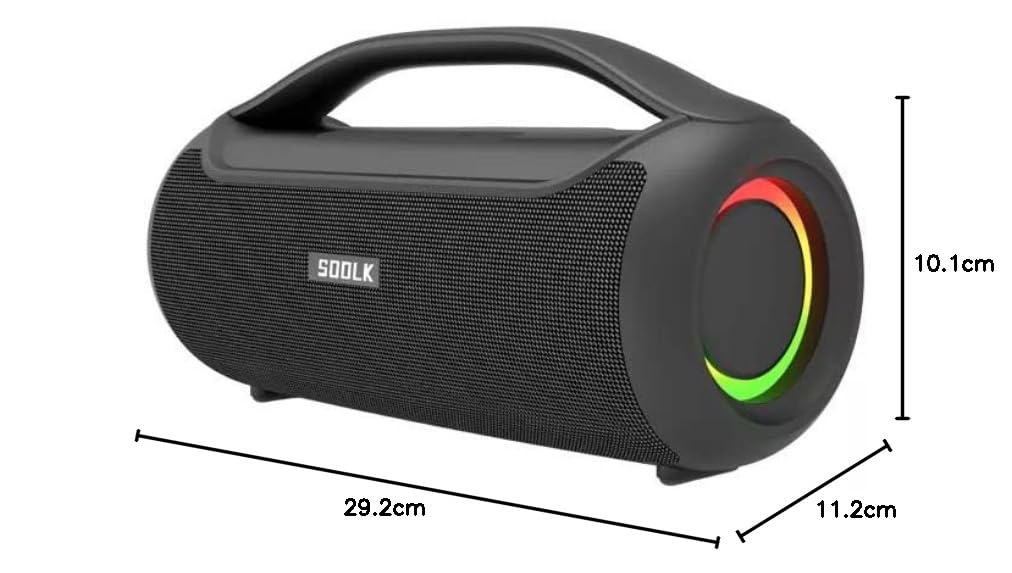
Image: Diagram showing the dimensions of the SODLK T300 speaker: 29.2cm (width), 11.2cm (depth), and 10.1cm (height).
10. Záruka a podpora
The SODLK T300 speaker comes with a 1-letá záruka od data nákupu. Tato záruka se vztahuje na výrobní vady a vady zpracování při běžném používání. Nevztahuje se na škody způsobené nesprávným použitím, nehodami, neoprávněnými úpravami nebo běžným opotřebením.
For warranty claims, technical support, or any inquiries, please contact your retailer or the SODLK customer service department with your purchase details.


