
1. Úvod
This manual provides detailed instructions for the setup, operation, maintenance, and troubleshooting of your Cosmic Byte ARES Wired Controller for PC. Designed for an enhanced gaming experience, this controller features Hall Effect joysticks and triggers, dual vibration, and customizable Turbo functions.
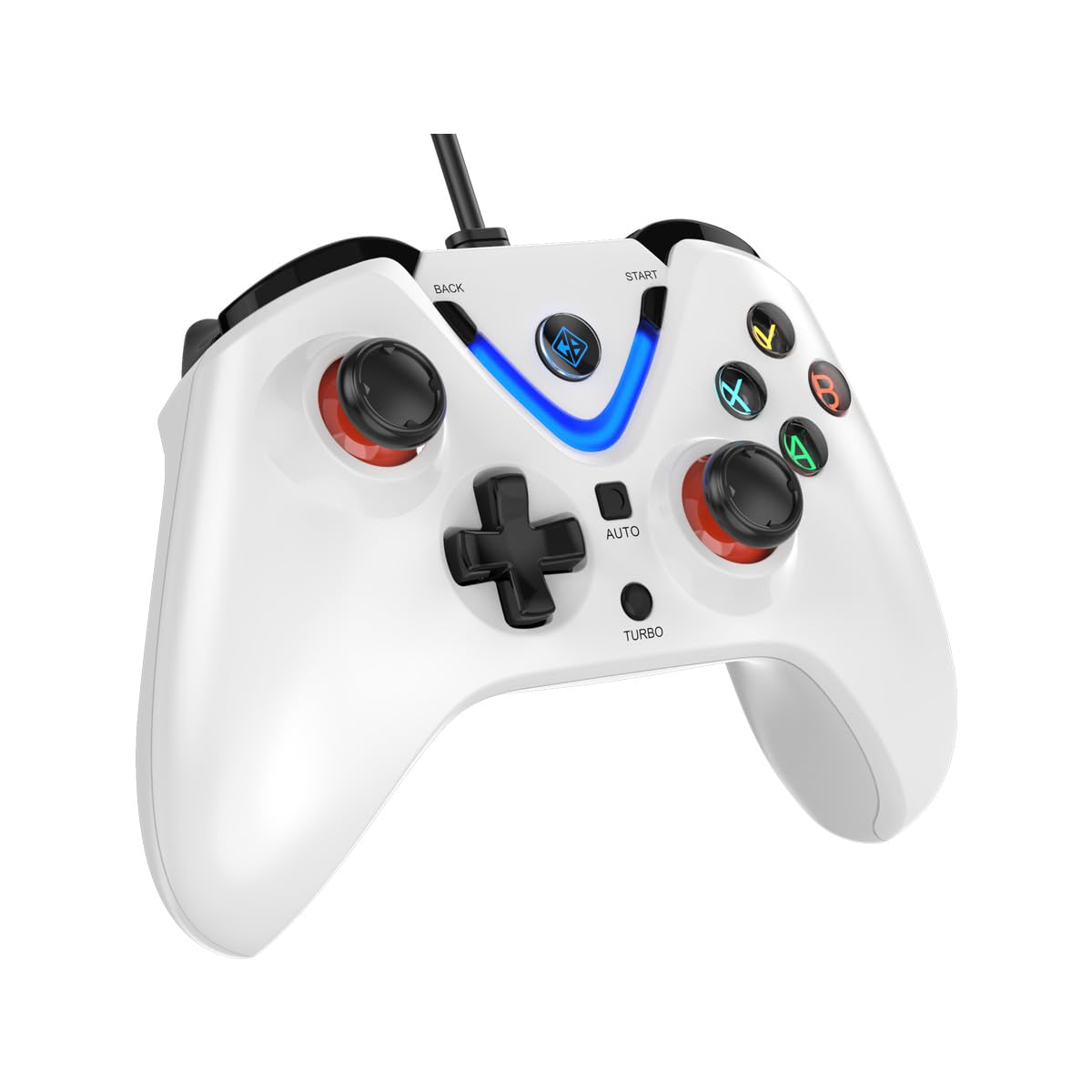
Image 1: The Cosmic Byte ARES Wired Controller in white, showcasing jeho ergonomický design.
2. Pokyny k nastavení
2.1 Připojení k PC
- Ujistěte se, že je váš počítač zapnutý.
- Vyhledejte v počítači volný port USB.
- Plug the USB connector of the Cosmic Byte ARES Wired Controller into the USB port.
- Operační systém automaticky vyhledá a nainstaluje potřebné ovladače. Tento proces může chvíli trvat.
- Once installation is complete, the controller is ready for use.

Image 2: The controller connected via its wired USB connection, ensuring fast response.
3. Návod k obsluze
3.1 Základní ovládací prvky
The Cosmic Byte ARES controller features standard gamepad layouts, including:
- Left and Right Analog Joysticks: Pro přesný pohyb a ovládání kamery.
- D-Pad: For directional input, often used in menus or for specific game actions.
- Akční tlačítka (A, B, X, Y): For primary game interactions.
- Shoulder Buttons (L1, R1) and Triggers (L2, R2): For various in-game functions like shooting, aiming, or accelerating.
- Start and Back Buttons: For pausing games, accessing menus, or specific in-game commands.
- Tlačítko Turbo: For activating rapid-fire functions.
- Tlačítko Auto: For activating automatic rapid-fire functions.
3.2 Joysticky a spouštěče s Hallovým efektem
The controller is equipped with Hall Effect joysticks and triggers, which use magnetic sensors instead of physical contacts. This technology provides:
- Zvýšená přesnost: More accurate and responsive input.
- Increased Durability: Reduces wear and tear, preventing stick drift over time.
- Hladký provoz: Consistent and linear response for triggers, allowing for nuanced control in games.

Obrázek 3: Rozložený view illustrating the Hall Effect joystick mechanism and the Hall Effect triggers.
3.3 Dual Vibration Feedback
The controller features dual vibration motors that provide tactile feedback during gameplay, enhancing immersion by simulating in-game events such as impacts, explosions, or engine rumbling.
3.4 Backlit LED Buttons
The action buttons (A, B, X, Y) and the central V-shaped indicator feature LED backlighting, providing visibility in low-light conditions and adding to the controller's aesthetic.

Image 4: The controller with its LED buttons illuminated and visual representation of vibration effects.
3.5 Turbo and Auto Turbo Functions
The Turbo and Auto Turbo functions allow for rapid, repeated input of a button press without continuously pressing the button.
- Aktivace Turbo: Press and hold the desired action button (e.g., A) and then press the Turbo button. The button will now rapidly repeat its input as long as you hold it down.
- Activating Auto Turbo: Press and hold the desired action button (e.g., A) and then press the Auto button. The button will now rapidly repeat its input automatically without needing to be held down.
- Deactivating Turbo/Auto Turbo: To deactivate, repeat the activation steps for the specific button, or press the Jasný button (if available) or disconnect and reconnect the controller.

Image 5: Close-up of the controller showing the Turbo and Auto function buttons.
4. Údržba
- Čištění: K čištění ovladače použijte měkký, suchý hadřík. V případě odolných nečistot použijte lehceamp cloth can be used, ensuring no liquid enters the controller. Avoid harsh chemicals or abrasive cleaners.
- Skladování: Store the controller in a cool, dry place away from direct sunlight and extreme temperatures. Avoid placing heavy objects on the controller.
- Péče o kabely: Do not sharply bend or pull the USB cable. Always grasp the plug when disconnecting from the PC.
5. Řešení problémů
- Ovladač nebyl rozpoznán:
- Ensure the USB cable is securely connected to both the controller and the PC.
- Zkuste zapojit ovladač do jiného USB portu.
- Restartujte počítač.
- Check Device Manager on Windows to see if the controller is listed and if there are any driver issues.
- Tlačítka/joysticky nereagují:
- Verify the controller is recognized by your PC (see above).
- Test the controller in a different game or a controller testing utility to rule out game-specific issues.
- Ujistěte se, že žádná jiná vstupní zařízení neruší.
- Vibrace nefungují:
- Zkontrolujte nastavení ve hře, zda je zapnutá vibrační zpětná vazba.
- Some games may not support vibration or may have limited vibration effects.
6. Specifikace
| Funkce | Detail |
|---|---|
| Značka | Kosmický Byte |
| Název modelu | Ares |
| Kompatibilní zařízení | PC |
| Typ ovladače | Gamepad |
| Technologie připojení | USB |
| Vlastnosti produktu | Ergonomický |
| Množství tlačítek | 16 |
| Hardwarová platforma | PC |
| Typ zdroje napájení | Elektrický kabel, USB kabel |
| Hmotnost položky | 220 gramů |
| Rozměry položky | 6 x 10 x 4 centimetrů |
| Barva | Bílý |
| Země původu | Čína |

Image 6: A comparison table highlighting features of different ARES controller models.
7. Záruka a podpora
7.1 Informace o záruce
The Cosmic Byte ARES Wired Controller comes with a 1 rok záruka na výrobní vady od data nákupu. Uschovejte si prosím doklad o koupi pro případné reklamace.
7.2 Kontaktní informace výrobce
For support, service, or warranty inquiries, please contact:
Kosmický BytePrakash Warehousing, S. No.163, Hissa No 1-2-3-4-5A-5B/2/1,
Phursungi, Pune 412308, Maharashtra, India
For further assistance, please visit the official Cosmic Byte webnebo kontaktujte jejich zákaznický servis.