
1. Úvod
This manual provides comprehensive instructions for the installation, programming, and operation of the EASYGUARD EC212PP-F102 Plug & Play Remote Starter. This system allows you to remotely start or stop your vehicle using your original factory remote, providing convenience for pre-warming or pre-cooling your car. It is designed for specific Ford vehicles equipped with a push-start button and automatic transmission.
Důležité: This kit does not include a separate remote control. Your vehicle's existing factory remote will be used for remote start/stop functions after installation.
2. Kompatibilita s vozidly
The EASYGUARD EC212PP-F102 remote starter is compatible only with selected Ford vehicles that have an original push-start button, a gas engine, and an automatic transmission. It is není kompatibilní with key-start vehicles or hybrid models.
Please refer to the following compatibility list:
- Ford Mondeo/Fusion: 2017-2019
- Ford Taurus: 2016-2021
- Ford F150: 2015-2021
- Ford F250: 2015-2021
- Ford F350: 2017-2021
- Ford F450: 2017-2021
- Ford Ranger: 2019
- Ford Everest: 2016-2020
- Ford Transit: 2017-2021
- Ford Focus: 2016-2020
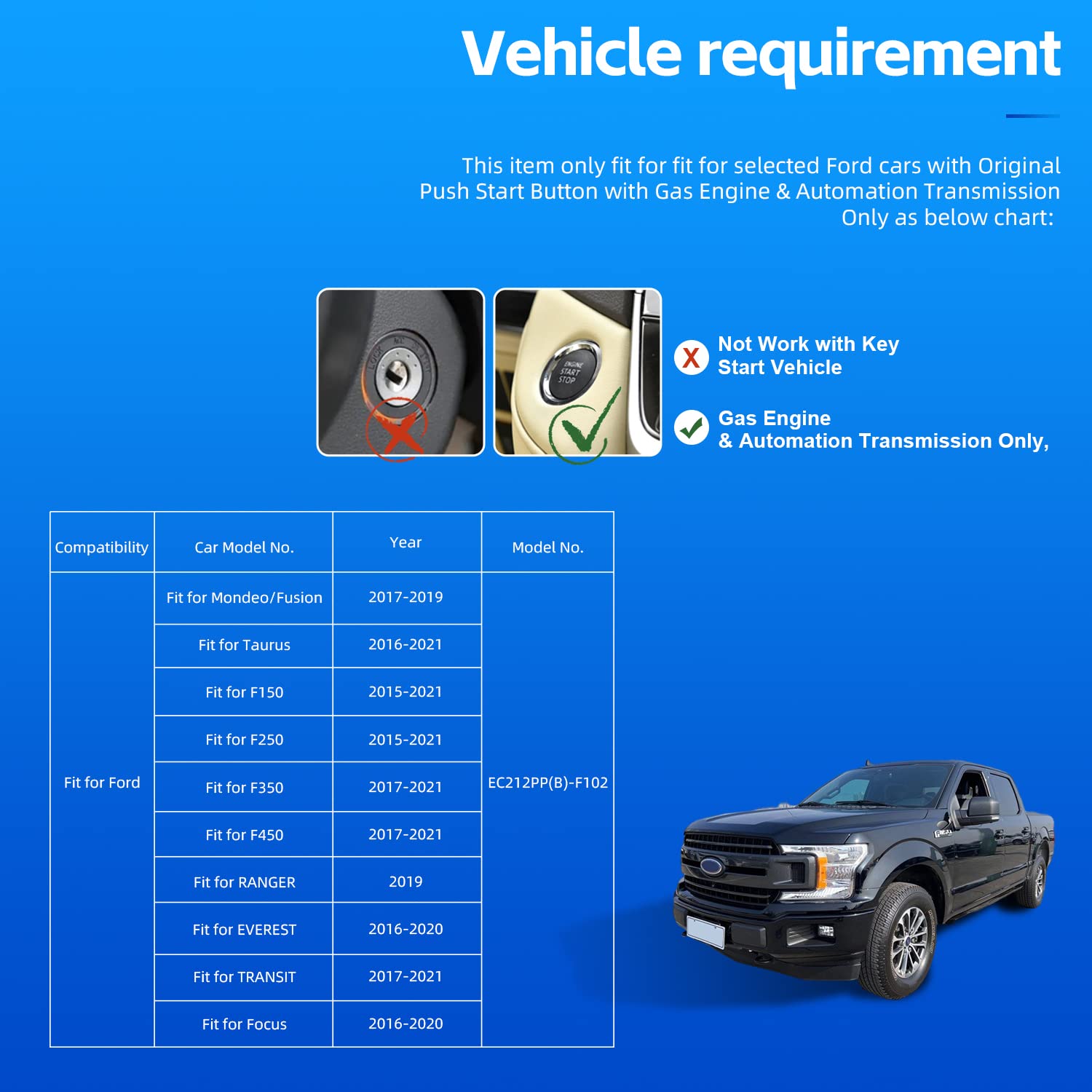
Image: Vehicle compatibility chart for the EC212PP-F102 remote starter.
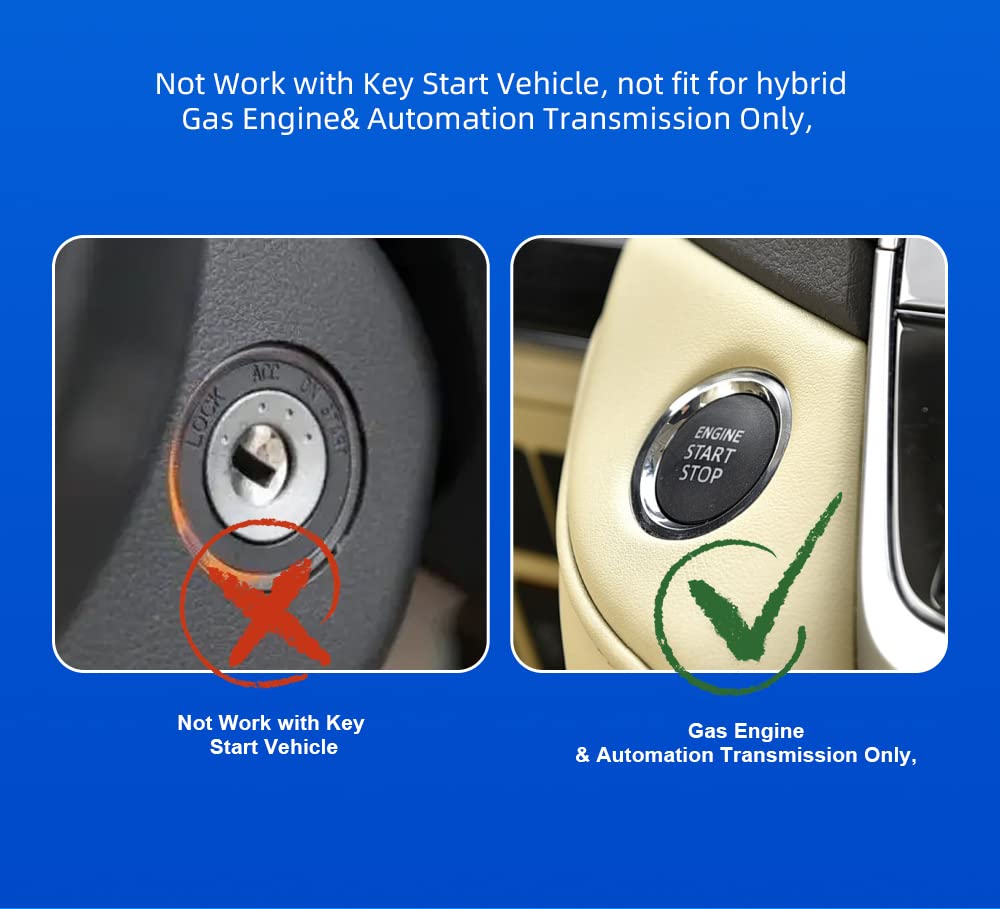
Image: Illustration distinguishing between key-start and push-start vehicles, highlighting compatibility with push-start only.
3. Vlastnosti produktu
3.1 Remote Start Functionality
The EC212PP-F102 system upgrades your OEM remote with remote start capabilities. This allows you to start your vehicle from a distance, enabling you to pre-warm the interior in cold weather or pre-cool it in hot weather before you enter.

Image: Remote start feature in action, showing a remote control and a vehicle.
3.2 Plug & Play Installation
This device is designed for a plug-and-play installation, meaning there is no need to cut or splice any wires in your vehicle's electrical system. This minimizes the risk of damage to your car's circuits and simplifies the installation process.
Additionally, there is no need to purchase a separate bypass module for this system.
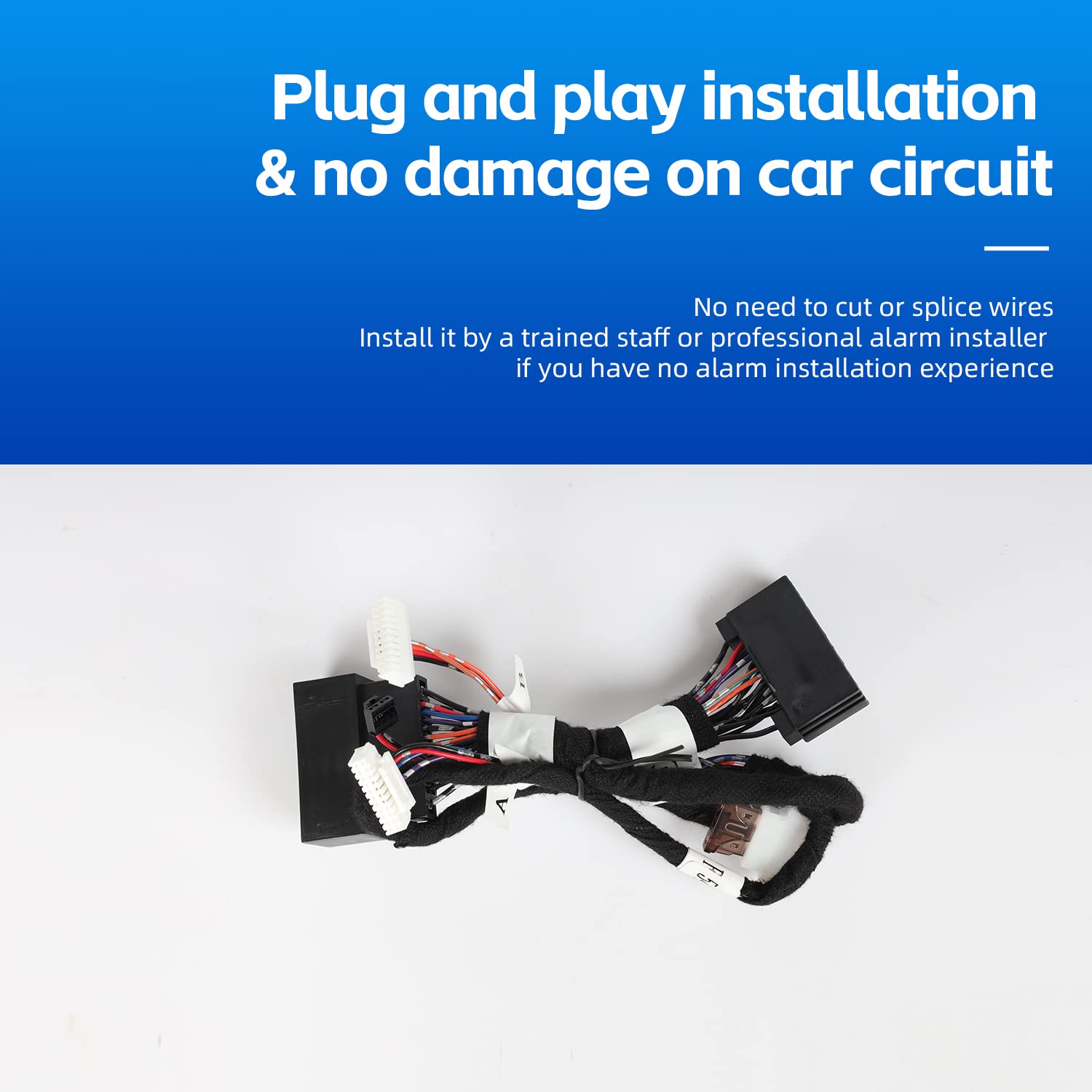
Image: Plug and play wiring harness, emphasizing no wire cutting.
4. Instalace
While the device is plug-and-play, installation involves accessing your vehicle's wiring behind the dashboard. If you lack experience with such installations or are unsure how to remove car trim/dashboard panels, it is highly recommended to seek installation by a trained professional or a specialized alarm installer.
An English user manual and wiring diagram are included with the product to assist with installation.
4.1 Komponenty nadview

Image: Main wiring harness components.

Image: The main control module of the remote starter system.
5. Programovací instrukce
After the physical installation is complete, the device requires programming to function correctly with your vehicle. Ensure the ignition is OFF before starting the programming sequence.

Image: Control module showing the programming switch.
- Krok 1: Plug the main connector into the control module.
- Krok 2: Zapněte zapalování. Do not press the foot brake pedal.
- Krok 3: Observe the LED indicator. It will flash red, then turn off, and after approximately 5 seconds, it will flash green.
- Krok 4: Press the push-start button to shut down the vehicle.
- Krok 5: Press the unlock button on your factory key remote. The LED indicator should turn off.
Programming is now complete. If the programming procedure is abnormal or unsuccessful, please repeat the steps until programming is successful.
6. Návod k obsluze
Once installed and programmed, you can use your original factory remote to operate the remote start/stop function.
6.1 Dálkové spuštění/zastavení
To remotely start or stop your vehicle, press the original remote lock button three (3) times consecutively. The vehicle will respond by starting or stopping the engine.

Image: Demonstrating the '3X Lock' remote start/stop function.
7. Řešení problémů
If you encounter any issues during installation, programming, or operation, please review the steps carefully. Ensure all connections are secure and that your vehicle is listed as compatible.
For persistent problems, it is recommended to consult a professional automotive technician or contact EASYGUARD customer support for assistance.
8. Specifikace
| Funkce | Detail |
|---|---|
| Značka | EASYGUARD |
| Číslo modelu | EC212PP-F102 |
| Výrobce | ieasyguard.com |
| Materiál | Kov |
| UPC | 704755327664 |
| Kompatibilita | Ford vehicles with Push Start Button, Gas Engine, Automatic Transmission (Specific models/years listed in Section 2) |
| Bypass Module Required | Žádný |
| Včetně dálkového ovladače | No (Uses factory OEM remote) |
9. Záruka a podpora
For warranty information or technical support, please refer to the documentation provided with your purchase or contact the seller directly. It is recommended to keep your purchase receipt for warranty claims.