
1. Úvod
Thank you for choosing the Havit MS1038 Programmable RGB Gaming Mouse. This manual provides essential information for setting up, operating, maintaining, and troubleshooting your new gaming mouse. Please read this guide thoroughly to ensure optimal performance and longevity of your device.
2. Konec produktuview
The Havit MS1038 is a high-performance wired gaming mouse designed for precision and customization. It features a high-precision optical sensor, adjustable DPI settings up to 8000, 7 programmable buttons, and dynamic RGB backlighting to enhance your gaming experience.
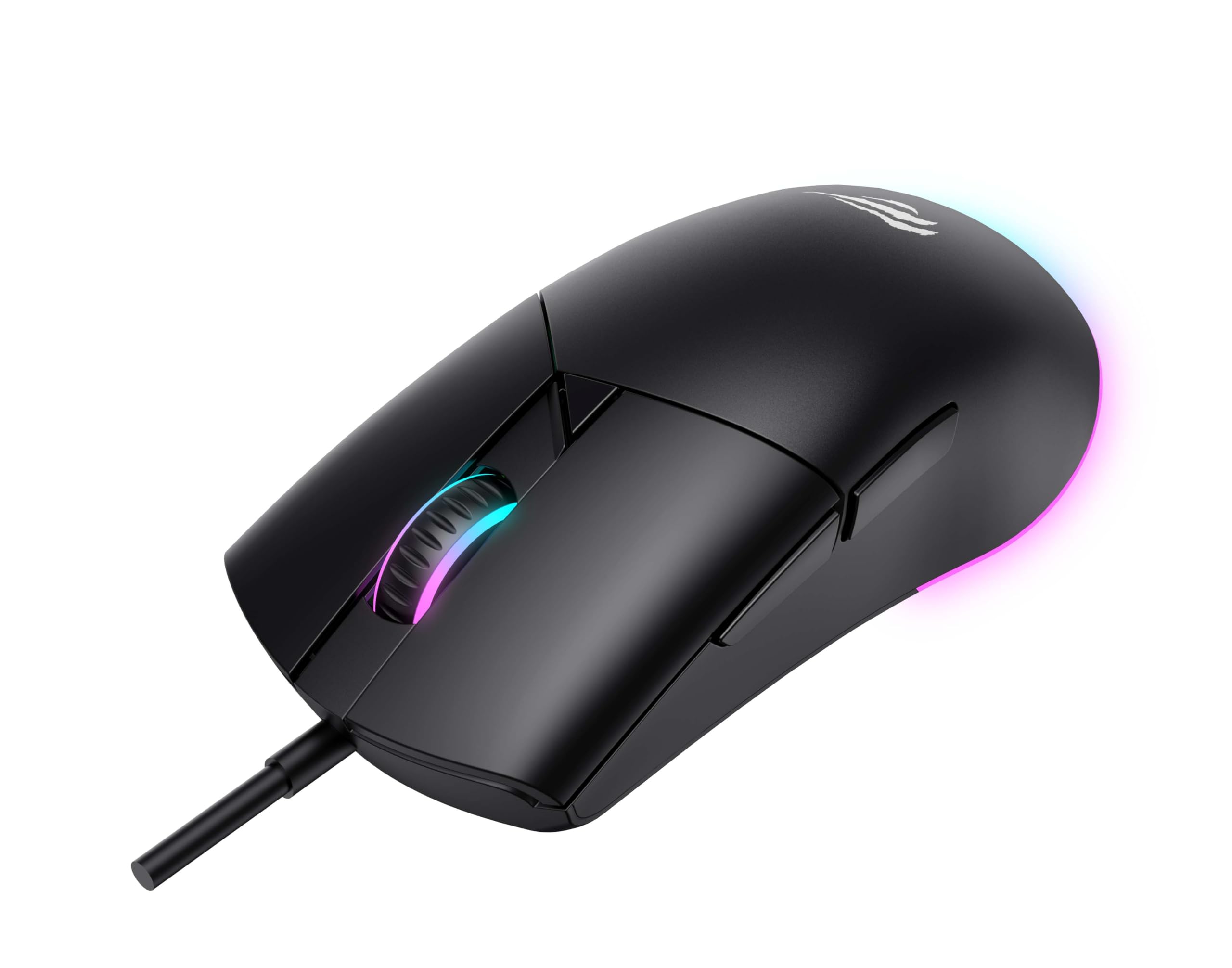
Obrázek 1: Přední strana view of the Havit MS1038 Gaming Mouse, showcasindíky ergonomickému designu a RGB osvětlení.
3. Specifikace
| Funkce | Detail |
|---|---|
| Značka | Havit |
| Model | MS1038 |
| Barva | Černý |
| Konektivita | USB (kabelové) |
| Speciální funkce | RGB Backlight, Programmable Buttons, High-Precision Optical Sensor |
| Kompatibilní zařízení | PC, notebook, tablet |
| Detekce pohybu | Optický |
| Nastavení DPI | 1200-2400-3200-4800-6400-8000 DPI |
| Počet tlačítek | 7 |
| Životnost klíče | 3,000,000 kliknutí |
| Délka kabelu | 1.6 metrů |
| Provozní svtage | 5V |
| Provozní proud | 150 mA |
| Čip | SPCP199C |
| Rozměry (D*Š*V) | 121 x 64 x 42 mm |
| Hmotnost produktu | 82 g |
| Jsou vyžadovány baterie | Žádný |
| Zdroj napájení | Kabelové |
| Kompatibilní OS | Windows, Mac, Linux |
| Země původu | Čína |
4. Průvodce nastavením
- Rozbalte myš: Carefully remove the Havit MS1038 mouse from its packaging.
- Připojení k počítači: Zapojte USB konektor myši do volného USB portu na vašem počítači.
- Instalace ovladače: The mouse is typically plug-and-play. Your operating system (Windows, Mac, Linux) should automatically detect and install the necessary drivers. Allow a few moments for the installation to complete.
- Instalace softwaru (volitelné): For advanced customization of programmable buttons and RGB lighting, download the official Havit MS1038 software from the manufacturer's webwebu. Postupujte podle pokynů na obrazovce pro instalaci.
5. Návod k obsluze
5.1 Základní funkce
- Levé kliknutí: Primární akce.
- Klikněte pravým tlačítkem myši: Sekundární akce, obvykle otevírá kontextové nabídky.
- Rolovací kolečko: Scrolls content up or down. Pressing the scroll wheel often acts as a middle click.
5.2 Nastavení DPI
The Havit MS1038 features a dedicated DPI button (usually located behind the scroll wheel) to cycle through different sensitivity settings. Each press will switch to the next DPI level, indicated by a change in the RGB lighting color or pattern.
- Available DPI settings: 1200, 2400, 3200, 4800, 6400, 8000.
- Select the DPI that best suits your preference for gaming or general use.
5.3 programovatelná tlačítka
The mouse has 7 buttons, including the standard left/right click, scroll wheel, DPI button, and additional side buttons. These additional buttons can be customized using the Havit MS1038 software.

Obrázek 2: Strana view of the Havit MS1038 Gaming Mouse, highlighting the additional programmable buttons.
6. Přizpůsobení
To unlock the full potential of your Havit MS1038 mouse, utilize the dedicated software (available for download from the Havit official webTento software vám umožňuje:
- Tlačítka pro přemapování: Assign custom functions, macros, or keyboard shortcuts to any of the 7 programmable buttons.
- Adjust DPI Stages: Fine-tune the DPI levels and assign specific values to each stage.
- Control RGB Lighting: Choose from various lighting effects, colors, and brightness levels to personalize your mouse's appearance.
- Vytvořit Profiles: Save different configurations for various games or applications.
7. Údržba
Proper care ensures the longevity and performance of your mouse.
- Čištění: K otření povrchu myši použijte měkký, suchý hadřík. V případě odolné nečistoty lehceampOtřete hadřík vodou nebo jemným čisticím roztokem. Vyhněte se agresivním chemikáliím.
- Péče o senzor: Keep the optical sensor on the underside of the mouse clean and free from dust or debris. Use a cotton swab if necessary.
- Správa kabelů: Abyste předešli poškození, vyhněte se ostrým ohybům nebo nadměrnému tahání za kabel USB.
- Skladování: Pokud myš nepoužíváte, skladujte ji v čistém a suchém prostředí mimo dosah extrémních teplot.
8. Řešení problémů
If you encounter issues with your Havit MS1038 mouse, refer to the following common solutions:
- Myš nereaguje:
- Ujistěte se, že je kabel USB bezpečně zapojený do funkčního portu USB.
- Zkuste zapojit myš do jiného USB portu.
- Restartujte počítač.
- Nepravidelný pohyb kurzoru:
- Vyčistěte optický senzor na spodní straně myši.
- Ujistěte se, že myš používáte na čistém, nereflexním povrchu nebo podložce pod myš.
- Zkontrolujte, zda nedošlo k nějakým softwarovým konfliktům nebo zastaralým ovladačům.
- Nefunkční RGB osvětlení:
- Ověřte, zda je myš správně připojena.
- If using customization software, ensure lighting effects are enabled and configured correctly.
- Nefunkční tlačítka:
- If programmable buttons are not working as expected, check the settings in the Havit MS1038 software.
- Ensure no other software is interfering with mouse button assignments.
9. Záruka a podpora
The Havit MS1038 Programmable RGB Gaming Mouse comes with a 1-letá záruka od data nákupu. Tato záruka se vztahuje na výrobní vady vzniklé při běžném používání.
For technical support, warranty claims, or further assistance, please contact Havit customer service through their official website or your local retailer. Please have your proof of purchase ready when contacting support.


