
1. Úvod
Thank you for choosing the Gearlab G220 Wireless Keyboard. This manual provides detailed instructions for setting up, operating, and maintaining your new keyboard. The Gearlab G220 is designed for convenience and efficiency, featuring a US/International layout, wireless connectivity via Bluetooth, and an ergonomic design for comfortable use. Please read this manual thoroughly before using the product to ensure proper functionality and longevity.
2. Obsah balení
Po vybalení zkontrolujte obsah balení. Pokud některé položky chybí nebo jsou poškozené, kontaktujte svého prodejce.
- Gearlab G220 Wireless Keyboard
- USB nabíjecí kabel
- Uživatelská příručka
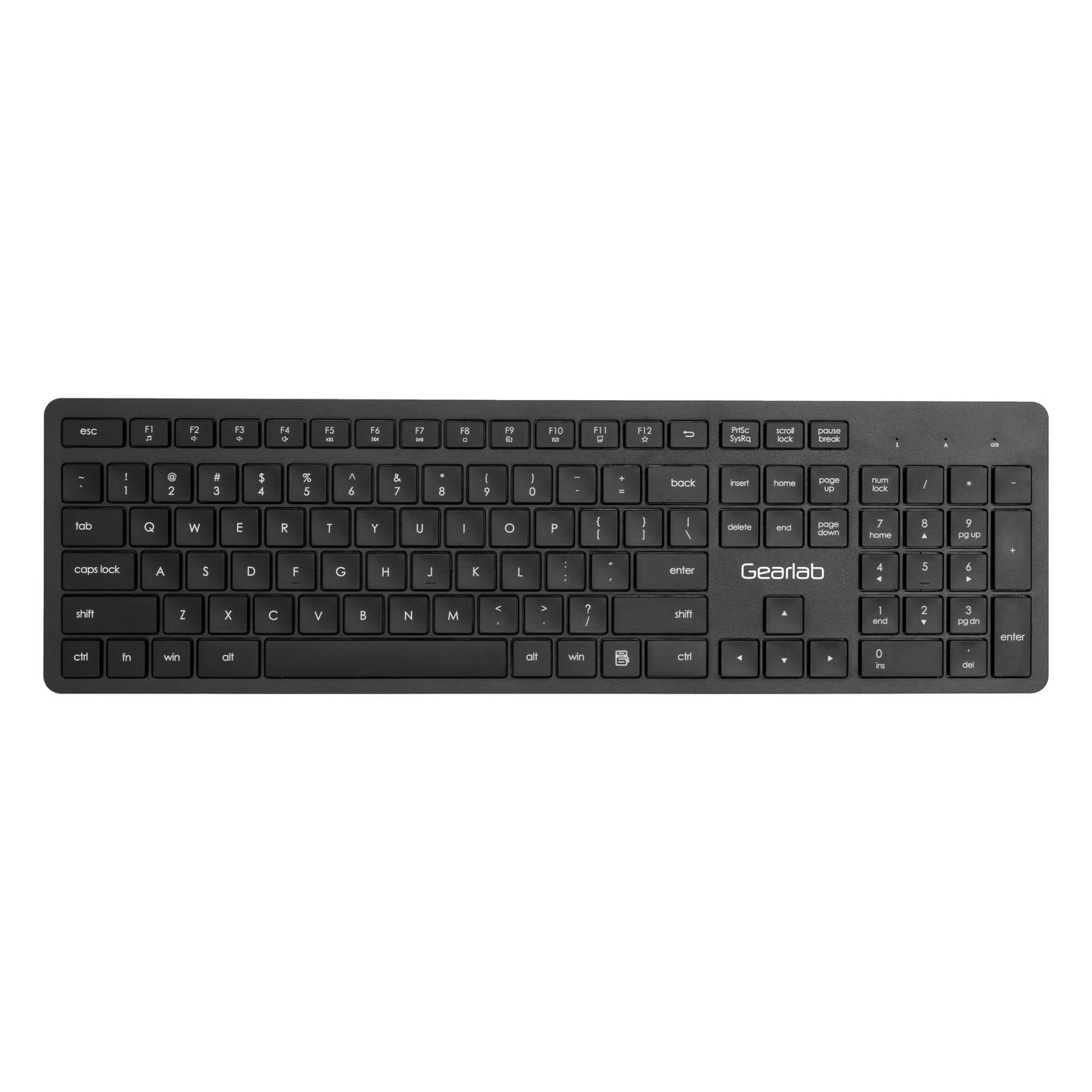
Image: The Gearlab G220 Wireless Keyboard, showcasing its US/International layout and compact design.
3. Nastavení
3.1 Nabíjení klávesnice
The Gearlab G220 keyboard is rechargeable. Before first use, ensure the keyboard is fully charged.
- Connect the supplied USB charging cable to the charging port on the keyboard.
- Druhý konec kabelu USB připojte k napájenému portu USB (např. k počítači, k adaptéru do zásuvky).
- The charging indicator light will illuminate. Once fully charged, the indicator light may change color or turn off.
3.2 Connecting to a Device (Bluetooth)
The Gearlab G220 uses Bluetooth for wireless connectivity. It is compatible with laptops and other devices supporting Bluetooth input.
- Zapněte klávesnici pomocí vypínače, který se obvykle nachází na boku nebo zadní straně klávesnice.
- Activate Bluetooth pairing mode on the keyboard. This typically involves pressing and holding a dedicated Bluetooth pairing button or a function key combination (e.g., Fn+C or a specific Bluetooth icon key) until an indicator light flashes, signifying it's discoverable.
- On your device (e.g., laptop), go to the Bluetooth settings.
- Enable Bluetooth on your device if it's not already on.
- Hledat new devices. The keyboard should appear as "Gearlab G220" or a similar name.
- Vyberte klávesnici ze seznamu pro zahájení párování.
- If prompted, enter a pairing code on the Gearlab G220 keyboard and press Vstupte, or confirm the connection on your device.
- Once successfully paired, the indicator light on the keyboard will stop flashing and remain solid, or turn off.
4. Návod k obsluze
After successful connection, the Gearlab G220 Wireless Keyboard is ready for use.
4.1 Základní funkce klávesnice
- psaní: Use the keys as you would a standard keyboard. The layout is US/International English.
- Funkční klávesy: The top row of keys (F1-F12) may have secondary functions (e.g., media control, volume, brightness). These are typically accessed by holding down the Fn key and pressing the desired function key. Refer to the keycap legends for specific functions.
- Šetření energie: The keyboard may enter a sleep mode after a period of inactivity to conserve battery. Press any key to wake it up.
4.2 Stav baterie
The keyboard features a rechargeable battery. A low battery indicator light (if present) will typically flash or change color when the battery level is low, signaling that it needs to be recharged.
5. Údržba
5.1 Čištění
- Před čištěním klávesnici vypněte.
- Použijte měkký hadřík, který nepouští vlákna dampPovrch klávesnice otřete vodou nebo jemným čisticím roztokem.
- Nepoužívejte agresivní chemikálie, abrazivní čisticí prostředky ani nestříkejte tekutiny přímo na klávesnici.
- K čištění mezi klávesami použijte stlačený vzduch nebo malý kartáč.
5.2 Péče o baterii
- Chcete-li prodloužit životnost baterie, vyhněte se častému úplnému vybíjení klávesnice.
- Pokud klávesnici delší dobu nepoužíváte, skladujte ji na chladném a suchém místě.
- Recharge the keyboard regularly, even if not used daily, to maintain battery health.
6. Řešení problémů
If you encounter issues with your Gearlab G220 Wireless Keyboard, refer to the following common solutions:
| Problém | Možné řešení |
|---|---|
| Klávesnice se nezapíná. | Ensure the keyboard is charged. Connect it to a power source using the USB charging cable. |
| Klávesnice se nepřipojuje přes Bluetooth. |
|
| Klávesy nereagují nebo se píší nesprávně. |
|
| Klávesnice se často odpojuje. |
|
7. Specifikace
| Funkce | Detail |
|---|---|
| Značka | Gearlab |
| Model | W126339682 |
| Kompatibilní zařízení | Přenosný počítač |
| Technologie připojení | Bluetooth, bezdrátové připojení |
| Popis klávesnice | Ergonomický |
| Speciální funkce | Dobíjecí |
| Jazyk | angličtina |
| Orientace rukou | Obouruký |
| Počet tlačítek | 78 |
| Rozměry produktu | 25.4 x 5.08 x 6.86 cm; 560 g (approximately 10 x 2 x 2.7 inches; 1.23 lbs) |
| ASIN | B0BXM1MFCZ |
| První dostupný termín | 7. března 2023 |
8. Záruka a podpora
The Gearlab G220 Wireless Keyboard comes with a standard manufacturer's warranty. Please refer to the warranty card included in your package or contact your retailer for specific warranty terms and conditions.
For technical support, troubleshooting assistance beyond this manual, or inquiries regarding parts and service, please contact Gearlab customer support through their official webnebo kontaktní informace poskytnuté při nákupu.