
1. Úvod
Thank you for choosing the HIACINTO ES502 Industrial Endoscope. This manual provides essential information for the safe and effective operation, maintenance, and troubleshooting of your device. Please read this manual thoroughly before use and retain it for future reference.
The HIACINTO ES502 is a versatile inspection camera designed for examining hard-to-reach areas. It features a 10-meter detachable cable, a triple-lens system for a 180-degree field of view, a 5-inch IPS display, 1080P resolution, and IP68 waterproofing, making it suitable for various industrial and household inspection tasks.
2. Konec produktuview
2.1 Obsah balení
- HIACINTO ES502 Industrial Endoscope Unit
- 10m Detachable Probe Cable with Triple Lens Camera
- Karta 32GB TF
- USB nabíjecí kabel
- Accessory Kit (Magnets, Hooks)
- Přepravní pouzdro
- Uživatelská příručka
2.2 Klíčové vlastnosti
- Systém trojitých čoček: Equipped with a main camera and two side cameras, providing a 180-degree field of view pro komplexní kontrolu.
- Detachable 10m Cable: Flexible and durable IP68 waterproof snake cable, easily detachable for replacement or storage.
- 5palcový IPS displej: Large, high-definition IPS screen for clear, real-time viewing of images and videos at 1080P resolution.
- Nastavitelné LED osvětlení: 10 integrated LEDs with adjustable brightness levels to ensure clear visibility in dark environments.
- Dlouhá výdrž baterie: Built-in 3000mAh rechargeable battery provides up to 4 hours of continuous operation.
- Ergonomický design: Designed for comfortable, single-handed operation.
2.3 Schéma produktu
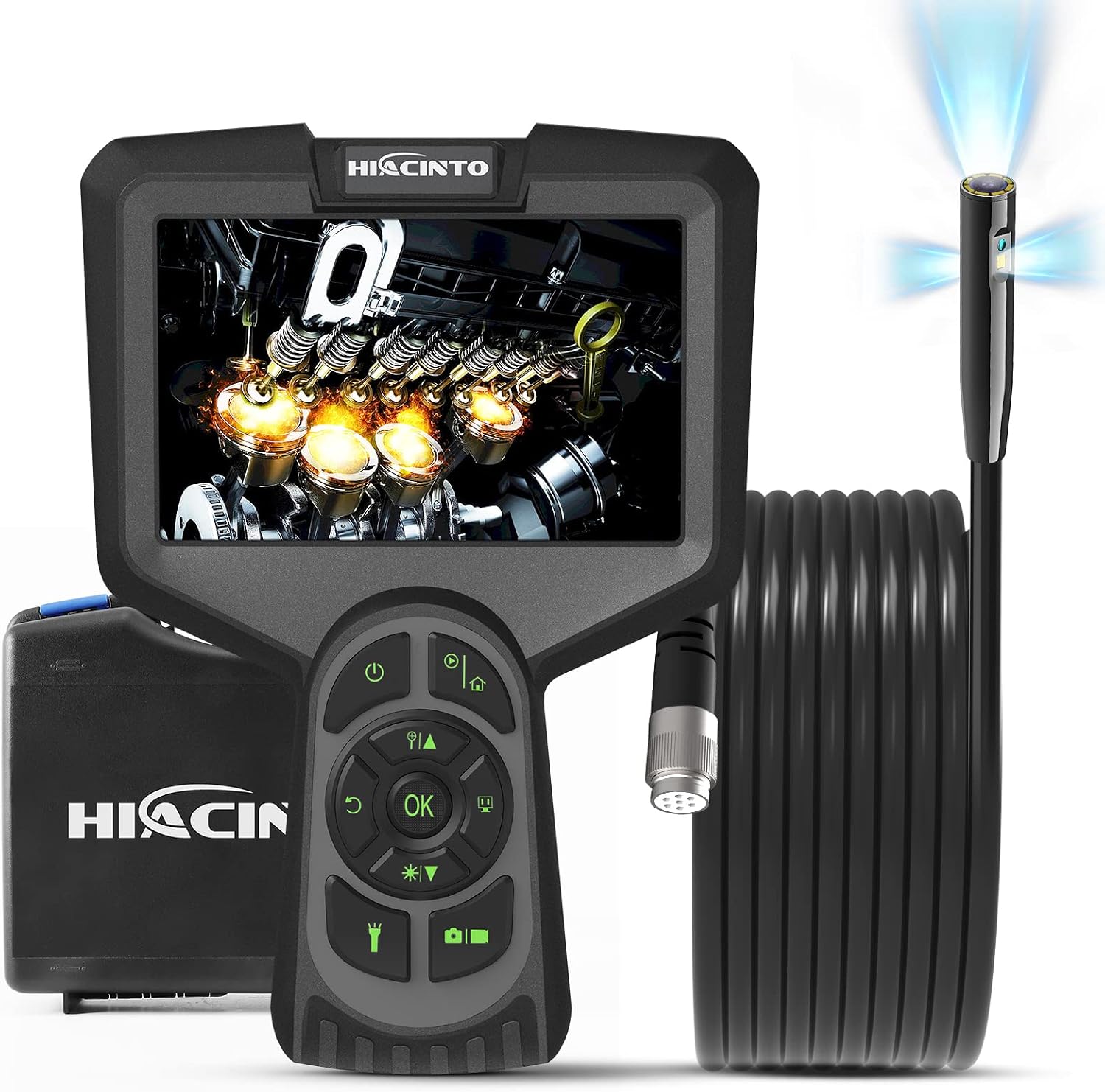
Figure 1: HIACINTO ES502 Industrial Endoscope. Shows the main unit with a 5-inch display, control buttons, and the coiled 10-meter probe cable.

Figure 2: ES502 Triple Lens Inspection Camera. An exploded view illustrating the main camera (A) and two side cameras (B and C) built into the end of the endoscope probe, providing a wider 180-degree clear field of view.
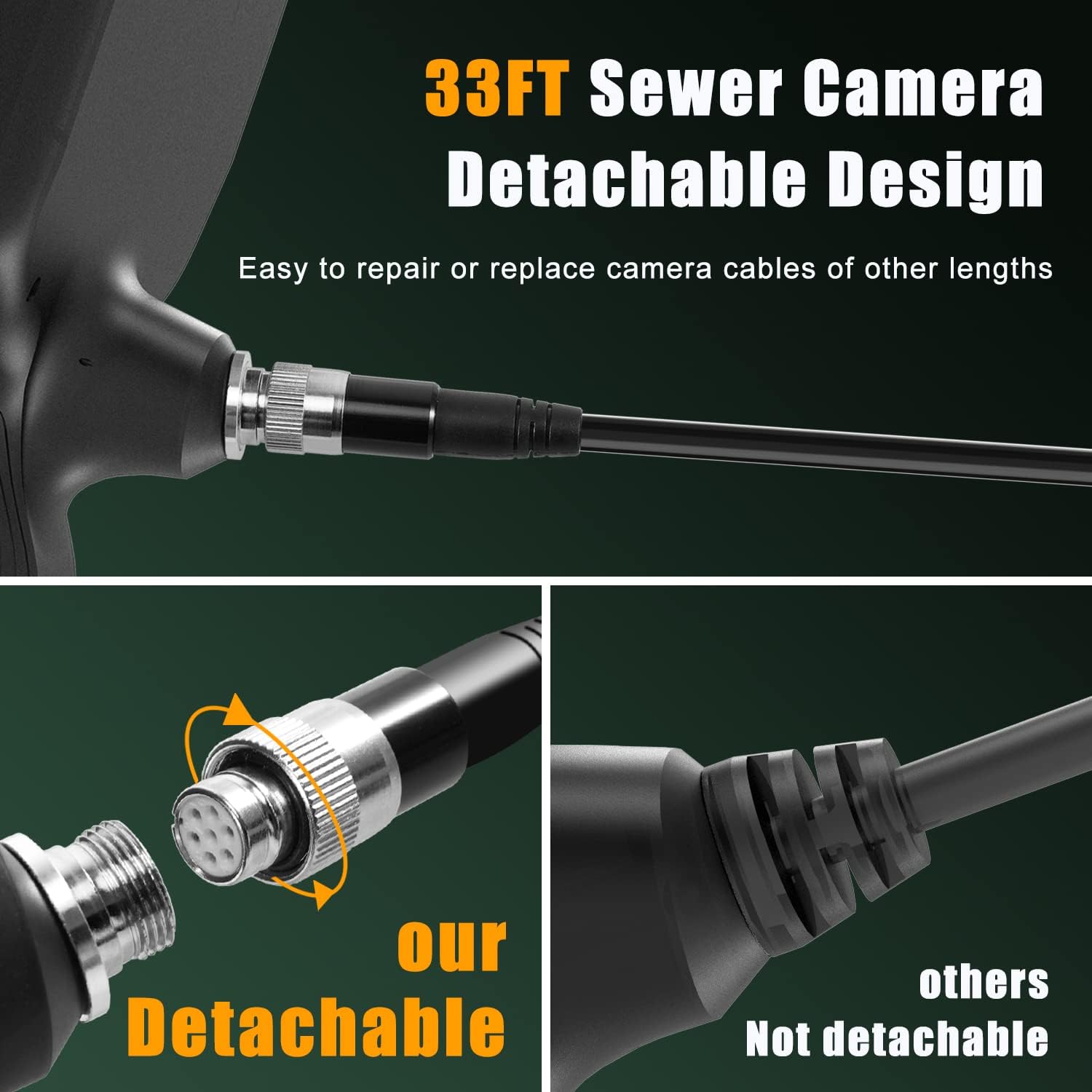
Figure 3: Detachable Cable Design. This image highlights the easy-to-connect and disconnect mechanism of the endoscope cable, allowing for simple repair or replacement with cables of different lengths.

Figure 4: IP68 Snake Camera Cable. The image shows the waterproof camera head with 10 adjustable LED lights, demonstrating three levels of light adjustment for optimal visibility in dark or wet conditions.

Figure 5: Large IPS Display. This image emphasizes the 5-inch HD screen, showcasing its features like 1080p resolution, 3x zoom, 3-10cm focal length, 30 FPS, and 3-camera switching capability.
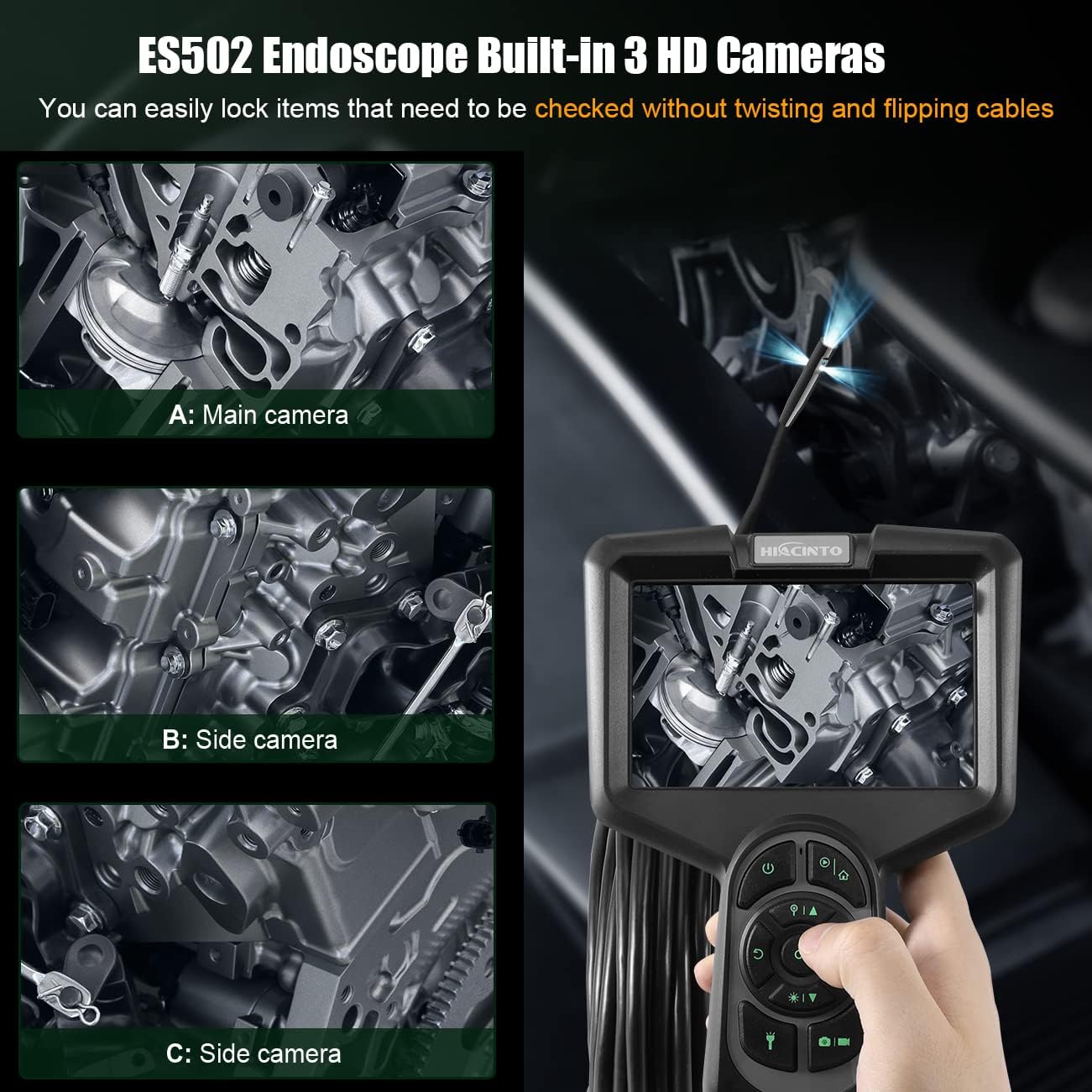
Figure 6: ES502 Endoscope Built-In 3 HD Cameras. The image displays the main unit with its screen showing an engine component, alongside three smaller inset images demonstrating the views from the main camera (A) and two side cameras (B and C).
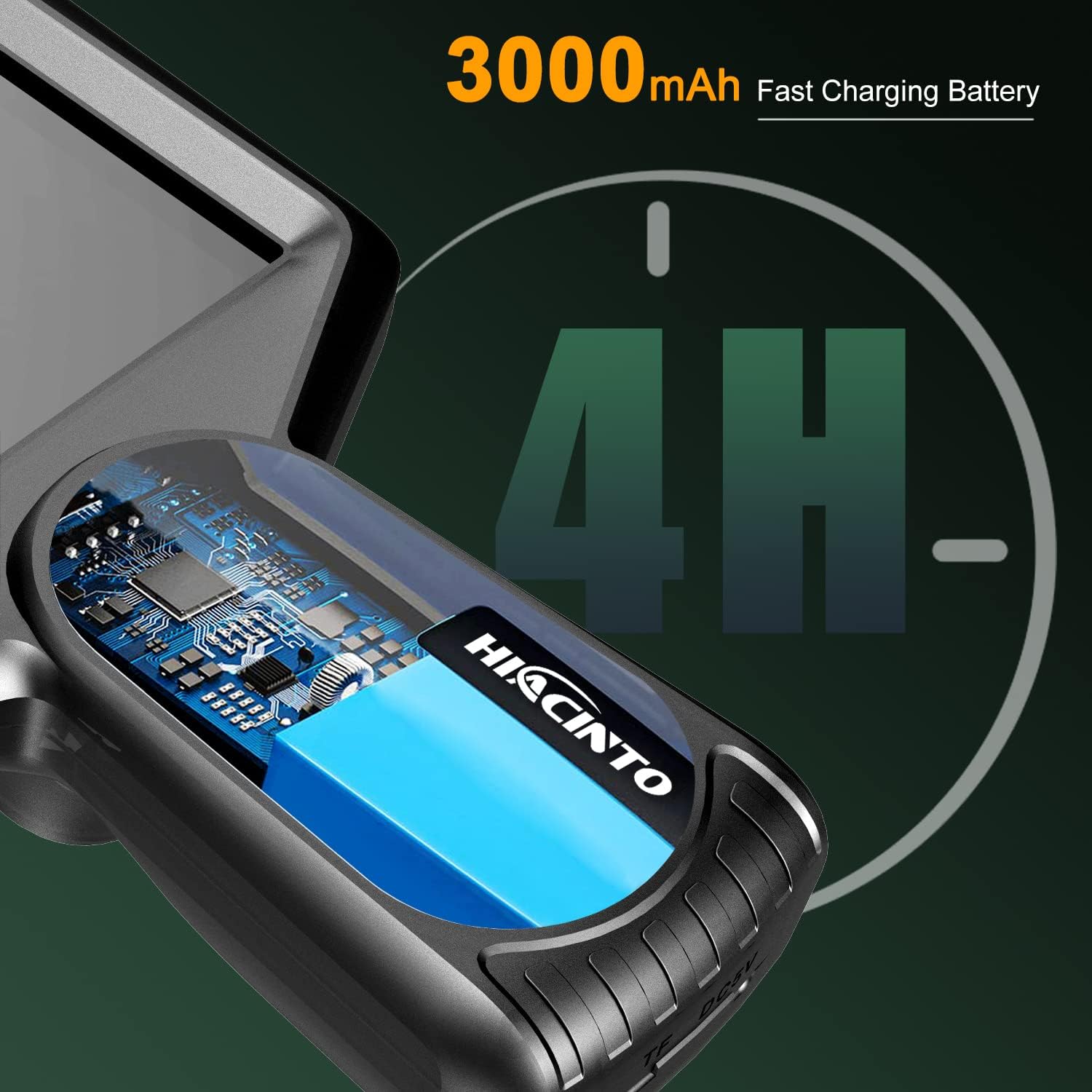
Figure 7: 3000mAh Fast Charging Battery. An illustration showing the internal battery of the endoscope, indicating a 4-hour operating time on a full charge.
3. Nastavení
3.1 Nabíjení zařízení
- Připojte dodaný nabíjecí kabel USB k nabíjecímu portu na endoskopické jednotce.
- Druhý konec kabelu USB zapojte do standardního napájecího adaptéru 5V/1A USB (není součástí balení) nebo do portu USB počítače.
- The charging indicator light will illuminate during charging and turn off when fully charged. A full charge typically takes approximately 3-4 hours.
3.2 Vložení TF karty
- Locate the TF card slot on the side of the endoscope unit.
- Gently insert the provided 32GB TF card into the slot with the gold contacts facing down until it clicks into place.
- Chcete-li kartu vyjmout, lehce ji zatlačte, dokud nevyskočí.
3.3 Připojení kabelu sondy
- Align the connector of the probe cable with the port on the main unit.
- Push the connector firmly into the port and twist the locking ring clockwise to secure it.
- Ensure the connection is secure to maintain waterproofing and stable signal transmission.
4. Návod k obsluze
4.1 Zapnutí/vypnutí
- Zapnutí: Stiskněte a podržte tlačítko napájení (⏻) for 2-3 seconds until the screen illuminates.
- Vypnout: Stiskněte a podržte tlačítko napájení (⏻) for 2-3 seconds until the screen turns off.
4.2 Navigace v nabídce
- Pomocí směrových tlačítek (nahoru, dolů, doleva, doprava) procházejte možnostmi nabídky.
- Stiskněte tlačítko OK tlačítko pro potvrzení výběru.
- Stiskněte tlačítko Menu button to access settings or return to the previous screen.
4.3 Switching Between Lenses
The ES502 features a triple-lens system. To switch between the main camera and the side cameras:
- Zatímco v přímém přenosu view, stiskněte tlačítko OK button to cycle through the available camera views (Main, Side 1, Side 2, or combined views).
4.4 Nastavení jasu LED diod
The camera probe is equipped with 10 adjustable LED lights.
- Press the LED brightness adjustment button (often marked with a light bulb icon or up/down arrows) to increase or decrease the illumination level. There are typically 3 levels of brightness.
4.5 Pořizování fotografií a videí
- Vyfoť: V přímém přenosu view, press the Photo button (often marked with a camera icon) to capture an image.
- Záznam videa: Press the Video button (often marked with a video camera icon) once to start recording. Press it again to stop recording.
- All captured media will be saved to the inserted TF card.
4.6 Funkce zoom
- Zatímco v přímém přenosu view, use the zoom buttons (often marked with '+' and '-' or magnifying glass icons) to digitally zoom in or out on the image. The ES502 supports up to 3x digital zoom.
4.7 Reviewing Media
- Press the Playback button (often marked with a play icon) to enter the media gallery.
- Use the directional buttons to browse through your photos and videos.
- Stiskněte OK na view fotografii nebo přehrání videa.
- Press the Playback button again or the Menu button to exit the gallery.
5. Údržba
5.1 Cleaning the Lens and Cable
- After each use, especially in dirty or wet environments, gently wipe the camera lens with a soft, lint-free cloth. For stubborn dirt, use a small amount of lens cleaning solution.
- Clean the probe cable with a damp cloth. Ensure no debris is left on the cable, which could hinder future inspections.
- Na žádnou část zařízení nepoužívejte abrazivní čisticí prostředky ani rozpouštědla.
5.2 Skladování
- Store the endoscope and its accessories in the provided carrying case when not in use.
- Uchovávejte zařízení na chladném a suchém místě, mimo dosah přímého slunečního záření a extrémních teplot.
- Ensure the cable is neatly coiled to prevent kinks or damage.
5.3 Péče o baterii
- Chcete-li prodloužit životnost baterie, vyvarujte se častého úplného vybíjení.
- If storing the device for an extended period, charge the battery to approximately 50% every 3-6 months.
6. Řešení problémů
| Problém | Možná příčina | Řešení |
|---|---|---|
| Zařízení se nezapne | Slabá baterie; Porucha zařízení | Zařízení plně nabijte; pokud problém přetrvává, kontaktujte zákaznickou podporu. |
| Na obrazovce není žádný obraz | Cable not connected properly; Camera lens blocked; Software error | Ensure probe cable is securely connected; Clean the camera lens; Restart the device. |
| Obraz je rozmazaný nebo nejasný | Lens is dirty; Insufficient lighting; Object too close/far | Clean the camera lens; Adjust LED brightness; Ensure object is within 3-10cm focal range. |
| Nelze ukládat fotografie/videa | TF card full; TF card not inserted; TF card error | Smazat staré files or replace TF card; Insert TF card correctly; Format TF card (backup data first). |
| Krátká výdrž baterie | Battery not fully charged; Aging battery | Ensure full charge before use; Contact customer support for battery replacement if necessary. |
7. Specifikace
| Funkce | Specifikace |
|---|---|
| Značka | Hiacinto |
| Číslo modelu | ES502 |
| Zobrazit | 5palcový IPS HD displej |
| Rozlišení fotoaparátu | 1080P |
| Objektivy | Triple Lens (Main + 2 Side Cameras) |
| Pole View | 180 stupňů |
| Délka kabelu | 10 metry (odnímatelné) |
| Voděodolnost | IP68 (kamerová sonda) |
| Osvětlení | 10 nastavitelných LED světel |
| Baterie | 3000mAh lithium-polymerová baterie |
| Provozní doba | Až 4 hodin |
| Digitální zoom | 3x |
| Ohnisková vzdálenost | 3-10 cm |
| Snímková frekvence | 30 FPS |
| Skladování | Supports TF Card (32GB included) |
| Konektivita | USB |
| Rozměry produktu | 26.67 x 7.62 x 22.86 cm |
| Hmotnost položky | 1.07 kg |
8. Záruka a podpora
8.1 Informace o záruce
The HIACINTO ES502 Industrial Endoscope comes with a 24-month money-back guarantee from the date of purchase. This warranty covers manufacturing defects and ensures product quality. Please retain your proof of purchase for warranty claims.
8.2 Zákaznická podpora
For any questions, technical assistance, or warranty claims, please contact HIACINTO customer support through the platform where you purchased the product. Our support team is available to assist you with any issues you may encounter.