
HP 15-fc0010nr
HP 15 Laptop 15-fc0010nr User Manual
Model: 15-fc0010nr
1. Úvod
This manual provides essential information for setting up, operating, and maintaining your HP 15 Laptop, model 15-fc0010nr. Please read this guide thoroughly to ensure proper use and to maximize the lifespan of your device.
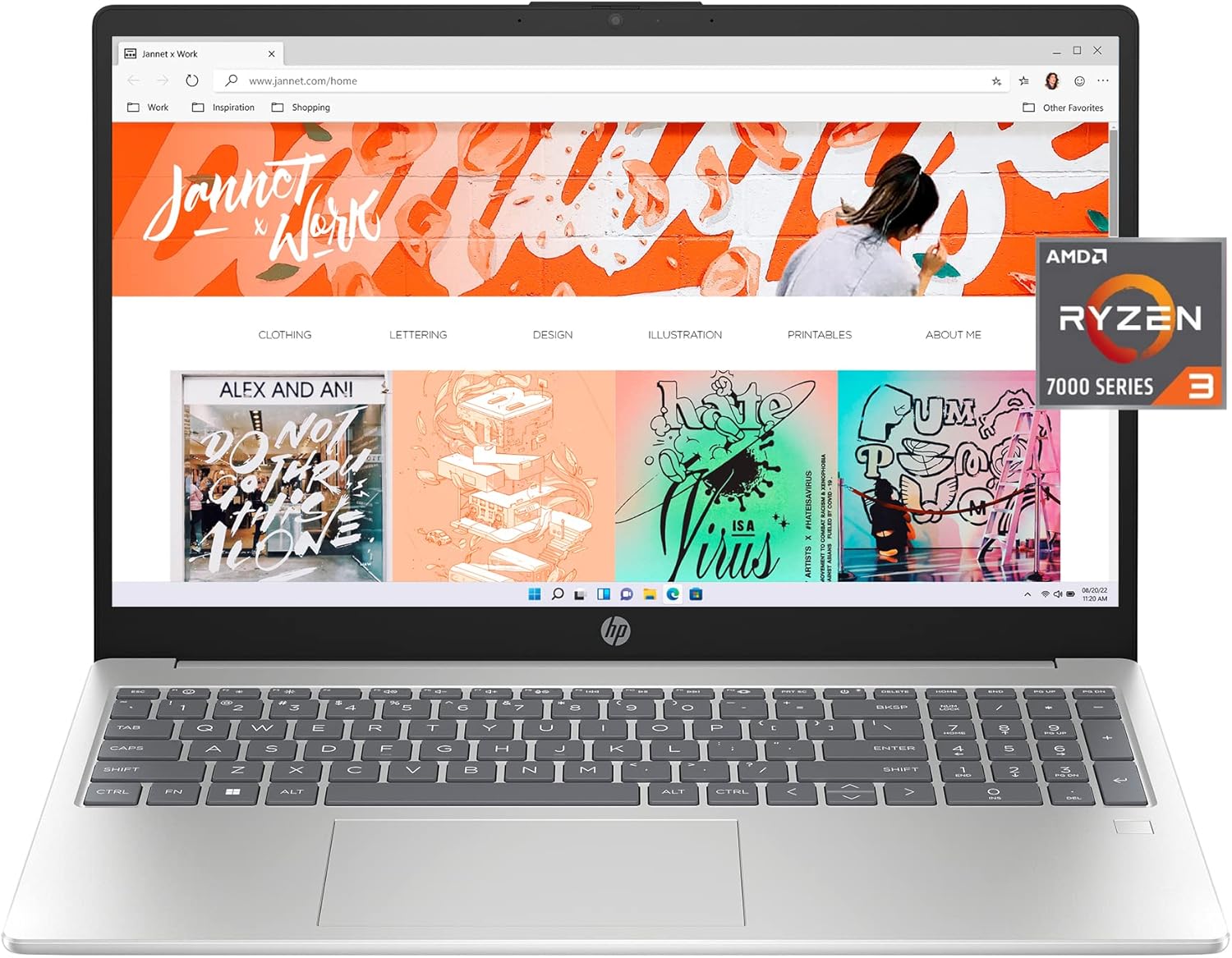
Image 1.1: The HP 15 Laptop 15-fc0010nr, showcasinjeho displej a klávesnici.
2. Co je v krabici
Ověřte, zda jsou v balení přítomny všechny položky:
- HP 15.6 inch Laptop PC 15-fc0010nr
- Napájecí adaptér (nabíječka)
- Záruční dokumentace

Image 2.1: Packaging contents, including the laptop and its accessories.
3. Nastavení
3.1 První zapnutí
- Připojte napájecí adaptér k notebooku a do elektrické zásuvky.
- Otevřete víko notebooku a stiskněte tlačítko napájení, které se obvykle nachází v pravém horním rohu klávesnice.
- Follow the on-screen instructions to complete the Windows 11 Home in S Mode setup. This includes selecting your region, connecting to a Wi-Fi network, and creating a user account.
3.2 Připojení periferních zařízení
Váš notebook HP 15 je vybaven různými porty pro připojení externích zařízení:
- USB porty: For connecting USB devices such as mice, keyboards, or external storage.
- Port HDMI: Pro připojení k externím displejům nebo projektorům.
- Konektor pro sluchátka/mikrofon: Pro audio vstup/výstup.
- Port USB-C: For data transfer and potentially charging (check specifications for power delivery).

Obrázek 3.1: Boční strana view illustrating the available ports on the laptop.
4. Návod k obsluze
4.1 Řízení spotřeby
- Vypínač: Press to turn on the laptop. Press briefly to put it to sleep. Press and hold for several seconds to force a shutdown.
- Životnost baterie: Notebook nabízí až 11 hodin výdrže baterie.
- Rychlé nabíjení HP: The laptop can charge from 0% to 50% in approximately 45 minutes using the provided 45W Smart AC power adapter.

Image 4.1: Laptop in use, demonstrating its capability for various tasks.
4.2 Displej a grafika
The laptop features a 15.6-inch Full HD (1920x1080) IPS anti-glare display with micro-edge bezels, providing a wide viewing experience. It is equipped with AMD Radeon Graphics for visual processing.

Image 4.2: The laptop screen displaying high-definition content.
4.3 Komunikace a zvuk
- Webvačka: Integrated HP True Vision HD camera with temporal noise reduction.
- Mikrofony: Dual array digital microphones with noise reduction software for clear audio during calls.
- Zvuk: Tuned stereo speakers for enhanced sound.
- Tlačítko ztlumení mikrofonu: A dedicated key on the keyboard allows for quick microphone muting, indicated by an LED light.

Image 4.3: Laptop in use for a video conference.
4.4 Bezpečnostní funkce
- Čtečka otisků prstů: For secure login and data protection.
- Závěrka fotoaparátu: Provides physical privacy when the webkamera se nepoužívá.
4.5 HP QuickDrop
HP QuickDrop allows for wireless transfer of photos, videos, and documents between your laptop and Android or iOS phone without the need for cables.
5. Údržba
5.1 Čištění
- Použijte měkký hadřík, který nepouští vlákna dampDisplej opláchněte vodou nebo čističem obrazovek.
- Na klávesnici a šasi používejte měkký hadřík. Nepoužívejte agresivní chemikálie ani abrazivní materiály.
- Před čištěním se ujistěte, že je notebook vypnutý a odpojený od sítě.
5.2 Péče o baterii
- Avoid extreme temperatures when storing or operating the laptop.
- Pro optimální stav baterie se vyvarujte jejího neustálého úplného vybíjení nebo jejího delšího nabití na 100 %.
6. Řešení problémů
If you encounter issues with your HP 15 Laptop, consider the following basic troubleshooting steps:
- Bez napájení: Ujistěte se, že je napájecí adaptér bezpečně připojen k notebooku i k funkční zásuvce. Zkuste jinou zásuvku.
- Prázdná obrazovka: Connect an external monitor to check if the display issue is with the laptop screen or the graphics output. Restart the laptop.
- Pomalý výkon: Close unnecessary applications. Check for available Windows updates. Ensure sufficient free space on the SSD.
- Problémy s připojením: Restart your Wi-Fi router. Check network settings on the laptop.
V případě složitějších problémů se obraťte na podporu HP webwebu nebo kontaktujte technickou podporu.
7. Specifikace
Detailed technical specifications for the HP 15 Laptop 15-fc0010nr:

Obrázek 7.1: Konecview of key laptop specifications.
| Funkce | Specifikace |
|---|---|
| Číslo modelu | 15-fc0010nr |
| Procesor | AMD Ryzen 3 7320U (4.1 GHz) |
| BERAN | 8 GB LPDDR5 RAM |
| Skladování | 256GB PCIe NVMe M.2 SSD |
| Grafika | Grafická karta AMD Radeon (integrovaná) |
| Zobrazit | 15.6-inch FHD (1920 x 1080) IPS Anti-Glare |
| Operační systém | Windows 11 Home v režimu S |
| Bezdrátové připojení | 802.11bgn |
| Porty USB 2.0 | 1 |
| Porty USB 3.0 | 2 |
| Výdrž baterie (průměrná) | 11 hodiny |
| Rozměry (DxŠxV) | 14.17 x 0.73 x 9.29 palce |
| Hmotnost | 4.99 libry |
| Barva | Stříbro |

Image 7.2: Physical dimensions of the laptop.
8. Záruka a podpora
Your HP 15 Laptop includes:
- 1letá omezená záruka na hardware.
- 90denní omezená technická podpora for software and initial setup.
Support is available 24 hours a day, 7 days a week via web support. For detailed warranty terms and support options, please visit the official HP support webmísto.
9. Informace o životním prostředí
The HP 15 Laptop is designed with environmental considerations:
- Registrováno EPEAT Gold.
- ENERGY STAR certified.
- Contains sustainable, post-consumer recycled plastics.

Image 9.1: Environmental certifications of the HP 15 Laptop.
Ask a question about this manual
Ask about setup, troubleshooting, compatibility, parts, safety, or missing instructions. Manuals+ will review the question and use this page’s manual context to help answer it.