
Zavedení
Děkuji za nákupasing the Andoer YT1200 Face Motorized Pan Tilt Head. This device is designed to enhance your video recording, live streaming, and photography experience with its intelligent face tracking, 360-degree rotation, and remote control capabilities. This manual provides detailed instructions for setup, operation, maintenance, and troubleshooting to ensure optimal performance and longevity of your product. Please read this manual thoroughly before use.
Obsah balení
Ověřte prosím, zda jsou ve vašem balení obsaženy všechny níže uvedené položky:
- 1 x Andoer YT1200 Two-axis Gimbal
- 1 x Dálkové ovládání
- 1 x USB nabíjecí kabel
- 1 x Mobile Phone Clip
- 1 x Uživatelská příručka (anglicky)
Konec produktuview
The Andoer YT1200 is a versatile motorized pan tilt head featuring:
- Motorized Pan Tilt Function: Supports 360° horizontal rotation and ±35° tilt adjustment with 9 levels of adjustable speed.
- AI Smart Face Tracking: Built-in AI camera for human face smart tracking. Activates with one button, no external application required.
- Bezdrátové dálkové ovládání: Includes a 2.4G remote control with 99 channels, offering strong anti-interference and an effective line-of-sight range of up to 100 meters.
- Integrovaná baterie: Equipped with a built-in 3.7V 2000mAh lithium battery, rechargeable via the included USB cable. Battery power can be checked by a short press of the power button.
- Široká kompatibilita: Features a 1/4 inch screw for mounting devices up to 1kg, including mirrorless cameras, DSLR cameras, and smartphones (with the included clip). A 1/4 inch screw hole at the bottom allows for easy tripod mounting.
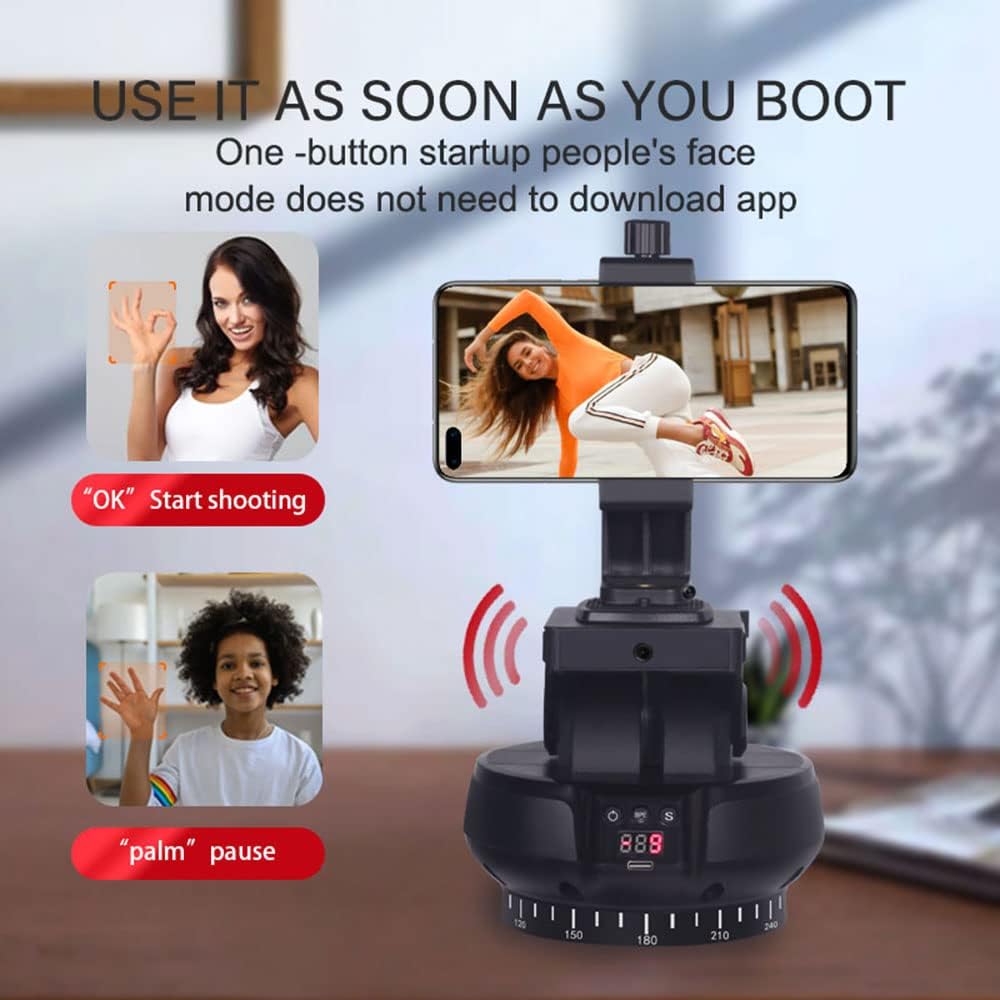
Image: The Andoer YT1200 Face Motorized Pan Tilt Head, showcasing its compact design and a smartphone mounted on top. This image provides a general view produktu.
Nastavení
1. Počáteční nabíjení
- Before first use, ensure the internal battery is fully charged. Connect the provided USB charging cable to the device's charging port and to a 5V/2A USB power adapter (not included).
- Důležité: Some units may have protective stickers on the battery terminals. If the device does not power on or charge, carefully open the battery compartment (if accessible) and remove any protective stickers from both ends of the battery.
- The charging indicator will show the charging status. Once fully charged, the indicator will change (refer to the device's LED indicators for specific behavior).
2. Mounting Your Device (Camera/Smartphone)
- For smartphones, attach the mobile phone clip to the 1/4 inch screw on top of the pan tilt head. Secure your smartphone firmly within the clip.
- For cameras (mirrorless or DSLR up to 1kg), screw the camera directly onto the 1/4 inch screw on top of the pan tilt head. Ensure it is securely fastened.

Image: The top of the Andoer YT1200 features a 1/4-inch screw, demonstrating its compatibility with multiple types of equipment including cameras, mobile phones, and fill lights.
3. Mounting to a Tripod
- The bottom of the pan tilt head features a 1/4 inch screw hole.
- Align this screw hole with the mounting screw on your tripod or monopod.
- Rotate the pan tilt head clockwise until it is securely attached to the tripod.
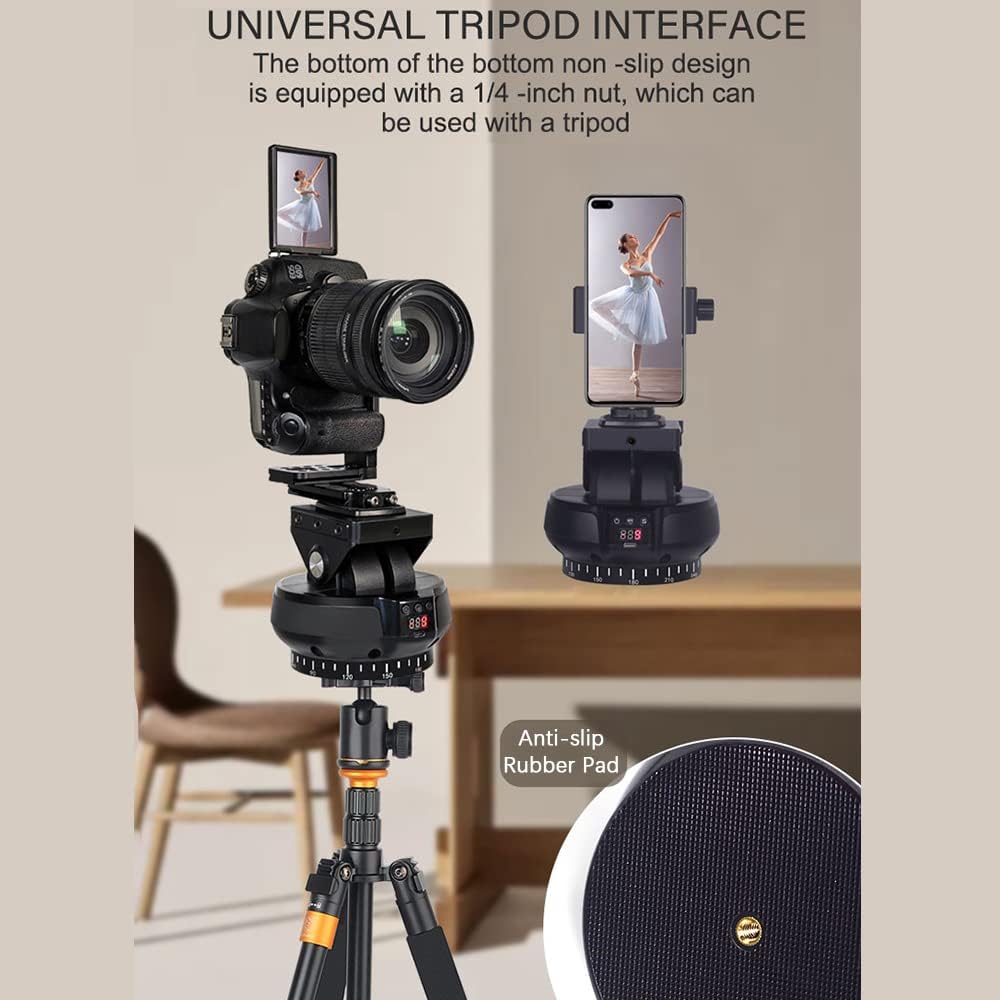
Image: The Andoer YT1200 mounted on a tripod, highlighting its universal tripod interface with a 1/4-inch nut and anti-slip rubber pad for stable attachment.
Návod k obsluze
1. Zapnutí/vypnutí
- Zapnutí: Press and hold the power button on the device for a few seconds until the indicator lights illuminate.
- Vypnout: Znovu stiskněte a několik sekund podržte tlačítko napájení, dokud kontrolky nezhasnou.
- Zkontrolujte baterii: A short press of the power button will display the current battery level on the device's screen.
2. Dálkové ovládání
The included 2.4G remote control allows for convenient operation of the pan tilt head.
- Ensure the remote control has 2 AAA batteries installed (not included).
- Ovládání posunu: Use the directional buttons on the remote to rotate the head horizontally (left/right).
- Ovládání náklonu: Use the directional buttons to adjust the tilt angle (up/down).
- Nastavení rychlosti: The remote control allows for adjusting the rotation and tilt speed across 9 levels. Refer to the remote control's specific buttons for speed increase/decrease.

Image: The Andoer YT1200 operating in remote control mode, with a smartphone mounted and a hand demonstrating the use of the wireless remote control.
3. AI Smart Face Tracking Mode
The YT1200 features an integrated AI camera for automatic face tracking without the need for a separate app.
- Zapněte zařízení.
- Press the dedicated face tracking button (usually indicated by a face icon) on the device or remote control to activate AI smart face tracking.
- The device will automatically detect and follow the subject's face, keeping it centered in the frame.

Image: The Andoer YT1200 with a DSLR camera, highlighting its 360-degree automatic rotation, face recognition tracking, and gesture recognition capabilities, all controllable via remote.

Image: A diagram illustrating the internal components of the built-in AI smart camera, emphasizing its high performance and low latency for sensitive follow shots.
4. Ovládání gesty
The YT1200 supports gesture recognition for convenient control:
- Gesto „OK“: Make an "OK" hand gesture to initiate shooting or start tracking.
- Gesto „dlaně“: Present an open palm to pause tracking or stop shooting.
Údržba
- Udržujte zařízení čisté a bez prachu. K otření vnějšího povrchu používejte měkký, suchý hadřík.
- Nevystavujte zařízení extrémním teplotám, vlhkosti nebo přímému slunečnímu záření.
- Nepokoušejte se zařízení rozebírat, mohlo by dojít ke ztrátě záruky a poškození.
- Pokud zařízení nepoužíváte, skladujte jej na chladném a suchém místě.
Odstraňování problémů
- Device does not power on or charge: Ensure the USB charging cable is properly connected to a 5V/2A power source. Check if there are any protective stickers on the battery terminals that need to be removed.
- Dálkové ovládání nereaguje: Verify that the remote control has fresh AAA batteries installed and that there are no obstructions between the remote and the pan tilt head.
- Face tracking is inconsistent: Ensure the subject is within the optimal range and lighting conditions. Avoid rapid movements that may exceed the tracking speed.
- Device is unstable on a tripod: Confirm that the pan tilt head is securely fastened to the tripod's 1/4 inch screw. Ensure the tripod itself is stable on a flat surface.
Specifikace
| Číslo modelu | LSM5981286127806PI (YT1200) |
| Barva | Černý |
| Horizontální rotace | 360 stupňů |
| Horizontální rychlost | Nastavitelných 9 úrovní |
| Vertikální rychlost | Nastavitelných 9 úrovní |
| Kapacita zatížení | 1 kg |
| Kapacita baterie | 3.7V 2000mAh |
| Jmenovitý Charging Voltage | 5V / 2A |
| Vzdálenost dálkového ovládání | 100 m (přímá viditelnost) |
| Napájecí zdroj dálkového ovládání | 2 * AAA batteries (not included) |
| Velikost položky | 13.5 * 12.9 * 12.3 cm / 5.3 * 5.1 * 4.8 palce |
| Hmotnost položky | 550g / 19.4oz (device only), 2 pounds (packaged) |
| Výrobce | Andoer |

Image: A visual representation of the Andoer YT1200's key specifications, including weight, dimensions, speed levels, voltage, interface type, battery capacity, and control methods.
Záruka a podpora
For warranty information and technical support, please refer to the documentation provided with your purchase or contact Andoer customer service through their official channels. Keep your purchase receipt as proof of purchase for any warranty claims.