
Konec produktuview
The Zgrmbo F500 Digital Wall Clock is designed for clear and easy time display with its large 4-inch digits. It features automatic dimming, support for standard and military time formats, and a power failure memory function. This clock is suitable for various environments including living rooms, classrooms, and bedrooms.

Obrázek: Přední strana view of the Zgrmbo F500 Digital Clock displaying the time.
Mezi klíčové vlastnosti patří:
- Large, clear 4-inch digits for easy readability from a distance.
- Accurate electric-powered digital timekeeping.
- Automatic dimming mode adjusts brightness based on time of day.
- Support for switching between standard (12-hour) and military (24-hour) time formats.
- Hidden cable winder bracket for neat installation.
- Power failure memory function with CR2302 battery backup (battery does not power the clock, only saves settings).

Obrázek: Overview of the clock's dimensions (10.25 inches L x 5.25 inches W) and key features like 4" LED numbers, time/week/date display, DST function, custom/auto brightness, alarm clock, time memory, and 12/24H format.
Co je v krabici
Po otevření balení se prosím ujistěte, že jsou přítomny všechny následující položky:
- 1 x Zgrmbo F500 Digital Wall Clock
- 1 x CR2302 Battery (for memory backup only)
- 1 x Napájecí kabel USB
- 1 x Uživatelská příručka (tento dokument)

Image: The Zgrmbo F500 Digital Clock, USB power cable, and CR2302 battery, illustrating the contents of the package.
Nastavení
Initial Power-Up and Battery Installation
-
Install Backup Battery (Optional but Recommended): Locate the battery compartment on the back of the clock. Insert the provided CR2302 coin cell battery. This battery does not power the clock but retains time settings during power outages.

Image: Close-up showing the battery compartment on the back of the clock.
- Connect the Power Cord (Required): Plug the USB power cable into the clock's power port and connect the other end to a USB power source (e.g., USB adapter, laptop, power bank). The clock requires continuous power to operate.
- Set the Time (Required): Once powered on, the clock will display a default time. Refer to the "Operating Instructions" section for detailed steps on setting the correct time and date.
Mounting and Placement Options
The Zgrmbo F500 Digital Clock offers versatile placement options:
- Montáž na stěnu: The clock features double wall-hung holes on the back for secure wall mounting.
- Tabletop/Desk Placement: Utilize the two hidden standing brackets on the back of the clock. Simply open them to position the clock upright on any flat surface.
The clock also includes a hidden cable winder bracket to manage excess power cable, ensuring a tidy appearance whether mounted or placed on a surface.
Obrázek: Zadní view of the clock highlighting the double wall-hung holes, stable standing brackets, battery compartment, and wire winding channel.

Image: The Zgrmbo F500 Digital Clock mounted on a wall in a living room, demonstrating its wall-mounted use.
Návod k obsluze
Nastavení času a data
Nastavení času a data:
- Press the "SET" button to enter time setting mode.
- Use the "+" and "-" buttons to adjust the hour, then press "SET" to confirm and move to minutes.
- Opakujte pro minuty, rok, měsíc a den.
- Press "SET" one last time to exit setting mode.
Switching Time Format (Standard/Military)
The clock supports both 12-hour (Standard) and 24-hour (Military) time formats.
- To switch between formats, simply press the "+" or "-" button. The display will instantly change to the selected format.
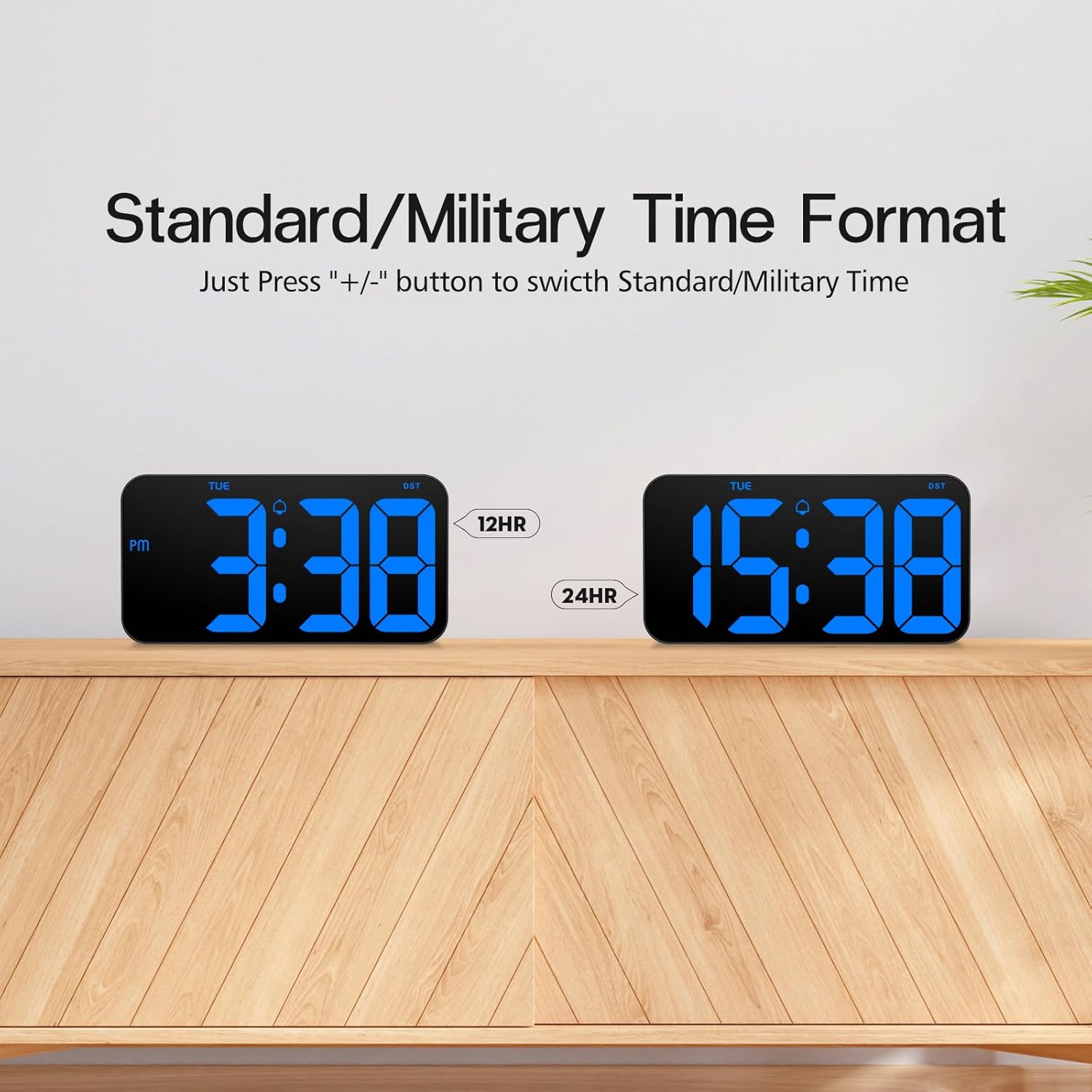
Image: Comparison of the clock displaying time in 12-hour (3:38 PM) and 24-hour (15:38) formats.
Auto Dimming Mode and Brightness Adjustment
The clock features an auto-dimming mode to adjust brightness automatically, ensuring optimal visibility day and night without being too bright in dark environments.
- To activate auto-dimming mode, press and hold the "LIGHT" button.
- In auto-dimming mode, the brightness levels are pre-set as follows:
- 07:00 - 19:00: 100% jas
- 19:00 - 23:00: 60% jas
- 23:00 - 07:00: 25% jas
- You can also manually adjust brightness by repeatedly pressing the "LIGHT" button to cycle through different brightness levels if auto-dimming is off.

Image: Illustration of custom brightness levels (100%, 80%, 60%, 20%, 0%) and the auto-brightness mode with its time-based adjustments.

Image: The clock displaying time at night, demonstrating the reduced brightness for comfortable viewv tmavém prostředí.
Funkce letního času (DST)
The clock supports Daylight Saving Time adjustments.
- To enable or disable DST, press the "DST" button. The "DST" indicator on the display will illuminate when active.
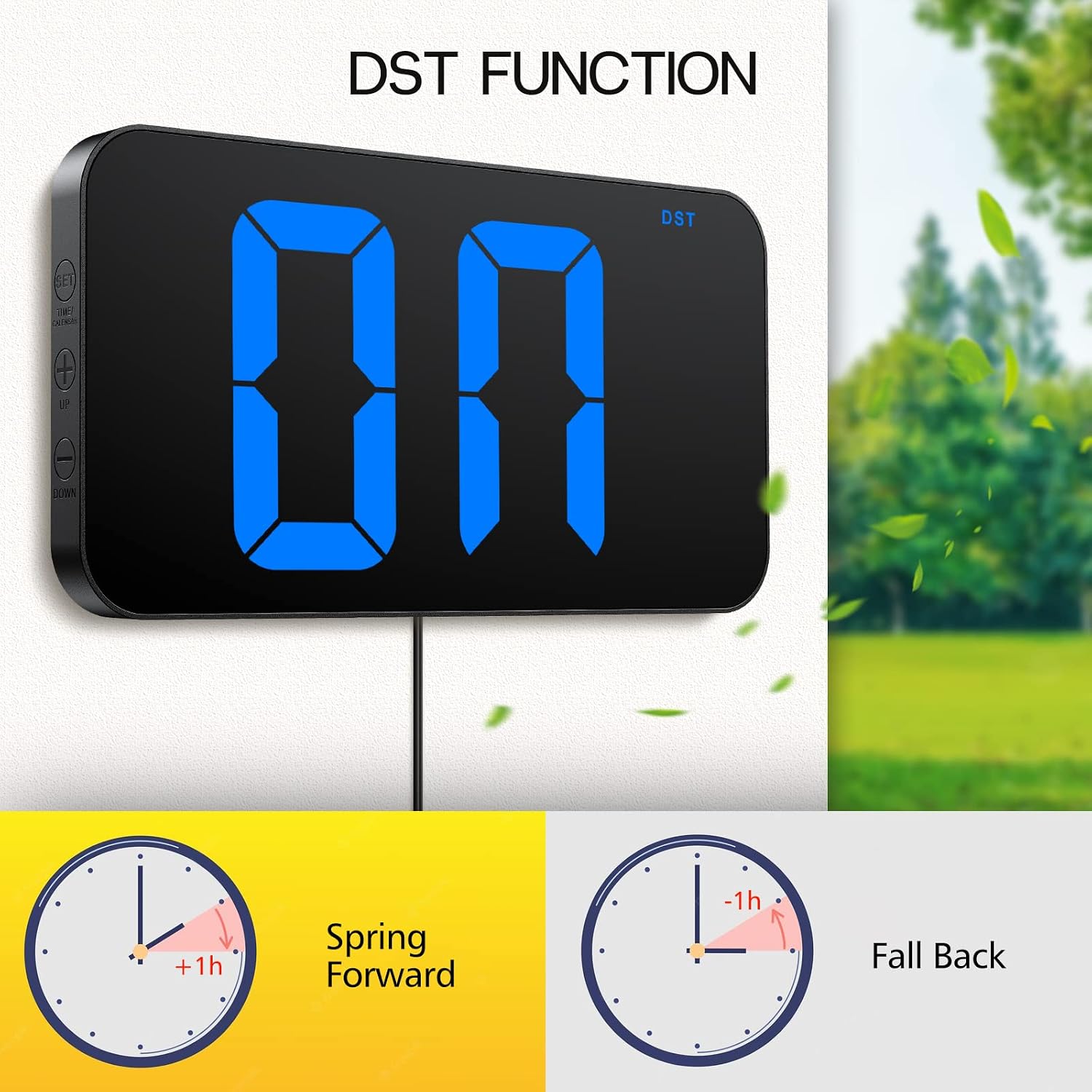
Image: The clock displaying "DST" and illustrations of "Spring Forward" (+1h) and "Fall Back" (-1h) for Daylight Saving Time.
Additional Display Functions
- Center Dots Blinking: Long press the "+" button to turn on/off the blinking of the two center dots separating hours and minutes.
- Time and Date Alternating Display: Long press the "-" button to turn on/off the alternating display of time and date.

Image: The clock displaying the date (e.g., 1-5, 1-6, 1-7), demonstrating the alternating time and date function.
Paměť při výpadku napájení
The built-in CR2302 coin cell battery ensures that your time settings are retained even during a power outage, eliminating the need to reset the clock when power is restored.

Image: A sequence showing the clock operating normally, during a power outage (blank display), and powering on after an hour with the correct time retained.
Údržba
To ensure the longevity and optimal performance of your Zgrmbo F500 Digital Clock, follow these simple maintenance guidelines:
- Čištění: Gently wipe the clock's surface with a soft, dry, or slightly damp cloth. Avoid using abrasive cleaners, solvents, or strong chemicals, as these can damage the display or casing.
- Zdroj napájení: Always use the provided USB power cable or a compatible USB adapter. Ensure the power source is stable to prevent damage to the clock.
- Výměna baterie: The CR2302 backup battery typically lasts for a long time. If you notice that the time settings are not retained during power outages, it may be time to replace the CR2302 battery.
- Prostředí: Place the clock in a dry environment, away from direct sunlight, extreme temperatures, and high humidity, which can affect its electronic components.
Odstraňování problémů
If you encounter any issues with your Zgrmbo F500 Digital Clock, please refer to the following common problems and their solutions:
| Problém | Možná příčina | Řešení |
|---|---|---|
| Hodiny se nezapínají. | No power, loose connection, faulty cable/adapter. | Ensure the USB power cable is securely connected to both the clock and a working USB power source. Try a different USB port or adapter. |
| Time settings are lost after power outage. | Záložní baterie je vybitá nebo není nainstalována. | Install a new CR2302 battery or replace the existing one. Ensure it is inserted correctly. |
| Displej je příliš jasný nebo příliš tmavý. | Incorrect brightness setting or auto-dimming not enabled/disabled. | Press the "LIGHT" button to cycle through brightness levels. Press and hold "LIGHT" to enable/disable auto-dimming mode. |
| Time format is incorrect (12H/24H). | Wrong time format selected. | Press the "+" or "-" button to switch between 12-hour and 24-hour formats. |
| Clock is not displaying date. | Alternating display mode is off. | Long press the "-" button to turn on the alternating time and date display. |
If the problem persists after trying these solutions, please contact Zgrmbo customer support for further assistance.
Specifikace
| Funkce | Detail |
|---|---|
| Značka | Zgrmbo |
| Číslo modelu | F500 |
| Typ zobrazení | Digitální |
| Rozměry produktu | 10.25 cm Š x 5.3 cm V |
| Zdroj napájení | Elektrický kabel |
| Záložní baterie | CR2302 (for memory retention only) |
| Speciální funkce | Adjustable Brightness, Auto Dimmable, Corded, Daylight Saving, Large Display with 4" Huge Clear Digits, Hidden Cable Winder |
| Typ montáže | Držák na stěnu nebo na stůl |
| Materiál | Akrylonitrilbutadienstyren (ABS), plast |
| Hmotnost položky | 0.43 kilogramů (15.2 uncí) |
Záruka
Zgrmbo provides an Záruka 18 měsíců for the F500 Digital Wall Clock from the date of purchase. This warranty covers manufacturing defects and issues arising from normal use.
Navíc a 45denní zásada vrácení is offered, allowing for returns or exchanges within 45 days of purchase if you are not satisfied with the product.
Uschovejte si prosím doklad o koupi pro uplatnění záruky.
Zákaznická podpora
For any questions, concerns, or assistance with your Zgrmbo F500 Digital Clock, please do not hesitate to contact our customer support team.
You can reach us through the Amazon messaging system by visiting the product page or your order history on Amazon. We are committed to providing prompt and helpful support.
We appreciate your purchase and hope you enjoy your Zgrmbo Digital Clock!