
1. Úvod
The COMPUTHERM E400RF Wi-Fi thermostat is a wireless switching device designed for controlling heating and cooling systems. It can be managed remotely via the internet using a smartphone or tablet. This device offers easy connection to any two-wire room thermostat, gas boiler with a connection point, or any air conditioner or other electrical appliance, supporting both 24V and 230V control circuits.
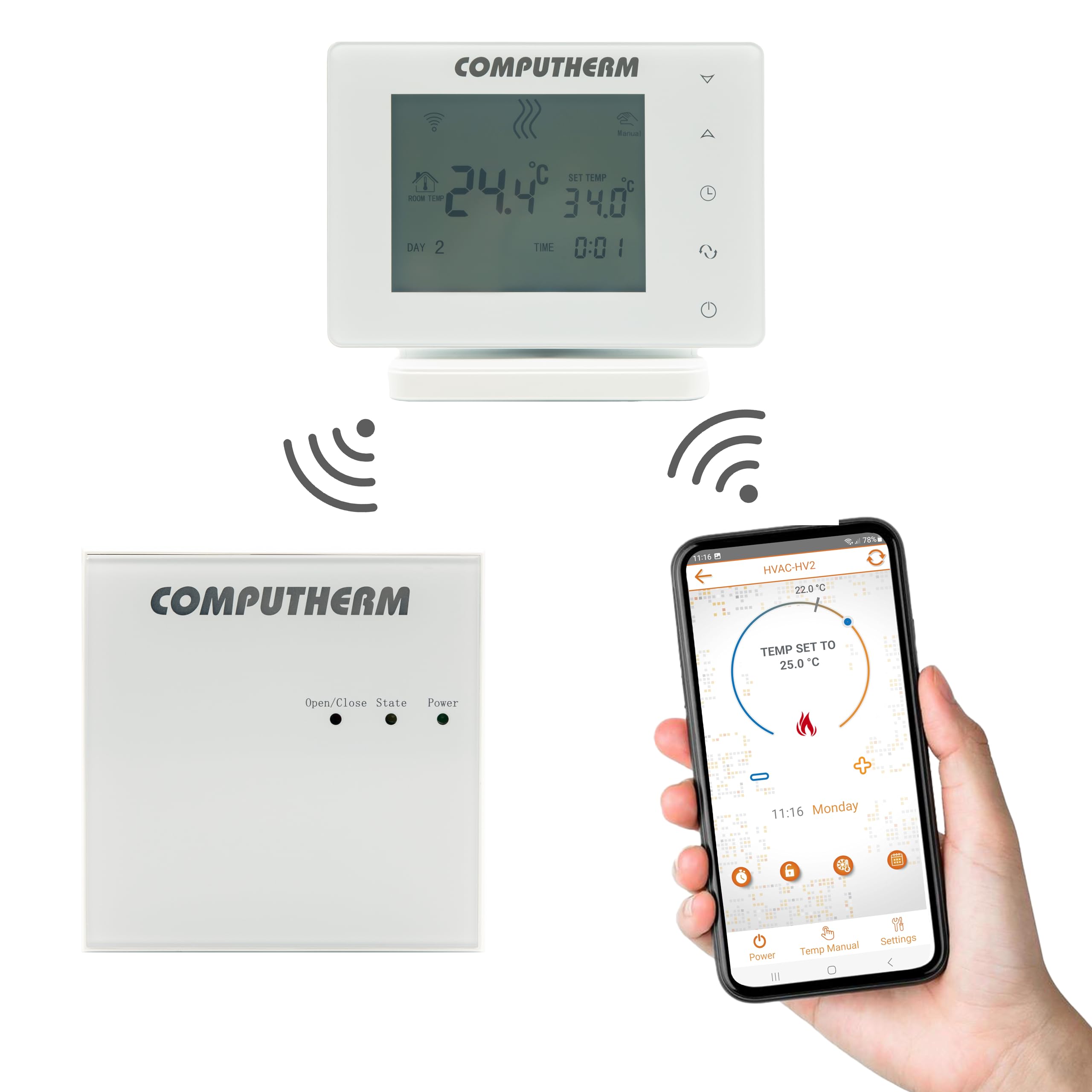
The system comprises two main units: the thermostat (control unit) and the receiver unit, which directly controls the boiler or HVAC system. These units communicate wirelessly via radio frequency, eliminating the need for physical wiring between them. Both units are factory-coordinated and synchronized, each possessing a unique security code to ensure reliable operation.
2. Konec produktuview
The COMPUTHERM E400RF system includes a sleek, portable thermostat unit and a separate receiver unit. The thermostat features a clear display and touch buttons for local control, while the receiver unit handles the switching of your heating or cooling appliance.

3. Klíčové vlastnosti
- Ovládací rozhraní: Features intuitive touch buttons on the device, control via a dedicated smartphone application, and remote control capabilities.
- Přenosnost: The thermostat unit can be freely moved within its operational range, offering flexibility in placement.
- Provozní režimy: Supports both manual temperature setting and programmable scheduling modes.
- Heat Sensor Calibration: Allows for calibration of the temperature sensor to ensure accuracy.
- Ovládání pro více uživatelů: Designed to support control by multiple users.
- Funkce rozmrazování: Includes a defrost feature to prevent freezing in cold environments.
- Zámek: Provides a key lock function to prevent unintended adjustments.
- Bezdrátové připojení: Utilizes Wi-Fi for internet control and radio frequency for communication between thermostat and receiver.
4. Specifikace
| Funkce | Specifikace |
|---|---|
| Značka | COMPUTHERM |
| Číslo modelu | E400RF |
| Barva | Bílý |
| Materiál | Plast |
| Hmotnost položky | 377 g |
| Rozsah měření teploty | 0 až 50 °C (v krocích po 0.1 °C) |
| Přesnost měření teploty | ± 0.5 °C |
| Přepínání citlivosti | ± 0.1 to ± 1.0 °C (in 0.1 °C increments) |
| Rozsah kalibrace teploty | ± 3.0 °C (in 0.1 °C increments) |
| Napájecí zdroj (termostat) | USB-C 5V DC, 1A |
| Bezdrátový dosah (pod širým nebem) | Cca 250 m |
| Thermostat Dimensions (H x W x D with stand) | 130 x 23 x 92 mm |
| Switchable Current (Receiver) | 10 A (3 A indukční zátěž) |
| Technologie připojení | Wi-Fi |
| Komponenty v ceně | Thermostat, Receiver Unit, Stand |
| Specifická použití | Systémy vytápění a chlazení |
5. Nastavení a instalace
5.1 Vybalení a identifikace součástí
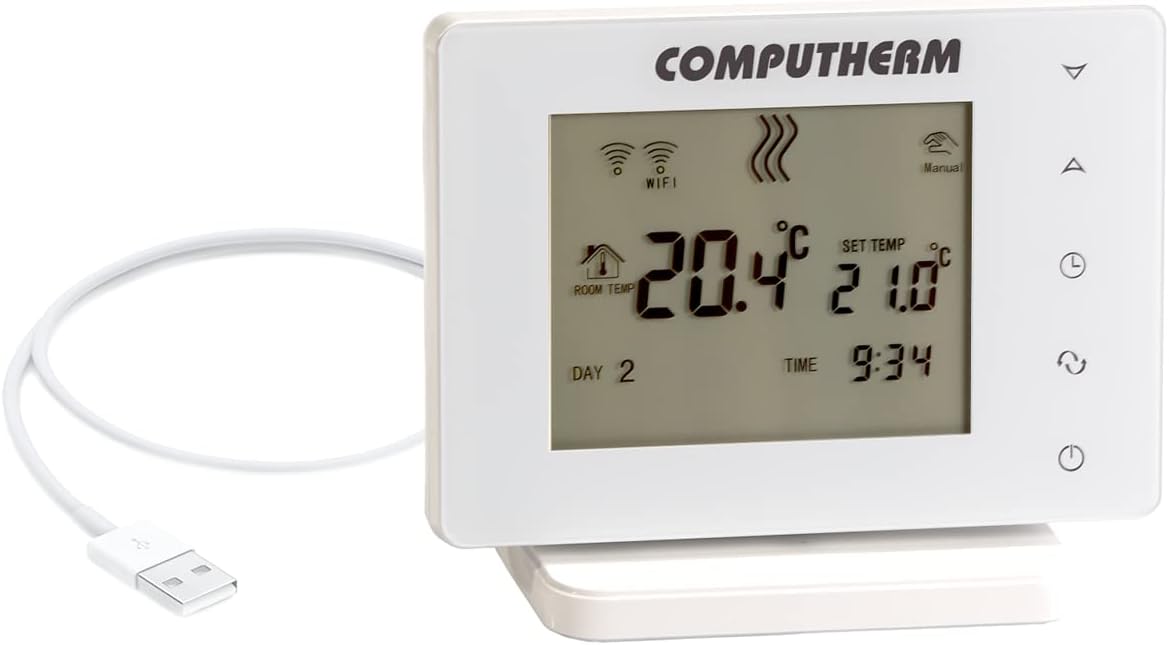
Carefully unpack all components from the box. Ensure you have the thermostat unit, receiver unit, a stand for the thermostat, and a USB-C cable for power.

5.2 Thermostat Placement and Power
- Assemble the thermostat with its stand.
- Place the thermostat in a central location within the heated/cooled area, away from direct sunlight, drafts, or heat sources that could affect temperature readings.
- Connect the thermostat to a power source using the provided USB-C cable and adapter.

5.3 Zapojení přijímací jednotky
The receiver unit must be wired to your heating or cooling system. This typically involves connecting to a two-wire control circuit of a boiler, air conditioner, or other electrical device. Ensure the power supply matches the system's requirements (24V or 230V). It is recommended that wiring be performed by a qualified electrician.
5.4 Počáteční párování a připojení k Wi-Fi
The thermostat and receiver units are factory-paired. If re-pairing is necessary, refer to the detailed instructions in the full user manual. To enable Wi-Fi control, download the COMPUTHERM smartphone application and follow the in-app instructions to connect your thermostat to your home Wi-Fi network.
6. Návod k obsluze
6.1 Nastavení teploty
- Via Touch Buttons: Use the up/down arrow buttons on the thermostat to adjust the desired set temperature. The display will show both the current room temperature and the set temperature.
- Via Smartphone App: Open the COMPUTHERM app on your smartphone or tablet. Navigate to your E400RF thermostat and adjust the temperature using the digital controls provided in the application.
6.2 Provozní režimy
- Manuální režim: The thermostat maintains the set temperature until manually changed.
- Naprogramovaný režim: Allows you to set a schedule for temperature changes throughout the day or week. Configure these programs through the smartphone application.
6.3 Pokročilé funkce
- Kalibrace senzoru: If you suspect the temperature reading is inaccurate, you can calibrate the sensor via the app or device settings.
- Funkce rozmrazování: This feature helps prevent pipes from freezing by activating heating if the temperature drops below a certain threshold.
- Zámek: Activate the key lock to prevent accidental changes to settings, especially useful in households with children.
- Přístup pro více uživatelů: Grant access to other family members or authorized users through the smartphone application.
7. Údržba
The COMPUTHERM E400RF thermostat requires minimal maintenance. To ensure optimal performance and longevity:
- Čištění: Jemně otřete displej termostatu a casinměkkým, suchým hadříkem. Nepoužívejte abrazivní čisticí prostředky ani rozpouštědla.
- Prostředí: Zajistěte, aby termostat nebyl vystaven extrémním teplotám, vysoké vlhkosti nebo přímému kontaktu s vodou.
- Aktualizace firmwaru: Periodically check the smartphone application for any available firmware updates for your thermostat to ensure you have the latest features and bug fixes.
8. Řešení problémů
If you encounter issues with your COMPUTHERM E400RF thermostat, consider the following troubleshooting steps:
- Termostat není napájen: Ensure the USB-C cable is securely connected to both the thermostat and a working power adapter. Check the power outlet.
- No Power to Receiver/HVAC System Not Responding: Verify that the receiver unit is properly wired and receiving power. Check the circuit breaker for your heating/cooling system.
- Žádné připojení k Wi-Fi: Confirm your home Wi-Fi network is active and the thermostat is within range. Try restarting your Wi-Fi router. Re-establish the Wi-Fi connection through the COMPUTHERM app if necessary.
- Teplotní odchylka: If the displayed temperature does not match another thermometer, perform a sensor calibration as described in the operating instructions.
- Thermostat and Receiver Not Communicating: Although factory-paired, environmental interference can sometimes affect communication. Ensure both units are within range (approx. 250m in open air, less indoors) and free from major obstructions. If issues persist, consult the full manual for re-pairing instructions.
9. Informace o záruce
The COMPUTHERM E400RF thermostat typically comes with a 2-letá záruka. Please retain your proof of purchase for warranty claims. For specific terms and conditions, refer to the warranty card included in your product packaging or contact the manufacturer/distributor.
Informace o dostupnosti náhradních dílů nejsou v současné době k dispozici.
10. Podpora
For further assistance, technical support, or detailed inquiries, please contact the manufacturer, COMPUTHERM, or the distributor, Calorsol GmbH. Contact information can usually be found on the product packaging, the official COMPUTHERM website, or within the smartphone application.