
1. Konec produktuview
The Keychron Q3 Pro SE is a state-of-the-art full metal QMK/VIA wireless custom mechanical keyboard designed to provide an exceptional typing experience. It features a tenkeyless (TKL) layout, an aluminum knob, and additional special size keys for enhanced efficiency. This keyboard supports both wireless (Bluetooth 5.1) and wired (USB Type-C) connections, offering seamless multitasking across various devices.

Nad hlavou view of the Keychron Q3 Pro SE keyboard, showcasing its TKL layout, dedicated macro keys, and rotary knob.
Klíčové vlastnosti:
- Wireless and Full Metal Design: Constructed with a full aluminum body, the Q3 Pro SE offers a premium feel and robust durability, supporting both wireless Bluetooth 5.1 and wired USB Type-C connections.
- Custom Macro Keys and Knob: Features four customizable macro keys and an aluminum rotary encoder on the left side, programmable via VIA software for enhanced workflow efficiency.
- Multitasking Connectivity: Connects wirelessly to up to 3 devices via Broadcom Bluetooth 5.1, compatible with Mac, Windows, and Linux. Also supports wired mode with a 1000 Hz polling rate.
- Programovatelnost QMK/VIA: Easily remap keys and create macros using the Keychron Launcher web app or open-source QMK firmware for a fluid workflow across different operating systems.
- Přepínače vyměnitelné za provozu: Equipped with pre-lubed K Pro mechanical linear red switches, the keyboard allows for easy hot-swapping of most 3-pin and 5-pin MX mechanical switches without soldering.
- Durable PBT Keycaps & South-facing Backlight: Features unique Keychron spherical-angle (KSA profile) double-shot PBT keycaps that are oil-resistant and durable. South-facing RGB lighting ensures better illumination from the typist's perspective.
- Double-Gasket Design: Incorporates silicone pads between the top and bottom cases, in addition to plate gaskets, to significantly reduce sound resonance and improve typing acoustics.
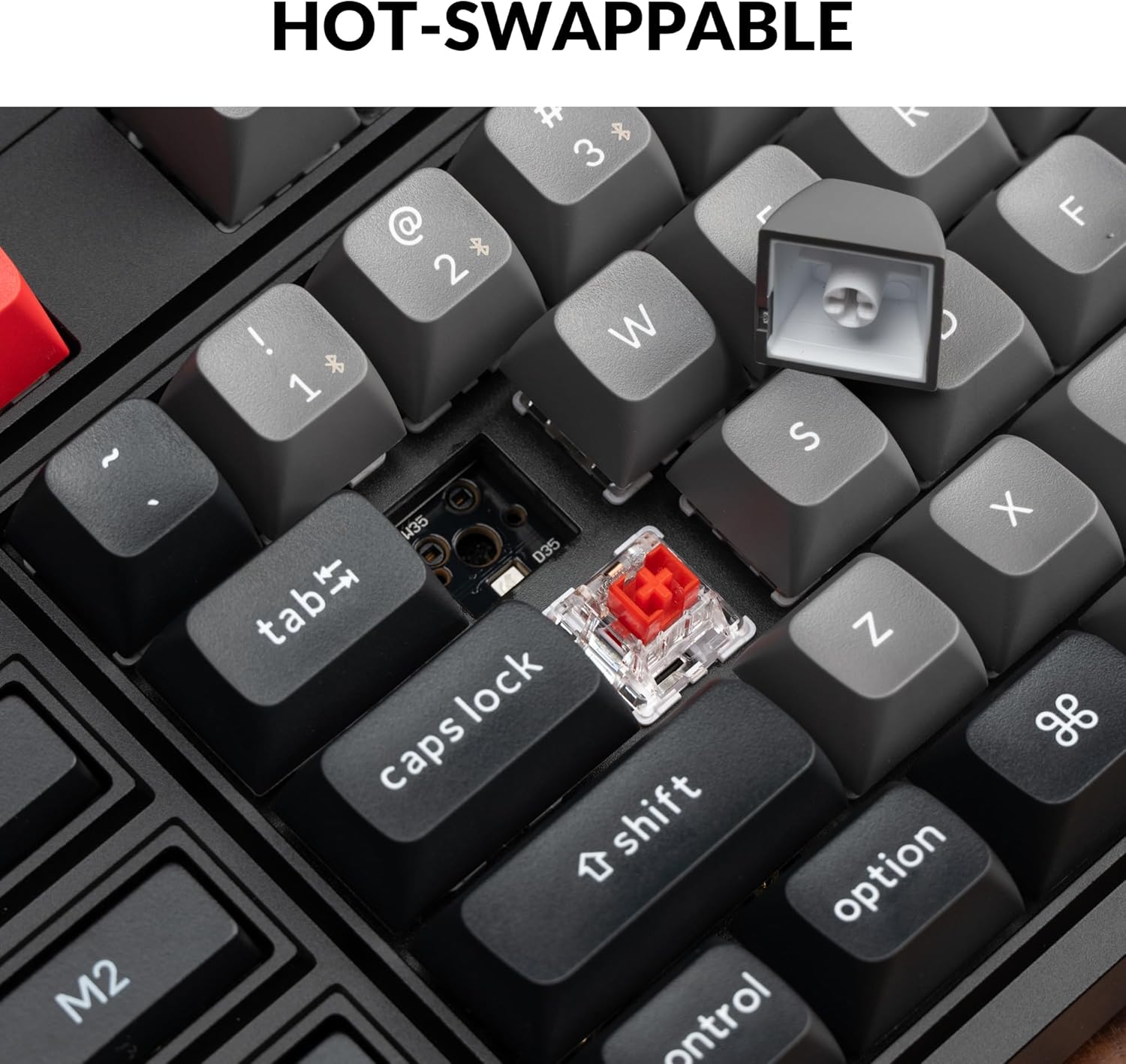
Detailní záběr view demonstrating the hot-swappable feature, with a keycap removed and a switch visible, ready for replacement.

An illustration of the QMK/VIA software interface, showing how users can customize key assignments and macros for the keyboard.

The Keychron Q3 Pro SE keyboard shown in use with a laptop and smartphone, highlighting its wireless Bluetooth and wired Type-C connectivity options.
2. Průvodce nastavením
2.1 Počáteční připojení
The Keychron Q3 Pro SE supports both wired and wireless (Bluetooth) connections. Choose the method that best suits your needs.
Kabelové připojení:
- Vyhledejte port USB typu C na zadní straně klávesnice.
- Připojte jeden konec dodaného kabelu USB Type-C ke klávesnici.
- Připojte druhý konec kabelu k volnému portu USB na počítači.
- Klávesnice bude automaticky rozpoznána vaším operačním systémem.
Bezdrátové připojení Bluetooth:
- Ensure the keyboard's mode switch (located on the back) is set to 'BT' (Bluetooth).
- V počítači nebo zařízení povolte Bluetooth a vyhledejte nová zařízení.
- The keyboard should appear as 'Keychron Q3 Pro SE'. Select it to pair.
- If prompted, enter the pairing code displayed on your screen using the keyboard, then press Enter.
- The keyboard can store up to 3 Bluetooth devices. Switch between them using the Fn + 1/2/3 key combinations.
2.2 Přepínač rozložení operačního systému
The Keychron Q3 Pro SE features a physical switch on the back to toggle between Windows and macOS layouts, ensuring proper key mapping for your operating system.

A close-up of the physical switch on the side of the keyboard, allowing users to easily toggle between Windows and macOS layouts for optimal compatibility.
- Set the switch to 'Win' for Windows and Linux systems.
- Set the switch to 'Mac' for macOS systems.
3. Návod k obsluze
3.1 Customizing Macro Keys and Knob
The Q3 Pro SE's four macro keys (M1-M4) and the rotary knob are fully programmable using the VIA software. This allows for extensive customization to streamline your workflow.
- Software VIA: Download and install the VIA software from the official Keychron webmísto.
- Přemapování klíčů: Use VIA to remap any key on the keyboard to a different function, including standard keys, multimedia controls, or special characters.
- Vytvoření makra: Create complex macros (sequences of key presses) and assign them to the M1-M4 keys for quick execution of repetitive tasks.
- Přizpůsobení knoflíku: The rotary knob can be assigned various functions such as volume control, zoom in/out, brush size adjustment, or backlight hue control.

A close-up of the programmable rotary knob and macro keys (M1-M4) on the left side of the keyboard, highlighting their accessibility for custom functions.
3.2 Přepínače vyměnitelné za provozu
The hot-swappable design allows you to easily change the mechanical switches without soldering. This provides flexibility to customize your typing feel.
- Use the provided switch puller tool to gently remove the keycap.
- Position the switch puller around the switch and apply gentle pressure to pull it straight up.
- Zarovnejte piny nového spínače s otvory na desce plošných spojů.
- Gently push the new switch down until it clicks into place. Ensure it is fully seated.

Detailní view of the hot-swappable sockets on the keyboard's PCB, with some switches removed and others in place, illustrating the ease of switch replacement.
3.3 PBT klávesy a RGB podsvícení
The keyboard comes with durable KSA profile double-shot PBT keycaps. The south-facing RGB backlight is designed to provide optimal illumination from the typist's angle.
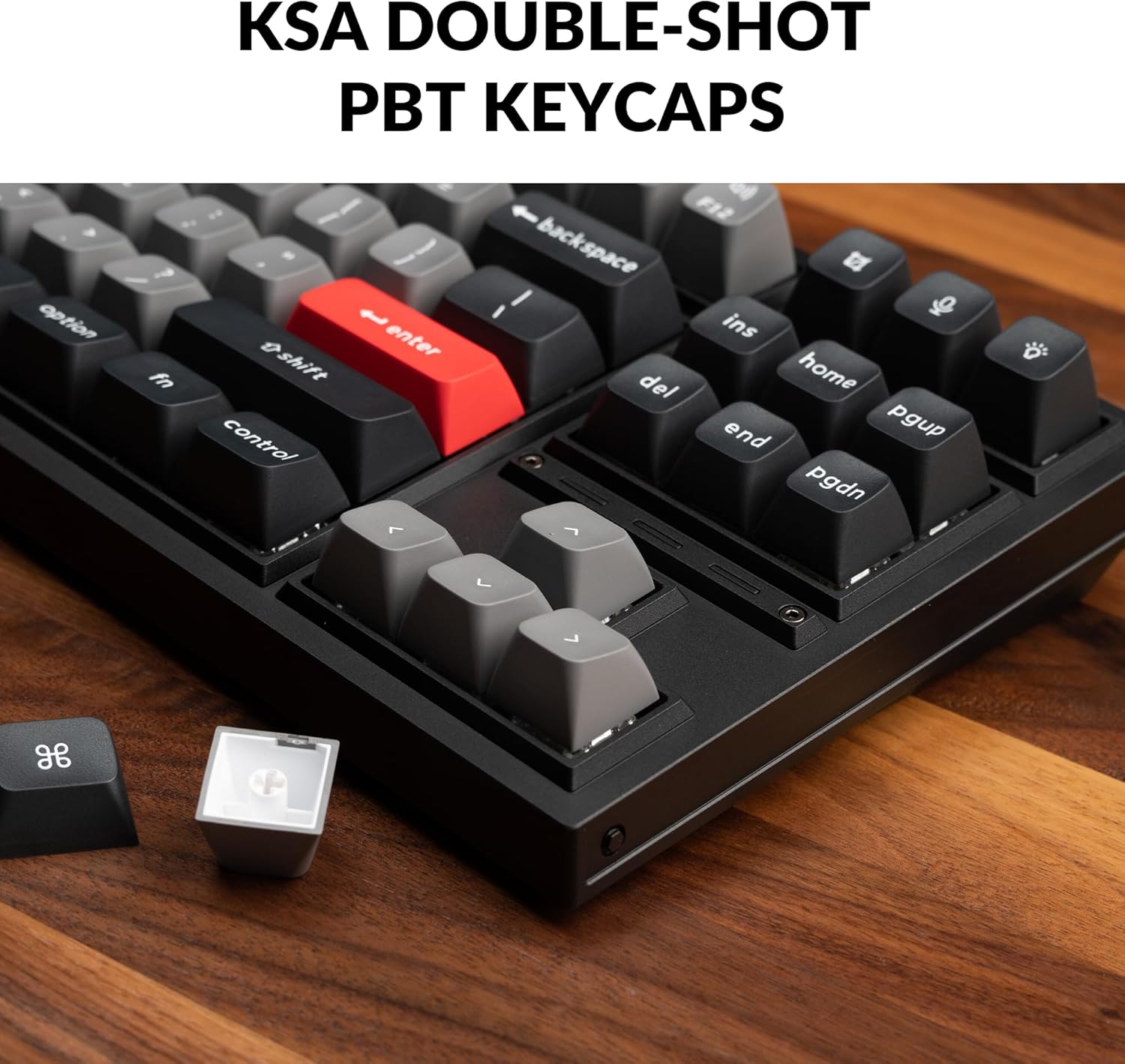
A close-up of the KSA double-shot PBT keycaps on the Keychron Q3 Pro SE, highlighting their texture and profile, with a detached keycap showing its internal structure.

A view of the keyboard's RGB backlighting, with light emanating from beneath the keycaps and through the transparent switch housings, showcasing the south-facing LED design.
4. Údržba
4.1 Čištění klávesnice
Pravidelné čištění pomáhá udržovat vzhled a funkčnost klávesnice.
- Odstranění prachu: Pomocí stlačeného vzduchu odfoukněte prach a nečistoty z prostoru mezi klávesami.
- Čištění povrchu: Wipe the keycaps and keyboard frame with a soft, lint-free cloth slightly dampOpláchněte vodou nebo jemným, neabrazivním čisticím roztokem. Zabraňte nadměrné vlhkosti.
- Hloubkové čištění (kláves): For thorough cleaning, keycaps can be removed using the provided keycap puller and washed with mild soap and water. Ensure they are completely dry before reattaching.
4.2 Údržba spínačů a stabilizátorů
The hot-swappable design simplifies switch maintenance and replacement.
- Výměna spínače: If a switch becomes faulty or you wish to change the typing feel, refer to section 3.2 for instructions on hot-swapping switches.
- Stabilizer Lubrication: The PCB-mounted screw-in stabilizers are pre-lubed. Over time, if you notice rattling or stickiness on larger keys (Spacebar, Shift, Enter), you may consider re-lubricating the stabilizers with a suitable lubricant (e.g., Krytox 205g0). This typically requires removing the keycap and applying lubricant to the stabilizer wires and housings.

An exploded diagram illustrating the various components of the Keychron Q3 Pro SE, including the knob, keycaps, switches, top case, gaskets, sound absorbing foam, plate, PCB, case foam, battery, silicone gaskets, and bottom case, useful for understanding assembly and disassembly.
5. Řešení problémů
5.1 Běžné problémy a řešení
- Klávesnice nereaguje (kabelová):
- Ujistěte se, že je kabel USB-C bezpečně připojen ke klávesnici i k počítači.
- Zkuste jiný port USB na počítači.
- Pokud je k dispozici, vyzkoušejte s jiným kabelem USB-C.
- Klávesnice se nepřipojuje (Bluetooth):
- Ujistěte se, že je přepínač režimů klávesnice nastaven na „BT“.
- Verify Bluetooth is enabled on your device and the keyboard is in pairing mode (Fn + 1/2/3 for 4 seconds).
- Odeberte klávesnici ze seznamu Bluetooth zařízení a zkuste ji znovu spárovat.
- Ujistěte se, že je baterie klávesnice dostatečně nabitá.
- Klávesy se neregistrují nebo se píší dvakrát:
- This could indicate a faulty switch. Use the hot-swappable feature to replace the affected switch (refer to section 3.2).
- Ujistěte se, že je spínač zcela zasunut do své zásuvky.
- Incorrect Key Output (OS Layout):
- Check the OS layout switch on the back of the keyboard and ensure it matches your operating system (Windows/macOS).
- Customization Issues (VIA):
- Ensure the keyboard is connected via USB-C when using the VIA software.
- Verify you are using the correct VIA firmware for your specific Q3 Pro SE model.
- Navštivte Keychron website for the latest VIA software and firmware updates.
6. Specifikace
| Funkce | Detail |
|---|---|
| Rozměry produktu | 16.34 x 5.68 x 1.24 palce (414.98 x 144.16 x 31.5 mm) |
| Hmotnost položky | 6.93 libry (3.14 kg) |
| Výrobce | Keychron |
| Číslo modelu | Keychron Q3 Pro SE |
| Baterie | 1 Lithium Ion battery required (included), 4000 mAh |
| Technologie připojení | Bluetooth 5.1 / USB typu C (kabelové) |
| Míra hlasování | 1000 Hz (Wired) / 90 Hz (Wireless) |
| Počet klíčů | 82 |
| Klíčenky | KSA Double-shot PBT (Non-shine through) |
| Spínače | Keychron K Pro Red Switch (Linear) |
| Vyměnitelné za provozu | Yes, with 3-pin & 5-pin MX Mechanical Switches |
| Podsvícení | South-facing RGB Backlight |
| Kompatibilní zařízení | Notebook, PC, Smartphone, Tablet |
| Kompatibilní OS | macOS/Windows/Linux |

A visual representation of the Keychron Q3 Pro SE keyboard alongside a detailed list of its technical specifications.
6.1 Co je v krabici
- 1x Fully Assembled Keyboard (including Aluminum Case, PCB, PC Plate, Sound Absorbing Foam, Case Foam, 16x Gaskets (12 Installed and 4 in the Box), 5 sets x Stabilizers, 1 set x Keycaps (Double-Shot KSA PBT), 1 set x Switches)
- 1x kabel Type-C to Type-C
- 1x adaptér typu A na typ C
- 1x stahovák spínačů
- 1x stahovák klíčenky
- 1x Šroubovák
- 1x hexadecimální klíč

An image displaying the Keychron Q3 Pro SE keyboard and all its included accessories, such as cables, tools, and extra components, as listed in the package contents.
7. Záruka a podpora
7.1 Informace o záruce
Produkty Keychron se obvykle dodávají s omezenou zárukou, která pokrývá výrobní vady. Konkrétní záruční podmínky naleznete v záruční kartě dodané s produktem nebo navštivte oficiální webové stránky Keychron. webmísto.
7.2 Zákaznická podpora
For technical assistance, troubleshooting, or inquiries regarding your Keychron Q3 Pro SE keyboard, please contact Keychron customer support through their official website. You can also find additional resources, FAQs, and community forums on their support pages.
Visit the official Keychron Store for more information and support: Obchod Keychron na Amazonu