
Zavedení
This manual provides detailed instructions for the operation and maintenance of the EXFO MAX-730C Optical Time Domain Reflectometer (OTDR), specifically the MAX-730C-SM2-IO-EI-EUI-91 model. This compact and lightweight device is designed for efficient fiber optic network testing, featuring OTDR and IOLM functions with 1310/1550/1625nm wavelengths and dynamic ranges of 39/38/39dB. Its rugged design ensures reliable performance in challenging environments.
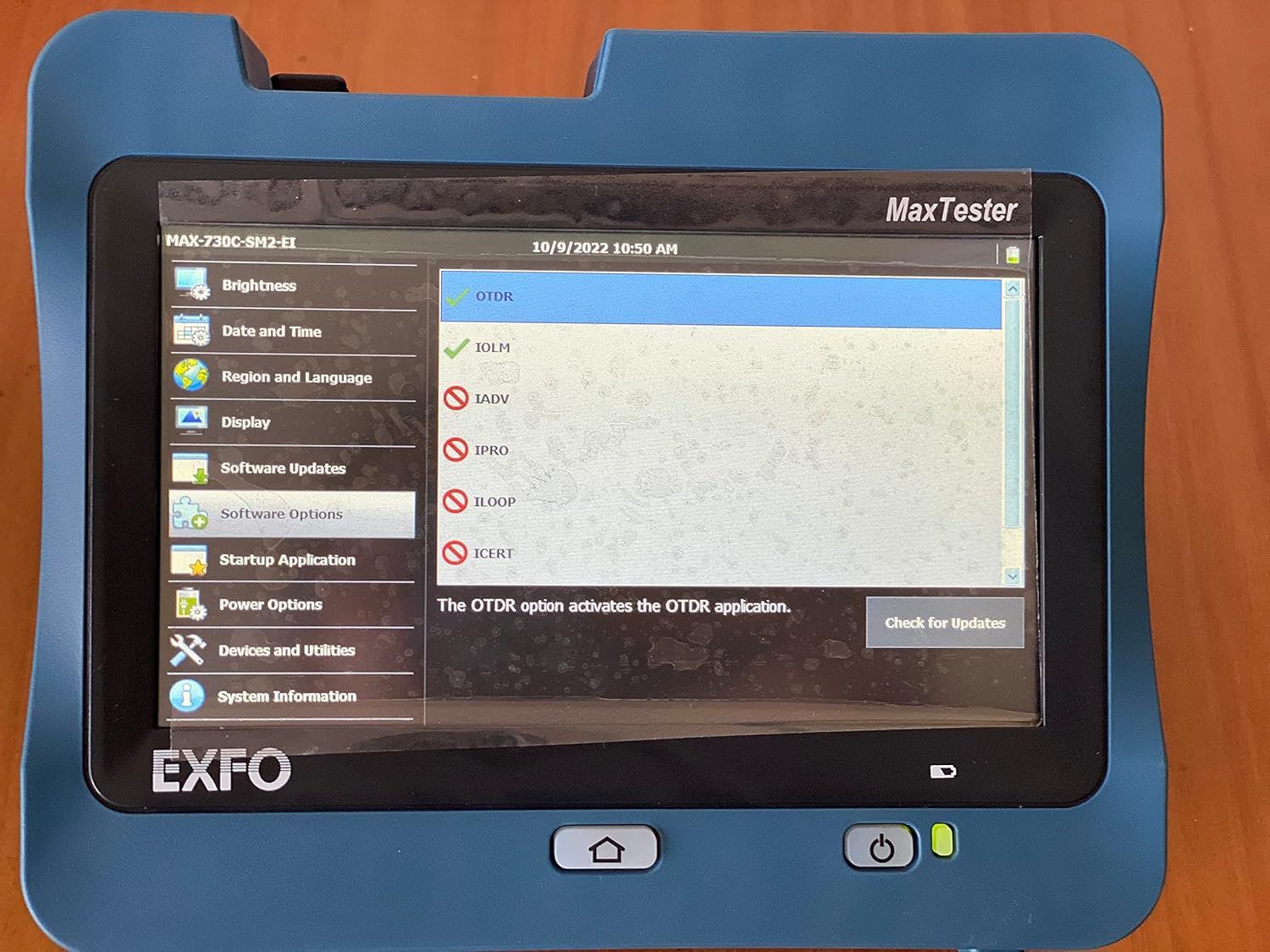
Figure 1: The EXFO MAX-730C OTDR device, displaying its main MaxTester interface with various application options.
Nastavení
Vybalení a první kontrola
Carefully unpack the EXFO MAX-730C OTDR and all accessories. Inspect the device for any signs of damage during transit. Report any damage to your supplier immediately.
Zapnutí
The device is battery-powered. Ensure the battery is sufficiently charged before first use. Connect the provided power adapter to charge the unit if needed. Press and hold the power button located on the front panel to turn on the device.
Počáteční konfigurace
Upon first power-on, you may be prompted to set basic configurations such as date, time, and language. Navigate through the touchscreen interface to set these parameters.

Figure 2: The device's screen displaying the 'Region and Language' settings, allowing users to select display language, keyboard layout, and date/time formats.
Connecting to Fiber
Locate the fiber optic ports on the device. These are typically located on the top or side of the unit. Carefully connect your fiber optic cables to the appropriate ports (e.g., SM LIVE, SM). Ensure connectors are clean before insertion to prevent damage and ensure accurate readings.

Obrázek 3: Nahoře view of the EXFO MAX-730C, highlighting its connectivity options including USB ports, an Ethernet port, and dedicated fiber optic connectors for SM LIVE and SM testing.
Provozní
Navigace v rozhraní
The EXFO MAX-730C features a high-resolution, 4.3-inch widescreen color touchscreen. Navigate through menus and applications by tapping on icons and options. The main screen provides access to various functions.

Figure 4: The main application screen of the EXFO MAX-730C, displaying icons for various functions such as OTDR, IOLM, ConnectorMax2, File Manager, and Configuration.
Using OTDR Function
To perform an OTDR test:
- From the main screen, tap the 'OTDR' icon.
- Select the desired test parameters (e.g., wavelength, pulse width, range).
- Ensure the fiber is properly connected.
- Initiate the test. The device will display the fiber trace and event table.
Using IOLM Function
The Intelligent Optical Link Mapper (IOLM) function simplifies fiber testing by providing a clear, icon-based view of the fiber link. To use IOLM:
- Tap the 'IOLM' icon from the main screen.
- Follow the on-screen prompts to set up the test.
- The IOLM will automatically detect and characterize events on the fiber, presenting them in an easy-to-understand graphical format.
Správa dat
The device allows for saving test results. Use the 'File Manager' application to organize, view, and transfer your test data. Data can be transferred via USB or Ethernet.
Údržba
Čištění zařízení
Regularly clean the touchscreen with a soft, lint-free cloth. For stubborn marks, use a screen cleaner designed for electronic displays. Keep the device free from dust and debris.
Fiber Connector Care
Clean fiber optic connectors before each use to ensure accurate measurements and prevent damage to the device's ports. Use appropriate fiber cleaning tools and methods.
Péče o baterie
To prolong battery life, avoid fully discharging the battery frequently. Store the device in a cool, dry place when not in use for extended periods. Charge the battery periodically if stored for a long time.
Aktualizace softwaru
Check for software updates periodically via the 'Software Updates' option in the settings menu. Keeping the software updated ensures optimal performance and access to new features.
Odstraňování problémů
Zařízení se nezapíná
- Ujistěte se, že je baterie nabitá. Připojte napájecí adaptér a zkuste to znovu.
- Ověřte, zda je tlačítko napájení stisknuté a podržené několik sekund.
Inaccurate Test Results
- Clean fiber optic connectors thoroughly.
- Check for proper connection of the fiber to the device.
- Verify test parameters are correctly set for the fiber being tested.
Dotyková obrazovka nereaguje
- Restart the device by holding the power button until it shuts down, then power it back on.
- Ujistěte se, že je obrazovka čistá a bez nečistot.
For persistent issues, contact EXFO customer support.
Specifikace
| Funkce | Detail |
|---|---|
| Číslo modelu | MAX-730C-M2 |
| Rozměry produktu | 19.29 x 11.42 x 15.35 palce |
| Hmotnost položky | 12 libry |
| Zdroj napájení | Napájení z baterie |
| Zobrazit | Touchscreen, color, 800 x 480 TFT, 178 mm (7 in) |
| Porty | Dva porty USB 2.0 |
| Vlnové délky OTDR | 1310/1550/1625nm |
| Dynamický rozsah | 39/38/39 dB |
| Zahrnuto v krabici | Baterie |
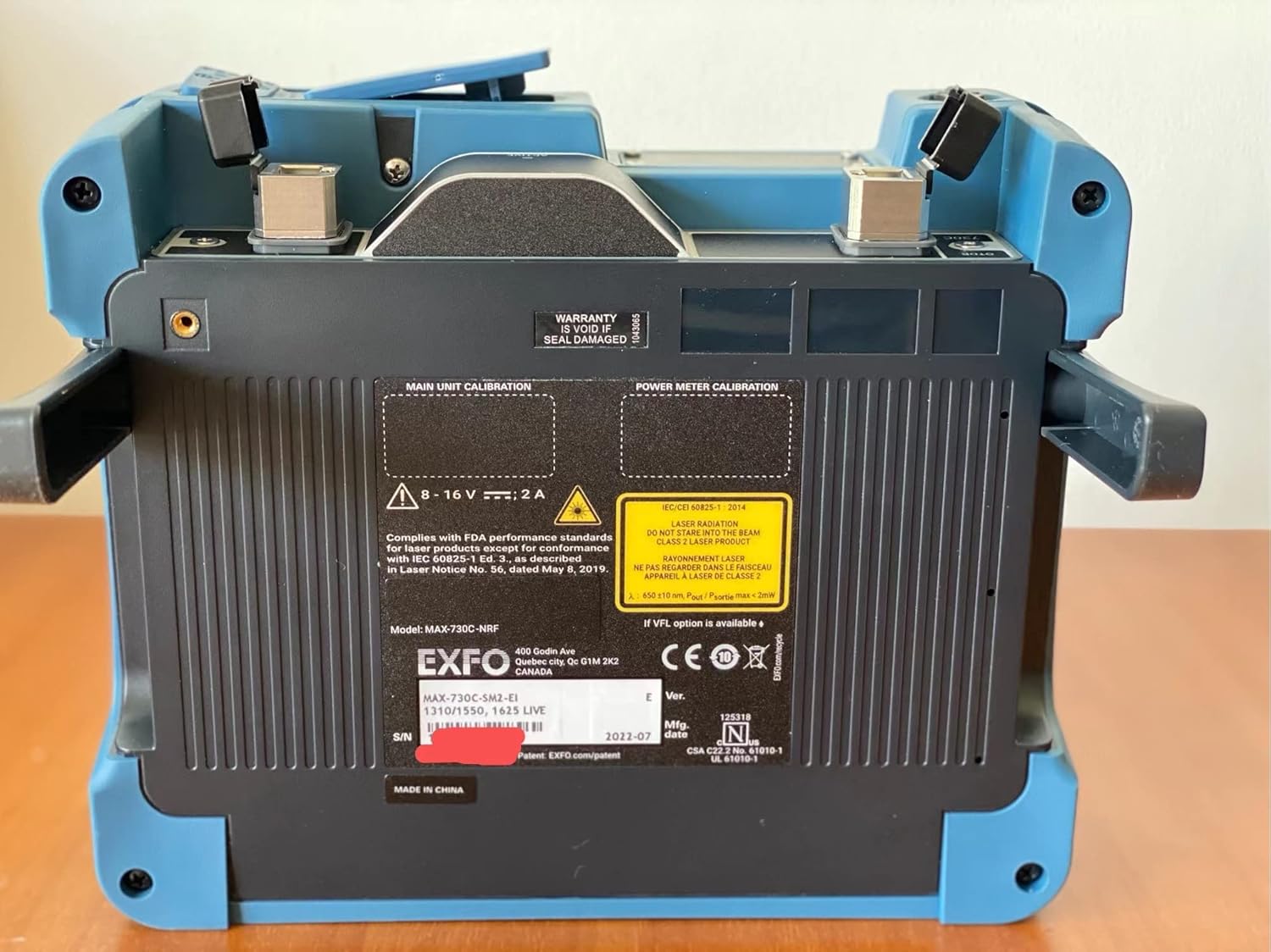
Obrázek 5: Zadní view of the EXFO MAX-730C, displaying the product label with essential information such as model number (MAX-730C-M2), serial number, manufacturing date, and compliance markings.
Záruka
The EXFO MAX-730C OTDR comes with a manufacturer's warranty. Please refer to the warranty card included with your product or visit the official EXFO website for detailed warranty terms and conditions. Note that the warranty may be void if the seal is damaged, as indicated on the device.
Podpora
For technical assistance, service, or further inquiries regarding your EXFO MAX-730C OTDR, please contact EXFO customer support through their official website or the contact information provided in your product documentation. Ensure you have your model number (MAX-730C-M2) and serial number ready when contacting support.