
Antec NE650G M
Antec NeoECO NE650G M Power Supply User Manual
Model: NE650G M | Brand: Antec
1. Úvod
This manual provides essential information for the safe and efficient installation, operation, and maintenance of your Antec NeoECO NE650G M 80+ Gold Certified Fully Modular Power Supply Unit (PSU). Please read this manual thoroughly before installation and keep it for future reference.
The Antec NeoECO Gold Modular series is designed to provide stable and efficient power to your PC system. Featuring an 80 PLUS Gold certification and a 100% full modular design, it ensures convenient installation and reduced electricity consumption. The integrated 120mm silent fan with Zero RPM mode optimizes cooling while maintaining quiet operation.
2. Bezpečnostní informace
Vždy dodržujte následující bezpečnostní opatření, abyste předešli zranění nebo poškození zařízení:
- Před instalací nebo údržbou se ujistěte, že je zdroj napájení odpojen od zásuvky střídavého proudu.
- Neotevírejte zdroj casing. Vysoký objemtagjsou uvnitř přítomny, i když jsou odpojené.
- Nainstalujte zdroj PSU v dobře větraném prostoru, mimo dosah zdrojů tepla a vlhkosti.
- Používejte pouze modulární kabely dodané s tímto napájecím zdrojem. Použití nekompatibilních kabelů může poškodit napájecí zdroj nebo připojené komponenty.
- This product is designed for use in personal computer systems. Do not use it for any other purpose.
- Handle with care to avoid dropping or impacting the unit.
3. Obsah balení
Ověřte, zda jsou v balení přítomny všechny položky:
- Antec NeoECO NE650G M Power Supply Unit
- Modular Cable Set (including ATX 24-pin, CPU 4+4-pin, PCIe 6+2-pin, SATA, and Molex cables)
- AC napájecí kabel
- Montážní šrouby
- Uživatelská příručka (tento dokument)
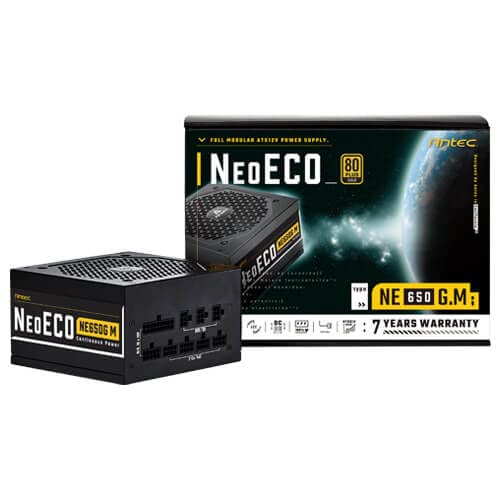
Figure 3.1: Antec NeoECO NE650G M Power Supply with its retail packaging.
4. Nastavení a instalace
Follow these steps to install your Antec NeoECO NE650G M PSU into your computer system:
- Připravte si systém: Ujistěte se, že je počítač zcela vypnutý a odpojený od zásuvky. Otevřete kryt počítače.
- Demontáž starého zdroje (pokud je k dispozici): Odpojte všechny kabely od starého zdroje napájení. Odšroubujte a vyjměte starý zdroj ze skříně.
- Montáž nového zdroje: Carefully slide the Antec NeoECO NE650G M into the PSU mounting bay of your computer case. Ensure the fan faces the correct direction (usually downwards if your case has a bottom vent, or upwards if it's a top-mounted PSU). Secure the PSU with the provided mounting screws.
- Připojení modulárních kabelů: Identify the necessary cables for your components (motherboard, CPU, graphics card, storage drives). Connect the appropriate modular cables to the corresponding ports on the PSU. The ports are clearly labeled on the PSU.
- Připojení ke komponentám: Route the connected modular cables neatly through your case and connect them to your motherboard (24-pin ATX, 4+4-pin CPU), graphics card(s) (6+2-pin PCIe), and storage devices (SATA, Molex). Ensure all connections are firm and secure.
- Zavřete skříň a připojte napájení: Once all internal connections are made, close your computer case. Connect the AC power cord to the PSU's inlet and then to a wall outlet or surge protector.
- Zapnutí: Flip the power switch on the back of the PSU to the 'ON' position. You can now power on your computer.
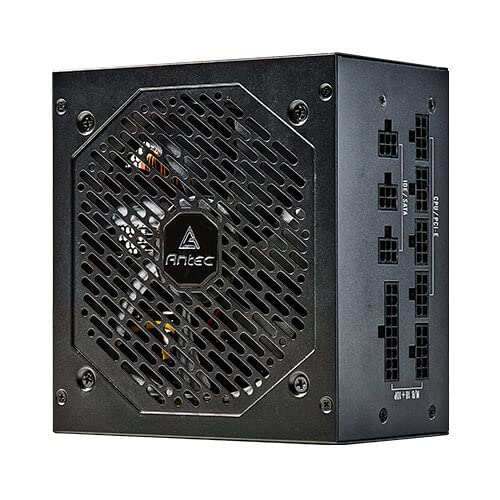
Obrázek 4.1: Strana view of the Antec NeoECO NE650G M PSU, highlighting the modular cable connection ports.
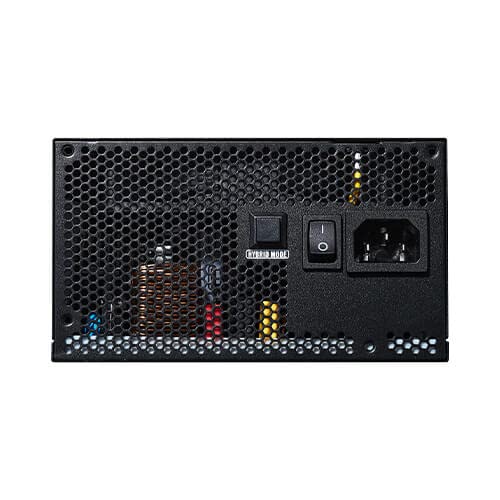
Figure 4.2: The Antec NeoECO NE650G M PSU with various modular cables attached, ready for system integration.
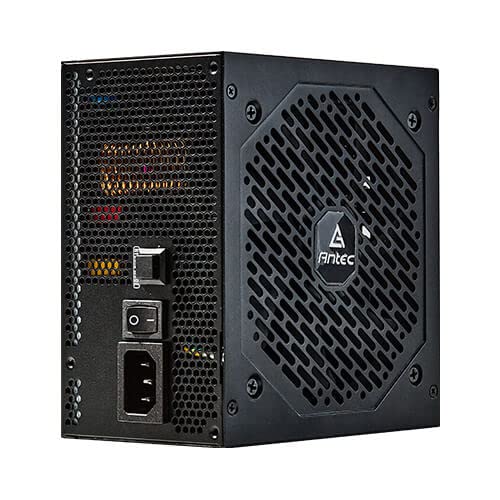
Obrázek 4.3: Zadní view of the Antec NeoECO NE650G M PSU, showing the main power switch and AC power inlet.
5. Návod k obsluze
The Antec NeoECO NE650G M PSU is designed for reliable and efficient operation. Key features include:
- 80 PLUS Gold Certification: Ensures high power efficiency, reducing heat generation and electricity costs.
- Plně modulární design: Allows for cleaner cable management and improved airflow within your PC case by only using the necessary cables.
- Režim nulových otáček: The 120mm silent fan will remain off at low loads (typically below 30% of total wattage) to provide absolute silence. As the load increases, the fan will automatically spin up to maintain optimal temperatures. This feature helps extend the fan's lifespan and reduces noise during light usage.
- CircuitShield Protection: Incorporates industrial-grade protections including OVP (Over Voltage Protection), UVP (Under Voltage Protection), OCP (Over Current Protection), OPP (Over Power Protection), SCP (Short Circuit Protection), OTP (Over Temperature Protection), and NLO (No Load Operation) to safeguard your system.
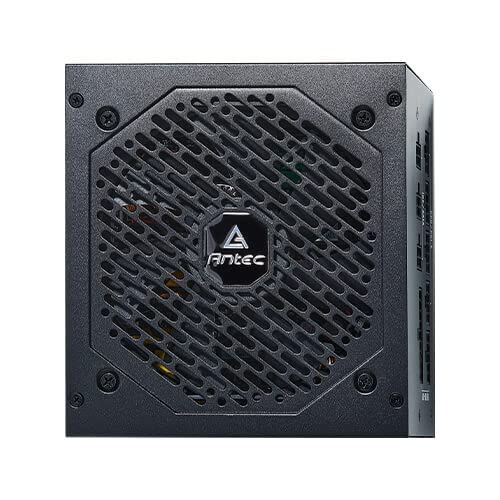
Obrázek 5.1: Přední strana view of the Antec NeoECO NE650G M PSU, showcasing the 120mm silent cooling fan grill.
6. Údržba
Správná údržba zajišťuje dlouhou životnost a optimální výkon vašeho zdroje:
- Odstranění prachu: Periodically clean dust from the PSU's fan grill and vents using compressed air. Ensure the PSU is powered off and unplugged before cleaning.
- Správa kabelů: Ujistěte se, že kabely jsou úhledně vedeny a nebrání proudění vzduchu uvnitř skříně počítače.
- Podmínky prostředí: Operate the PSU within recommended temperature and humidity ranges. Avoid extreme conditions.
- Žádné díly opravitelné uživatelem: Do not attempt to open the PSU casing. There are no user-serviceable parts inside, and opening it will void the warranty.
7. Řešení problémů
If you encounter issues with your Antec NeoECO NE650G M PSU, refer to the following common problems and solutions:
| Problém | Možná příčina | Řešení |
|---|---|---|
| Počítač se nezapne. |
|
|
| Systém se zapne, ale okamžitě se vypne. |
|
|
| Ventilátor se netočí. |
|
|
| Neobvyklé zvuky ze zdroje napájení. |
|
|
If the problem persists after attempting these solutions, please contact Antec customer support or refer to the warranty section for service information.
8. Specifikace
| Funkce | Detail |
|---|---|
| Značka | Antec |
| Název modelu | NE650G M |
| Form Factor | ATX |
| Wattage | 650 wattů |
| Certifikace 80 PLUS | Zlato |
| Modularita | Plně modulární |
| Velikost ventilátoru | 120mm tichý ventilátor |
| Režim nulových otáček | Ano |
| Japanese Capacitors | Ano |
| Rozměry (DxŠxV) | 15 x 14 x 9 cm |
| Hmotnost položky | 1.5 kg |
| Kompatibilní zařízení | Osobní počítač |
| Typ konektoru | ATX |
| Protections (CircuitShield) | OVP, UVP, OCP, OPP, SCP, OTP, NLO |
9. Záruka a podpora
The Antec NeoECO NE650G M Power Supply Unit is backed by a 7-letá záruka od data nákupu. Tato záruka se vztahuje na vady materiálu a zpracování při běžném používání.
For warranty claims or technical support, please contact Antec customer service. Keep your proof of purchase for warranty validation.
For more information, visit the official Antec webwebu nebo se podívejte na kontaktní údaje uvedené na obalu produktu.


Antec provides a comprehensive warranty and is recognized as a top brand in PC components.
Ask a question about this manual
Ask about setup, troubleshooting, compatibility, parts, safety, or missing instructions. Manuals+ will review the question and use this page’s manual context to help answer it.