
Odokee UE218-Red
Uživatelská příručka digitálního duálního budíku Odokee
Model: UE218-Red
Zavedení
This user manual provides comprehensive instructions for the setup, operation, and maintenance of your Odokee Digital Dual Alarm Clock. Please read this manual thoroughly before using the product to ensure proper function and longevity.
Vlastnosti produktu
- Easy-to-set controls with clearly labeled buttons.
- Large 1.6-inch red LED display with 0-100% adjustable dimmer.
- Customizable dual alarms with 7-5-2 alarm modes (Every day, Weekdays, Weekend).
- 5 selectable alarm tones: Beep, Birds Chirping, Buzzer, Soft Music, Siren.
- Nastavitelná hlasitost alarmu od 30 dB do 110 dB.
- 9-minute snooze function.
- Integrated USB charging port for mobile devices.
- Battery backup (3 AAA batteries, not included) for time and settings retention during power outages.
- Compact and space-saving design (5.3"x2.9"x1.95").
- 12 or 24-hour time display option.
Obsah balení
- Odokee Digital Dual Alarm Clock
- Power Adapter (Cord Length: 4.92ft)
- Uživatelská příručka
Konec produktuview

Přední view of the Odokee Digital Dual Alarm Clock, displaying the time and day of the week. The large red LED digits are clearly visible.

Zadní view of the alarm clock, highlighting the control buttons for alarm sound, 12/24HR format, day of week, time set, alarm 1 set, and alarm 2 set. Also visible are the dimmer and volume dials, USB port, and power input.
Nastavení
1. Připojení napájení
Connect the provided power adapter to the DC 5V input port on the back of the alarm clock and plug the adapter into a standard AC outlet. The clock display will light up.

The alarm clock connected to a power outlet via its adapter, illustrating the primary power source.
2. Instalace záložní baterie (volitelné)
For battery backup functionality during power outages, insert 3 AAA batteries (not included) into the battery compartment on the bottom of the clock. This will preserve time and alarm settings, and allow alarms to function during a power interruption. Note: USB charging will not work on battery power.
3. Počáteční nastavení času
- Stiskněte a podržte NASTAVENÍ ČASU button on the back of the clock. The hour digits will begin to flash.
- Použijte HODINA a MIN buttons on the top of the clock to adjust the hour and minute respectively.
- Stiskněte NASTAVENÍ ČASU znovu pro potvrzení času.
- Stiskněte tlačítko 12/24 hodin tlačítko pro přepínání mezi 12hodinovým (s indikátorem AM/PM) a 24hodinovým formátem času.
- Stiskněte tlačítko DEN V TÝDNU button to set the current day.
Návod k obsluze
1. Nastavení alarmů (Alarm 1 a Alarm 2)
The clock features two independent alarms (Alarm 1 and Alarm 2) that can be set for different times and modes.
- Stiskněte a podržte NASTAVENÍ ALARMU 1 or NASTAVENÍ ALARMU 2 button on the back. The alarm hour digits will flash.
- Použijte HODINA a MIN buttons on the top to adjust the desired alarm time.
- Stiskněte NASTAVENÍ ALARMU 1 or NASTAVENÍ ALARMU 2 again to select the alarm mode:
- PO-PÁ (Weekdays)
- SO-NE (Weekends)
- PO-NE (All 7 days)
- Stiskněte NASTAVENÍ ALARMU 1 or NASTAVENÍ ALARMU 2 one more time to confirm the alarm setting. The corresponding alarm icon (1 or 2) will appear on the display.

Illustration of the dual alarm feature with different alarm modes for weekdays and weekends.
2. Selecting Alarm Sound
The clock offers 5 different alarm sounds.
- Stiskněte tlačítko ZVUK ALARMU button on the back of the clock to cycle through the available sounds: Beep, Birds Chirping, Buzzer, Soft Music, Siren.
- The selected sound will play briefly for preview.

Visual representation of the five distinct alarm sounds available on the clock.
3. Nastavení hlasitosti alarmu
Použijte OBJEM dial on the left side of the clock to adjust the alarm volume from 30dB (low) to 110dB (high).
4. Funkce odložení buzení
Když zazvoní budík, stiskněte velké PODŘIMOVAT button on the top of the clock to temporarily silence the alarm for 9 minutes. The alarm will sound again after 9 minutes.
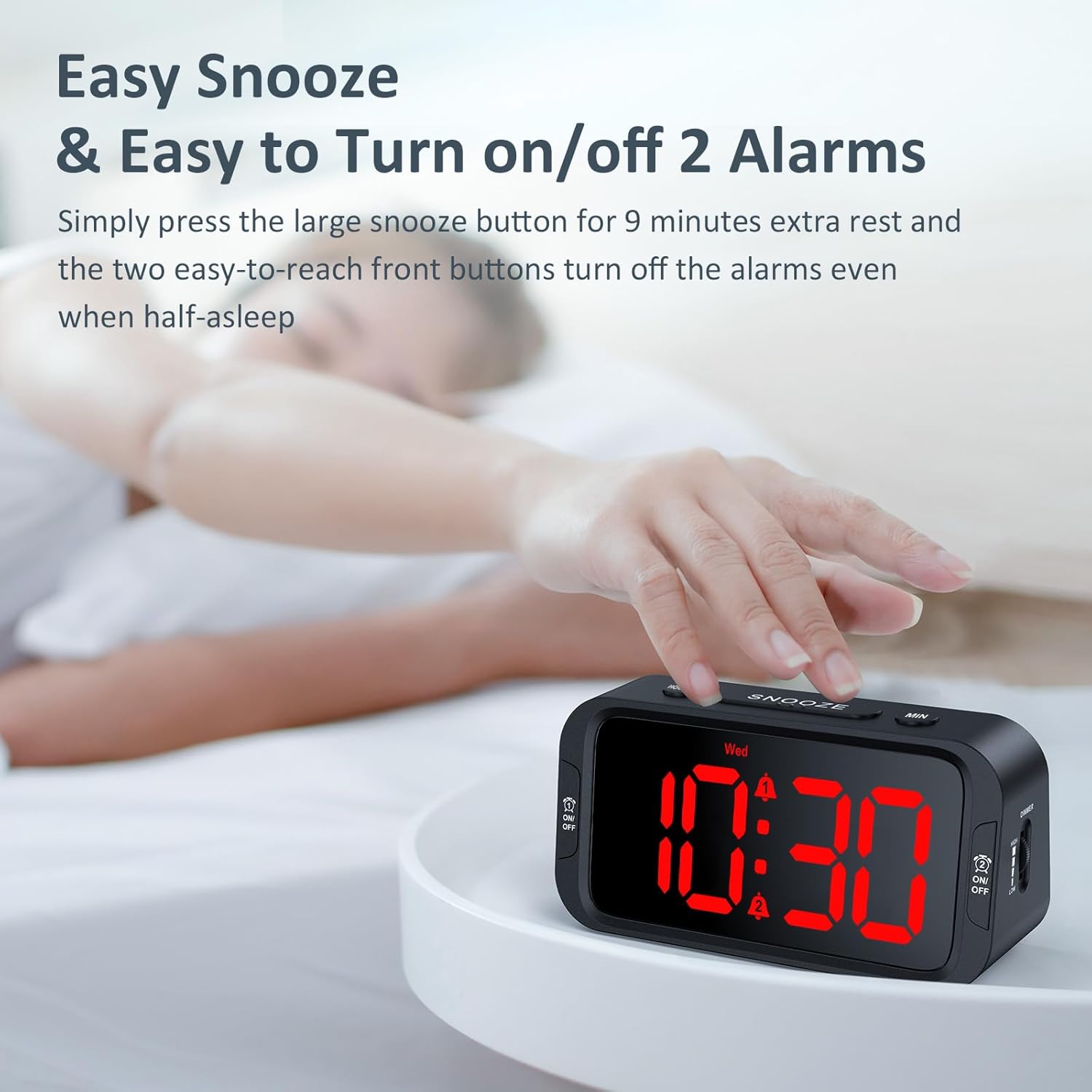
A user's hand activating the snooze function by pressing the prominent SNOOZE button.
5. Turning Alarms On/Off
To turn off a sounding alarm, press the corresponding ON/OFF button located on the front sides of the clock (one for Alarm 1, one for Alarm 2). To disable an alarm completely, press the ON/OFF tlačítko, dokud ikona alarmu nezmizí z displeje.
6. Nastavení jasu displeje
Použijte DIMMER dial on the right side of the clock to adjust the display brightness from 0% (fully dark) to 100% (very bright).
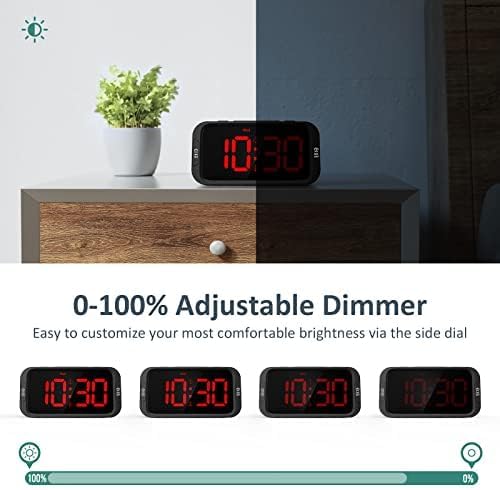
Demonstration of the 0-100% adjustable dimmer, showing the clock display from maximum brightness to completely off.
7. USB nabíjecí port
The USB port on the back of the clock can be used to charge your mobile devices. Simply connect your device's USB charging cable to the port. Note: This port is for charging only and does not transfer data. USB charging requires the clock to be powered by the AC adapter.
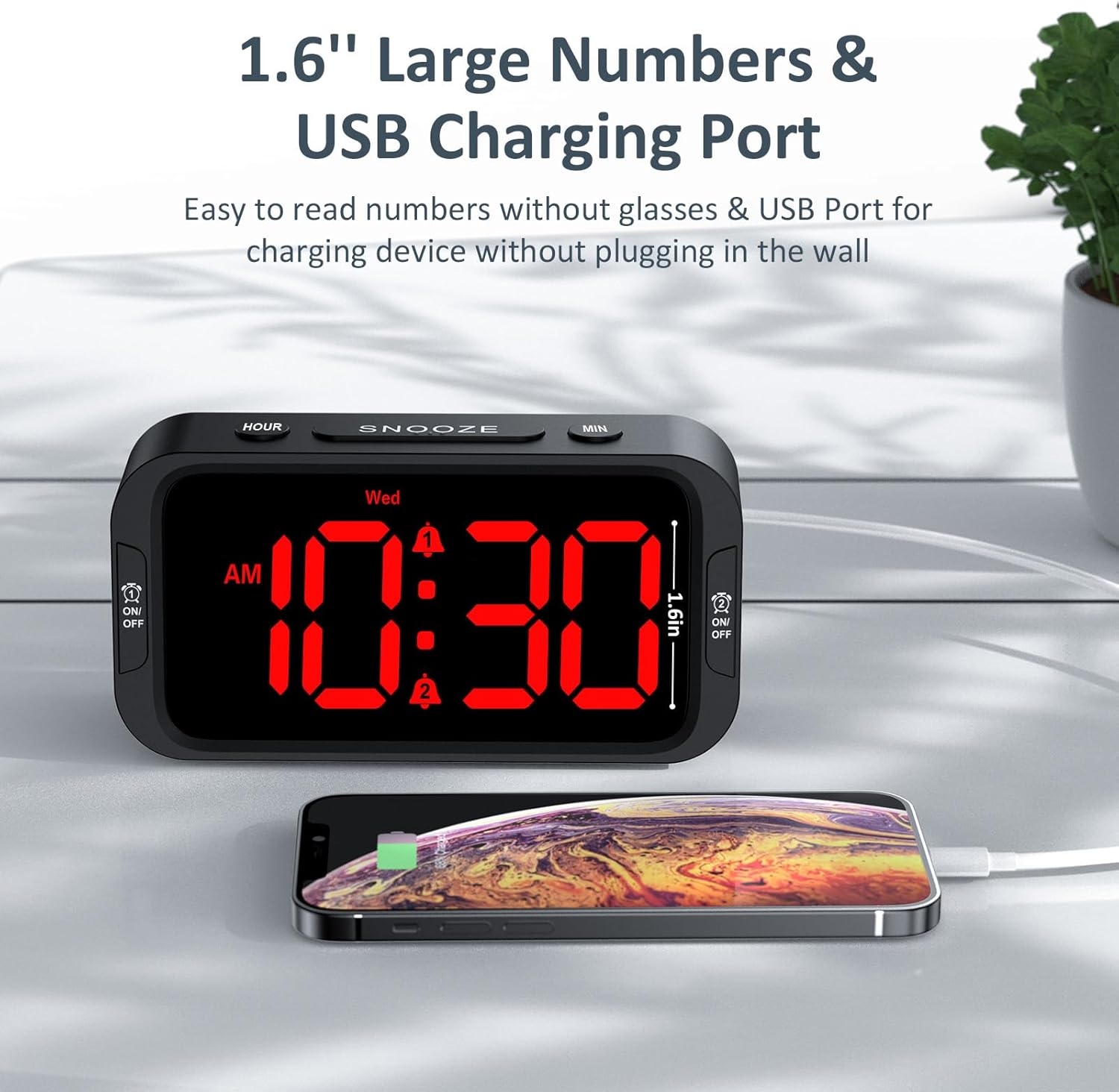
The alarm clock charging a smartphone via its integrated USB port.
Údržba
- Hodiny čistěte měkkým, suchým hadříkem. Nepoužívejte abrazivní čisticí prostředky ani rozpouštědla.
- Nevystavujte hodiny extrémním teplotám, přímému slunečnímu záření nebo vysoké vlhkosti.
- Hodiny nerozebírejte. Ztratíte tím záruku.
- If using battery backup, replace batteries annually or when the display shows signs of dimming during a power outage.
Odstraňování problémů
| Problém | Možná příčina | Řešení |
|---|---|---|
| Zobrazení hodin je vypnuté. | Žádné připojení k napájení nebo výpadek napájenítage. | Ensure the power adapter is securely plugged into the clock and a working outlet. Check for power outages. If using battery backup, check battery level. |
| Alarm se nespustí. | Budík není aktivován, hlasitost je příliš nízká nebo je nesprávný čas/režim budíku. | Ensure the alarm icon is visible on the display. Adjust alarm volume. Verify alarm time and mode settings. Check battery backup if on battery power. |
| Nabíjení přes USB nefunguje. | Clock not connected to AC power, or device cable issue. | Ensure the clock is plugged into an AC outlet. Verify the USB cable is functional and properly connected to both the clock and your device. |
| Displej je příliš jasný/tmavý. | Je třeba upravit nastavení stmívače. | Upravte DIMMER dial on the right side of the clock to your preferred brightness level. |
Specifikace
- Model: UE218-Red
- Typ displeje: Digitální LED (červená)
- Velikost displeje: 1.6 inches (digit height)
- Rozměry produktu: 5.3 cm (D) x 2.9 cm (Š) x 1.95 cm (V)
- Zdroj napájení: Corded Electric (AC100-240V, 50/60Hz)
- Vstupní výkon: DC 5V, 1A
- Bateriová záloha: 3 x AAA baterie (nejsou součástí balení)
- Alarm Volume Range: 30 dB - 110 dB
- Materiál: Akrylonitril-butadien-styren (plast)
- Hmotnost položky: 6.3 unce (178.6 gramů)
- UPC: 768461974727
Záruka a podpora
Odokee products come with a hassle-free 18-month warranty. For any product inquiries, technical support, or warranty claims, please contact Odokee customer service:
- E-mail: odokeeshop@outlook.com
- Internetový obchod: Odokee Store on Amazon
Uschovejte si prosím doklad o koupi pro ověření záruky.
Bezpečnostní informace
- Do not expose the product to water or excessive moisture.
- Uchovávejte mimo dosah dětí.
- Používejte pouze dodaný napájecí adaptér.
- Do not place near heat sources or in direct sunlight for extended periods.
Ask a question about this manual
Ask about setup, troubleshooting, compatibility, parts, safety, or missing instructions. Manuals+ will review the question and use this page’s manual context to help answer it.