
Zavedení
This manual provides detailed instructions for the Beyution RM-C3348, RM-C3349, and RM-C3354 replacement remote control. This remote is designed to function as a direct replacement for original JVC Smart LCD LED TV remote controls, offering seamless operation without complex setup procedures.
Compatible JVC TV Models include:
- LT-55KB695
- LT-50KB585
- LT-40N5105A
- LT-32KC197
- LT-65KC595
Vlastnosti produktu
The Beyution replacement remote control offers a reliable and user-friendly experience with the following features:
- Přímá náhrada: Functions immediately without any programming or pairing.
- Materiál: Vyrobeno z odolného ABS plastu.
- Konektivita: Utilizes infrared (IR) technology for reliable communication with your TV.
- Provozní vzdálenost: Effective range of up to 10 meters (approximately 30 feet).
- Ergonomický design: Lightweight and comfortable to hold, with soft-touch, anti-dusted buttons for ease of use.
- Rychlá odpověď: Features a 0.2-second induction for fast command execution.
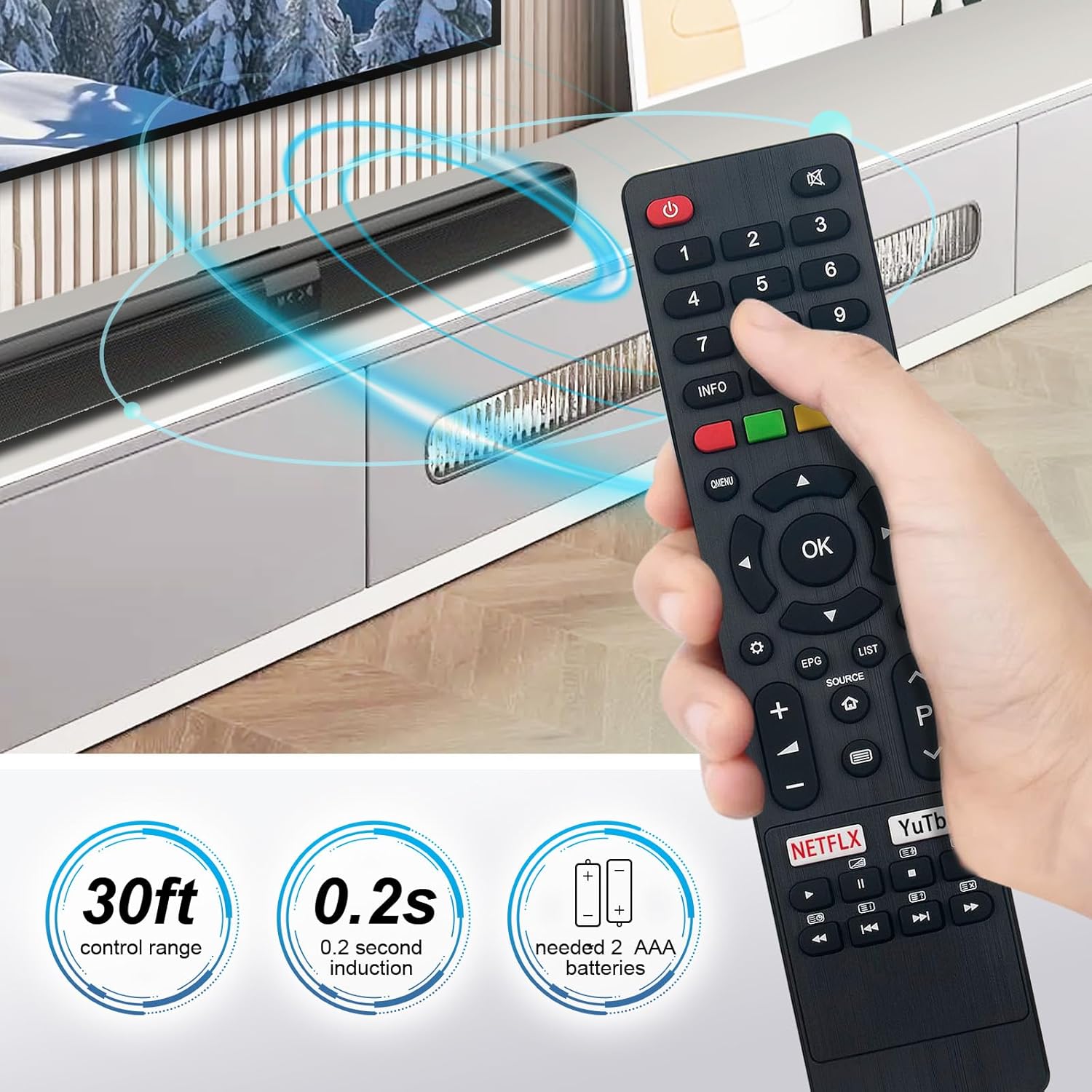
Image: The Beyution remote control held in a hand, demonstrating its comfortable grip and indicating a 30ft control range and 0.2s induction time.
Nastavení
Setting up your Beyution replacement remote control is a simple process:
- Nainstalujte baterie: Open the battery compartment cover on the back of the remote control. Insert two (2) AAA alkaline batteries, ensuring the positive (+) and negative (-) terminals match the indicators inside the compartment.
- Zavřít přihrádku: Bezpečně zavřete kryt prostoru pro baterie.
- Připraveno k použití: The remote control is now ready for immediate use with your compatible JVC Smart LCD LED TV. No additional programming or pairing is required.

Obrázek: Zadní strana view dálkového ovladače s odstraněným krytem baterie, znázorňující správnou orientaci pro vložení dvou baterií AAA.
Návod k obsluze
Familiarize yourself with the buttons and their functions for optimal control of your JVC TV.

Obrázek: Jasná přední strana view of the Beyution remote control, highlighting the layout and labels of all functional buttons.
Funkce klíčových tlačítek:
- Napájení (červené tlačítko): Zapíná nebo vypíná televizor.
- Číselná tlačítka (0-9): Přímý výběr kanálů.
- Hlasitost (+/-): Nastavuje hlasitost zvuku.
- Kanál (P nahoru/dolů): Postupně mění kanály.
- Ztlumit: Ztlumí nebo zapne zvuk televizoru.
- Navigační tlačítko (nahoru/dolů/vlevo/vpravo/OK): Prochází menu a potvrzuje výběr.
- Menu/Rychlé menu: Accesses the TV's main menu or quick menu.
- Zdroj: Výběr vstupních zdrojů (HDMI, AV atd.).
- Domov: Návrat na domovskou obrazovku televizoru nebo do služby Smart Hub.
- EPG (elektronický programový průvodce): Zobrazuje informace o programu.
- Seznam: Accesses channel lists or other content lists.
- Netflix / YouTube: Dedicated buttons for direct access to these streaming services.
- Tlačítka pro ovládání médií: Play, Pause, Stop, Fast Forward, Rewind, Next, Previous for media playback.
Údržba
Správná péče prodlouží životnost vašeho dálkového ovladače:
- Čištění: Use a soft, dry cloth to clean the remote control. Avoid using liquid cleaners, sprays, or abrasive materials, as these can damage the surface or internal components.
- Výměna baterie: Replace batteries promptly when the remote's performance diminishes. Always replace both batteries at the same time with new AAA alkaline batteries. Do not mix old and new batteries or different types of batteries.
- Skladování: Dálkový ovladač skladujte na chladném a suchém místě mimo dosah přímého slunečního záření, extrémních teplot a vysoké vlhkosti. Pokud dálkový ovladač nebudete delší dobu používat, vyjměte baterie, abyste zabránili jejich vytečení.
- Vyhněte se kapkám: Chraňte dálkový ovladač před fyzickými nárazy, protože pády mohou poškodit vnitřní obvody.
Odstraňování problémů
Pokud máte problémy s dálkovým ovladačem, vyzkoušejte následující řešení:
- Dálkové ovládání nereaguje:
- Ensure the batteries are correctly inserted with the proper polarity (+/-).
- Vyměňte baterie za nové alkalické baterie typu AAA.
- Check for any obstructions between the remote control and the TV's infrared receiver. Ensure a clear line of sight.
- Verify you are within the effective operating distance (up to 10 meters).
- Konkrétní tlačítka nefungují:
- This may indicate a dirty or worn button contact. If cleaning the remote does not resolve the issue, the remote may require replacement.
- Rušení:
- Bright lights or other electronic devices can sometimes interfere with infrared signals. Try operating the remote in a different environment.
Pokud tyto kroky problém nevyřeší, podívejte se prosím do části Záruka a podpora, kde vám pomohou.
Specifikace
| Čísla modelů | RM-C3348, RM-C3349, RM-C3354 |
| Rozměry produktu | 6.3 x 1.57 x 0.39 palce (16 x 4 x 1 cm) |
| Hmotnost položky | 2.47 unce (70 gramů) |
| Jsou vyžadovány baterie | 2 x AAA (nejsou součástí balení) |
| Technologie připojení | Infračervený (IR) |
| Materiál | ABS plast |
| Maximální provozní vzdálenost | 10 metrů (30 stop) |

Image: The Beyution remote control displayed with its approximate dimensions, indicating a width of 1.97 inches and a length of 8.46 inches.
Záruka a podpora
Záruční doba: This Beyution remote control comes with a 6-month warranty from the date of purchase, covering manufacturing defects.
Zákaznická podpora: If you encounter any issues with your remote control, such as it being damaged upon arrival or not functioning as expected, please contact the seller directly through your purchase platform. Provide your order details and a description of the problem for prompt assistance. The seller aims to provide a satisfactory solution within 24 hours.
Upozorňujeme, že záruka se nevztahuje na škody způsobené nesprávným použitím, nehodami, neoprávněnými opravami nebo běžným opotřebením.