
1. Bezpečnostní informace
Please read this manual carefully before using the camera to ensure safe and proper operation. Keep this manual for future reference.
- Nevystavujte fotoaparát vodě nebo vlhkosti.
- Zabraňte pádu fotoaparátu na zem nebo jeho vystavení silným nárazům.
- Do not attempt to disassemble or modify the camera. Repairs should only be performed by qualified personnel.
- Chraňte fotoaparát před přímým slunečním zářením a vysokými teplotami.
- Používejte pouze specifikovaný typ baterie a nabíjecí kabel.
- Baterie likvidujte správným způsobem v souladu s místními předpisy.
- Clean the camera lens and screen with a soft, dry cloth.
2. Obsah balení
Ověřte, zda jsou v balení obsaženy všechny níže uvedené položky:
- Andoer Digital Camera Body
- Lithium Battery (3.7V 550mAh)
- USB nabíjecí kabel
- Carry Bag
- Uživatelská příručka (tento dokument)

Image: Contents of the Andoer Digital Camera package, showing the camera, wrist strap, USB charging cable, carry bag, and user manual.
3. Konec produktuview
3.1 Přední View

Obrázek: Přední strana view of the Andoer Digital Camera, displaying the lens, built-in flash, and indicating 2.7" TFT screen and 18 Megapixels.
3.2 Zadní View (Display and Controls)
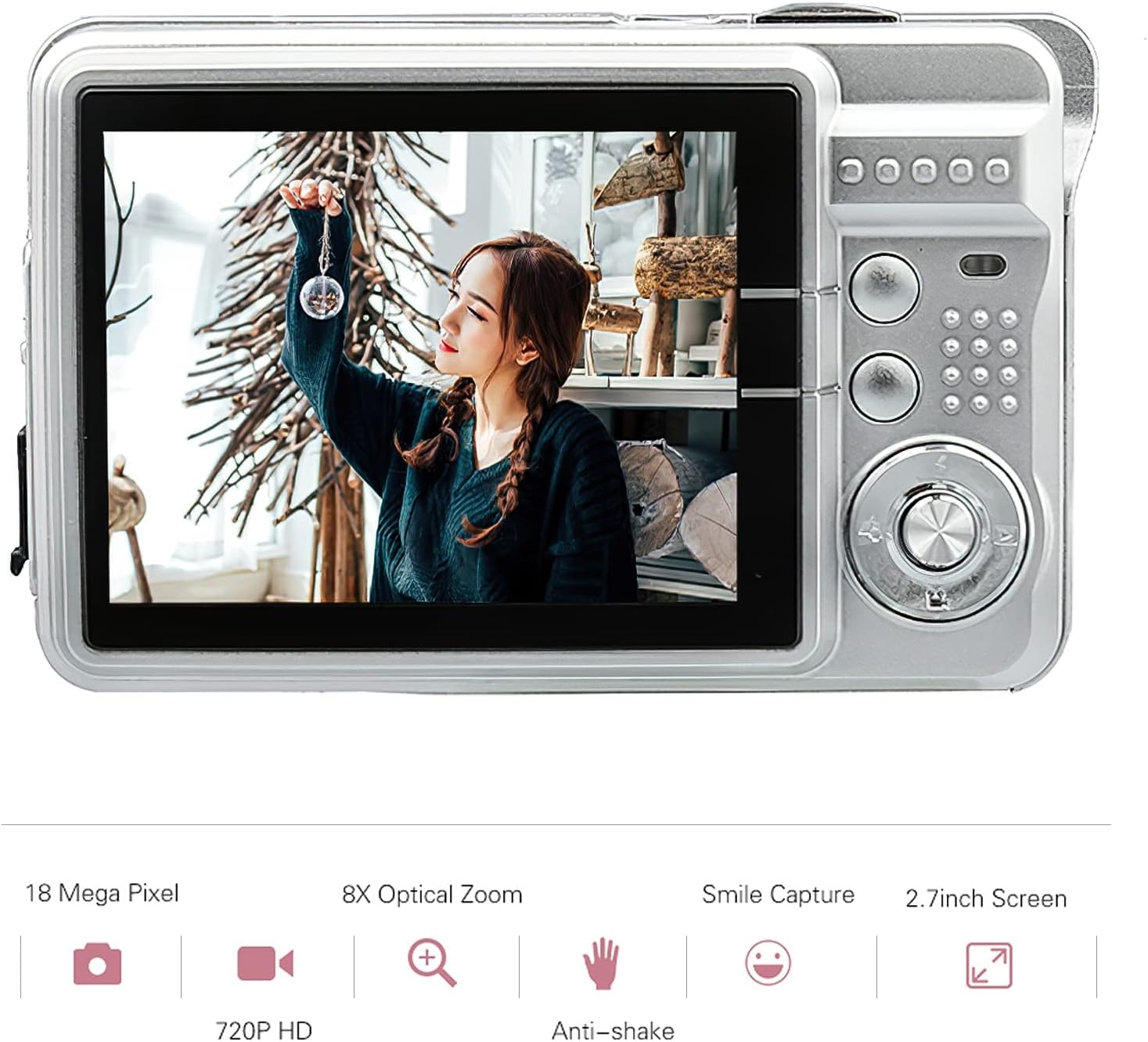
Obrázek: Zadní view of the Andoer Digital Camera, featuring the 2.7-inch TFT display and various control buttons on the right side.
The camera features a 2.7-inch TFT display for viewing photos and videos, along with intuitive controls for navigation and settings adjustment.
4. Nastavení
4.1 Nabíjení baterie
- Otevřete kryt přihrádky na baterie na boku fotoaparátu.
- Insert the provided Lithium battery (3.7V 550mAh) into the compartment, ensuring correct polarity.
- Bezpečně zavřete kryt bateriového prostoru.
- Connect the camera to a USB power source (e.g., computer, USB wall adapter) using the supplied USB charging cable.
- The charging indicator light will illuminate. Charging is complete when the light turns off or changes color (refer to camera display for battery status).
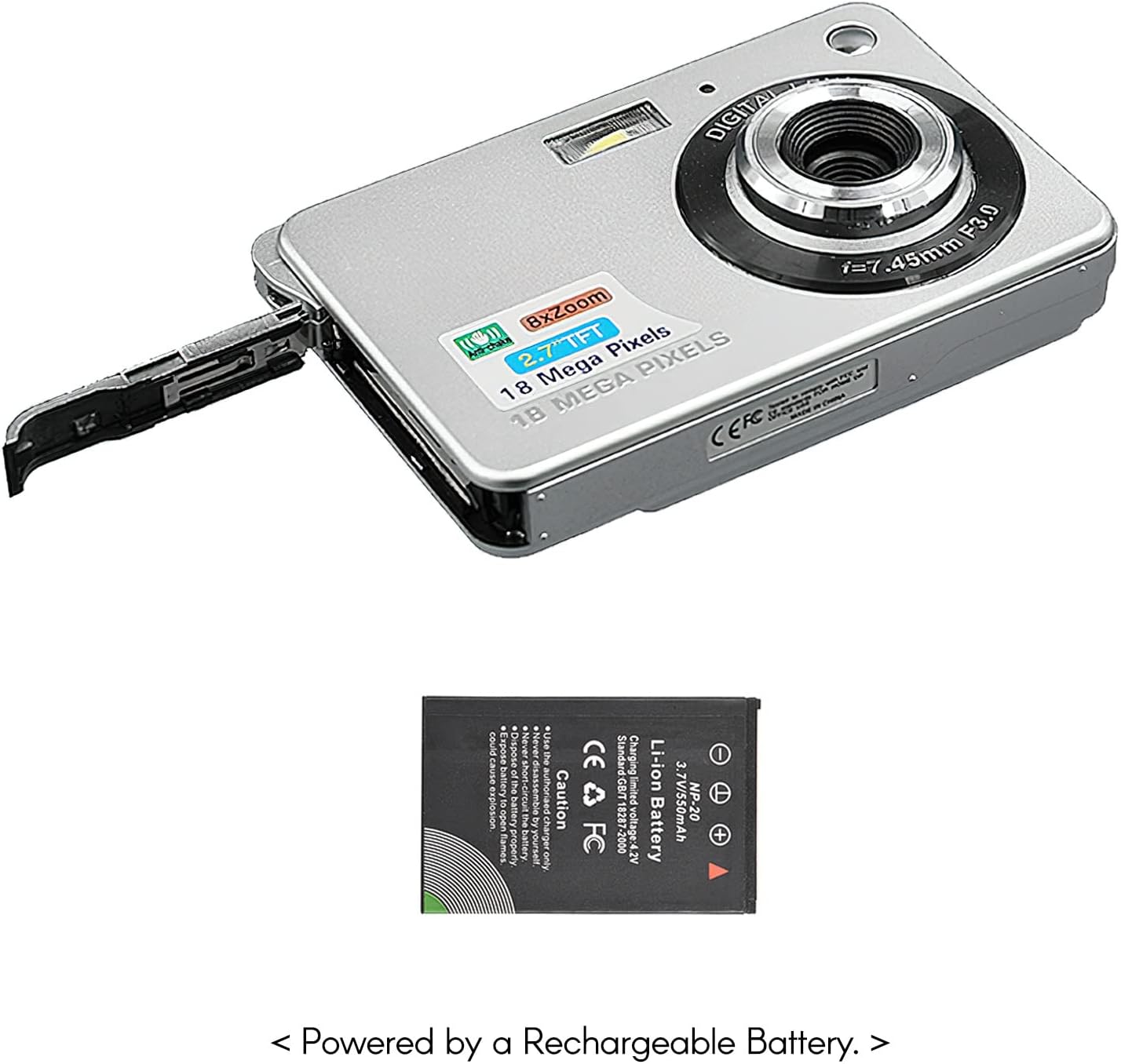
Obrázek: Boční view of the camera with the battery compartment open, illustrating how to insert the rechargeable lithium battery.
4.2 Inserting a Memory Card (Not Included)
This camera supports SD memory cards up to 32GB. A memory card is required to save photos and videos.
- Vyhledejte slot pro paměťovou kartu, obvykle poblíž prostoru pro baterii.
- Insert the SD card with the metal contacts facing down (or as indicated by the diagram near the slot) until it clicks into place.
- Chcete-li kartu vyjmout, jemně ji zatlačte, dokud nevyskočí.
5. Návod k obsluze
5.1 Zapnutí/vypnutí
Press and hold the Power button (usually located on the top or side) to turn the camera on or off.
5.2 Fotografování
- Zapněte fotoaparát.
- Frame your shot using the 2.7-inch TFT display.
- Press the Shutter button (typically on top) halfway down to focus, then press fully to capture the image.

Image: The camera's screen showing a captured image, demonstrating the 18 Megapixel photo capability.
5.3 Nahrávání videí
- Zapněte fotoaparát.
- Switch to video recording mode (usually via a mode button or menu option).
- Press the Record button (often marked with a red dot) to start recording. Press again to stop.

Image: The camera's screen displaying a video playback, illustrating its 720P high-definition video recording function.
5.4 Digitální zoom
The camera features 8X digital zoom. Use the zoom buttons (often labeled 'W' for Wide and 'T' for Telephoto) to adjust the zoom level.

Image: A visual representation of the 8x digital zoom capability, showing a scene at 1x magnification and then zoomed in at 8x.
5.5 Navigace v nabídce
Press the 'Menu' button to access camera settings. Use the directional buttons to navigate and the 'OK' or 'Set' button to confirm selections. Available settings include:
- Samospoušť: Off/ 2 sec/ 5 sec/ 10 sec
- Vystavení: EV-3 to EV+3
- Vyvážení bílé: Auto/ Daylight/ Cloudy/ Incandescent/ Fluorescent
- Scénické režimy: Auto/ Night Portrait/ Night Scenery/ Portrait/ Scenery/ Sport/ Party/ Beach/ High sensitivity
- Další vlastnosti: Anti-Shake, Face Detect, Smile Capture
6. Údržba
6.1 Čištění fotoaparátu
- K čištění těla fotoaparátu použijte měkký hadřík, který nepouští vlákna.
- For the lens and screen, use a specialized lens cleaning cloth and solution if necessary. Avoid abrasive materials.
- Do not use organic solvents to clean the camera.
6.2 Péče o baterii
- Před prvním použitím baterii plně nabijte.
- Pokud fotoaparát nebudete delší dobu používat, vyjměte baterii.
- Baterie skladujte na chladném a suchém místě.
7. Řešení problémů
| Problém | Možná příčina | Řešení |
|---|---|---|
| Fotoaparát se nezapne. | Baterie je vybitá nebo nesprávně vložená. | Nabijte baterii. Ujistěte se, že je baterie vložena se správnou polaritou. |
| Nelze fotografovat/nahrávat videa. | Není vložena paměťová karta nebo je karta plná/poškozená. | Vložte kompatibilní SD kartu. Smažte nepotřebné filenebo kartu naformátujte (tím se vymažou všechna data). |
| Obrázky jsou rozmazané. | Lens is dirty, insufficient light, or camera shake. | Clean the lens. Use the flash in low light. Hold the camera steady or use anti-shake feature. |
| Fotoaparát se zasekne nebo přestane reagovat. | Dočasná softwarová závada. | Vyjměte a znovu vložte baterii pro resetování fotoaparátu. |
8. Specifikace
| Funkce | Detail |
|---|---|
| Model | IAT4319650447530BC |
| Obrazový snímač | CMOS snímač |
| Zobrazit | 2.7 palcový TFT LCD |
| Rozlišení fotografie | Až 18 megapixelů |
| Rozlišení videa | 1280x720 (720P), 720x480, 640x480 (VGA), 320x240 (QVGA) |
| Digitální zoom | 8X |
| Stabilizace obrazu | Digitální Anti-Shake |
| Kompenzace expozice | EV-3 to EV+3 |
| Vyvážení bílé | Auto/ Daylight/ Cloudy/ Incandescent/ Fluorescent |
| File Formát | JPEG (Photo), AVI (Video) |
| Paměťová média | SD karta (až 32 GB, není součástí balení) |
| Napájení | 1 * Lithium battery (3.7V 550mAh) |
| Podporovaný systém | Windows XP, VISTA, WIN7, MAC |
| Velikost položky | 9 * 6 * 2 cm / 3.5 * 2.4 * 0.8 palce |
| Hmotnost položky | 90 g / 3.2 oz |
9. Záruka a podpora
Andoer products are designed and manufactured to the highest quality standards. For warranty information and customer support, please refer to the documentation provided at the time of purchase or visit the official Andoer webmísto.
If you encounter any issues not covered in this manual, please contact Andoer customer service for assistance.
Poznámka: Specifikace se mohou změnit bez předchozího upozornění.