
Bewinner Dilwegqbk1w98o4
Bewinner LGA 1200 Motherboard User Manual
Model: Dilwegqbk1w98o4
Konec produktuview
This manual provides detailed instructions for the installation, operation, and maintenance of your Bewinner LGA 1200 Motherboard. Please read this manual thoroughly before installation and use to ensure optimal performance and longevity of your product.
The Bewinner LGA 1200 Motherboard is designed for desktop computers, featuring an H510 chipset and supporting dual-channel DDR4 memory. It includes integrated network card, audio chip, and various USB 3.2 interfaces, making it suitable for gaming, office, and media playback applications.

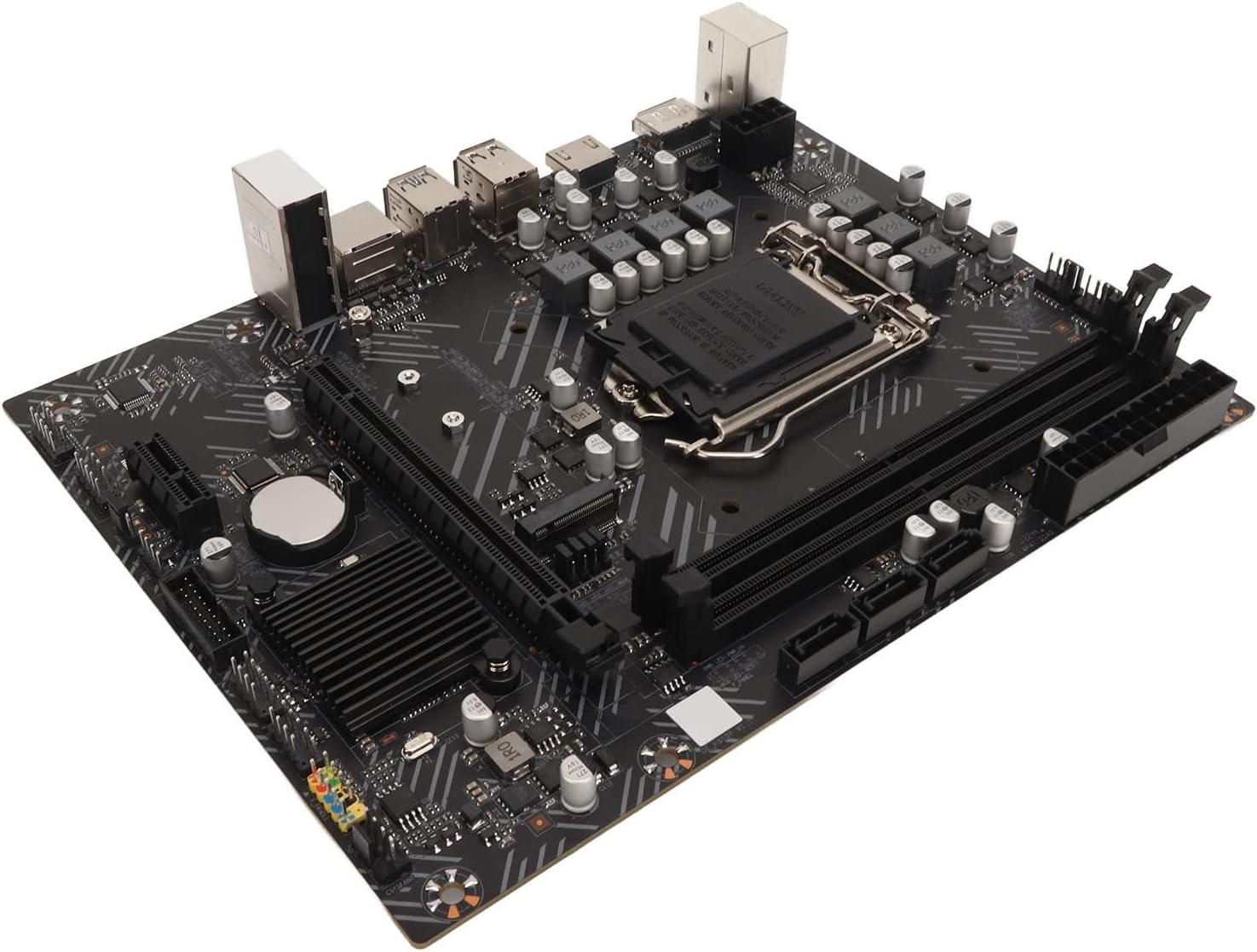
Obrázek 1: Shora dolů view of the Bewinner LGA 1200 Motherboard, showing the CPU socket, RAM slots, and various ports.
Obsah balení
Ověřte prosím, zda jsou ve vašem balení obsaženy všechny níže uvedené položky:
- 1 x Bewinner LGA 1200 Motherboard
- 1 x I/O přepážka
- 1 x Uživatelská příručka (tento dokument)
- Kabel 1 x SATA
Poznámka: The motherboard is shipped with a built-in CR2032L Li Mn battery for the CMOS.
Obrázek 2: The Bewinner motherboard alongside its included accessories: an I/O baffle and a SATA cable.
Nastavení a instalace
Follow these steps carefully to install your motherboard into your computer system.
1. Připravte si pracovní prostor
- Ujistěte se, že je počítač vypnutý a odpojený od zásuvky.
- Work on a clean, static-free surface. Use an anti-static wrist strap if available.
2. Nainstalujte procesor
- Najděte na základní desce patici procesoru LGA 1200.
- Jemně zvedněte páčku zátěže a otevřete kryt patice procesoru.
- Align the CPU with the socket, ensuring the golden triangle on the CPU matches the triangle on the socket. Do not force the CPU into the socket.
- Zavřete kryt zásuvky a stiskněte páku pro nabíjení, dokud nezacvakne na místo.
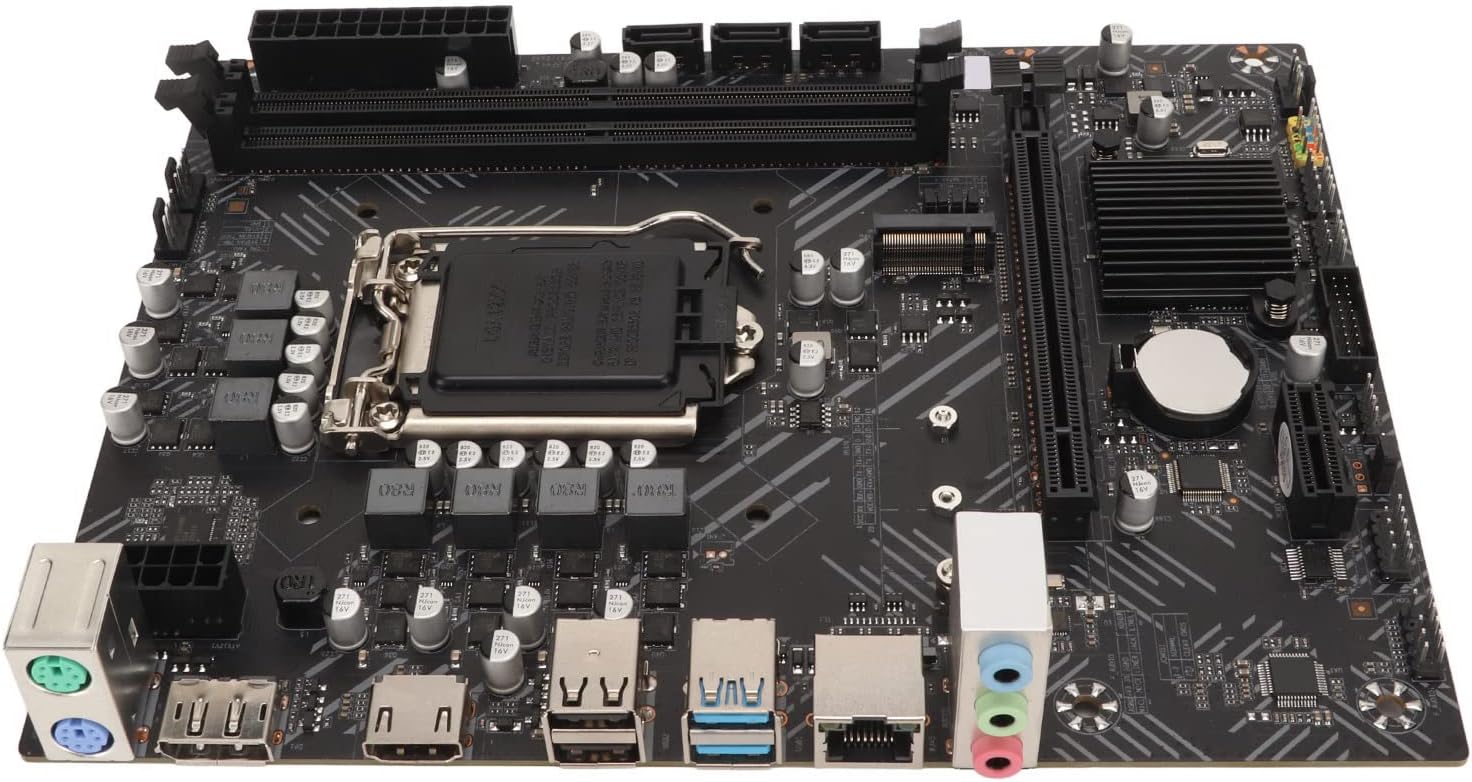
Obrázek 3: Detailní view of the LGA 1200 CPU socket, ready for processor installation.
3. Install DDR4 Memory
- Vyhledejte dva sloty pro DDR4 DIMM.
- Otevřete klipy na obou koncích paměťového slotu.
- Zarovnejte zářez na paměťovém modulu DDR4 s výstupkem ve slotu DIMM.
- Pevně zatlačte na oba konce paměťového modulu, dokud klipsy nezacvaknou na místo.
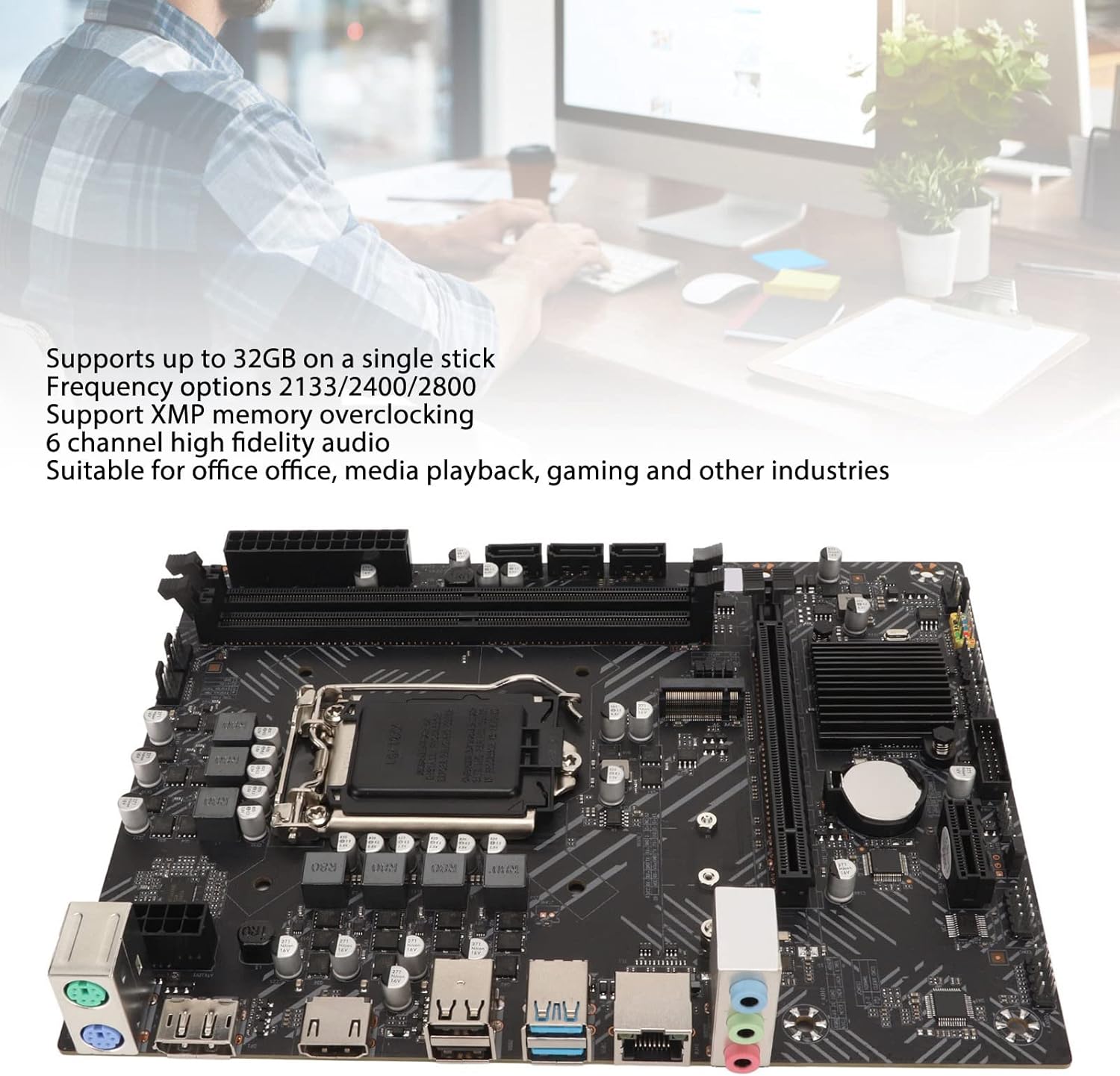
Obrázek 4: The motherboard highlighting the dual DDR4 memory slots and the CPU area.
4. Install Storage Devices (SATA / M.2)
- Connect SATA data cables from your storage drives (HDD/SSD) to the 3xSATA3.0 interfaces on the motherboard.
- For M.2 SSDs, insert the M.2 module into the M.2 interface, ensuring proper alignment. Secure it with the provided screw. Note that the M.2 interface supports both SATA and NVME modes (jumper switching may be required).
5. Install Expansion Cards (PCIe)
- Insert your graphics card into the 1xPCIE 16X interface.
- Other expansion cards can be installed in the 1xPCIE 1X interface.
6. Připojení napájení
- Připojte 24pinový ATX napájecí konektor ze zdroje do hlavní napájecí zásuvky na základní desce.
- Connect the 8-pin (or 4-pin) CPU power connector to the CPU power socket.
7. Připojení kabelů předního panelu
- Connect the power button, reset button, HDD LED, and power LED cables from your PC case to the corresponding pins on the motherboard's front panel header.
- Connect the front panel USB 2.0 and USB 3.0 cables to the 2xF USB2.0 Pins and 1xUSB3.0 pins respectively.
- Connect the front panel audio cable to the 1xF AUDIO Audio Front Pins.
- Connect the system speaker to the 1xJ SPK Buzzer Pin.
8. Install Motherboard into Chassis
- Carefully place the motherboard into your PC chassis, aligning it with the standoffs.
- Zajistěte základní desku šrouby.
- Install the I/O baffle into the chassis opening before securing the motherboard.

Obrázek 5: Bývalýample of the motherboard being installed into a computer chassis, showing the general orientation.
Návod k obsluze
Once the motherboard and all components are correctly installed, you can proceed with system operation.
První spuštění
- Connect your monitor, keyboard, and mouse to the appropriate rear I/O ports.
- Plug in the power cord to your power supply and turn on the power switch.
- Stiskněte tlačítko napájení na skříni počítače.
- The system should power on and display the BIOS/UEFI screen.
Konfigurace BIOSu/UEFI
The BIOS (Basic Input/Output System) or UEFI (Unified Extensible Firmware Interface) is the first software that runs when your computer starts. It allows you to configure hardware settings.
- To enter BIOS/UEFI setup, typically press the DEL or F2 key repeatedly during startup.
- Configure boot order, enable/disable integrated peripherals, and set system time.
- Save changes and exit BIOS/UEFI to continue with operating system installation.
Instalace operačního systému
Install your preferred operating system (e.g., Windows, Linux) from a bootable USB drive or DVD. Follow the on-screen instructions provided by the operating system installer.
Instalace ovladače
After installing the operating system, install the necessary drivers for the motherboard components. These typically include:
- Ovladače čipové sady
- Integrated graphics drivers (if using onboard video)
- Network (LAN) drivers
- Zvukové ovladače
- USB ovladače
Ovladače lze obvykle nalézt na stránkách výrobce webnebo z přiloženého CD/USB disku s ovladači.
Údržba
Správná údržba zajistí dlouhou životnost a stabilní provoz vaší základní desky.
- Udržujte to čisté: Regularly clean dust from inside your computer case, especially around the CPU cooler, chipset heatsinks, and fan headers. Use compressed air for best results.
- Zajistěte správné proudění vzduchu: Make sure your PC case has adequate ventilation to prevent overheating.
- Aktualizace BIOSu/UEFI: Periodically check the Bewinner webStránka s aktualizacemi systému BIOS/UEFI. Aktualizace mohou zlepšit stabilitu, kompatibilitu a výkon. Pečlivě dodržujte pokyny k aktualizaci, abyste předešli poškození systému.
- Aktualizace ovladačů: Udržujte ovladače aktualizované, abyste zajistili optimální výkon a kompatibilitu s novým softwarem a hardwarem.
- Baterie CMOS: The motherboard uses a CR2032L Li Mn battery for CMOS. If you experience issues with system time or BIOS settings resetting, the battery may need replacement.
Odstraňování problémů
Tato část obsahuje řešení běžných problémů, se kterými se můžete setkat.
| Problém | Možná příčina | Řešení |
|---|---|---|
| Systém se nezapne. | Uvolněné napájecí připojení, vadný zdroj napájení, nesprávné zapojení předního panelu. | Check all power cables (24-pin ATX, 8-pin CPU). Ensure front panel power switch is correctly connected. Test with a known good power supply. |
| Žádné zobrazení na monitoru. | Incorrect display cable connection, faulty graphics card, RAM not seated correctly. | Ensure monitor cable is securely connected to the correct port (motherboard or graphics card). Reseat RAM modules. Test graphics card in another slot or with another card. |
| Systém se neočekávaně restartuje nebo se zhroutí. | Přehřátí, nestabilní napájení, vadná RAM, problémy s ovladači. | Check CPU and case fan operation. Ensure proper airflow. Run memory diagnostic tools. Update drivers. |
| Zařízení USB nebyla rozpoznána. | Outdated USB drivers, faulty USB port, incorrect front panel USB connection. | Install or update USB drivers. Try different USB ports. Verify front panel USB connections. |
| Žádný audio výstup. | Incorrect audio driver, wrong audio port used, faulty speakers/headphones. | Install or update audio drivers. Ensure speakers/headphones are connected to the correct audio jack. Check audio settings in the operating system. |
| BIOS settings reset after power off. | CMOS battery depleted. | Replace the CR2032L CMOS battery on the motherboard. |
If you encounter issues not listed here, please refer to the support section or consult a qualified technician.
Technické specifikace
| Funkce | Specifikace |
|---|---|
| Typ položky | Základní deska |
| Materiál | PCB |
| Čipová sada | For Intel H510 Chipset |
| Zásuvka CPU | LGA 1200 (for Intel 1200 pin processor) |
| Paměť | 2 x DDR4 Memory Slots, Frequency Optional 2133/2400/2800 MHz, Maximum Support 32GB (single stick) |
| Hard Disk Interfaces | 3 x SATA3.0 Interface, 1 x M.2 interface (Supports SATA/NVME Mode, jumper switching) |
| Built-in Front Panel Pins | 2 x F USB2.0 Pins (expandable by 4xUSB2.0), 1 x USB3.0 pins (expandable by 2xUSB3.0), 1 x F AUDIO Audio Front Pins, 1 x J SPK Buzzer Pin, 1 x JCMOS Initial BIOS Pin, 1 x CPU FAN Processor Fan Pin, 2 x CSYSFAN Chassis Fan Pins |
| Zadní I/O porty | 4 x USB2.0, 2 x USB3.2, 1 x PS/2 Keyboard/Mouse Interface, 1 x F AUDIO Standard Audio 3-in-1 Interface, 1 x COM Pins |
| Rozšiřující sloty | 1 x PCIE 16X Interface, 1 x PCIE 1X Interface |
| Rozhraní displeje | 1 x High Definition Multimedia Interface (HDMI), 1 x DP (DisplayPort) |
| Slot grafické karty | 1 x PCIE 16X |
| Síťová karta | Integrated Network Card |
| CMOS baterie | Li Mn Battery, Model: CR2032L, Capacity: 140mAh (included) |
| Pracovní teplota | -10 ℃ až 60 ℃ |
| Pracovní vlhkost | 0-95% Relative Humidity, Non Condensing |
| Číslo modelu | Dilwegqbk1w98o4 |
| Rozměry balení | 27.4 x 21.3 x 5.8 cm |
| Hmotnost | 570 g |
Záruka a podpora
For warranty information and technical support, please contact Bewinner customer service or visit their official webwebu. Uschovejte si účtenku jako doklad o koupi.
- Výrobce: Bewinner
- Model produktu: Dilwegqbk1w98o4
- ASIN: B0BTHW9NH1
- Online podpora: Refer to the official Bewinner website for the latest drivers, FAQs, and support contact information.
Ask a question about this manual
Ask about setup, troubleshooting, compatibility, parts, safety, or missing instructions. Manuals+ will review the question and use this page’s manual context to help answer it.