
HP 6458e
HP Envy 6458e All-in-One Wireless Color Inkjet Printer Instruction Manual
1. Úvod
This manual provides detailed instructions for setting up, operating, maintaining, and troubleshooting your HP Envy 6458e All-in-One Wireless Color Inkjet Printer. Please read this manual thoroughly to ensure optimal performance and longevity of your device.
1.1 Co je v krabici
- Multifunkční tiskárna HP ENVY 6458e
- Instalační černá kazeta HP 67
- Instalační tříbarevná kazeta HP 67
- Regulační leták
- Průvodce nastavením
- Referenční příručku
- Napájecí kabel

2. Nastavení
2.1 První zapnutí a instalace kazety
- Unpack the printer and remove all protective packaging materials.
- Připojte napájecí kabel k tiskárně a poté do zásuvky ve zdi.
- Zapněte tiskárnu.
- Open the ink cartridge access door and install the HP 67 Setup Black and Tri-Color cartridges as indicated by the printer's display or setup guide.
2.2 Připojení k síti (Wi-Fi)
The HP Envy 6458e utilizes dual-band Wi-Fi for wireless connectivity. For optimal setup and functionality, download the HP Smart app on your mobile device or computer.
- Stáhněte a nainstalujte aplikace HP Smart from your device's app store or HP's official webmísto.
- Open the HP Smart app and follow the on-screen instructions to add your new printer. The app will guide you through connecting the printer to your Wi-Fi network.
- Ensure your mobile device or computer is connected to the same Wi-Fi network you intend to connect the printer to.

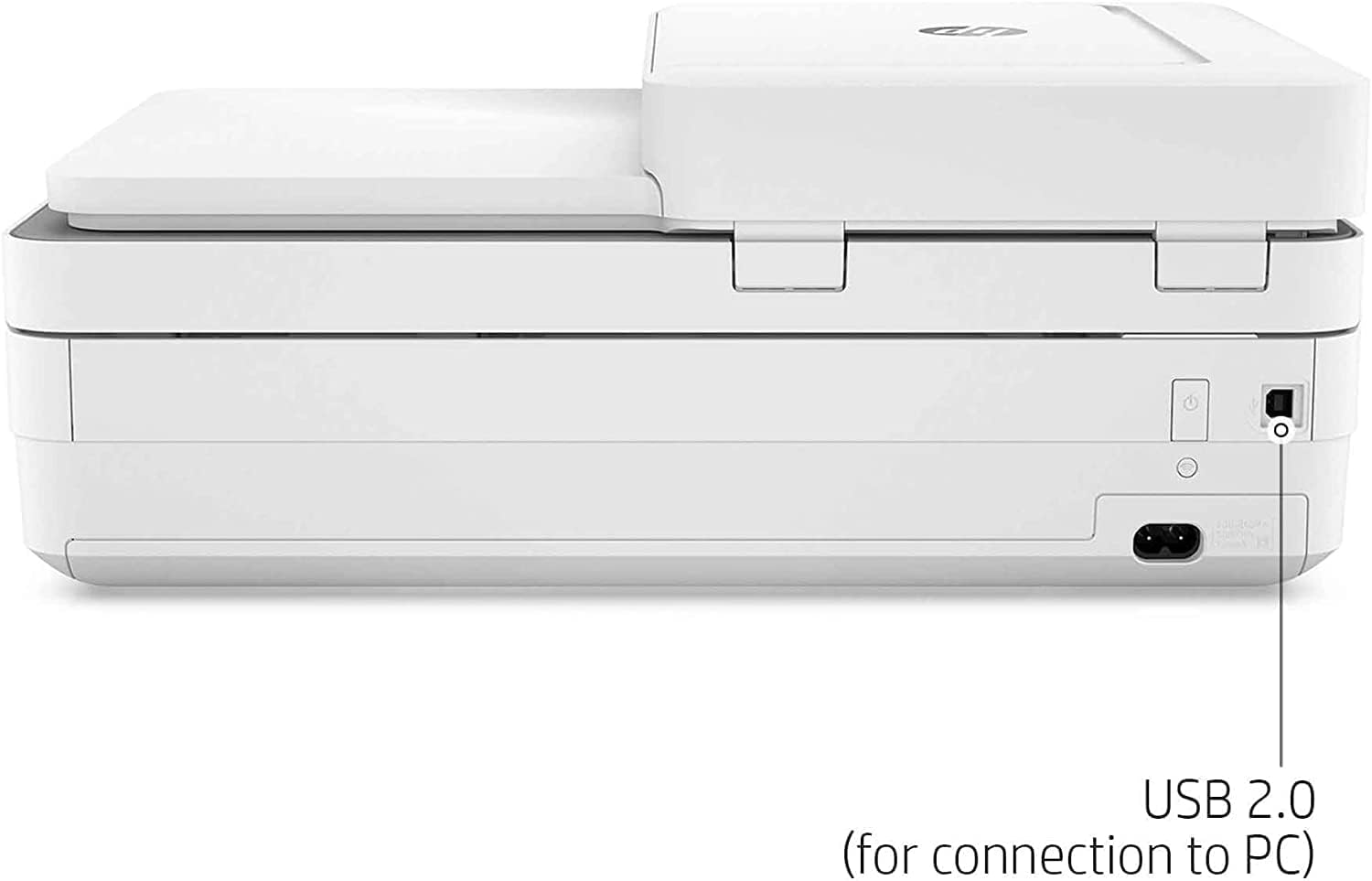
2.3 Připojení USB (volitelné)
For a direct connection, you can use a USB 2.0 cable (not included) to connect the printer to your computer.
3. Obsluha tiskárny
3.1 Vkládání papíru
Load up to 100 sheets of standard paper into the input tray. The printer supports various media types, including glossy photo paper, up to 8.5 x 11 inches.
3.2 Tisk dokumentů a fotografií
- Z počítače: Select "Print" from your application, choose the HP Envy 6458e, and adjust settings as needed (e.g., color, duplex, paper type).
- Z mobilních zařízení: Use the HP Smart app, Apple AirPrint, or Mopria-certified applications to print directly from your smartphone or tablet.
- Bezokrajový tisk: The printer supports borderless printing for photos up to 8.5 x 11 inches.
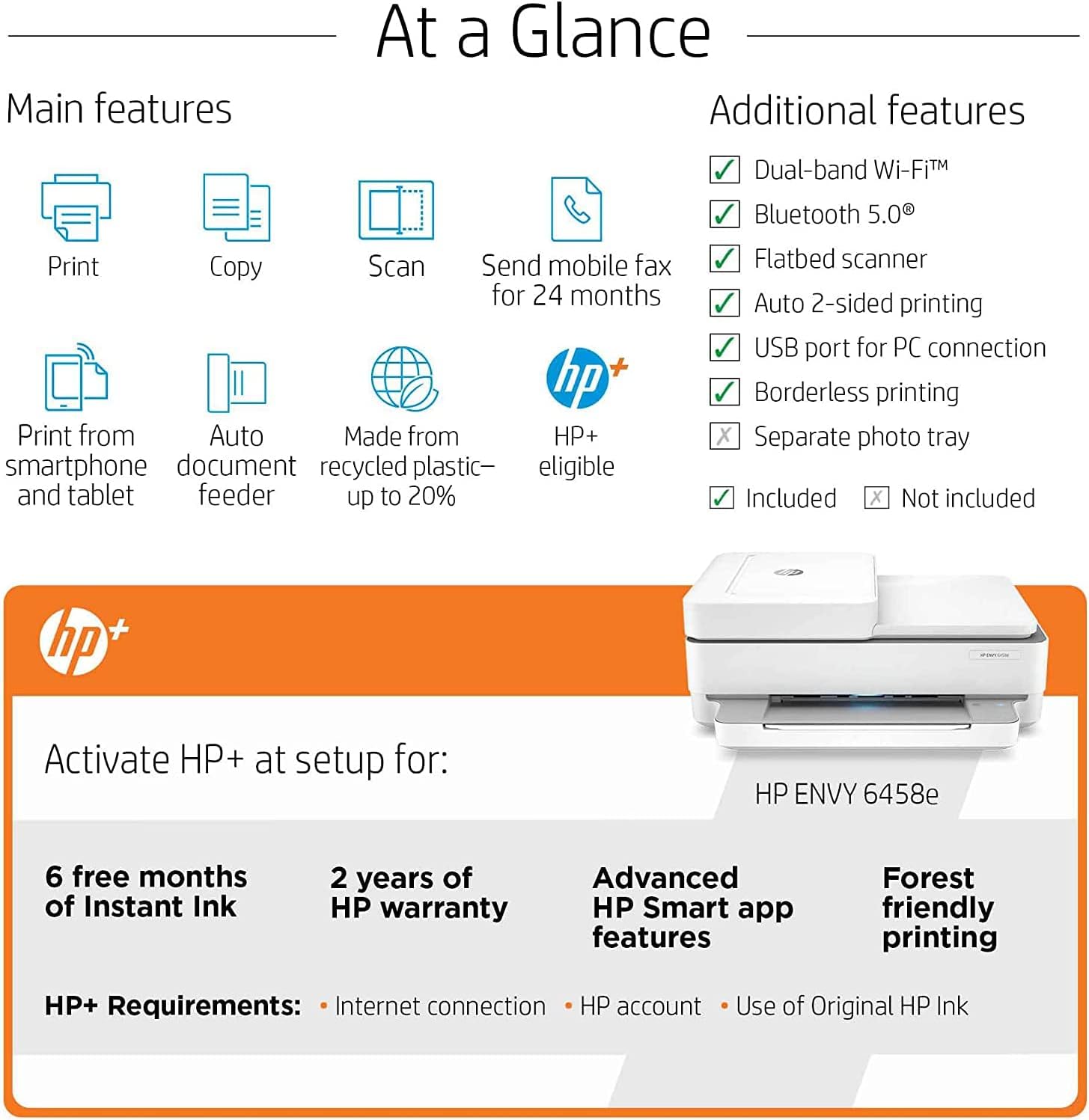
- Automatický 2stranný tisk: This feature allows for automatic duplex printing, saving paper.

3.3 Skenování dokumentů
The HP Envy 6458e features both a flatbed scanner and a 35-sheet Automatic Document Feeder (ADF).
- Plochý skener: For single pages, delicate documents, or items that cannot go through the ADF. Lift the scanner lid, place the document face down on the glass, and close the lid.
- Automatický podavač dokumentů (ADF): For scanning multiple pages quickly. Load up to 35 sheets into the ADF tray.
- Initiate scanning via the HP Smart app or your computer's scanning software.

3.4 Kopírování dokumentů
Use the flatbed scanner or ADF to make copies. The printer supports up to 35 copies per run.
- Vložte dokument na skenovací desku nebo do automatického podavače dokumentů (ADF).
- Use the printer's control panel or the HP Smart app to select copy options (e.g., number of copies, color/black & white).
3.5 Mobilní fax
The HP Smart app allows you to send mobile faxes for 24 months as part of the HP+ benefits.
4. Údržba
4.1 Výměna inkoustových kazet
When an ink cartridge is low or empty, the printer will indicate this. Replace cartridges with genuine HP 67 series ink cartridges. Follow the instructions provided with the new cartridges or refer to the HP Smart app for guidance.
If enrolled in HP Instant Ink, cartridges will be shipped to you automatically before you run out.
4.2 Čištění tiskárny
- Vnější: Vnější povrchy otřete měkkým, damp, hadřík nepouštějící vlákna.
- Sklo skeneru: Lehce používejte měkký hadřík, který nepouští vlákna dampSklo skeneru vyčistěte čističem skla (neabrazivním). Nestříkejte čistič přímo na sklo.
- Válečky ADF: Obraťte se na podporu HP website or the HP Smart app for specific instructions on cleaning ADF rollers if paper feed issues occur.
5. Řešení problémů
5.1 Běžné problémy a řešení
| Problém | Možná příčina / řešení |
|---|---|
| Tiskárna se nepřipojuje k Wi-Fi | Ensure the printer is within range of your Wi-Fi router. Restart your router and printer. Use the HP Smart app for guided troubleshooting. The printer features self-healing Wi-Fi to help maintain connection. |
| Print quality issues (streaks, faded prints) | Check ink levels and replace low cartridges. Run a print head cleaning cycle from the HP Smart app or printer software. Ensure you are using appropriate paper for your print settings. |
| Uvíznutí papíru | Carefully remove any jammed paper from the input tray, output tray, or inside the printer. Ensure paper is loaded correctly and not overloaded. Use recommended paper types. |
| Skener nefunguje | Ensure the printer is connected to your computer or network. Restart the printer and computer. Use the HP Print and Scan Doctor tool (available from HP support) for diagnostics. |
Podrobnější informace o řešení potíží naleznete na stránkách podpory HP. webwebu nebo v aplikaci HP Smart.
6. Specifikace
| Funkce | Detail |
|---|---|
| Název modelu | HP Envy 6458e |
| Funkce | Tisk, kopírování, skenování, mobilní fax |
| Technologie tisku | Inkoustové |
| Rychlost tisku (černobíle) | Až 10 str./min (ISO) |
| Rychlost tisku (barevně) | Až 7 str./min (ISO) |
| Rozlišení tisku (černobíle) | Rozlišení až 1200 x 1200 dpi |
| Rozlišení tisku (barevně) | Optimalizované rozlišení až 4800 x 1200 dpi |
| Rozlišení skenování (optické) | Až 1200 dpi |
| Rozlišení kopírování | Up to 300 x 300 dpi (Black & Color) |
| Automatický podavač dokumentů (ADF) | 35 listů |
| Kapacita vstupního zásobníku | Až 100 listů |
| Kapacita výstupního zásobníku | 25 listů |
| Oboustranný tisk | Automatický |
| Konektivita | 1 Hi-Speed USB 2.0, 1 Wi-Fi 802.11ac (dual band) |
| Mobilní tisk | HP Smart app, Apple AirPrint, Chrome OS, Mopria-certified |
| Rozměry (Š x H x V) | 17.02" x 20.13" x 7.6" (with input tray extended) |
| Hmotnost | 13.58 libry |
| Pracovní cyklus (měsíčně) | Až 1000 XNUMX stran |
7. Záruka a podpora
7.1 Záruka na produkt
This HP Envy 6458e printer comes with a 90-day limited warranty. For specific terms and conditions, please refer to the warranty documentation included with your product or visit the official HP support webmísto.
7.2 Zákaznická podpora
Pro technickou pomoc, stažení ovladačů nebo další informace navštivte oficiální stránky podpory HP. webmísto:
The HP Smart app also provides access to support resources and diagnostic tools.
Ask a question about this manual
Ask about setup, troubleshooting, compatibility, parts, safety, or missing instructions. Manuals+ will review the question and use this page’s manual context to help answer it.