
uniarch UHO-S2E
Uživatelská příručka chytré kamery Uniarch UHO-S2E s otočným a naklápěcím mechanismem
Model: UHO-S2E
1. Úvod
The Uniarch UHO-S2E is a 2MP indoor Pan and Tilt (PT) camera designed for comprehensive home surveillance. It offers real-time two-way audio communication, high-definition night vision, and advanced detection features including motion detection, auto tracking, audio detection, and human body detection. Its flexible pan and tilt design allows for a 360° horizontal rotation range, ensuring extensive coverage of your indoor space. This camera integrates seamlessly with the Uniarch APP and EZCloud, providing convenient remote monitoring capabilities from anywhere at any time.
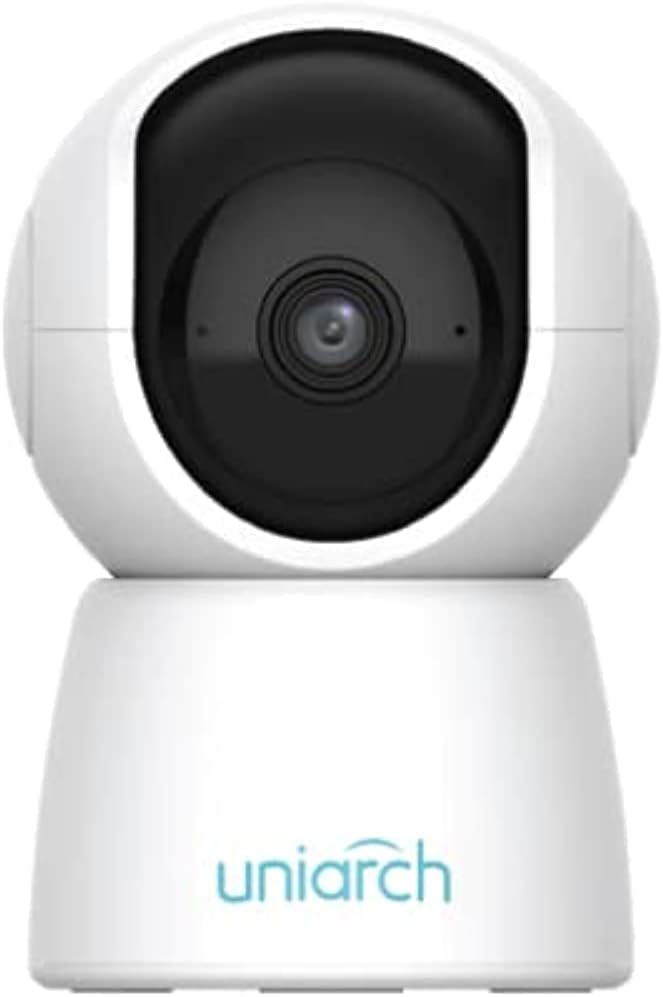
Obrázek 1.1: Přední strana view of the Uniarch UHO-S2E Smart Pan and Tilt Camera, showcasing jeho kompaktním a moderním designem.
Klíčové vlastnosti:
- 2MP Resolution & IR Night Vision: Provides clear, high-definition video day and night.
- 360° Pan Range: Offers extensive coverage with its pan and tilt capabilities for 24-hour monitoring.
- Obousměrný zvuk: Umožňuje komunikaci v reálném čase prostřednictvím kamery.
- Multiple Detection Ways: Includes motion, audio, and human body detection for enhanced security alerts.
- Easy and Convenient to Use: Designed for straightforward setup and operation via the Uniarch APP.
2. Bezpečnostní informace
Please read this manual carefully before operating the device and retain it for future reference. Observe all safety warnings and precautions to ensure proper and safe operation.
- Používejte pouze napájecí adaptér dodaný s fotoaparátem.
- Do not expose the camera to water or moisture. This device is designed for indoor use only.
- Neumísťujte kameru na přímé sluneční světlo nebo do blízkosti zdrojů tepla.
- Ensure the camera is installed on a stable surface to prevent falling.
- Nepokoušejte se kameru rozebírat ani upravovat. Veškerý servis svěřte kvalifikovanému personálu.
- Uchovávejte fotoaparát a jeho příslušenství mimo dosah dětí.
3. Fyzické komponenty a porty
Familiarize yourself with the various components and connection ports of your Uniarch UHO-S2E camera.
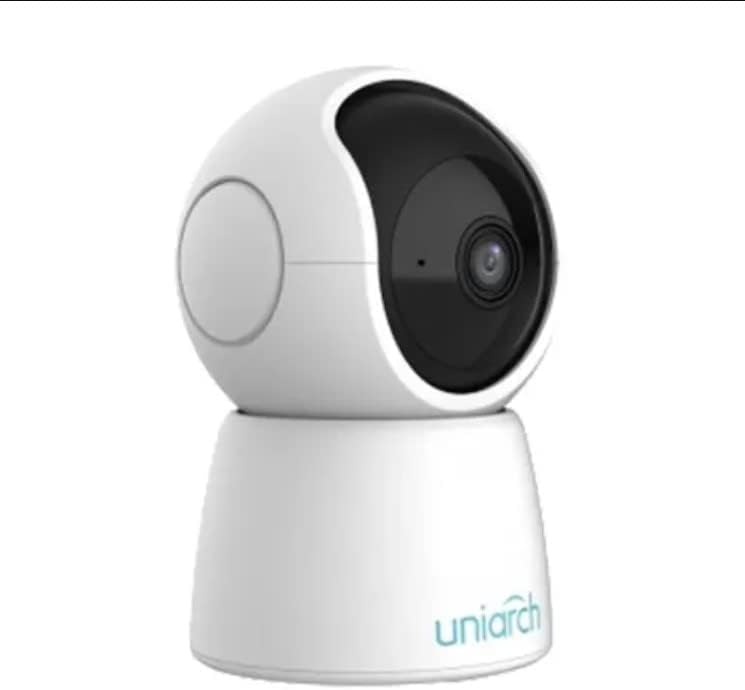
Obrázek 3.1: Úhlové view of the Uniarch UHO-S2E camera, showing its pan and tilt head and base.
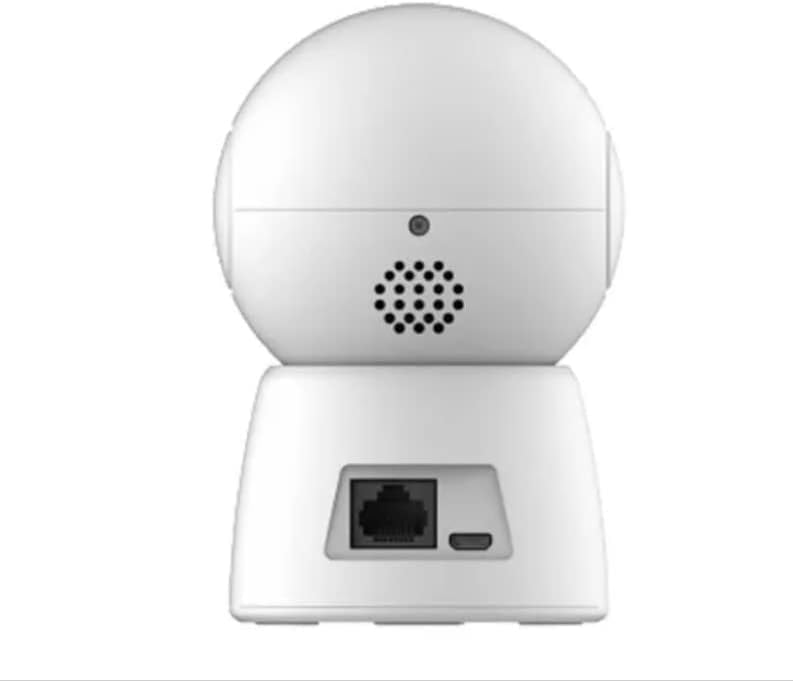
Obrázek 3.2: Zadní view of the Uniarch UHO-S2E camera, highlighting the Ethernet port and Micro USB power input.
Popis portů:
- Micro USB port: Pro připojení napájecího adaptéru.
- Ethernetový port: For wired network connection (optional, Wi-Fi is also supported).
- Resetovací tlačítko: Typically a small pinhole button to restore factory settings.
- Mikrofon: Pro zvukový vstup během obousměrné komunikace.
- Reproduktor: Pro zvukový výstup během obousměrné komunikace.
4. Průvodce nastavením
Follow these steps to set up your Uniarch UHO-S2E camera.
4.1 Zapnutí fotoaparátu
- Connect the provided power adapter to the Micro USB port on the back of the camera.
- Zapojte napájecí adaptér do standardní elektrické zásuvky.
- The camera will power on and initiate its self-test sequence. Wait for the indicator light to show a stable status (refer to the camera's LED indicator guide for specific light patterns).
4.2 Installing the Uniarch App
The Uniarch App is essential for controlling and monitoring your camera.
- Download the "Uniarch" app from the App Store (iOS) or Google Play Store (Android). You can search for "Uniarch" or scan a QR code if provided in the camera's packaging.
- Nainstalujte si aplikaci na svůj smartphone nebo tablet.
- Open the Uniarch app and register for a new account if you don't have one, or log in with your existing credentials.
4.3 Přidání fotoaparátu do aplikace
There are typically two methods to add your camera: Wi-Fi connection or wired connection.
Wi-Fi Connection (Recommended):
- In the Uniarch app, tap the "+" icon to add a new device.
- Select "Camera" or "Wireless Camera" from the device type options.
- Follow the on-screen instructions to connect the camera to your Wi-Fi network. This usually involves selecting your Wi-Fi network, entering the password, and then scanning a QR code generated by the app with the camera's lens.
- Po připojení pojmenujte kameru a dokončete proces nastavení.
Drátové připojení (volitelné):
- Connect an Ethernet cable from your router to the Ethernet port on the back of the camera.
- In the Uniarch app, tap the "+" icon to add a new device.
- Select "Camera" or "Wired Camera" and follow the instructions to search for and add the camera on your local network.
- Once detected, name your camera and complete the setup process.
5. Návod k obsluze
This section covers the basic operation of your Uniarch UHO-S2E camera through the Uniarch App.
5.1 Živě View a ovládání otáčení/náklonu
- Open the Uniarch app and select your camera from the device list to access the live view.
- Naživo view screen, you will find controls for pan (horizontal rotation) and tilt (vertical rotation). Drag your finger across the screen or use the directional arrows to adjust the camera's viewing angle. The camera supports a 360° pan range.
5.2 Obousměrný zvuk
- Zatímco v přímém přenosu viewklepnutím na ikonu mikrofonu povolíte obousměrný zvuk.
- Press and hold the microphone button to speak through the camera's speaker. Release to listen.
5.3 Detekce pohybu a upozornění
- Navigate to the camera settings within the Uniarch app.
- Vyhledejte sekci „Nastavení detekce“ nebo „Nastavení alarmu“.
- Enable motion detection, human body detection, and/or audio detection as desired.
- Configure sensitivity levels and detection zones if available.
- Ensure push notifications are enabled in the app and your phone's settings to receive alerts.
5.4 Automatické sledování
- In the camera settings, find the "Auto Tracking" option.
- Enable auto tracking to allow the camera to automatically follow detected motion within its field of view.
5.5 Noční vidění
- The camera automatically switches to IR night vision in low-light conditions.
- You can typically configure night vision mode (Auto, On, Off) in the camera settings if manual control is desired.
6. Údržba
Správná údržba zajistí dlouhou životnost a optimální výkon vašeho fotoaparátu.
6.1 Čištění fotoaparátu
- Before cleaning, disconnect the camera from the power source.
- K otření těla fotoaparátu použijte měkký, suchý hadřík.
- For the lens, use a lens cleaning cloth specifically designed for optical surfaces. Do not use abrasive cleaners or solvents.
6.2 aktualizací firmwaru
- Regularly check for firmware updates through the Uniarch app.
- Aktualizace firmwaru mohou zlepšit výkon, přidat nové funkce a zvýšit zabezpečení.
- Ensure the camera remains powered on and connected to the internet during a firmware update.
7. Řešení problémů
This section addresses common issues you might encounter with your Uniarch UHO-S2E camera.
| Problém | Možná příčina | Řešení |
|---|---|---|
| Camera is offline/cannot connect. | No power, Wi-Fi signal too weak, incorrect Wi-Fi password, router issues. |
|
| Špatná kvalita videa. | Insufficient lighting, dirty lens, weak network bandwidth. |
|
| Obousměrný zvuk nefunguje. | Microphone/speaker muted in app, network issues, hardware fault. |
|
| Nebyla přijata upozornění na pohyb. | Detection disabled, notification settings incorrect, app not running in background. |
|
8. Specifikace
| Funkce | Detail |
|---|---|
| Název modelu | Uniarch UHO S2E |
| Číslo modelu položky | UHO-S2E |
| Značka | uniarch |
| Rozměry produktu | 8 x 6 x 10 cm; 9.07 g |
| Doporučená použití | Monitor zvuku |
| Technologie připojení | Bezdrátový |
| Speciální funkce | Noční vidění, pohybový senzor |
| Vnitřní/venkovní použití | Krytý |
| Kompatibilní zařízení | Tablet, Smartphone |
| Zdroj napájení | Elektrický kabel |
| Protokol připojení | Wi-Fi |
| Typ ovladače | Android |
| Výrobce | Uniarch |
| Datum první dostupnosti | 18. ledna 2023 |
9. Podpora a záruka
For technical support, warranty information, or further assistance, please refer to the official Uniarch website or contact their customer service. Details can typically be found on the product packaging or the Uniarch official webmísto.
Poznámka: Konkrétní záruční podmínky se mohou lišit v závislosti na regionu a prodejci. Uschovejte si prosím doklad o koupi pro případ uplatnění záruky.
Ask a question about this manual
Ask about setup, troubleshooting, compatibility, parts, safety, or missing instructions. Manuals+ will review the question and use this page’s manual context to help answer it.