
1. Úvod
This manual provides detailed instructions for the proper use and maintenance of your New Bee BH58 Wireless Headset. Please read this manual thoroughly before using the product to ensure optimal performance and longevity. The BH58 headset features Bluetooth V5.0 connectivity, a noise-canceling microphone, and multiple connection options for various devices.

Figure 1: New Bee BH58 Wireless Headset with included USB dongle.
2. Obsah balení
Ujistěte se, že v balení jsou přítomny všechny položky:
- New Bee BH58 Wireless Headset
- USB dongle
- Nabíjecí kabel USB-C
- 3.5mm audio kabel
- Uživatelská příručka (tento dokument)
3. Konec produktuview
Seznamte se s komponenty a ovládacími prvky headsetu.

Figure 2: Headset controls layout.
- Tlačítko ztlumení mikrofonu: Vypnutí/zapnutí mikrofonu během hovorů.
- Hlasitost +/-: Upravte hlasitost zvuku.
- Power On/Off / Multifunctional Button: Zapnutí/vypnutí, přehrávání/pozastavení hudby, přijímání/ukončování hovorů.
- 3.5mm audio rozhraní: Pro kabelové připojení.
- Nabíjecí port (USB-C): Pro nabíjení náhlavní soupravy.
- Mikrofon: Rotatable for optimal positioning.

Figure 3: The microphone can rotate 270 degrees for use on either ear.
4. Nastavení
4.1 Nabíjení headsetu
Before first use, fully charge the headset. Connect the USB-C charging cable to the headset's charging port and the other end to a USB power source. The LED indicator will show charging status. A full charge takes approximately 1.5 hours.
4.2 Zapnutí/vypnutí
- Zapnutí: Push the power button to the middle position and hold for 3 seconds until the LED indicator flashes red and green alternately (for computer pairing mode) or red and blue alternately (for cellphone pairing mode).
- Vypnout: Push the power button to the bottom position to turn off the headset.
4.3 Párování se zařízeními
The BH58 headset supports three connection methods: Bluetooth, USB Dongle, and Wired.
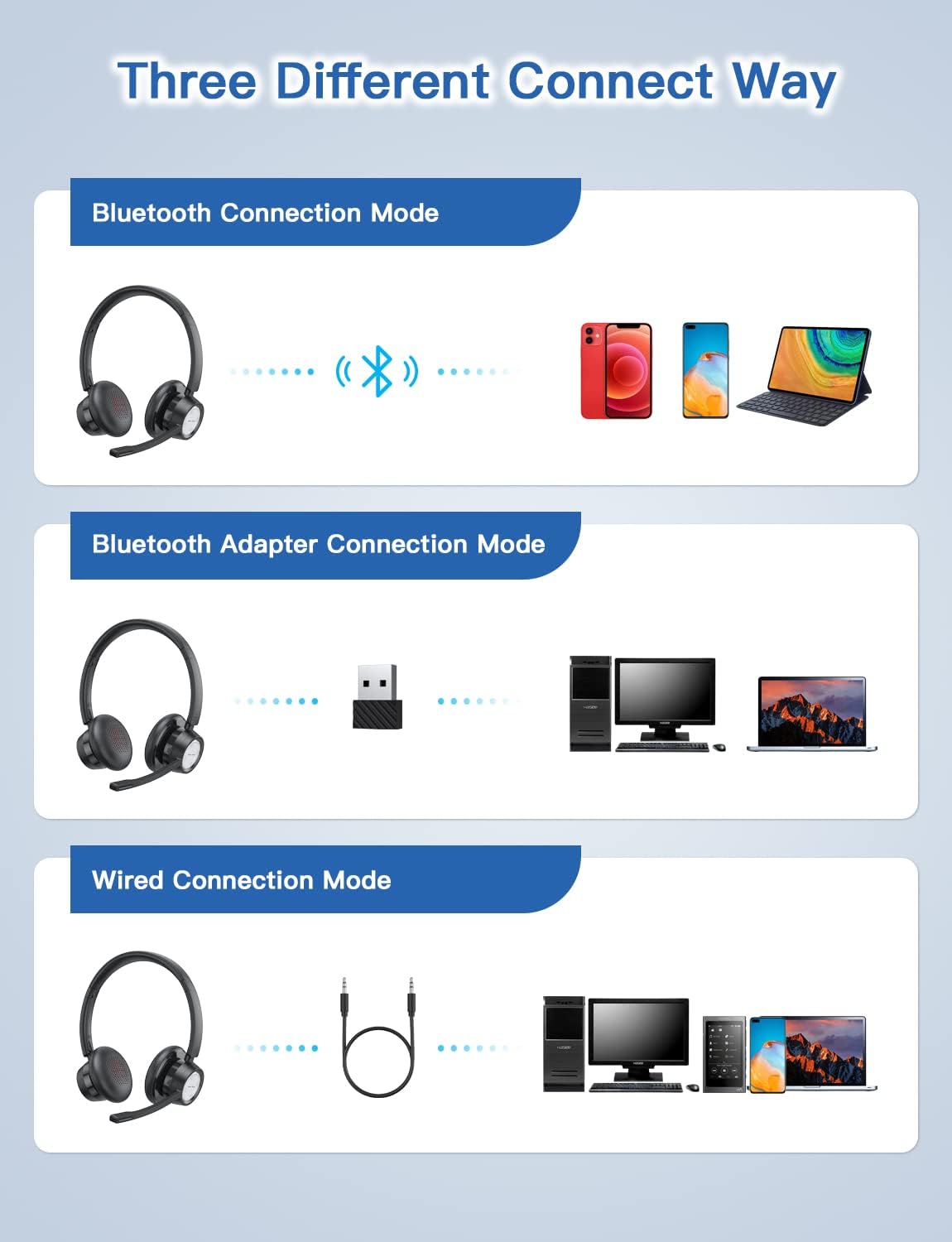
Figure 4: Multiple connection options for the BH58 headset.
4.3.1 Bluetooth Connection (for Cellphones/Tablets)
- Push the power button to the top and hold for 10 seconds until the headset LED indicator keeps flashing red and blue alternately. This indicates cellphone pairing mode.
- On your cellphone or tablet, go to 'Settings' > 'Bluetooth' and turn on Bluetooth.
- Hledat new devices and select 'BH58' from the list to connect.
- Once connected, you will hear a 'connected' voice prompt, and the LED indicator will flash blue every 30 seconds.
Video 1: Demonstrates the process of connecting the BH58 headset to a cellphone via Bluetooth.
4.3.2 USB Dongle Connection (for Computers without Bluetooth)
- Push the power button to the middle position to turn on the headset. The headset LED indicator keeps flashing red and green alternately, indicating computer pairing mode.
- Plug the Bluetooth transmitter (USB dongle) into your computer's USB port. It will automatically enter pairing mode. The Bluetooth transmitter LED indicator keeps flashing blue for about 3 seconds, then turns into red and blue flashing alternately.
- When hearing the 'connected' voice prompt, the connection is successful. The headset LED indicator flashes blue every 30 seconds, and the Bluetooth transmitter LED indicator is solid blue.
- On your computer, navigate to Sound Settings. Choose 'BH58' (or 'BTD-Q2' if listed) as the audio input and output device. Adjust sound settings as preferred.
Video 2: Illustrates how to connect the BH58 headset to a computer using the USB dongle and configure sound settings.
4.3.3 Kabelové připojení
Connect the 3.5mm audio cable to the headset's 3.5mm audio interface and the other end to your device's audio jack. In wired mode, only the speaker has sound; the buttons and microphone on the headset do not function.
5. Provoz
5.1 Správa hovorů
- Přijmout/ukončit hovor: Press the Multifunctional Button once.
- Odmítnout hovor: Press and hold the Multifunctional Button for 2 seconds.
- Ztlumit/zapnout mikrofon: Press the Mic Mute Button during an active call.
5.2 Ovládání zvuku
- Zvýšit hlasitost: Stiskněte tlačítko Hlasitost +.
- Snížit hlasitost: Stiskněte tlačítko Hlasitost -.
- Přehrát/pozastavit hudbu: Press the Multifunctional Button once.
5.3 Nošení headsetu
Adjust the headband for a comfortable fit. The microphone boom can be rotated 270 degrees to be worn on either the left or right ear. Position the microphone approximately 1-2 inches from your mouth for optimal voice clarity.

Figure 5: The headset can be adjusted for left or right ear wearing.
6. Životnost baterie
The BH58 wireless headset offers extended battery performance:
- Doba hovoru: Až 20 hodin
- Doba přehrávání hudby: Až 28 hodin
- Pohotovostní doba: Více než 400 XNUMX hodin
- Doba nabíjení: Přibližně 1.5 hodiny
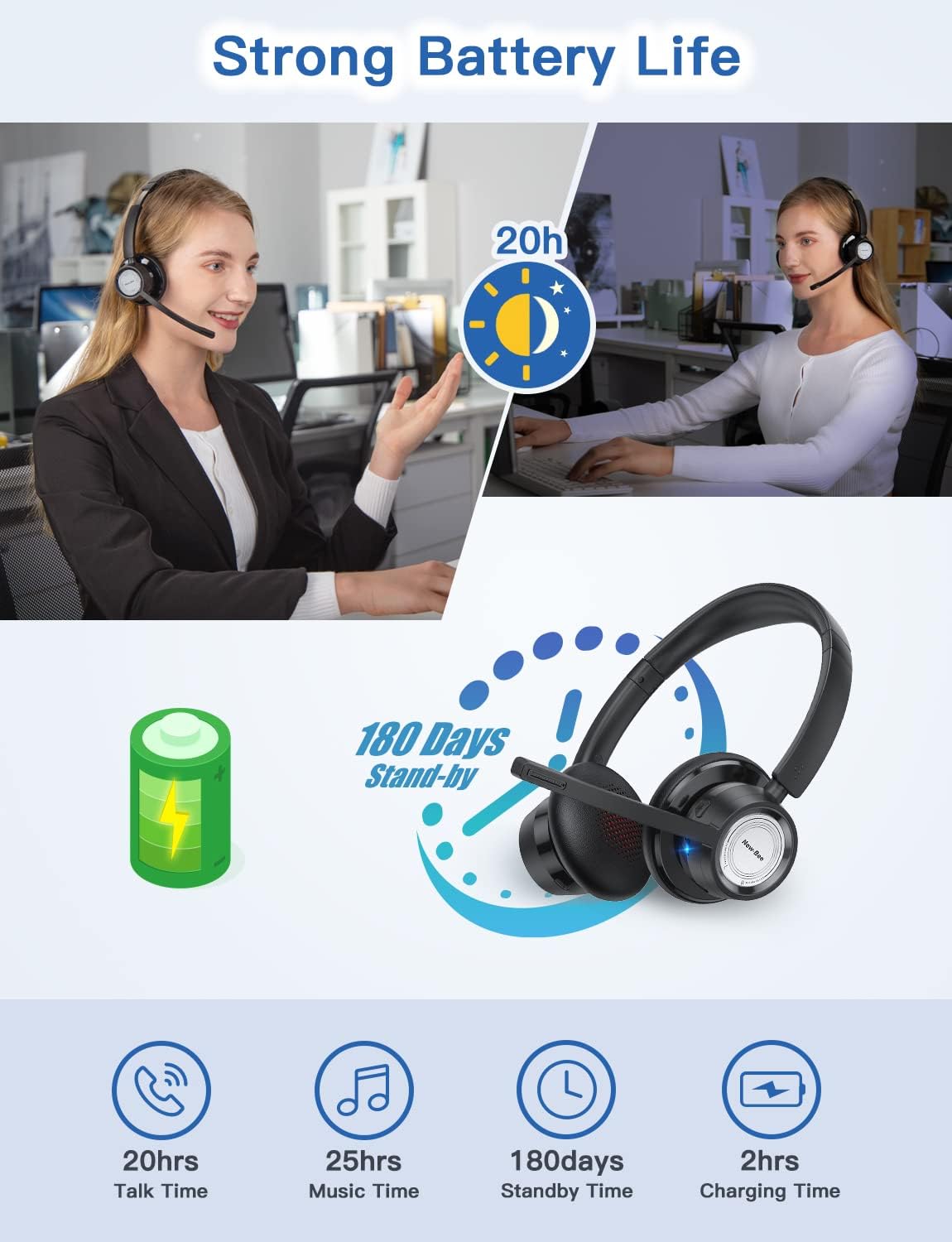
Obrázek 6: Přesview of BH58 headset battery performance.
7. Údržba
- Pravidelně čistěte sluchátka s mikrofonem měkkým, suchým hadříkem.
- Avoid exposing the headset to extreme temperatures, moisture, or corrosive substances.
- Pokud sluchátka nepoužíváte, skladujte je na chladném a suchém místě.
- Nepokoušejte se sluchátka rozebírat ani opravovat sami, jinak by došlo ke ztrátě záruky.
8. Řešení problémů
| Problém | Řešení |
|---|---|
| Sluchátka se nezapínají. | Ujistěte se, že je náhlavní souprava plně nabitá. |
| Nelze spárovat přes Bluetooth. | Ensure the headset is in pairing mode (LED flashing red/blue or red/green). Turn off and on Bluetooth on your device. Clear previous Bluetooth connections. |
| Žádný zvuk nebo špatná kvalita zvuku. | Check volume levels on both the headset and your device. Ensure 'BH58' is selected as the audio output device in your system settings. For wired mode, ensure the cable is fully inserted. |
| Mikrofon nefunguje. | Ensure the microphone is not muted. Check that 'BH58' is selected as the audio input device in your system settings. Microphone does not work in wired mode. |
| Sluchátka se často odpojují. | Ensure the headset is within the effective Bluetooth range (10-45 meters depending on mode and environment). Avoid obstacles that may interfere with the signal. |
9. Specifikace
| Funkce | Detail |
|---|---|
| Název modelu | BH58 |
| Technologie připojení | Bezdrátové (Bluetooth), Kabelové (3.5 mm) |
| Technologie bezdrátové komunikace | Bluetooth V5.0 |
| Kontrola hluku | Adaptive Noise Cancellation (ENC) |
| Mikrofon | Omnidirectional, 270° Rotatable |
| Doba hovoru | Až 20 hodin |
| Doba přehrávání hudby | Až 28 hodin |
| Pohotovostní doba | Více než 400 XNUMX hodin |
| Doba nabíjení | 1.5 hodin |
| Nabíjecí port | USB-C |
| Dosah Bluetooth | 10-45 meters (depending on mode/environment) |
| Materiál | Fabric, Memory Foam |
| Hmotnost položky | 230 gramů (8.1 unce) |
| Kompatibilní zařízení | Computers, Laptops, Smartphones, Tablets, VoIP systems, Webinar systems, Skype, Zoom, Avaya, Call Centers, Online meeting systems, Home devices, Office devices |
10. Záruka a podpora
New Bee provides excellent after-sales service, including a 12-month warranty from the date of purchase. A professional technical team and customer service center are available to assist you with any inquiries or issues.
For support, please refer to the contact information provided on the product packaging or the official New Bee webmísto.