
Techmade M350
Techmade Bluetooth Speaker User Manual
Model: M350
1. Úvod
Thank you for choosing the Techmade Bluetooth Speaker. This portable wireless speaker is designed to provide high-quality audio and convenient hands-free calling. Its compact and lightweight design makes it perfect for use at home, in the office, or on the go. This manual provides essential information on setting up, operating, and maintaining your speaker.

Image 1.1: The Techmade Bluetooth Speaker in blue, showcasinjeho kompaktní design a ovládací prvky na přední straně.
2. Konec produktuview
2.1. Součásti
The Techmade Bluetooth Speaker package includes the following items:
- Techmade Bluetooth Speaker
- USB kabel (pro nabíjení)
2.2. Ovládací prvky a indikátory
Seznamte se s ovládacími prvky a porty reproduktoru:

Obrázek 2.1: Detailní view of the speaker's intuitive controls, including the power switch, volume controls, and the USB-C charging port located at the bottom.
- Vypínač: Slouží k zapnutí nebo vypnutí reproduktoru.
- Tlačítko snížení hlasitosti (-): Snižuje hlasitost zvuku.
- Tlačítko pro zvýšení hlasitosti (+): Zvyšuje hlasitost zvuku.
- Nabíjecí port USB-C: Located at the bottom, used to charge the speaker's internal battery.
3. Nastavení
3.1. Nabíjení reproduktoru
Before first use, fully charge the speaker. Connect the provided USB cable to the speaker's USB-C port and the other end to a USB power adapter (not included) or a computer's USB port. The charging indicator light will show the charging status.
3.2. Párování Bluetooth
Připojení reproduktoru k zařízení s podporou Bluetooth:
- Ujistěte se, že je reproduktor nabitý a zapnutý.
- Aktivujte Bluetooth na svém smartphonu, tabletu nebo jiném zařízení.
- Hledat available Bluetooth devices. The speaker will appear as "Techmade M350" or similar.
- Vyberte reproduktor ze seznamu, který chcete spárovat. Úspěšné spárování bude signalizováno potvrzovacím zvukem.
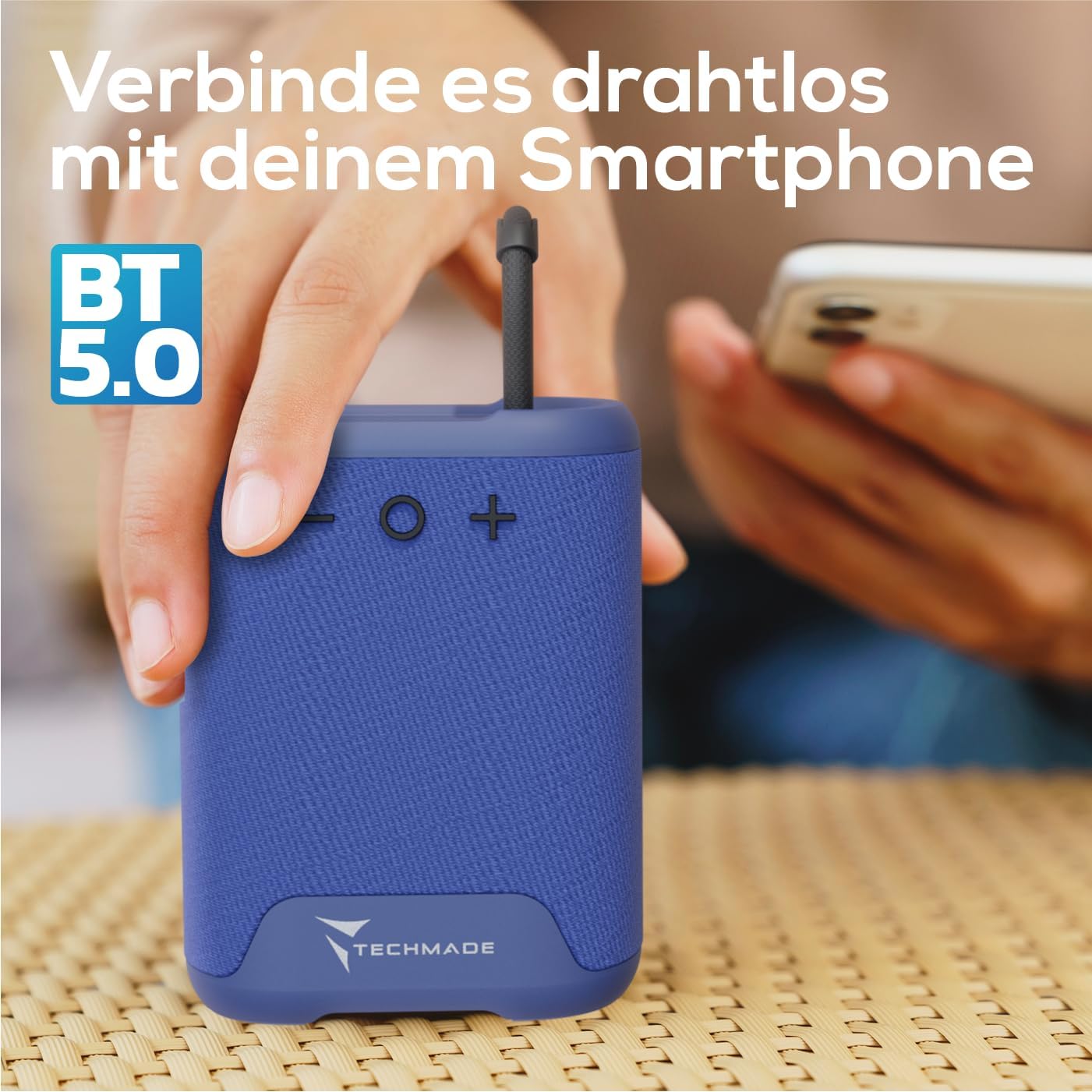
Image 3.1: Demonstrating the wireless connection process between the Techmade speaker and a smartphone via Bluetooth 5.0.
4. Návod k obsluze
4.1. Zapnutí/vypnutí
- Zapnutí: Press and hold the Power button until you hear a sound or see an indicator light.
- Vypnutí: Press and hold the Power button again until the speaker shuts down.
4.2. Přehrávání zvuku
- Once paired, audio from your connected device will play through the speaker.
- Use the Volume Up (+) and Volume Down (-) buttons on the speaker to adjust the volume. You can also control volume from your connected device.
4.3. Hands-free volání
The speaker features an integrated microphone for hands-free calls:
- Přijmout hovor: When a call comes in, press the Power button once to answer.
- Ukončit hovor: During a call, press the Power button once to end the call.
- Odmítnout hovor: Stisknutím a podržením tlačítka napájení odmítnete příchozí hovor.
5. Údržba
To ensure the longevity and optimal performance of your Techmade Bluetooth Speaker:
- Čištění: Reproduktor otřete měkkým, suchým hadříkem. Nepoužívejte abrazivní čisticí prostředky ani rozpouštědla.
- Skladování: Reproduktor skladujte na chladném a suchém místě mimo dosah přímého slunečního záření a extrémních teplot.
- Voděodolnost: Tento reproduktor není vodotěsný. Nevystavujte jej vodě nebo vysoké vlhkosti.
- Péče o baterie: Pokud reproduktor delší dobu nepoužíváte, nabíjejte jej alespoň jednou za tři měsíce, aby se zachovala jeho životnost.
6. Řešení problémů
Pokud narazíte na problémy s reproduktorem, podívejte se do následující tabulky, kde najdete běžné problémy a jejich řešení:
| Problém | Možná příčina | Řešení |
|---|---|---|
| Reproduktor se nezapne. | Baterie je slabá nebo vybitá. | Reproduktor plně nabijte pomocí dodaného USB kabelu. |
| Nelze spárovat se zařízením. | Bluetooth is off on device; speaker is not in pairing mode; device is too far. | Ensure Bluetooth is enabled on your device. Make sure the speaker is powered on and discoverable. Move device closer to speaker (within 10m). |
| Žádný zvuk nebo nízká hlasitost. | Volume is too low on speaker or device; speaker is not connected. | Increase volume on both the speaker and your connected device. Re-pair the speaker if connection is lost. |
| Špatná kvalita zvuku. | Rušení; zařízení je příliš daleko; slabá baterie. | Move speaker closer to device. Avoid obstacles between speaker and device. Charge the speaker. |
7. Specifikace
The following are the technical specifications for the Techmade Bluetooth Speaker M350:
| Funkce | Detail |
|---|---|
| Značka | Technologicky vyrobené |
| Název modelu | My speaker M350 |
| Číslo modelu | M350 |
| Technologie připojení | Bluetooth |
| Maximální výstupní výkon reproduktoru | 5 wattů |
| Frekvenční odezva | 9030 Hz |
| Režim zvukového výstupu | Prostorový zvuk |
| Typ montáže | Stolní deska |
| Materiál | Plast |
| Typ reproduktoru | Přenosný |
| Speciální funkce | Přenosný |
| Rozměry produktu | 5 x 7 x 10 cm; 300 gramů |
| Baterie | 1 Lithium-Polymer battery required (included) |
| První dostupný termín | 9. listopadu 2024 |

Image 7.1: Visual representation of the speaker's compact dimensions (10.5 cm height, 7.5 cm width, 5 cm depth) and its lightweight design (194 grams).
8. Záruka a podpora
For warranty information or technical support, please refer to the documentation provided with your purchase or contact Techmade customer service. Keep your proof of purchase for warranty claims.
Ask a question about this manual
Ask about setup, troubleshooting, compatibility, parts, safety, or missing instructions. Manuals+ will review the question and use this page’s manual context to help answer it.