
Zavedení
Thank you for choosing the sonoro Primus Internet Radio with Bluetooth. This manual provides essential information for setting up, operating, and maintaining your device to ensure optimal performance and longevity. Please read it thoroughly before use.
Důležité bezpečnostní pokyny
- Zdroj napájení: Používejte pouze určený napájecí adaptér. Ujistěte se, že hlasitosttage odpovídá místnímu napájení.
- Větrání: Neblokujte žádné větrací otvory. Kolem jednotky ponechte dostatečný prostor pro správné proudění vzduchu.
- Voda a vlhkost: Do not expose the unit to rain, moisture, dripping, or splashing. Keep liquids away from the device.
- Teplo: Neinstalujte v blízkosti zdrojů tepla, jako jsou radiátory, tepelné regulátory, kamna nebo jiná zařízení (včetně amplifikátory), které produkují teplo.
- Čištění: Unplug the unit before cleaning. Use a dry cloth only.
- Servis: Nepokoušejte se tento výrobek opravit sami. Veškerý servis svěřte kvalifikovanému servisnímu personálu.
- Laserový produkt: This product contains a Class 1 laser. Do not open the casing.
Obsah balení
Zkontrolujte prosím, zda jsou přítomny všechny položky:
- sonoro Primus Internet Radio Unit
- Napájecí adaptér
- Dálkové ovládání (s bateriemi)
- Uživatelská příručka (tento dokument)
Nastavení
1. Vybalení a umístění
Carefully remove the unit from its packaging. Place the sonoro Primus on a stable, flat surface, ensuring adequate ventilation around the device. Avoid placing it near strong magnetic fields or direct sunlight.
2. Připojení napájení
Connect the provided power adapter to the AC IN port on the rear of the unit. Plug the other end into a suitable wall outlet. The unit will enter standby mode.
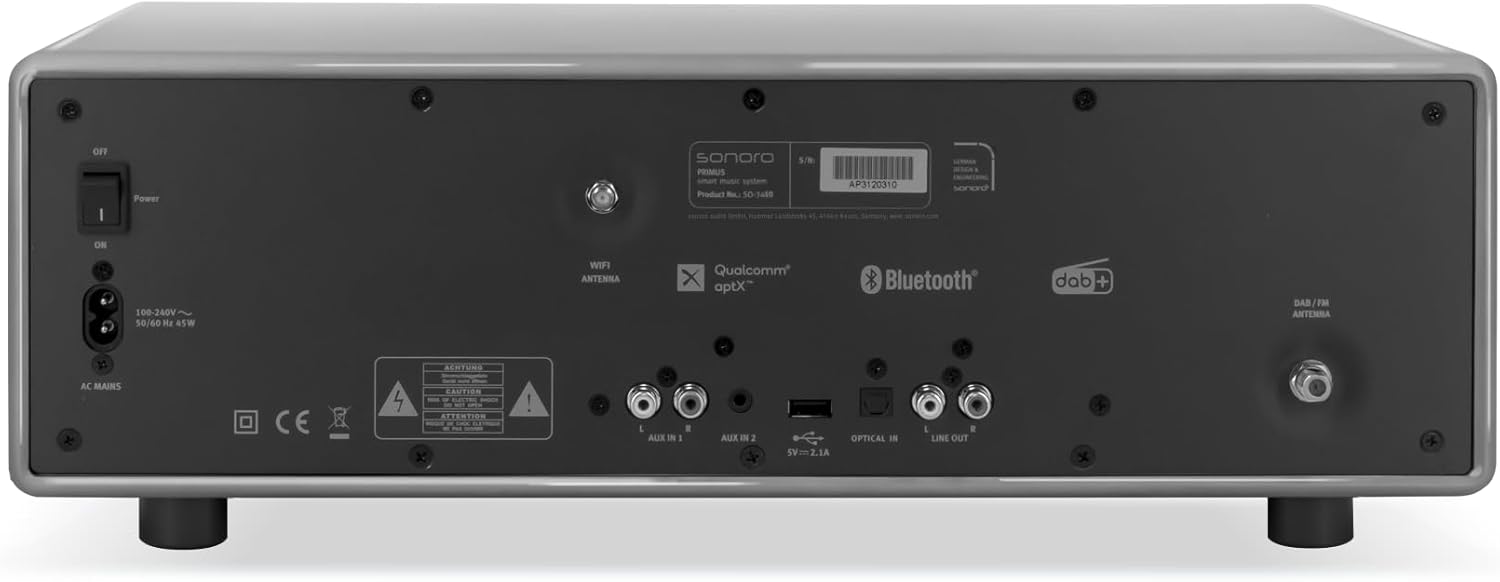
Obraz: Rear panel of the sonoro Primus, highlighting the power input and other connectivity options like AUX-in, Optical-in, and antenna connections.
3. Připojení antény
For optimal FM and DAB+ reception, connect the included antenna to the appropriate antenna input on the rear panel. Extend the antenna fully for best signal quality.
4. Počáteční zapnutí
Press the Power button on the front panel or the remote control to turn on the unit. Follow the on-screen instructions for initial setup, including language selection and network configuration.

Obraz: Přední view of the sonoro Primus, displaying the central screen, control knobs, and various buttons for media playback and source selection.
Návod k obsluze
Základní ovládací prvky
The sonoro Primus features intuitive controls on the front panel and a comprehensive remote control. Key controls include:
- Vypínač: Turns the unit on/off or into standby mode.
- Knoflík hlasitosti: Upravuje hlavní úroveň hlasitosti.
- Knoflík ladění/výběru: Prochází menu a vybírá možnosti.
- Tlačítka zdroje: Selects input sources (Internet Radio, DAB+, FM, Bluetooth, CD, AUX-in, Optical-in).
- Ovládání přehrávání: Play/Pause, Skip Forward/Backward for CD and streaming.
Internet Radio and Podcasts
Access over 25,000 internet radio stations and numerous podcasts worldwide. Ensure your device is connected to a stable Wi-Fi network. Navigate through the menu using the Tune/Select knob to find and save your favorite stations.
DAB+ and FM Radio
Switch to DAB+ or FM mode using the source buttons. The unit will automatically scan for available stations. You can manually tune or save presets for quick access to your preferred channels.
Připojení Bluetooth
To connect a Bluetooth device (smartphone, tablet, laptop):
- Select the Bluetooth source on the sonoro Primus.
- Povolte Bluetooth na vašem externím zařízení.
- Hledat "sonoro Primus" in your device's Bluetooth settings and pair.
- Po připojení můžete bezdrátově streamovat zvuk do jednotky.
Přehrávání CD
Insert an audio CD into the CD slot. The unit will automatically detect and begin playback. Use the playback controls to manage your music.
Streaming Services (Spotify Connect, Amazon Music, Deezer)
The sonoro Primus supports various streaming services. To use Spotify Connect, Amazon Music, or Deezer, ensure your device is connected to Wi-Fi and you have an active subscription to the respective service. Follow the instructions within the service's app to connect to your sonoro Primus.
AUX-in and Optical-in
Connect external audio devices using the AUX-in (3.5mm jack) or Optical-in ports on the rear panel. Select the corresponding source on the unit to play audio from these inputs.
Údržba
Čištění jednotky
To clean the exterior of the unit, unplug it from the power source. Use a soft, dry, lint-free cloth. Do not use abrasive cleaners, waxes, or solvents as they may damage the finish.
Péče o CD přehrávač
Handle CDs by their edges to avoid fingerprints. If a CD is dirty, wipe it gently with a soft, dry cloth from the center outwards. Do not use solvents or abrasive cleaners on CDs.
Aktualizace softwaru
Periodically check for software updates via the unit's menu (if available). Updates can improve performance and add new features. Ensure a stable internet connection during updates.
Odstraňování problémů
| Problém | Možná příčina | Řešení |
|---|---|---|
| Žádná síla | Napájecí kabel není připojen; zásuvka je vadná. | Zkontrolujte připojení napájecího kabelu; zkuste jinou zásuvku. |
| Žádný zvuk | Volume too low; wrong input source selected; mute activated. | Increase volume; select correct input source; deactivate mute. |
| Špatný příjem rádia | Antenna not properly connected or extended; interference. | Upravte polohu antény; přemístěte jednotku dále od ostatních elektronických zařízení. |
| Párování Bluetooth se nezdařilo | Device too far; Bluetooth not enabled on external device; unit not in pairing mode. | Ensure devices are close; enable Bluetooth; put sonoro Primus in pairing mode. |
| CD se nepřehrává | CD vloženo nesprávně; CD je znečištěné nebo poškrábané; nepodporovaný formát disku. | Reinsert CD correctly; clean or replace CD; ensure it's an audio CD. |
| Problémy s připojením Wi-Fi | Nesprávné heslo; router příliš daleko; rušení sítě. | Verify Wi-Fi password; move unit closer to router; restart router. |
Pokud problém přetrvává, kontaktujte prosím zákaznickou podporu.
Specifikace
- Značka: sonoro
- Model: e60a53a9-4d44-4a55-b129-3386e8f3e186
- Technologie tuneru: FM, DAB+
- Režim výstupu zvuku: Stereo
- Podporované zvukové formáty: MP3, AAC, WAV
- Konfigurace reproduktorů: 2.1 (Two coaxial speakers and a powerful 5.25 inch subwoofer)
- Konektivita: Optical, Auxiliary, Bluetooth, WLAN
- Kompatibilní zařízení: Laptop, MP3 player, Smartphone, Tablet
- Zdroj napájení: Elektrický kabel
- Typ displeje: LCD nebo LED
- Zahrnuté komponenty: Power adapter, Remote control (with Lithium-metal batteries)
- Rozměry (balení): 52.6 x 33.2 x 27.4 cm
- Hmotnost (balení): 9.45 kg
- Barva: Chalk Grey (Note: Other colors may be available for different models)
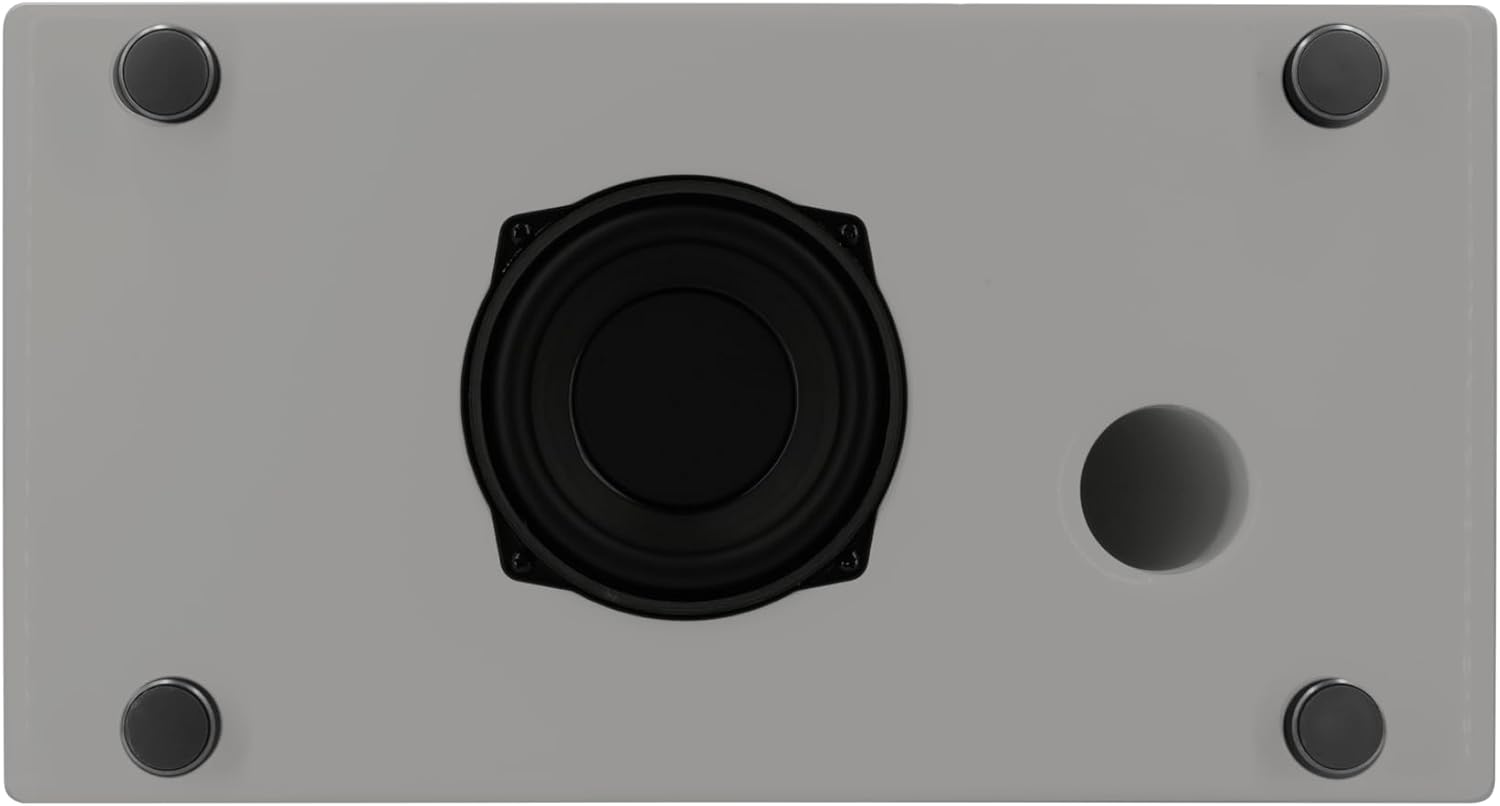
Obraz: Underside of the sonoro Primus, revealing the integrated 5.25-inch subwoofer for enhanced bass performance.
Záruka a podpora
The sonoro Primus comes with a standard manufacturer's warranty. Please refer to the warranty card included in your package for specific terms and conditions. For technical support, service, or warranty claims, please contact sonoro audio GmbH customer service through their official webnebo kontaktní informace poskytnuté při nákupu.
Výrobce: sonoro audio GmbH
První dostupné datum: 2. ledna 2023